VPN Proton: Fast & Secure VPN
- 20.80K
- 4.7
- Installs
- 50.00M
- Price
- Free

Screenshots
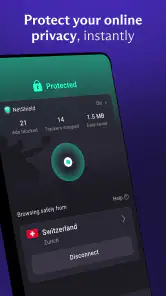
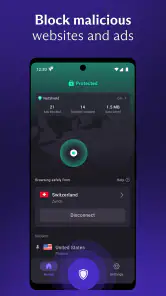

Analysis by Reviewed
I’d approach a VPN as a practical tool rather than a magic switch: it can add a layer of privacy to a connection, but it also changes the route your traffic takes. That trade-off is central to deciding whether VPN Proton: Fast & Secure VPN belongs on your phone. I find it most compelling for everyday browsing away from home, when I want a simple way to use a VPN without making every online task feel technical.
What to expect from speed
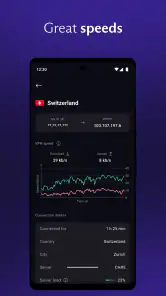
A VPN adds a step between your device and the internet, so I wouldn’t expect every site or video to load exactly as it does on an unprotected connection. Your location, the server you choose, and the network you’re using all shape the result. In everyday browsing, a good fit is usually more useful than chasing the farthest location: a nearby option is a sensible first choice when you care most about responsiveness.
That matters when you’re deciding whether to leave a VPN on all day. I’d use it for routine browsing on public Wi-Fi or when I want a more private connection, then check how familiar services behave before relying on it for a time-sensitive call or a large download. A VPN can improve privacy, but it can’t repair a weak Wi-Fi signal or make a congested network dependable.
What Sets It Apart?
When it comes to VPNs, there are tons out there. So, what makes VPN Proton: Fast & Secure VPN stand out from the crowd? For starters, it's fast. Like, seriously fast. If you've ever used a VPN before, you know that speed is often a big issue. But with Proton, I was streaming videos and browsing without any hiccups. It was like my internet wasn't even being routed through a VPN, which is exactly what you want.
When everyday use gets demanding
Streaming, browsing, and downloading put different demands on a connection. If you’re watching a show while travelling, I’d first connect and start playback before settling in; that gives you a chance to spot buffering or a service that doesn’t work as expected. For a long download, a stable nearby connection may matter more than selecting a distant location just to change your apparent region.
Compared with a basic proxy, a VPN is intended to protect traffic between your device and the VPN service, rather than simply act as a route to a website. Compared with leaving your connection untouched, it adds privacy on networks you don’t control, but may introduce extra latency. I wouldn’t treat it as a fix for every location restriction either: access can depend on the site or service, and a VPN is not a substitute for a subscription or account you need to use that content.
Security at Its Core
We can't talk about a VPN without delving into security. Proton is built by the same folks who brought us ProtonMail, which is known for its top-notch security features. Encryption is their game, and they play it well. With Proton, you get a secure connection, ensuring your data is shielded from prying eyes. Whether you're at a coffee shop or using public Wi-Fi, you can breathe easy knowing your information is safe.
More From Our News Desk

Weather by Xiaomi Review: Clear at a Glance, Less Clear Up Close

X Under Pressure: Can It Recover When Posting Goes Wrong?

Clash of Clans Is Won Between the Battles

Android Auto Makes the Case for Quieter Car Software

MobiOffice: Transforming Mobile Productivity with Seamless Integration

EA SPORTS FC™ Mobile Soccer: Redefining Mobile Sports Gaming
The app also has a no-logs policy, which means they don't store any of your browsing data. This is crucial for anyone who values their privacy. In a world where data is the new gold, knowing that your activities aren't being tracked is a huge relief.
Keeping a session dependable
My practical test for any VPN is what happens when the connection changes. Imagine checking a map at a café, then walking outside and switching from Wi-Fi to mobile data. If a page stalls, I’d check whether the VPN connection is still active and reconnect before continuing, rather than assuming the original session carried over perfectly. This small habit is especially useful when handling private information on public networks.
For important tasks, I’d also keep a non-sensitive fallback ready: save travel details locally or wait until you have a stable connection before starting a large transfer. A VPN protects the route; it doesn’t guarantee uninterrupted internet access. If a service becomes sluggish, trying a closer server or briefly comparing the connection with the VPN off can help distinguish a VPN routing issue from a weak network. I’d avoid sending sensitive information during that comparison.
Ease of use and support
Let's face it, no one wants to deal with a complicated app. Thankfully, Proton understands this and offers a user-friendly interface. Even if you're not tech-savvy, navigating this app is a breeze. From selecting servers to adjusting settings, everything is straightforward. Plus, it has a clean design, which makes the whole experience pleasant.
Another thing I appreciate is the customer support. If you ever run into issues, their team is always ready to help, which is a huge plus in my book. It's clear they genuinely care about their users, and that's something you don't find everywhere.
Who is likely to appreciate it?
Proton AG makes this free Tools app, which suits someone who wants a straightforward way to add a VPN connection without first committing to a paid plan. The app has a 4.7 average from around 610,000 ratings, and it has passed 50 million installs. Those figures suggest broad appeal, though they can’t tell you whether it will suit your own network or preferred services.
I’d recommend trying it if you regularly use hotel, café, or airport Wi-Fi, or if you want a VPN available for ordinary browsing on the move. On the other hand, someone whose main requirement is the lowest possible latency for online gaming, or who needs a particular service to work reliably through a specific location, should test that exact workflow before depending on it. A direct connection may be the better choice for latency-sensitive tasks where privacy on the network is not the priority.
A realistic routine might be checking directions and messages on café Wi-Fi, then switching to mobile data while heading to an appointment. I’d connect before opening anything sensitive, and after changing networks I’d make sure the VPN is still active before continuing. That little check is more useful than assuming the app can make a moving connection seamless. For a video call or a payment that cannot wait, I’d choose the most stable available connection first; privacy matters, but a stalled session can be its own problem.
Device fit, cost, and practical limits
The app is free to download, rated for Everyone, and its current version is 5.14.76.0; it requires Android 8.0 or later. In-app purchases range from $9.99 to $119.88 per item, so it’s worth checking what a paid option includes before deciding whether it fits your needs. I’d start with the free experience, see how it behaves on the networks and services I actually use, and only then consider paying for anything.
VPN use can also add work for a phone’s connection and may affect battery life, especially during long sessions or when the signal is poor. I wouldn’t assume the difference will be the same on every device. If your phone is older or already struggles to stay connected, try a short session first and watch for heat, battery drain, or dropped connections rather than leaving it running through an important task without checking.
That trial is also a good way to answer the practical question of whether you need a paid plan. If your everyday browsing and public-network use are already covered by the free experience, there may be no reason to spend. If you are considering an in-app purchase, I’d first identify the specific limitation you want to solve and read the purchase details carefully, rather than paying based on a general promise of better performance. A subscription cannot remove weak reception or guarantee that every website will accept a VPN connection.
Locations and access expectations
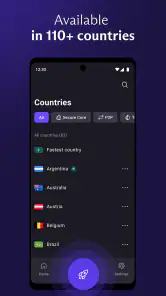
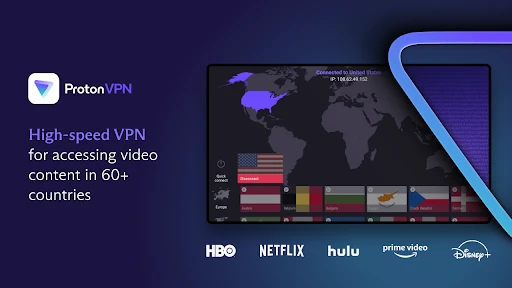
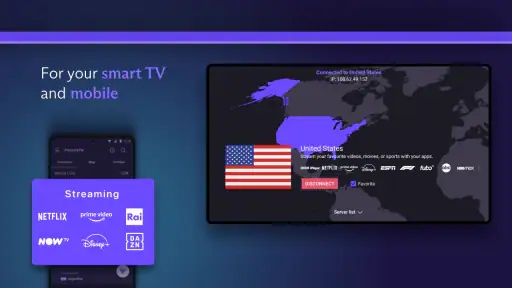
Proton offers a wide range of servers all over the globe. Whether you want to access content from Europe, Asia, or the Americas, Proton has got you covered. This global reach ensures that you can bypass geo-restrictions with ease. So if you're like me and enjoy accessing content from different countries, this app will be your best friend.
Moreover, Proton doesn't limit your bandwidth. You can stream, download, and browse as much as you want without worrying about hitting a cap. This unlimited bandwidth is a game-changer for anyone who uses the internet extensively.
For travel, I’d think of location choice as a tool for finding a workable route, not a guarantee that a site will behave as if I were physically somewhere else. Services can apply their own access rules, and the VPN does not supply any account or content entitlement. If a streaming app refuses to play, I’d avoid repeatedly changing locations as though that must solve it; checking the service’s own availability and trying a normal connection may be more useful.
How it compares with other ways to connect
Compared with choosing no VPN at all, Proton adds a privacy-minded layer that can be useful on networks I don’t control, with the possible cost of extra delay or a less predictable route. A proxy may be simpler for changing how a particular website sees a connection, but it is not the same kind of general traffic protection. I’d choose based on the job: a VPN for broader everyday protection, a direct connection when responsiveness matters most, and neither as a promise that a location-restricted service will work.
There is also a difference between this and a specialist setup that is tuned around one narrow requirement. If your priority is a particular gaming route, a specific streaming library, or uninterrupted access during work, test that exact service and device before making Proton your default. For someone who mainly wants a readily available option for browsing while out, its accessible starting point is more persuasive than chasing a complicated configuration they may never use.
My performance verdict
Proton is most appealing when I want a simple privacy layer that I can use for ordinary browsing and public Wi-Fi, without turning setup into a project. Its ease of use and free starting point lower the barrier to trying a VPN, while its performance still depends on the network, server choice, device, and service involved. I’d judge it by a few real tasks rather than a single speed impression: load the sites you use, try a video, and see whether the connection remains comfortable as you move between networks.
If you need consistently low delay for gaming, a guaranteed route to a particular streaming catalogue, or a VPN that behaves identically on every connection, I’d be cautious and test alternatives against that specific need. For a friend who wants an accessible VPN for everyday privacy and is willing to check how it performs on their own phone, I think Proton is a sensible place to start.
In conclusion, if you're on the hunt for a dependable VPN that offers speed, security, and ease of use, VPN Proton: Fast & Secure VPN is definitely worth checking out. It's one of those apps that once you start using, you can't imagine going without. Happy browsing!
VPN Proton: Fast & Secure VPN Frequently Asked Questions
Who develops VPN Proton: Fast & Secure VPN, and what is it designed for?
VPN Proton: Fast & Secure VPN is a Tools app developed by Proton AG. Its purpose is to provide a VPN connection on a mobile device for people seeking privacy and security while using the internet. The store describes it as a fast, private VPN proxy for secure internet access. It may suit users looking for a VPN service, but it is worth considering what you personally need from one before installing.
How much space does VPN Proton: Fast & Secure VPN take, and will it work on my phone?
The app requires Android 8.0 or later, so check your phone’s operating-system version before downloading. The app’s current version is 5.14.76.0. If your device meets the minimum requirement, you can install it and explore the VPN service. As with any app, available storage and device performance can affect installation and day-to-day use.
Is VPN Proton: Fast & Secure VPN suitable for someone who has never used a VPN before?
VPN Proton: Fast & Secure VPN is a privacy and security tool for people who want to connect through a VPN rather than use an unprotected internet connection. Its purpose is to make that kind of connection accessible on a phone, whether you are new to VPNs or already familiar with them. Before downloading, consider whether you want a VPN for general privacy, safer browsing, or access to content that may be restricted in your region.
What is VPN Proton: Fast & Secure VPN and how does it work?
VPN Proton: Fast & Secure VPN is a virtual private network service designed to protect your internet connection and privacy. It works by encrypting your data and routing it through secure servers worldwide, masking your IP address and allowing you to access restricted content safely. This ensures your online activities are kept private and secure from prying eyes.
Is VPN Proton: Fast & Secure VPN free to use?
VPN Proton offers both free and paid versions of its service. The free version provides basic features and a limited selection of server locations, while the paid version, ProtonVPN Plus, offers enhanced features such as faster speeds, more server locations, and support for streaming services. Users can choose the plan that best fits their needs.
Pros
- High-speed connections for streaming
- Strong security and privacy features
- Easy to use interface
- No logs policy ensures anonymity
- Multiple server locations globally
Cons
- Limited free version features
- Occasional connection drops
- Premium plan required for full access
- Limited customer support options
- App size could be smaller
- Category
- Tools
- Version
- 5.14.76.0









