Proton Mail: Encrypted Email
- 7.86K
- 4.3
- Installs
- 5.00M
- Price
- Free
Screenshots

Analysis by Reviewed
I approach a new email app with one practical question: can I get through an ordinary day without feeling lost, while still making a deliberate choice about privacy? Proton Mail: Encrypted Email is built around that balance. It is a communication app from Proton AG, and I’d consider it most seriously if I want private email to be part of my routine rather than a tool I open only for special messages.
What to expect from a privacy-focused inbox
The first thing to understand is that encrypted email is not automatically a magic cloak around every message sent to every person. The protection depends on how a conversation is handled and who is receiving it. I would use Proton Mail for messages where privacy matters, but I would still check the recipient and the message before sending sensitive details. That small habit is more useful than assuming an app removes every risk.
The app is free to start, rated for Everyone, and has a 4.3 average from around 81,000 ratings. It has passed 5 million installs, which suggests it has found an audience beyond people who enjoy tweaking security settings. That scale does not tell me whether it suits my habits, though; the real test is whether its approach fits the people I email every day.
What Makes Proton Mail Stand Out?
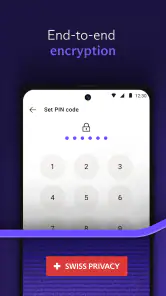
First off, let’s talk about its main claim to fame: end-to-end encryption. This feature ensures that only you and your intended recipient can read your emails. Not even Proton Mail itself can peek into your messages. This level of security is a breath of fresh air in today's data-driven world.
Slick and User-Friendly Interface
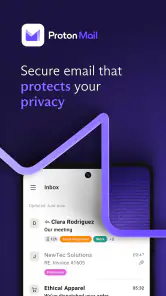
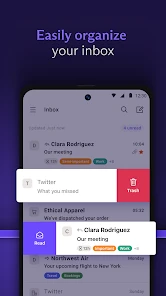
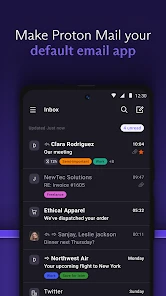
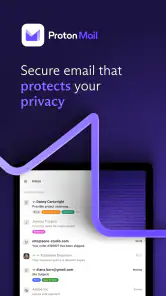
When I first logged into Proton Mail, I was pleasantly surprised by its clean, minimalist interface. It’s super intuitive, and even if you’re not a tech guru, you’ll find it easy to navigate. The developers did a fantastic job making sure the app is straightforward and accessible for everyone.
Cross-Platform Accessibility
Another thing I love about Proton Mail is its availability across multiple platforms. Whether you're an Android aficionado or an iOS enthusiast, Proton Mail has got you covered. You can also access it via your web browser, making it incredibly versatile and convenient, especially if you switch between devices as often as I do.
Security Features That Impress
Now, let’s dive deeper into the security features. Proton Mail offers two-factor authentication, which adds an extra layer of protection to your account. Plus, their zero-access encryption means that your data is stored in such a way that it can’t be decrypted by anyone but you. This is gold for those of us who are super concerned about privacy.
More From Our News Desk

Weather by Xiaomi Review: Clear at a Glance, Less Clear Up Close

X Under Pressure: Can It Recover When Posting Goes Wrong?

Clash of Clans Is Won Between the Battles

Android Auto Makes the Case for Quieter Car Software

MobiOffice: Transforming Mobile Productivity with Seamless Integration

EA SPORTS FC™ Mobile Soccer: Redefining Mobile Sports Gaming
A Free Option with Premium Upgrades
Proton Mail offers a generous free version, which is perfect if you’re just starting to dip your toes into the world of encrypted emails. However, if you’re looking for additional features like more storage or custom domains, they offer reasonably priced premium plans. It’s nice to have the flexibility to choose what suits your needs best.
Getting from installation to a useful first email
For a first-time user, I’d keep setup simple: install the app, create or sign in to an account, and send a low-stakes test message to someone you know. That gives you a chance to learn where composing and replying feel comfortable before you rely on the inbox for a time-sensitive conversation. If you already have an email address you use daily, keep it available during the transition rather than trying to move every conversation at once.
A realistic first use might be sending a document-related question to a family member or coordinating a private appointment. I would write only what the recipient needs, confirm the address, and make sure the person knows to look for the message. That last point matters: a privacy-conscious workflow works best when both sides understand how they will communicate, instead of assuming every recipient uses the same service.
Everyday trade-offs and a smoother workflow
When I compare it with a familiar mainstream inbox, the choice is less about which app is universally better and more about what I value. Conventional email services can be the easier default when nearly everyone I contact already uses them and I want the fewest changes to my habits. Proton Mail is more compelling when I want privacy to guide the choice of inbox, even if that means explaining the switch or adjusting how I handle certain conversations.
One useful habit is to treat the inbox as a place for correspondence, not as a secure vault for every sensitive record. I would avoid sending passwords or keeping a message open on a shared device, and I’d turn on two-factor authentication while setting up the account rather than postponing it. These steps reduce avoidable exposure without making everyday email feel like a technical project.
There can also be a social cost to changing email services: people may keep writing to an old address, and some organizations may be slow to update contact details. I’d transition gradually, using the new address for new conversations first and updating important accounts one by one. If your priority is maximum compatibility with an established workplace email system, or you do not want to manage a second address, staying with your current provider may be the more practical decision.
Who should make the switch—and who may not need to
I’d recommend trying it if you are privacy-minded, are starting a fresh personal inbox, or want a separate address for conversations you prefer to keep apart from shopping receipts and routine notifications. It can also suit someone who moves between phone and browser and wants to reach the same email account in both places. The current version is 7.3.0, and the app’s minimum OS requirement is 10, so I’d check that your device meets it before planning a switch.
If you mainly need a shared family mailbox, depend on a company’s specific email tools, or want every contact to use the same provider without any explanation, a conventional service may fit more smoothly. The app itself is free, while in-app purchases range from $4.99 to $119.88 per item; I’d begin with the free option and consider paying only if a specific need, such as more storage or a custom domain, makes an upgrade worthwhile. The app’s release date is Mar 16, 2016, but what matters more to me is whether its current workflow works for your own routine.
Common points of confusion before you commit
A frequent question is whether every email becomes end-to-end encrypted just because I use this app. I would not make that assumption: the recipient and the way a message is sent affect the privacy of the exchange. For ordinary correspondence, the app can still be useful as a privacy-focused inbox, but I would choose a suitable method for especially sensitive information and confirm that the other person can receive it securely.
Another practical question is whether I have to move my whole digital life on day one. I wouldn’t. Start with one conversation, learn how replies and notifications fit into your day, then decide whether to update contacts and accounts. That gradual approach also makes it easier to spot any service you rely on that expects messages at your existing address.
Proton Mail’s store summary currently calls attention to a Black Friday offer, but I would not let a promotion decide whether the app belongs in my routine. First work out whether the free setup meets your needs; paid plans make sense only when their added capacity or options solve a real problem for you.
A practical way to judge the switch
I would give the app a fair trial by choosing one regular, low-risk email task and repeating it for a few days: replying to a family thread, handling appointment messages, or keeping personal correspondence separate from retail mail. That test tells you more than a quick tour of the interface. Notice whether you remember to check the new inbox, whether replies feel natural, and whether the people you contact can follow the change without extra hassle.
It is also worth deciding what “private” means for your particular use. If your aim is simply to make a privacy-focused service your everyday home for email, Proton Mail is a straightforward place to begin. If you need a specific recipient to receive a protected message, plan the exchange rather than assuming the recipient’s usual inbox will handle it in the same way. I would never use a reassuring app label as a reason to include information that the recipient does not need.
Choosing the right inbox for your routine
Compared with the usual free email choices, the central trade-off is not just a different interface; it is whether privacy deserves more weight than seamless familiarity. A mainstream account can be preferable when a household, club, or employer has already settled on a shared system and convenience depends on everyone staying there. Proton Mail is a stronger fit when I am willing to make a deliberate choice about where personal correspondence lives and can introduce that address to the people who matter.
For someone who only checks email occasionally, switching may not be worth the effort if their existing provider already meets their needs and privacy is not a concern. On the other hand, a person creating a new personal address has less old correspondence to redirect, so trying a privacy-focused inbox can be simpler at that point. I would make the decision based on the contacts and services I actually use, not on the idea that one provider must be right for everyone.
Before making it your main address
One question people often have is whether they should immediately replace the address used for banking, bills, and account recovery. I would not do that all at once. Keep access to the old inbox while updating a few important services at a time, then check that their confirmation and recovery messages arrive where you expect. This is a small bit of housekeeping, but it can prevent a rushed switch from turning into a login problem later.
If you are comparing paid plans, I would first identify the limit you have actually run into. More storage or a custom domain may matter to a particular user, but paying before knowing what you need makes the choice harder, not easier. The free starting point gives a newcomer room to learn the workflow; an upgrade is most sensible when a concrete requirement makes it worthwhile.
Who will appreciate it most
I see the best match as someone who wants a personal inbox with privacy at the center, is comfortable introducing a new address gradually, and does not need their email app to mirror a workplace’s established tools. It can also be a useful choice for a person who wants a clearer boundary between personal conversations and the routine messages that tend to crowd a general-purpose inbox. That separation is a habit you create, rather than a reason to expect the app to sort every part of your digital life for you.
By contrast, if your top priority is never having to explain a change to contacts, or your work depends on a managed email setup, I would stay with the provider that already fits those requirements. That is not a failure of Proton Mail; it is a recognition that a communication app is only useful when the people and services around you can work with it. I would rather choose the less disruptive option than adopt a new inbox and then ignore it.
My final recommendation
To wrap it up, if privacy is a priority for you, then Proton Mail: Encrypted Email is a must-try. It combines robust security features with an easy-to-use interface, making it a top contender in the secure email market. Give it a shot, and you might just find yourself wondering how you ever lived without it!
Proton Mail: Encrypted Email Frequently Asked Questions
Is Proton Mail free to download, and are there optional purchases?
Proton Mail is free to download, so you can install the app without paying upfront. It also offers in-app purchases, with listed prices ranging from $4.99 to $119.88 per item. If you are deciding whether to try it, you can start with the free app and consider paid options only if they fit what you need.
Who is Proton Mail intended for?
Proton Mail is a communication app for people who want an email service with a focus on privacy. It may appeal to anyone looking for a separate inbox for personal or sensitive conversations, as well as people curious about encrypted email. Its content rating is Everyone, so its stated audience is broad rather than limited to adults.
What should I check before installing Proton Mail on my phone?
Before downloading Proton Mail, check that your phone runs Android or iOS and meets the app’s minimum operating-system requirement of version 10. The app is developed by Proton AG and is free to install, though in-app purchases are available. Confirming compatibility first can help you avoid downloading an app your device cannot run.
Can I use Proton Mail alongside my current email account?
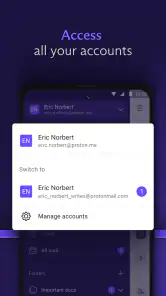
Proton Mail is an email app from Proton AG, designed for private communication. You can consider it as an additional inbox if you want to keep some conversations separate from your existing email. Its focus on encryption may suit messages you want to handle with added privacy, while your current account can remain available for other everyday correspondence.
Is Proton Mail suitable for someone who is new to encrypted email?
Yes. Proton Mail is an email app for communication, and its central purpose is to make privacy-conscious email easier to use. The ideas behind encryption can sound technical, but you do not need to become a security expert to understand why the service appeals to people who want private conversations. It is worth remembering that the recipient’s email setup can affect how a protected message is handled.
Pros
- End-to-end encryption ensures privacy.
- User-friendly interface for all ages.
- Open-source with regular updates.
- No ads for distraction-free emailing.
- Easy integration with other email clients.
Cons
- Limited storage on free version.
- Premium features behind paywall.
- Occasional sync issues reported.
- No calendar integration yet.
- Mobile app lacks full desktop features.
- Category
- Communication
- Version
- 7.3.0












