Volume Booster for Android
- 3.28K
- 4.6
- Installs
- 10.00M
- Price
- Free

Screenshots
Analysis by Reviewed
I judge a volume tool less by how far it can push a slider and more by whether it gives me a useful, predictable choice. Volume Booster for Android, made by ZipoApps, is a free music and audio app aimed at people who want more level from their device’s sound. It has a 4.6 average from around 144,000 ratings and over 10 million installs, so it is clearly a familiar option for Android users. I’d still treat any sound booster as something to test carefully: louder playback is not automatically clearer playback, and the result depends on the phone, audio source, and listening setup.
Start with a careful listening test
My practical advice is to try the app with a spoken clip first, at a modest boost, rather than immediately turning up a loud song. Speech makes it easier to notice whether extra level actually helps or simply makes the sound harsher. Then compare the same passage at the same device volume with the booster off and on. This quick A/B check can tell you whether the added amplification helps with your particular phone and headphones, instead of relying on a slider position as if it guaranteed a certain loudness.
That distinction matters because a booster cannot improve every weak recording or fix a speaker that is blocked, damaged, or limited by its hardware. If audio is muddy at the ordinary setting, pushing it harder may make the problem more noticeable. I’d also keep the phone’s own volume controls in mind: the app is an extra tool, not a replacement for checking that media volume is set appropriately or that the audio is routed to the speaker or headphones you intend to use.
Where a boost is useful—and where it is not
A realistic use is catching a quiet podcast while tidying up at home, when the phone is on a nearby table and the room is otherwise calm. It may also help when a voice message or video sounds low compared with other media. In a noisy street, though, raising phone-speaker output is not a reliable substitute for moving somewhere quieter or using suitable headphones. For extended listening, I would choose a comfortable level rather than trying to overpower background noise.
Compared with the usual alternatives, this app is for someone who wants a direct volume adjustment rather than a full music player or a detailed equalizer workflow. A player with its own sound controls may be a better fit if you only want to shape music played inside that one app. Device sound settings are the simpler first stop if your issue is a muted setting or a connected audio device. I see a booster as a convenient extra to test when those basics are already right—not as a universal fix for every audio problem.
Unleashing the Sound: What Volume Booster Does
So, what exactly does Volume Booster bring to the table? In simple terms, this app is designed to amplify the audio output of your Android device beyond the standard limits. Whether you're watching a movie, indulging in a music marathon, or just trying to catch every single syllable of a voice message, this app ensures you won't miss a beat. It's like giving your phone a mini speaker upgrade without the price tag!
Easy Peasy Interface
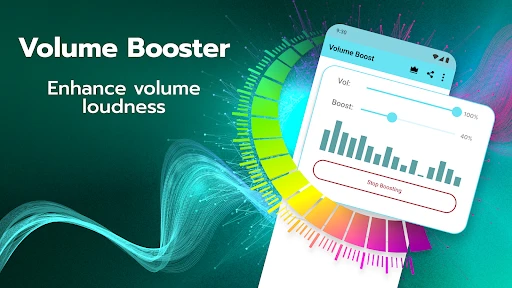
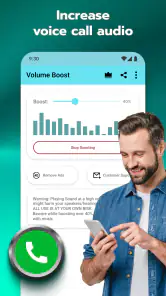
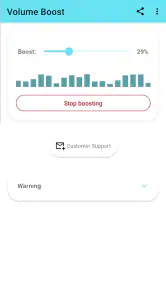
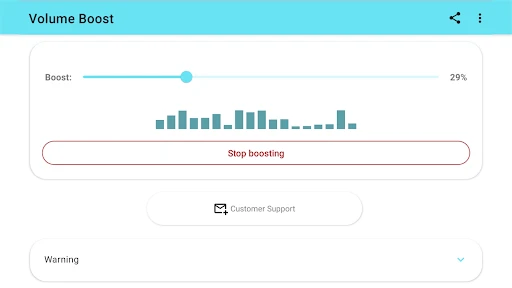
One of the first things you'll notice about Volume Booster is its super user-friendly interface. I mean, who needs a complicated setup when all you want is to crank up the volume, right? The app doesn’t bombard you with unnecessary features or settings. It’s as straightforward as it gets: just slide the volume control to your desired level and let the app do its magic.
More From Our News Desk

Weather by Xiaomi Review: Clear at a Glance, Less Clear Up Close

X Under Pressure: Can It Recover When Posting Goes Wrong?

Clash of Clans Is Won Between the Battles

Android Auto Makes the Case for Quieter Car Software

MobiOffice: Transforming Mobile Productivity with Seamless Integration

EA SPORTS FC™ Mobile Soccer: Redefining Mobile Sports Gaming
That simplicity is useful when you need a quick adjustment, but I would make the change in small steps and listen between them. A single dramatic jump can make it harder to tell whether the result is genuinely better. If you switch from quiet speech to bass-heavy music, reassess the level for the new material instead of assuming one setting suits every source. The most useful habit here is treating the control as a temporary correction, not a permanent target.
Performance That Packs a Punch
I was curious to see if this app was all bark and no bite, so I tested it across various scenarios. From high-volume jams to subtle audio enhancements, Volume Booster delivered consistently. The audio was clear, and there was no distortion, even when pushed to the higher limits. This app has got the oomph you need without compromising on sound quality.
My caution is that a clean result in one listening situation does not promise the same result with every recording or output device. If you hear crackling, roughness, or a strained quality, lower the boost and compare again; more level is not worth losing intelligibility. I would be especially conservative with headphones, since sound close to the ears can become uncomfortable before the change feels obvious in a noisy room. Let comfort, not the maximum slider position, set the limit.
Battery and Compatibility
Worried about battery drain? Fear not! Volume Booster is surprisingly light on battery usage. It's optimized to ensure your phone doesn’t become a brick just because you wanted a little more sound. Plus, it works seamlessly with a wide range of Android devices, so chances are, your phone is already on the list.
The app is currently version 13.3.8 and supports Android 5.0 and later. It is rated for Everyone, though that age label is not a substitute for sensible listening habits, particularly when children use headphones. The app is free to download, with in-app purchases ranging from under a dollar to around $280 per item. I’d check the purchase details shown in the app before confirming anything, and decide whether its basic use meets your needs before spending.
Trust, choices, and the details worth checking
For me, a useful trust check starts with what I can actually see and control on my own device. Before using any audio utility, I look at the permission prompts Android presents and consider whether each request makes sense for the task I’m doing. I don’t assume a volume tool needs access to unrelated personal content, and I would pause rather than approve a prompt I cannot connect to a clear purpose. Permission screens and privacy choices can change, so it is worth reading what appears on your phone instead of relying on general assumptions.
There is also a practical difference between turning up media and handing over control of the listening environment. If you use the app around other people, keep the phone’s speaker level considerate; if you use headphones, make the adjustment in a quiet place first. I would not use extra amplification to mask warning sounds or to listen while cycling or driving. A sound tool is most helpful when it solves a small, specific listening problem without making you less aware of what is happening around you.
If you prefer not to add another app, start with Android’s built-in volume settings and the controls in your music or podcast player. If those already give you the level and sound character you want, there is no reason to complicate things. On the other hand, if you repeatedly find quiet clips difficult to hear and want a straightforward control to try, this app’s simple approach may be worth testing. The key question is not whether it can make sound louder, but whether the change helps your everyday listening without making it harsh or uncomfortable.
What to check before relying on it
One useful way to decide whether to keep a booster installed is to test it against a specific repeatable problem, rather than judging it from a quick burst of loud music. Pick a podcast episode or voice message that is consistently quiet, note the phone’s ordinary media level, and compare the same portion with a modest boost. If the improvement is only noticeable when the audio becomes unpleasant, the app is not solving that problem for you. If a small change makes speech easier to follow, you have a clearer reason to keep using it.
For a day-to-day routine, I would also check the output route each time the result seems unexpectedly weak. A phone can send sound to headphones or another connected device instead of its own speaker, and increasing an app’s output will not make the wrong route useful. Likewise, if only one app is quiet, check its own playback controls and the media itself before changing the overall sound. This simple troubleshooting order can save you from compensating for a setting that is already easy to correct.
People often want to know whether the boost will apply identically to every app and every kind of audio. I would not assume that from a single test: playback behavior can vary with the source and device, so try the exact app and output you plan to use. The same caution applies to calls, alarms, and notification sounds; don’t depend on a volume utility for anything important without checking how your own phone handles it. For a quiet video, test the video. For a podcast, test the podcast.
How it fits into an everyday listening setup
Imagine settling in to cook dinner with a podcast playing from a phone propped on the counter. The room is not especially noisy, but the host’s voice is a little too soft to follow while you move around. I’d first make sure the phone is using its speaker and that media volume is set sensibly, then try a small adjustment in the booster. If the voice becomes easier to understand without sounding strained, that is a practical win; if the kitchen noise still overwhelms it, moving the phone closer or choosing headphones is likely the better answer.
This illustrates why I see the app as a situational helper rather than a setting to leave pushed up all day. A change that works for quiet speech may be excessive for a music track mastered at a higher level. Before handing the phone to someone else or switching to a different source, I would lower the boost or recheck the sound. It is an easy step to overlook when one adjustment has made the previous clip more audible, but it prevents a surprise jump in loudness.
For people who use accessibility options or depend on clear speech, the best choice may be a combination of tools rather than this app alone. Android’s accessibility and sound settings, captions, a suitable headset, or a player’s own controls may address the underlying need more consistently. A volume booster can be worth trying for a particular quiet recording, but I would not treat it as a substitute for those options or as a guarantee that every voice will become clearer.
Why You Might Want to Hit Download
Still on the fence about giving Volume Booster a go? Let me put it this way: if you're someone who loves an immersive audio experience or simply wants to make the most out of their device's sound capabilities, this app is a no-brainer. It’s free to download, easy to use, and genuinely enhances your audio experience. What more could you ask for?
I’d recommend it most to someone who wants a simple, reversible experiment for quiet media and is willing to listen critically as they adjust. I’d skip it if you expect it to repair poor audio, transform a small phone speaker into a dedicated sound system, or replace the more precise controls of an equalizer. Those expectations are likely to disappoint. ZipoApps has made an approachable tool, but the best result still depends on choosing a sensible level and knowing when the phone’s built-in controls or a different audio setup are the better answer.
A measured decision, not a permanent fix
When choosing between a booster, an equalizer, and the controls already on Android, I’d match the tool to the actual complaint. If the whole device is simply too quiet for one clip, a direct volume adjustment is the most obvious experiment. If music sounds thin or overly bass-heavy, an equalizer is designed for a different kind of tuning and may be more useful. If the issue is a missed connection or low media setting, the system controls are the cleaner solution. This app’s appeal is its narrow focus, which is also why it cannot replace those alternatives.
Another sensible question is whether there is a reason to pay. Since the app is free to download and includes optional purchases, I would begin with the no-cost experience and make a purchase only if the app clearly solves a recurring problem and the specific offer is worth it to me. The listed purchase range is broad, so I would inspect the exact item and terms presented before confirming. There is no need to spend simply because the app offers extra purchase choices; first decide whether the basic volume adjustment is useful in your own routine.
My cautious recommendation is to try it with one quiet source, one output route, and a low adjustment, then keep it only if the improvement is both clear and comfortable. The app has a 4.6 average and around 3,300 written reviews, but popularity cannot tell you how it will behave with your handset, headphones, or favorite player. For a person who wants a quick way to test louder playback, that makes it a reasonable option to consider. For anyone seeking dependable sound correction, extensive audio shaping, or a replacement for better speakers, I’d choose a more suitable solution instead.
In conclusion, Volume Booster for Android is a gem for anyone looking to supercharge their phone's volume. It’s like having a little audio assistant in your pocket, ready to pump up the jam whenever you need it. So, if you're tired of straining to hear, give Volume Booster a whirl and experience the difference yourself. Trust me; your ears will thank you!
Volume Booster for Android Frequently Asked Questions
Will Volume Booster work with music, videos, and other audio on my phone?
Volume Booster is intended to boost sound output on an Android device, which can be useful when listening to music or watching videos at the device’s usual maximum volume. The effect can vary with your phone, speakers, headphones, and the audio itself. Start with a small increase and listen for distortion rather than assuming every source will sound louder or clearer.
Can I use Volume Booster with headphones or Bluetooth audio?
The app is designed to enhance a device’s sound output, so it may be useful when listening through speakers or headphones. Results can depend on the connected audio device and Android’s handling of its volume controls. Increase the level gradually, especially when using headphones, and reduce it if the sound becomes uncomfortable or distorted. A higher setting does not necessarily mean better audio quality.
Does Volume Booster need an internet connection to boost sound?
Volume Booster’s purpose is to enhance audio output on your Android device, rather than provide music or other content. Whether an internet connection is needed for particular app functions can depend on how you use it, but you can assess its core sound-boosting purpose without treating it as a streaming service. Download the app from a reputable source and review any prompts it presents during setup.
Can Volume Booster make quiet audio clearer, or does it only make it louder?
Volume Booster is intended to increase sound output, which may make quiet audio easier to hear in some situations. Raising the level does not necessarily improve the recording or remove background noise, and pushing it too far can make playback sound distorted. Try a modest boost first and compare the result with the original level to decide whether it actually helps.
Can I uninstall Volume Booster if I decide it is not right for me?
You can uninstall Volume Booster like other Android apps if it does not suit your device or listening preferences. Before removing it, lower the volume to a comfortable level and check your phone’s regular audio controls. If you made an in-app purchase, review the relevant purchase details and account options separately; uninstalling an app does not necessarily manage subscriptions or purchases for you.
Pros
- Increases sound beyond default limit
- User-friendly interface
- No root access required
- Works with most apps and media
- Customizable boost levels
Cons
- May distort sound quality
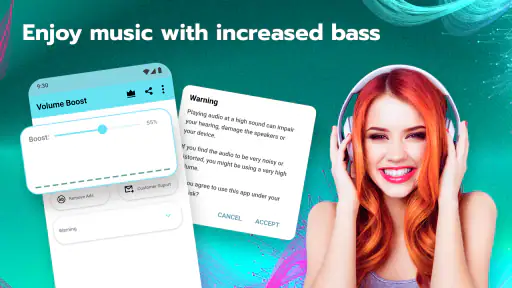
- Potential hearing damage
- Ads in free version
- Battery consumption can increase
- Limited features without premium
- Category
- Music & Audio
- Version
- 13.3.8













