@Voice Premium License
- 411.00
- 4.4
- Installs
- 100.00K
- Price
- $9.99

Screenshots
Analysis by Reviewed
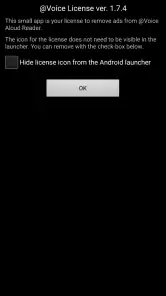
I think of @Voice Premium License less as a reader in its own right and more as the small purchase that completes a listening setup. That distinction matters: this Productivity app is designed to work alongside @Voice Aloud Reader, so the license needs to be installed after purchase for it to work. If you already rely on listening to long passages on your phone, that handoff is easy to understand; if you expect a standalone reading app, it may be a confusing place to start.
Who benefits from the license
The clearest fit is someone who already sends text to @Voice Aloud Reader and wants the paid version of that experience. I can see it being useful for a student working through notes, a commuter catching up on saved articles, or anyone who finds listening easier than staring at a screen for another stretch of the day. It is less compelling if you only need occasional read-aloud help and have no reason to move beyond the basic option.
A practical routine is to share a useful article from a browser to the reader, then listen while doing a task that does not demand much attention. For study material, I would pause at section breaks and return to the text when a detail needs careful checking; spoken output is convenient, but it is not a replacement for skimming tables, diagrams, or dense formatting. That small habit helps keep listening useful rather than letting the audio become background noise.
What the purchase changes—and what it does not
One question worth settling before paying is whether you are buying a separate text-to-speech app. You are not: this is a license app, and installing it after purchase is part of making the purchase work. I would treat that as a setup step, not an optional extra. If the paid functions do not appear, first check that the license is installed on the same device as the reader before assuming the reader itself is broken.
Hyperionics Technology has kept this license app distinct from the reader, which can make the arrangement feel less polished than a single app with an in-app upgrade. The trade-off is straightforward: the license has a clear supporting role, but it adds one more item to install and manage. I would not buy it expecting a new library, a different reading interface, or a standalone place to organize documents.
The listening workflow, from text to audio
Have you ever wished your phone could read to you while you're on the go? Well, that's where the @Voice Premium License app comes into play. This app is a game-changer for those who love multitasking or simply need a hands-free way to consume content. Let me walk you through my experience with it.
Getting Started with Ease
Setting up the app was a breeze. Once you download and install it, the user interface is straightforward and intuitive. You don't need to be a tech guru to navigate through it. The app supports a wide range of text formats, which means you can listen to PDFs, web pages, emails, or even text from other apps. It's like having a personal reading assistant right in your pocket.
You May Like

Clash of Clans Is Won Between the Battles

Android Auto Makes the Case for Quieter Car Software

MobiOffice: Transforming Mobile Productivity with Seamless Integration

EA SPORTS FC™ Mobile Soccer: Redefining Mobile Sports Gaming

How Microsoft OneDrive Became a Mobile Productivity Giant

How Google Translate Breaks Language Barriers Effortlessly
In the wider text-to-speech category, this arrangement is different from using a built-in screen reader or a reader that puts its paid plan inside the main app. A system screen reader is generally the better choice when you need help navigating the whole phone; a dedicated reader paired with this license makes more sense when the goal is to turn selected reading material into a listening queue. I would decide based on that distinction rather than on the word “premium” alone.
The license has a 4.4 average from around 3,500 ratings, with over 100,000 installs. Those figures suggest that it has found an audience, but they do not tell me whether the license setup suits every device or reading habit. It costs $9.99, is rated Teen, and its current version is 2.0.2; the app first appeared on January 9, 2013, and supports Android 5.0 and later. I would weigh that one-time purchase against how often I actually listen, rather than treating it as essential for every reader.
Customization at Its Best
One thing that truly stood out to me was the level of customization available. You can adjust the reading speed, choose from various voice options, and even set the pitch to your liking. This feature is particularly beneficial if you're using it for different types of content. Whether you're listening to a novel or a business report, you can tailor the voice settings to create the perfect listening experience.
For a more comfortable routine, I would save a slower pace for unfamiliar material and use a quicker one only for articles I can follow without concentrating hard. Voice preferences can also vary by context: a lively setting may suit a short news piece, while a steadier sound is easier to live with through a long chapter. The useful takeaway is to adjust for comprehension, not just to finish the queue faster.
Seamless Integration
Another highlight is how well the app integrates with other services. For instance, you can easily share text from your browser or any other app directly to @Voice Premium License. This seamless integration means you won't have to jump through hoops to get your content read aloud. It's efficient and user-friendly, saving you time and effort.
That share step is also where I would keep expectations practical: the license itself is not the destination for the text. The useful path is from the source app into the reader, with the license enabling the paid experience there. If a page arrives with awkward formatting, I would switch to a cleaner source or select just the passage I need instead of listening through menus, captions, or repeated page furniture.
Making the handoff work in a busy day
For me, the strongest use case is not simply “listen anywhere”; it is having a repeatable handoff from something I already need to read into a time slot where audio fits better. I might save a long article during a break, send it to the reader, and listen while preparing dinner. If a message or notification interrupts, I can stop and return to the source later rather than trying to absorb important details while attention is split.
For a student, I would use the same approach with prose-heavy notes: collect a few sections, listen once to get the main argument, then reopen the document to mark or verify specific points. That is a different job from studying a chart or memorizing exact wording, where visual review is more reliable. The license is most worthwhile when it supports this kind of deliberate routine rather than promising that every reading task can become hands-free.
If you are choosing between this setup and ordinary audio content, the distinction is control over what you consume. A podcast is ready to play, but it may not cover the article, report, or personal document already waiting in your queue. A built-in accessibility reader can be better for general phone navigation, while a dedicated text reader is the more natural fit for collecting and listening to selected material. I would not replace a simpler option that already meets your needs just to add another layer.
Why Go Premium?
Now, you might wonder, why should you opt for the premium license? While the free version offers a lot, the premium version unlocks additional features that enhance your experience. For example, you get rid of ads, access offline functionality, and enjoy improved voice quality. Plus, supporting the developers means they can continue improving and updating the app, which is a win-win if you ask me.
There is a useful distinction between offline reading support and an offline voice: the license cannot by itself guarantee that every voice you choose will be available without a connection. I would test the exact material and voice I plan to use before relying on them for a trip or a long stretch without service. That quick check can prevent a frustrating interruption when the phone is out of reach.
Before committing to a longer listening session, I would also check how the chosen voice handles names, abbreviations, and punctuation in the particular material. A passage that sounds clear in a sample may be harder to follow when it includes technical terms or short forms. Trying a small excerpt first gives me a chance to adjust the voice or pace before sending a whole document into the queue.
Where the routine can stumble
The biggest friction is the two-part setup: you need the reader as well as the license, and the license must be installed after purchase. That is more fiddly than tapping an upgrade inside one app, especially if you replace your phone or reinstall apps later. I would keep the purchase account and device setup in mind before troubleshooting, and confirm the license is present before deciding that a paid feature has failed.
Listening also asks more of your attention than it first seems. A spoken article is handy while folding laundry or walking a familiar route, but it is not ideal when the material includes equations, complex layouts, or details you need to scan quickly. I would use the reader for narrative text and straightforward prose, then switch back to the source for anything where visual structure carries meaning.
Who should choose another route
I would skip this purchase if I rarely listen to text, expect the license itself to read documents, or mainly need spoken guidance for navigating buttons and screens across the phone. In those cases, an occasional built-in read-aloud option or a system accessibility tool may involve less setup. It is also not a good match for someone who wants a polished audiobook experience: converting a webpage or document into speech is useful, but it does not turn that source into a professionally narrated book.
People who often switch devices should think through the handoff before buying, too. The license and reader need to be present together for the intended setup, so reinstalling is not quite as simple as opening one app and carrying on. I would keep track of the account used for the purchase and test the arrangement after installation, especially before depending on it for travel or study.
Hyperionics Technology’s license app has an average rating of 4.4 from around 3,500 ratings and has passed 100,000 installs. At $9.99, it is a considered purchase rather than a tiny add-on; the Teen age rating and Android 5.0 minimum are useful compatibility details to check before installing. Its current version is 2.0.2, and it was released on January 9, 2013. I would buy it if the reader is already part of my routine and the premium benefits solve a recurring annoyance, not simply because I want to experiment with text-to-speech once.
In conclusion, the @Voice Premium License app is a fantastic tool for anyone looking to enhance their productivity or simply enjoy content without being glued to a screen. It's versatile, easy to use, and packed with features that cater to a wide array of users. Whether you're a student, a professional, or just someone who loves to read, this app is worth checking out. Give it a try, and you might find yourself wondering how you ever managed without it!
@Voice Premium License Frequently Asked Questions
Is @Voice Premium License a standalone reading app?
No. @Voice Premium License works alongside @Voice Aloud Reader rather than replacing it. The license is a small companion app that must be installed after purchase; otherwise, it will not work. If you are considering the purchase, make sure you also have the reader app installed so the license can unlock its premium features.
Which devices can install @Voice Premium License?
The license is an Android app and requires Android 5.0 or later. It is intended for use with @Voice Aloud Reader, so check that your device can run the reader as well before purchasing. The app is rated for Teen audiences, a point worth considering if you are choosing apps for a younger user.
What is the purpose of the @Voice Premium License?
The @Voice Premium License is designed to enhance the functionality of the @Voice Aloud Reader app. It unlocks premium features such as the ability to listen to text with no ads, use of Google Drive sync, premium voices, and additional customization options. It ensures a more seamless and personalized reading experience for users who frequently rely on text-to-speech services.
How do I activate the @Voice Premium License after purchase?
After purchasing the @Voice Premium License, activation is straightforward. Simply ensure that you have the @Voice Aloud Reader app installed on your device. The license will automatically sync and enable premium features. The license app itself must also be installed after purchase, or it will not work. If issues arise, users can contact support for assistance or check their Google Play purchase history to verify the license.
Are there differences between the free and premium versions of @Voice Aloud Reader?
Yes, the main differences between the free and premium versions lie in the features and user experience. The premium version removes ads, offers enhanced voice options, and provides advanced customization settings. Users with the premium license can also enjoy features like Google Drive sync and premium voices, which are not available in the free version, making it ideal for frequent users.
Pros
- Unlocks full app features
- Ad-free experience
- Priority support access
- Offline text-to-speech
- Supports diverse file formats
Cons
- License is device-specific
- No family sharing option
- Requires initial app purchase
- Limited to Android devices
- No trial version available

- Category
- Productivity
- Version
- 2.0.2












