Voice Changer - Voice Effects
- 4.12K
- 4.3
- Installs
- 10.00M
- Price
- Free
Screenshots

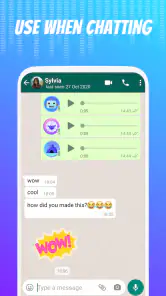
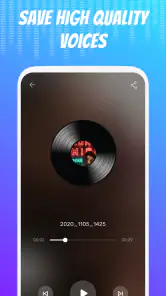
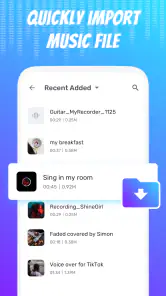
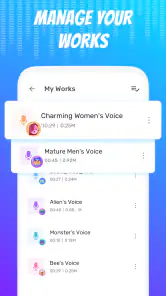
Analysis by Reviewed
I can see the appeal of a voice-effects app right away: a familiar sentence can become a tiny performance with almost no preparation. The first session is entertaining, but the more useful question is whether I would still open it after the initial novelty wears off. For me, Voice Changer - Voice Effects works best as an occasional creative tool, not something that needs to become part of a daily routine.
What I would use it for after the first laugh
The strongest reason to keep a voice changer around is that it makes a small, ordinary moment feel more personal. A quick greeting for a friend, a silly reply in a group chat, or a short character voice for a family video can all benefit from an effect without requiring a larger editing project. I would think of it as a way to add a bit of performance to a recording, rather than as a tool for improving everyday speech.
A useful habit is to decide who will hear a clip before recording it. For a close friend who enjoys jokes, an exaggerated voice may be exactly right; for a work group or a person who might not recognize the joke, it can create confusion. I would keep the wording simple, and if the altered sound could be mistaken for a serious statement, I would make the playful intent clear in the message that accompanies it.
Choosing the right moment and audience
The app is a better fit for casual, low-stakes creativity than for anything that depends on accuracy. I would not use an effect to disguise my identity, imitate someone without their permission, or make a recording seem like a real statement from another person. The fun works best when everyone understands that it is a bit of audio play. That boundary also makes sharing more considerate: a joke sent privately to someone who knows me is different from posting an altered clip where strangers could take it literally.
It can also be handy when I want a small creative prompt rather than a finished production tool. I might start with one sentence, try a couple of different treatments, and let the sound suggest a character or punchline. The important trade-off is that the effect can become the whole joke. If the line itself has no point, changing the voice may not make it worth replaying, so I would keep the setup concise and give the listener something clear to respond to.
Downloading the Voice Changer - Voice Effects app was a breeze. Available on both Android and iOS, it took just a few seconds to install. Once opened, the app greets you with a user-friendly interface. It’s designed in a way that even the least tech-savvy among us can navigate it without breaking a sweat. It is a free music and audio app from Dairy App & Notes & Audio Editor & Voice Recorder, and it is suitable for everyone. The current version is 1.02.96.1114, with Android support starting at version 6.0.
Trying it out and finding a use
It is easy to mistake a fast start for lasting usefulness, so I judge this kind of app by what happens after the first few recordings. The basic appeal is clear: choose an idea, record it, listen back, and decide whether the result is worth keeping or sharing. That short loop makes the app approachable, though it also means I would want a reason to return beyond simply sampling every effect once.
More From Our News Desk

Weather by Xiaomi Review: Clear at a Glance, Less Clear Up Close

X Under Pressure: Can It Recover When Posting Goes Wrong?

Clash of Clans Is Won Between the Battles

Android Auto Makes the Case for Quieter Car Software

MobiOffice: Transforming Mobile Productivity with Seamless Integration

EA SPORTS FC™ Mobile Soccer: Redefining Mobile Sports Gaming
Why the first week is fun
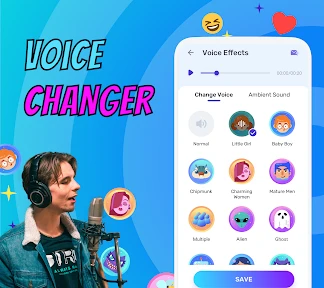
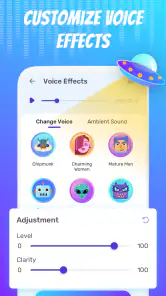
Right off the bat, the range of voice effects is impressive. From transforming your voice into that of a chipmunk to sounding like a deep-voiced alien overlord, the options seem endless. I had a blast trying out the different styles, and it's safe to say my friends were equally amused when I shared some of my creations with them.
Another cool feature is the ability to record and save your modified voice clips. This is perfect for those who want to use the clips for personal projects or just to keep the fun going. The app also offers a simple way to share these clips directly to social media or through messaging apps, making it super convenient to spread the fun.
A practical way to get more than a one-off joke out of it is to plan the line before recording. A short, clear sentence gives an effect room to be heard; a long improvised message can bury the transformation under pauses and background noise. I would record a couple of takes, listen back, and keep the one that still sounds understandable. That small habit makes a clip easier to share and saves me from sending something that is funny only while I remember what I meant to say.
Small workflow choices matter
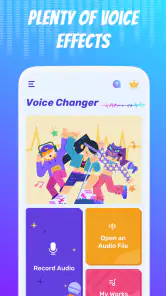
One thing I appreciated was the app's responsiveness. There was no noticeable lag when applying voice effects, which is crucial for maintaining the fun factor. Also, the layout is clean and intuitive, with all the main functions easily accessible from the home screen.
For an everyday example, I can imagine recording a playful birthday greeting, checking that the words remain clear, then sending the finished clip to a family chat. That is a better fit than using an altered voice for a serious message, where clarity and trust matter more than a laugh. I would also listen to a recording before sharing it: an effect that sounds amusing in a quiet room may be harder to follow on a phone speaker in a noisy setting.
When comparing it with the usual alternatives, a basic voice recorder is the better choice for clean, natural audio, while a full audio editor is more appropriate when a project needs detailed trimming or layered production. This app’s appeal is the quick route from recording to a playful altered clip. That convenience is useful for casual sharing, but it does not make it a substitute for a dedicated editing workflow.
Keeping the habit light
After the first week, I would give the app a place in my routine only when a suitable idea comes up. That might be a birthday message, a character line for a homemade video, or a quick joke that fits a conversation already happening. It does not need to become a daily habit to be worthwhile; in fact, using it selectively may help the effects feel less repetitive.
One small workflow tip is to listen once for the performance and once for the practical result. On the first pass, I can enjoy the transformation; on the second, I can check whether the words are still clear enough for someone who does not know the original sentence. If the joke depends on the listener understanding a particular word, I would choose a less extreme treatment or record a cleaner, shorter take. That check is more useful than making a long series of versions without a clear reason.
I would also keep the original idea in mind rather than expecting the effect to rescue a weak recording. A quiet setting, steady distance from the phone, and a line delivered at a natural pace give me a better starting point. These are simple choices, but they make it easier to judge whether an effect is actually adding character or merely making the audio harder to understand.
What keeps it useful—and what gets old
However, a little heads up for new users: while the app offers a variety of free effects, some are locked behind a paywall. So, if you're looking to unlock the full suite of features, you might need to consider a small investment. In-app purchases range from $1.99 to $31.99 per item, so I would explore the free options first and decide whether a specific paid effect would genuinely get regular use.
The app has a 4.3 average from around 237,000 ratings, and it has been installed over 10 million times. Those figures suggest broad interest, but they cannot tell me whether I will personally enjoy using it after a few sessions. The main fatigue point is repetition: a novelty effect can get the first laugh, yet the same joke may not land every time. I would keep a few favorite clips rather than making a new one whenever I have a spare minute.
There is also a small maintenance trade-off with any collection of saved audio: it helps to name or sort clips in a way that makes sense to you, rather than relying on memory when you want to find one later. I would treat recordings as creative keepsakes, listen before forwarding, and share only clips I am comfortable sending to other people. If I needed polished narration, natural-sounding speech, or precise editing, I would choose a recorder or audio editor built for that purpose instead.
Who may want a different tool
If I were choosing an app mainly to capture notes, interviews, lessons, or voice memos I need to understand later, I would use a straightforward recorder. An altered voice is the point here, but it is a distraction when accuracy and natural tone are the priority. For a project that needs multiple edits or a carefully assembled soundtrack, I would move to a full audio editor instead. The choice is less about which tool is universally better and more about whether the goal is a quick comic effect or dependable audio work.
It is also worth asking whether I will actually share recordings. Someone who rarely sends voice messages and has no interest in playful audio may find that the app has little to offer after an initial test. A person who enjoys making small, personal clips for friends or family has a clearer reason to return. The free starting point makes it reasonable to explore, but I would not buy extra effects simply because they are available; I would wait until I can name a specific use for one.
Does it earn a place on my phone?
To wrap it up, the Voice Changer - Voice Effects app is a delightful tool for anyone looking to have a bit of fun with audio. Whether you're using it for pranks, social media, or just to entertain yourself, it delivers on its promise of adding a playful twist to your voice.
My longer-term verdict is that it earns space as an occasional creative extra, not as a must-open app. The key question is whether I can picture a real person who would enjoy receiving the clips I make; if I can, the quick recording-and-sharing loop is appealing. If I mainly need clear recordings or detailed control, I would reach for a different kind of audio app. Used with a little restraint, this one can make a familiar voice more entertaining without asking me to turn a passing joke into a full production.
Voice Changer - Voice Effects Frequently Asked Questions
Who makes Voice Changer - Voice Effects, and what kind of app is it?
Voice Changer - Voice Effects is a Music & Audio app developed by Dairy App & Notes & Audio Editor & Voice Recorder. Its focus is changing how a recorded voice sounds, rather than providing a broad set of music-production tools. That makes it a straightforward option to consider if you want a voice-effects app for playful recordings or casual experimentation.
What Android version do I need before downloading it?
The app requires Android 6.0 or later. Before downloading, check the Android version in your device settings and make sure it meets that minimum. Compatibility can also vary with a device’s capabilities, so having the required operating system is the first practical step when deciding whether the app is a suitable choice for your phone or tablet.
Is this app suitable for someone looking for a simple voice-changing tool?
Voice Changer - Voice Effects is aimed at people who want to record a voice and give it a different sound for entertainment or practical jokes. Its focus is voice effects rather than a full audio-editing suite, so it may suit casual experimentation. The app is in the Music & Audio category, and its content rating is Everyone.
What is Voice Changer - Voice Effects and how does it work?
Voice Changer - Voice Effects is an app designed to modify and transform your voice with various creative effects. Users can record their voice directly in the app and apply a wide range of sound effects, such as echo, robot, alien, and more. The app processes these recordings in real-time, allowing users to hear the effects instantly, making it a fun and engaging tool for both entertainment and practical joke purposes.
Is Voice Changer - Voice Effects free to use?
Voice Changer - Voice Effects is free to download and use, with in-app purchases available for users who want additional options. Purchases range from $1.99 to $31.99 per item. You can start with the free app and consider a purchase if it suits the way you use it; review the purchase details in the app before confirming anything.
Pros
- Easy to use interface
- Multiple voice effects
- Real-time voice changing
- High-quality sound
- Affordable premium features
Cons
- Limited free features
- Occasional app crashes
- In-app ads can be intrusive
- Requires strong internet connection
- Limited compatibility with some devices
- Category
- Music & Audio
- Version
- 1.02.96.1114













