Video Player - Media Player
- 133.00
- 4.0
- Installs
- 5.00M
- Price
- Free

Screenshots


Analysis by Reviewed
My usual starting point is a video already saved on my phone: I want to open it, watch for a while, and get back to whatever I was doing without extra setup. Video Player - Media Player is built around that kind of local viewing, with playback controls, private folders, pop-up viewing, and an equalizer. I’d consider it when the basic player feels too limited, but I’d first ask whether I’ll actually use those extras often enough to justify adding another app.
Starting with a video already on your phone
A useful way to judge any local video player is to begin with an ordinary situation: I have a file ready to watch, but I don’t want it to take over the rest of my evening or make me hunt through a complicated media library. This app is free, made by 1MB Apps Studio, and belongs to the video-player and editing category. Its audience is broad: it carries an Everyone age rating, and it has reached over five million installs with an average rating of 4.0 from around 12,000 ratings.
Its appeal is less about replacing a full home-theater setup and more about putting a few useful choices in one mobile player. Before settling on it, I would check that the phone runs Android 6.0 or later. The app was released on December 8, 2022, and its current version is 4.8. Those details make it easier to decide whether it fits an older device as well as a newer one.
Features That Make It Stand Out
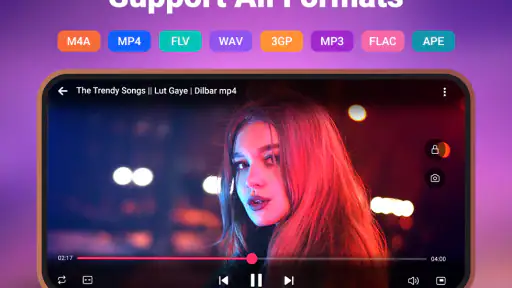
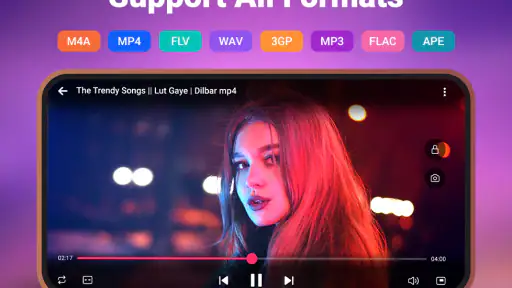
One thing I noticed right off the bat is how Video Player - Media Player supports a plethora of formats. From MP4 to MKV, AVI, and even obscure ones like FLV, it handles them all. This means no more frustrating moments where your video refuses to play. The app embraces the philosophy of inclusivity, making sure you can view your content without the hassle of downloading extra codecs.
From opening a clip to settling into playback
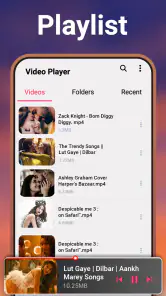
The interface is sleek and intuitive. Even if you’re not tech-savvy, you’ll find navigating through this app a breeze. The developers have done a fantastic job at keeping things simple yet functional. A handy toolbar ensures that all the essential controls are just a tap away, and the gesture controls for volume and brightness adjustment are a nice touch. It feels like they’ve thought of everything!
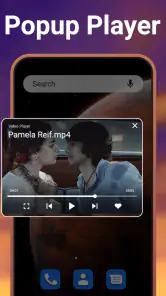
For a realistic day-to-day example, I might start a video while waiting for a meal to cook, then switch to another task without wanting to lose track of what I’m watching. Pop-up playback is useful for that kind of handoff: the video can remain visible while I use another app, rather than forcing me to choose between watching and doing something else. It is most valuable for casual viewing, not for a scene where every detail deserves my full attention; a floating picture can be distracting when I need to read, type, or focus elsewhere.
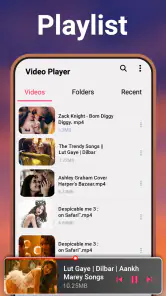
One small workflow habit helps avoid friction: I’d decide where a file belongs before building a routine around it. Keep ordinary clips easy to reach, and reserve private folders for videos that should not sit alongside casual viewing. That separation makes the player’s privacy option more purposeful than simply hiding everything, and it can save time when I am trying to find a particular clip later.
More From Our News Desk

Weather by Xiaomi Review: Clear at a Glance, Less Clear Up Close

X Under Pressure: Can It Recover When Posting Goes Wrong?

Clash of Clans Is Won Between the Battles

Android Auto Makes the Case for Quieter Car Software

MobiOffice: Transforming Mobile Productivity with Seamless Integration

EA SPORTS FC™ Mobile Soccer: Redefining Mobile Sports Gaming
Audio and subtitles in the viewing routine
For those who love watching foreign films or anime, the subtitle support is top-notch. You can load subtitles in various formats and even adjust their timing for perfect sync. The audio experience is equally impressive with the app supporting multi-track audio files. Whether you’re using headphones or speakers, the sound quality remains crisp and immersive.
Subtitles and multiple audio tracks are most useful when the video itself offers those choices; they are not a substitute for a well-prepared file. If I am watching with someone else, I would check the selected audio track and subtitle timing at the beginning instead of interrupting a good scene later. That quick check is a practical trade-off: a few taps up front can prevent a longer search through playback controls once the film is underway.
Extra controls, privacy, and their trade-offs
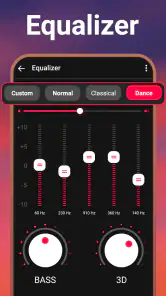
Aside from the basics, there are a few advanced features that truly elevate the Video Player - Media Player. The app includes a built-in equalizer, allowing you to tweak audio settings to your liking. There’s also a sleep timer feature, which is perfect for those who like to drift off while watching their favorite shows. And for those concerned about privacy, the app has a secure folder option to keep your videos safe from prying eyes.
The equalizer is worth trying when dialogue sounds less clear than music or effects, but I would make small adjustments and compare with the original sound rather than assume more processing is always better. A sleep timer suits bedtime viewing because it lets playback fit around a routine instead of requiring me to stay awake to stop it. The private-folder option is also a convenience feature, not a reason to treat the phone as a complete secure-storage system; I would still use the device’s own security habits for sensitive material.
There is a paid consideration too: the app is free to start, with in-app purchases listed at $7.99 per item. I would try the everyday playback workflow first and only consider spending if a specific extra is useful to me. That keeps the decision grounded in actual use rather than paying before I know whether the controls suit my habits.
How it fits beside other players
Compared with a phone’s built-in player, this app’s combination of a private folder, pop-up viewing, and an equalizer gives me more ways to shape a local-video session. A streaming service is a better fit when I want a ready-made online catalog; a desktop media setup makes more sense when I need a large-screen library or a more elaborate home viewing arrangement. This player’s strongest case is narrower and more practical: videos already on the phone, watched with a few extra controls close at hand.
That also points to who may want to skip it. If I mainly stream, rarely open saved videos, or prefer the simplest possible player with no extra settings to manage, the default option may be enough. Likewise, someone who relies on a specialized editing workflow should choose an editor built for that job rather than expect a playback-focused app to replace it. The best match here is a mobile viewer who values local playback and will actually use features such as pop-up viewing or private folders.
Performance and where the flow can break
In terms of performance, I found the playback to be smooth and without any major hiccups. Even when fast-forwarding or rewinding, the app handles it like a champ. Plus, it’s light on resources, so it won’t bog down your device or drain your battery excessively.
The smooth experience is welcome, but no collection of controls can make every viewing situation effortless. A small screen is still a small screen, and a pop-up window is not ideal for close viewing. Subtitle timing also takes a little attention when it needs adjustment, while private folders work best when I remember which clips I moved there. These are manageable compromises, but they matter if I want a completely hands-off player.
Practical checks before making it your regular player
For someone who watches occasional saved clips, the useful test is not whether every setting is available; it is whether the app makes the next viewing session simpler. I would open a file I already know, try the basic controls, and then test only one extra at a time. That makes it easier to tell whether a floating window or equalizer genuinely helps, instead of changing several things at once and forgetting what improved the experience.
If a video is intended for a longer, focused watch, I would start in ordinary full-screen playback and leave pop-up mode for short stretches when another task needs attention. That division is practical because the floating window is a handoff tool, not a replacement for a comfortable viewing setup. For a shared watch, I would settle the audio track and subtitles before handing the phone over; it avoids making the next person troubleshoot settings during the opening scene.
People choosing a player often wonder whether it is a streaming substitute. I would not treat it that way: its strongest role is playing files stored on the device, while streaming apps are better when I want to browse an online catalog without managing local files. Another common decision is whether to move every private clip into a protected folder. I would use that option selectively, keeping frequently watched items easy to find and separating only the material that benefits from extra privacy.
Who gets the most from its workflow
This is a better fit for someone who regularly receives or saves videos and wants to watch them in different situations: a short clip while waiting, a longer file with subtitles, or casual playback beside another task. It can also suit a person who wants a simple audio adjustment available without switching to a separate listening app. The benefit comes from combining these small jobs in one place, rather than from turning the phone into a full media center.
I would be less enthusiastic if my main goal were precise editing, extensive library organization, or uninterrupted viewing on a large screen. The app sits in the player category, so I would choose a dedicated editor for shaping footage and a larger-screen setup for a planned movie night. Likewise, if I never use private folders, pop-up playback, or sound adjustments, a built-in player may involve less learning and do the job just as well.
One useful trade-off is that more controls can make a quick task feel less quick if I keep adjusting them. My approach would be to set a comfortable brightness and volume with the gestures, make only modest equalizer changes when needed, and leave the rest alone for ordinary viewing. That keeps the extra features available without turning every clip into a setup session.
Final Thoughts
Overall, the Video Player - Media Player is more than just a tool for watching videos; it’s a comprehensive media solution that caters to a wide range of needs. Whether you’re a casual viewer or a media enthusiast, this app is designed to enhance your viewing experience in every way possible. With its robust feature set and user-friendly interface, it’s definitely worth a download. So why not give it a shot? Your media library will thank you!
My recommendation is more specific: I would try it if saved videos are already part of my routine and I want a player that can accommodate quick multitasking, audio adjustment, and a separate place for private clips. If I only need occasional playback, I would compare it with the player already on my phone before adding another app. That is the clearest way to tell whether its extra options make viewing easier for me rather than simply adding more controls to learn.
Video Player - Media Player Frequently Asked Questions
Can Video Player - Media Player play videos in a pop-up window?
Yes. Video Player - Media Player includes pop-up video playback, so you can keep a video visible in a floating window while using other apps. This can be handy when you want to follow a clip while checking messages or browsing. The feature is part of the app’s focus on flexible viewing, alongside its video playback and audio options.
Does Video Player - Media Player offer private folders?
Yes. The app’s feature summary includes private folders, which offer a way to keep selected videos separate from your regular viewing list. This may be useful for organizing personal media on a shared device. Before relying on the feature for sensitive material, check how its folder controls work on your device and consider your usual device privacy settings.
What video formats does Video Player - Media Player support?
Video Player - Media Player supports a wide range of video formats, including MP4, AVI, MKV, MOV, and more. This ensures that users can play almost any video file without needing to convert it. The app is designed to cater to diverse media needs, offering seamless playback across different video types.
Is Video Player - Media Player free to download and use?
Yes, Video Player - Media Player is free to download and use. However, it may offer in-app purchases or ads to support its development. Users can enjoy core features without paying, but there might be additional features or an ad-free experience available through optional purchases. Optional in-app purchases are listed at $7.99 per item.
Does Video Player - Media Player support subtitles?
Absolutely, Video Player - Media Player supports subtitles, allowing users to load subtitle files in various formats like SRT, ASS, and SSA. This feature enhances the viewing experience, especially for those watching content in different languages or for the hearing impaired. Users can easily sync subtitles with their videos.
Pros
- Supports a wide range of video formats.
- High-quality video playback.
- User-friendly interface.
- Offers subtitle customization.
- Efficient battery usage.
Cons
- Contains ads in free version.
- Limited features without premium.
- Occasional lag on older devices.
- No offline mode available.
- Requires constant updates.
- Category
- Video Players & Editors
- Version
- 4.8











