TuneIn Radio: Music & Sports
- 173.33K
- 4.7
- Installs
- 100.00M
- Price
- Free

Screenshots

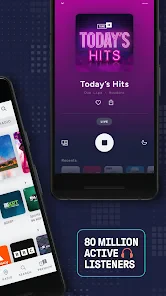
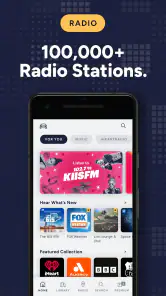



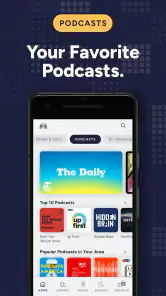
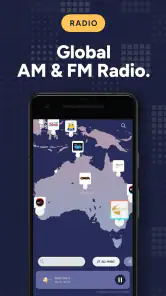
Analysis by Reviewed
What makes internet radio useful is also what makes it vulnerable: the sound is coming through a connection, not simply waiting on the phone. I notice that most when I’m moving between places. A station can feel effortless on home Wi-Fi, then falter in a basement, a crowded station, or a stretch of road with weak reception. I would approach TuneIn as a way to reach live audio when the network is behaving, rather than as a guaranteed soundtrack for every situation.
Choosing live radio over a fixed playlist
The difference between a live station and a music playlist is more than variety. With radio, I can hear a host introduce a track, catch a local update, or let a program choose what comes next without making decisions myself. That’s a real strength when I want company in the background. It’s less convenient when I have a specific song in mind or want to replay a particular moment: a station is a broadcast, not a personal queue.
I’d use the app differently depending on the day. At home, browsing unfamiliar stations can be a low-effort way to find a new sound or hear programming from another place. Before a commute, I’d pick a familiar station or sports broadcast so I’m not searching while I’m already on the move. That small habit makes the app feel more practical and reduces the temptation to browse when attention belongs elsewhere.
What to expect when a stream falters
If a stream stops or stutters, I first check whether the connection itself has changed before repeatedly tapping the station. Moving to a steadier signal may be enough; if it is not, switching to another station can tell me whether the issue seems limited to one broadcast or affects listening more broadly. I wouldn’t count on a live program to resume at precisely the same point after an interruption, so this is not the format I’d choose when missing a few seconds would ruin the experience.
That trade-off is especially clear with sports. Live commentary gives a match urgency that a later recap cannot quite reproduce, but it also makes a weak connection more frustrating. For a match I care about, I’d start the broadcast before the action gets going and have another way to check the score if reception drops. If I need uninterrupted audio more than I need live coverage, something stored on the device is a safer choice.
Making mobile listening work for you
Long listening sessions are best planned around the connection and data allowance I actually have. Wi-Fi is a sensible choice for extended listening when it is available; on mobile data, I’d save streaming for the programs I most want to hear rather than leaving it running without thinking. That is particularly useful on a long journey, where a live station can make the time pass but may also use more data than a short check-in.
There is a useful distinction between being able to open an app and having a connection stable enough to keep audio flowing. If I expect to pass through areas with unreliable reception, I would not build an important listening plan around a live stream alone. This is not a criticism unique to TuneIn; it is the basic compromise of internet radio. The app’s appeal is access to broadcasts, and that access depends on network conditions.
More From Our News Desk

Weather by Xiaomi Review: Clear at a Glance, Less Clear Up Close

X Under Pressure: Can It Recover When Posting Goes Wrong?

Clash of Clans Is Won Between the Battles

Android Auto Makes the Case for Quieter Car Software

MobiOffice: Transforming Mobile Productivity with Seamless Integration

EA SPORTS FC™ Mobile Soccer: Redefining Mobile Sports Gaming
Who benefits most from this kind of listening
I think TuneIn is a natural fit for people who enjoy presenters, local voices, live sport, and the serendipity of discovering stations beyond their usual routine. It also suits anyone who wants news or music without assembling a playlist first. A listener who mostly wants full control over albums, track order, repeat, and offline playback should look instead to a service designed around a personal music collection or on-demand listening.
It also helps to know what “live” means in practice: you join a broadcast where it is at that moment. If you open a station partway through a program, you should not expect it to start from the beginning. That makes radio convenient for dipping in, but not a replacement for a show or episode you need to hear from the start. I’d use a live station for atmosphere and current programming, and an on-demand option when timing matters.
How it compares with familiar alternatives
Compared with a conventional radio receiver, an internet-radio app can put distant and international stations within reach, but the receiver may be more dependable where mobile data or Wi-Fi is poor. Compared with a music-streaming service, TuneIn’s appeal is the broadcast itself: presenters, schedules, news, and live commentary rather than fine-grained control of each track. Neither approach is universally better. I’d choose based on whether I want a station to guide the listening or want to direct every song myself.
For a practical setup, I’d keep a small set of everyday favorites easy to reach and use browsing when I have time to explore. That gives me a dependable starting point without turning the favorites list into a second search problem. It also helps when I’m in a hurry: opening a known station is simpler than trying to decide among unfamiliar choices while heading out.
Have you ever felt the need to have a constant stream of music, sports, and news at your fingertips? Well, let me tell you, TuneIn Radio: Music & Sports has got you covered. As someone who loves having a variety of audio content ready to go, I decided to give this app a whirl, and boy, was it worth it!
Endless Streaming Options
The first thing that struck me about TuneIn Radio was the sheer volume of content available. From local AM/FM radio stations to international broadcasters, you can literally travel the world with your ears. The app boasts over 100,000 stations, so whether you’re into jazz, pop, rock, or even that niche podcast about knitting, there’s something for everyone. It’s like having a global jukebox in your pocket!
Stay Updated with Real-Time Sports
For sports fanatics, this app is a game-changer. I used it to catch up on live games and sports talk shows, and the experience was seamless. Imagine not missing any action from your favorite teams, whether it’s the NFL, MLB, or even the Premier League. It’s as if I had a front-row seat to every game!
News on the Go
In today’s fast-paced world, staying informed is crucial, and the app makes this easier than ever. I found the real-time news updates particularly handy during my commutes. Major networks like CNN, BBC, and Fox News are just a tap away, ensuring you’re always in the loop, no matter where you are.
Intuitive and User-Friendly Interface
I’ve got to say, the app’s design is sleek and intuitive. Navigating through the vast array of stations and shows was a breeze. The layout is clean, and the search function works like a charm, allowing me to find specific stations or genres without any hassle. It’s user-friendly enough that even my tech-challenged friends could use it without a hitch.
Another feature I loved was the ability to save my favorite stations. This meant I could easily return to them without having to search all over again. It’s these little touches that make the app stand out from the crowd.
When a connection becomes part of the listening experience
Because stations and live broadcasts arrive over the internet, connectivity shapes the experience as much as the choice of audio. On a reliable connection, switching from a local station to a distant broadcaster feels straightforward. In a tunnel, an elevator, or a patchy reception area, a stream may pause or lose continuity. I treat it as a companion for connected listening, rather than a dependable substitute for audio already stored on my phone.
That difference matters most for live sports. A match broadcast can be a great way to follow along when I cannot watch, but a dropped connection can interrupt the very moment I care about. For an important game, I would check the stream before kickoff and keep a backup way to follow the score. If uninterrupted listening is essential, a local broadcast option may be the safer choice where one is available.
Where it fits into a mobile day
A useful routine is to save a few frequently used stations before leaving home, then open a favorite directly instead of searching while walking or driving. On a commute, I might start with a familiar local station and switch to a news broadcaster later; at home, browsing international stations is a more relaxed way to discover something new. TuneIn Radio is especially appealing if you want live voices, regional programming, or changing schedules rather than a playlist that stays the same.
It is less suited to someone who mainly wants a carefully organized personal music library or precise control over individual songs. A music-streaming service built around albums and playlists is usually better for that. Podcasts and on-demand listening also work differently from a live station: radio moves on in real time, so joining late may mean missing what aired earlier. I would choose the format based on whether I want a broadcast to follow or specific audio to play on demand.
Practical choices for steadier listening
For a data-conscious routine, I would use Wi-Fi for longer sessions when it is convenient and reserve mobile listening for shorter stretches or moments when live content is worth the connection. That is a useful trade-off for commuters and travelers, since a long stream can use more mobile data than a quick check-in. If reception is unreliable, moving to a stronger signal before starting a program is more helpful than repeatedly restarting it mid-broadcast.
Favorites also have a practical role beyond convenience: they give me a short route back to known stations when I have little time or a weak connection makes browsing frustrating. I would keep that list selective, separating dependable everyday choices from stations I am only exploring. The app is free to download, though in-app purchases are available, so I would check the purchase details before choosing anything paid.
A good fit for radio listeners, with a few limits
TuneIn Radio is a music and audio app from TuneIn Inc. It has a 4.7 average from around 2.8 million ratings and has passed 100 million installs. It is rated Teen, and it has been available since September 2, 2010. Those figures suggest a well-established listening option, but the best reason to try it is still personal: it brings live stations, sports, and news together in one place.
For me, its strongest use is having varied broadcasts close at hand without building a playlist for every mood. The main compromise is that streaming depends on a usable connection, and a live broadcast offers less control over timing than saved or on-demand audio. If you are comfortable with that exchange, the range of stations and the quick access to favorites make it easy to work into an ordinary day.
Final Thoughts
In conclusion, if you’re someone who thrives on audio entertainment, TuneIn Radio: Music & Sports is a must-have app. With its vast selection of stations, seamless streaming capabilities, and user-friendly interface, it’s crafted for those who love to stay entertained and informed. So, why not give it a try? You might just find your new favorite station or podcast. Happy listening!
My connectivity verdict
I’d recommend TuneIn to someone who values access to live broadcasts more than guaranteed playback in every location. Its biggest practical advantage is the range of listening choices gathered around radio-style discovery; its biggest limitation is that those choices rely on a stable connection. The app is free to download, with optional in-app purchases ranging from $0.99 to $149.99 per item, so I’d review any purchase carefully rather than assuming every part of the experience costs nothing.
In everyday use, the best approach is simple: choose a station before a commute, use Wi-Fi for longer sessions when possible, and keep expectations realistic in places where reception is unreliable. If that sounds like a reasonable trade, this is an easy way to bring live radio, sports, and news into ordinary routines. If your priority is uninterrupted offline listening or exact control over what plays next, I’d pick a different kind of audio app instead.
TuneIn Radio: Music & Sports Frequently Asked Questions
Does TuneIn Radio need an account before I can start listening?
TuneIn Radio brings together live radio, music, sports, and news, so it can be useful for listeners who want to browse a range of audio in one app. Before downloading, consider whether you prefer to explore stations and programs directly or manage listening through an account. The app is free to download, and its content includes broadcasts from local and international sources.
Can I use TuneIn Radio while driving or listening through another device?
TuneIn Radio is built around streaming audio, which makes it suitable for listening at home or while travelling. It is compatible with car systems such as Android Auto and Apple CarPlay, as well as smart speakers including Amazon Echo and Google Home. These options can make it easier to play radio without relying only on your phone’s speaker, though you will still need an internet connection for streaming.
Is TuneIn Radio available in my country, and can I find local stations?
TuneIn Radio is designed to bring together live radio from around the world, including local AM and FM stations as well as internet-only stations. That makes it useful whether you want familiar broadcasts from home or would like to explore stations from elsewhere. The app also features music, news, sports, podcasts, and talk shows, so its appeal goes beyond traditional radio listening.
How much space or data does TuneIn Radio use while I listen?
TuneIn Radio streams audio over the internet, so listening uses an internet connection and can consume mobile data when you are not connected to Wi-Fi. The amount used depends on how long you listen and the stream. If you plan to tune in during a commute or while away from home, it is worth considering your data plan and using Wi-Fi when convenient.
What is TuneIn Radio: Music & Sports and what can I listen to on it?
TuneIn Radio: Music & Sports is a popular app that provides users with access to a vast array of live sports, music, news, podcasts, and radio stations from around the world. Users can enjoy content from local AM/FM stations, internet-only stations, and on-demand shows, making it a comprehensive platform for anyone looking to stay informed or entertained. The app features everything from breaking news and sports commentary to music channels and talk shows, catering to diverse interests.
Pros
- Wide range of radio stations globally
- Podcasts and live sports coverage
- User-friendly interface
- Offline listening available
- Customizable station lists
Cons
- Contains audio ads
- Premium subscription needed for full features
- Occasional streaming issues
- Limited offline content without premium
- High data usage on streaming
- Category
- Music & Audio
- Version
- Varies with device












