Transparent clock weather Pro
- 1.61K
- 4.2
- Installs
- 100.00K
- Price
- $10.99
Screenshots
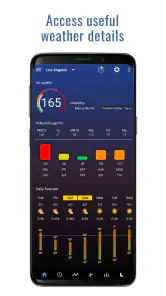
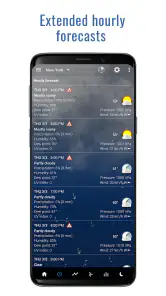
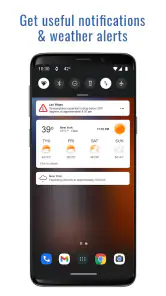
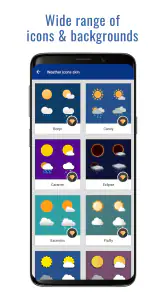
Analysis by Reviewed
Have you ever found yourself peeking out the window, trying to gauge if you should grab that umbrella or just go with the flow? Well, say hello to the Transparent clock weather Pro app, your new best friend in navigating the whims of Mother Nature.
What I would check before paying
I’d start by deciding whether a home-screen weather widget is something I will genuinely use every day. This is a paid app at $10.99, with in-app purchases listed from $4.99 to $15.99 per item. Those amounts are worth weighing before purchase: I would not assume every extra feature costs more, but I would review the buying options shown for my device and decide whether the basic experience already suits what I need.
That cost makes the app a different proposition from simply keeping a free, preinstalled weather app. The comparison is not just about which forecast screen looks nicer; it is about whether I value a persistent clock-and-weather view enough to pay for it. If I only check conditions once in a while, a free alternative may be the more sensible choice. If I reach for the phone’s home screen repeatedly, the widget has a practical role rather than being an ornament.
A better fit for repeat checks
I find the strongest case for this app is convenience: a glance at the home screen can be easier than opening a forecast app whenever plans might be affected by the weather. If you check conditions several times a day, or like to keep a clock and forecast visible together, that routine can make the widget feel more useful than a detailed app you rarely open.
For example, before leaving for work, I’d use the forecast to decide whether to carry an umbrella, then check another saved location if I’m heading somewhere with different conditions. That is a practical use for multiple locations, especially for commuters or people who regularly plan around a family member’s destination. It won’t make the decision for you, but it can put relevant information where you already look.
A useful habit is to give each saved location a clear purpose. I might keep one for home and another for a regular destination, rather than filling the list with places I rarely visit. That makes a quick check more deliberate: I know which forecast I’m reading, and I am less likely to mistake the weather where I am for the weather where I am going.
How it fits beside other weather apps
Compared with a basic weather app that prioritizes a full-screen forecast, this one’s appeal is the combination of weather information and a customizable clock widget. That is a real distinction for someone who wants a persistent glanceable view. If you mainly want to explore maps, radar, or in-depth meteorological information, a specialist weather service may suit you better; I wouldn’t choose this solely on the assumption that a polished widget means deeper forecasting tools.
More From Our News Desk

Weather by Xiaomi Review: Clear at a Glance, Less Clear Up Close

X Under Pressure: Can It Recover When Posting Goes Wrong?

Clash of Clans Is Won Between the Battles

Android Auto Makes the Case for Quieter Car Software

MobiOffice: Transforming Mobile Productivity with Seamless Integration

EA SPORTS FC™ Mobile Soccer: Redefining Mobile Sports Gaming
Widgets are most useful when they show only the details you actually check. I’d start with a restrained layout, then add items such as humidity or wind speed only if they help with a real decision—for instance, choosing suitable clothes or judging whether a breezy walk will be comfortable. A crowded widget can undo the benefit of quick access, and transparency is partly a matter of taste: it may blend beautifully with one wallpaper but be harder to read against another.
That makes the choice between this and a conventional weather app fairly personal. A full-screen forecast is usually better when I want to stop and study several details; a widget is better when I want one useful glance without opening anything. I would not expect the widget to replace a specialist source for a complicated trip or a decision that depends on close inspection of weather maps. Its strength is reducing friction for ordinary checks, not covering every weather need.
A Clear View of the Forecast
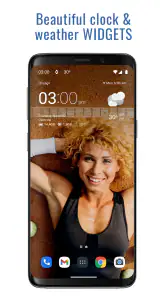
The first thing you'll notice about Transparent clock weather Pro is its sleek design. It’s like having a weather forecast right on your home screen without the clutter. The transparency feature is not just a gimmick; it truly blends seamlessly with any wallpaper, making it a visual treat.
Making the widget readable
Setting up the app is as smooth as butter. You simply download, install, and bam! It's ready to go. The interface is intuitive, meaning you won't need a tech wizard to get things rolling. Whether you’re a weather enthusiast or just someone who likes to stay informed, this app caters to all.
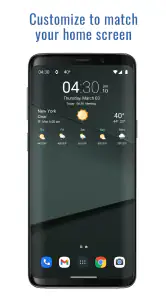
For a better first impression, I’d treat the setup as a small design task rather than accept the first layout automatically. Try the widget against your current wallpaper, and check whether the information remains legible on both light and dark backgrounds. If the details disappear into a busy image, adjusting the wallpaper or simplifying what you display may help more than adding extra information.
I would also judge the layout in the conditions where I actually use my phone, not just while arranging it. A widget that looks clear in a quiet room may be harder to read outside or at a quick glance. If the transparency competes with a photo or patterned background, a simpler wallpaper can be a more useful fix than squeezing more information into the same space.
Forecast details and practical limits
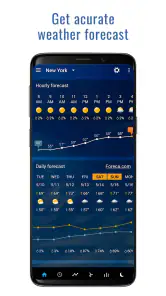
What truly sets this app apart is its accuracy. Unlike other apps that seem like they’re guessing, this one gets it right more often than not. It provides hourly and weekly forecasts, so you’re covered whether you’re planning a quick grocery run or a weekend getaway.
Another cool feature is the customizable widgets. You can tailor them to show exactly what you want, be it temperature, humidity, or wind speed. Plus, it supports multiple locations. If you’re a globetrotter or just someone with a long commute, you can keep tabs on the weather in various spots with ease.
For an ordinary day, I would use the hourly view to think through timing rather than treat a single forecast glance as a guarantee. If I have errands to run, the useful question is whether conditions may change during the time I’m out, not merely what the weather looks like right now. A weekly view is better for rough planning; I would still check again nearer to an outdoor commitment, since forecasts are guidance rather than a promise.
Customization also works best when it reflects a decision I make. Temperature can answer what to wear, while wind or humidity may matter more for a walk, a bike ride, or time outdoors. Showing every available detail just because it is available can make the widget harder to scan. I’d keep only the information that has a clear job on my screen.
Notifications and small extras
Don't worry about checking the app constantly; it sends timely notifications that you can customize. Whether it's a weather alert or just your daily forecast, the app keeps you in the loop without being intrusive.
And for those who love a bit of trivia, the app includes interesting weather facts and tips. It's like having a mini weather channel right in your pocket!
Notifications can help when I am busy, but I would choose them carefully. A reminder that supports a real routine is more useful than a stream of updates that makes me ignore them all. I’d begin with the alerts I expect to act on, then change the settings if they interrupt more than they help. The home-screen view remains the better fit for someone who prefers to check on their own terms.
The weather facts and tips are a pleasant extra, but I would not make them the reason to buy the app. The core decision is still whether its widget, forecast views, and location handling suit the way I plan a day. That distinction helps keep expectations grounded: a small entertaining addition can make an app nicer to browse without changing whether its main tools are worth paying for.
Cost, trade-offs, and the decision
Price matters here: the app costs $10.99, and in-app purchases are listed from $4.99 to $15.99 per item. I would not treat those figures as proof that every feature requires an extra purchase; they simply mean the overall cost deserves a careful look before buying. Its average rating is 4.2 from around 19,000 ratings, with roughly 1,600 written reviews, and it has over 100,000 installs. Those figures suggest an established audience, but they don’t guarantee that its look or forecast style will suit you.
The app is made by MACHAPP Software Ltd, is rated for Everyone, and its current version is 8.99.11, with Android 6.0 as the minimum operating-system requirement. It was released on November 8, 2015. The age rating makes it broadly suitable for general audiences, while the Android requirement is worth checking before installing. I’d also confirm the purchase details shown on the store page for your device before committing, rather than assume the same buying arrangement applies everywhere.
For someone deciding between this and a free standard option, I would put the widget at the center of the calculation. If it replaces a repeated sequence of opening an app, finding the right location, and checking the time, the convenience may feel worthwhile. If I already get everything I need from a forecast app I use occasionally, paying for a different presentation would be a weaker reason to switch.
I would also skip it if my main priority were specialist weather analysis or if I rarely look at my home screen. Its design depends on being visible and readable, so someone who prefers a plain interface or keeps widgets off the home screen may not get much from its main distinction. Those are not flaws for every user, but they are good reasons to choose a simpler or more focused alternative.
If you want a weather display that stays visible, enjoy tailoring a home screen, and will actually use hourly forecasts or more than one location, I can see the paid price making sense. If you only check the weather occasionally, prefer a conventional forecast screen, or need specialist mapping, I’d start with a simpler alternative instead. My verdict is that Transparent clock weather Pro is best for people who value the widget as part of their daily phone setup; its price is harder to justify if the widget is only decorative or you rarely look at it.
Transparent clock weather Pro Frequently Asked Questions
Can I use Transparent clock weather Pro without adding a widget to my home screen?
Yes. The app is a weather app, so its purpose is not limited to displaying a home-screen clock. The widget is a convenient way to see the time, date, and weather at a glance, but you can still use the app to check forecasts and other weather details. If you mainly want a simple clock and do not need weather information, its combined weather-and-widget focus may be more than you need.
Will Transparent clock weather Pro work on my Android phone?
Transparent clock weather Pro runs on Android devices using version 6.0 or later. Before downloading, check your phone’s Android version in its settings to make sure it meets that requirement. The app is rated Everyone, so its content is suitable for a broad audience. Keeping the operating system in mind is the main compatibility check to make before installing.
Can I use Transparent clock weather Pro on both Android and iOS?
The published app details identify Transparent clock weather Pro as an Android app, with Android 6.0 or later required. The earlier description of availability on both Android and iOS should not be relied on when choosing a download: make sure you select the edition offered for your device and check its platform requirements before installing.
What does the $10.99 price for Transparent clock weather Pro cover?
Transparent clock weather Pro is a paid weather app, priced at $10.99. It also offers in-app purchases, so check the purchase details shown on your platform before buying if you want to understand which options are available. The app is intended for people who want weather information and a transparent clock widget together, rather than a clock-only tool.
What features does Transparent clock weather Pro offer?
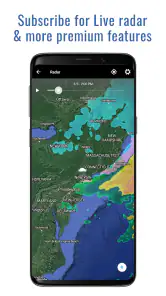
Transparent clock weather Pro offers a variety of features including detailed weather forecasts, customizable widgets, radar maps, severe weather alerts, and more. Users can expect hourly and daily forecasts, weather alerts, moon phases, and sunrise/sunset times. The app also provides a highly customizable widget that can display time, date, and weather information at a glance.
Pros
- Highly customizable widgets
- Accurate weather predictions
- User-friendly interface
- Ad-free experience
- Detailed weather notifications
Cons
- Premium features are paid
- Occasional widget glitches
- Requires GPS for location
- Large app size
- Limited free features
- Category
- Weather
- Version
- 8.99.11













