TickTock-TikTok Live Wallpaper
- 25.66K
- 4.7
- Installs
- 100.00M
- Price
- Free

Screenshots
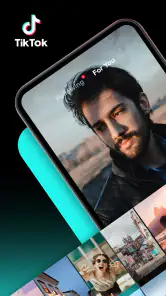
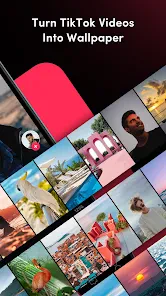
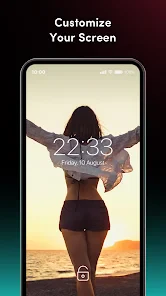
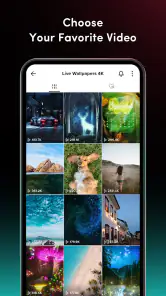
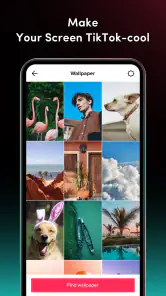
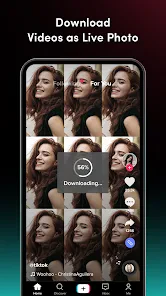
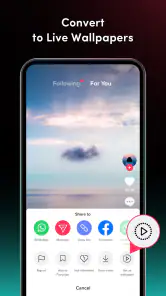
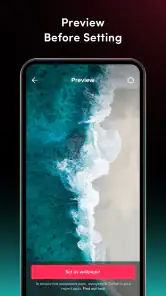
Analysis by Reviewed
I like the idea of a phone that feels personal without turning its wallpaper into another project to manage. TickTock-TikTok Live Wallpaper is a small, focused tool from TikTok Pte. Ltd. that puts TikTok video imagery on your screen. It is free, and its 4.7 average from around 1.7 million ratings suggests that plenty of people enjoy the concept. My cautious take is that it works best when you treat it as a visual extra, not as a replacement for browsing TikTok or a full wallpaper library.
What to expect from a video wallpaper
The appeal is straightforward: a moving clip can make a familiar home screen feel less static, especially if you already have a TikTok video you like. This is a wallpaper tool, not a general video editor or a social feed in its own right. That distinction matters if you are deciding whether it suits you: its value is in selecting a clip and using it as a background, rather than in creating a polished video or discovering content for hours.
For a practical routine, I would choose a short, visually clear clip and test it on the home screen before settling on it. Busy footage can compete with app icons, while a calm or repeating visual tends to feel easier to live with. A useful trade-off is to pick a clip that looks good muted; a wallpaper is something you see in brief moments, and sound can be distracting when you unlock your phone in public.
Trust, controls, and everyday choices
Because this app connects a TikTok video with a phone background, I would make the choice of clip deliberately. Think about whether you are comfortable seeing that video whenever you check your home screen, and whether it is suitable to have visible around other people. If you use your phone for work or share its screen, a less personal clip may be the better pick.
I also take a measured approach to trust: the developer is TikTok Pte. Ltd., but that fact alone does not tell me what permissions the app requests or how information is handled. I would review the permission prompts and the privacy details shown on the device and in the app store before proceeding. If a request seems unrelated to setting a wallpaper, pause and decide whether you want to continue. This is a sensible habit for any app, especially one used alongside a social platform.
Choosing with privacy in mind
Trust here is less about assuming a particular data practice and more about making a conscious choice at setup. I would look at each prompt as it appears, consider whether the requested access makes sense for the task I am trying to complete, and avoid approving anything automatically. A wallpaper is a visible, everyday part of the phone, so it is worth taking a moment to understand the choices presented before putting a personal clip there.
If you are setting this up on a device used by a child or shared within a family, I would make the selection together rather than treating it as an invisible decoration. The content rating is Everyone, but that does not mean every individual video will suit every household or setting. The clip itself deserves the same common-sense review as any image you choose to display in public.
More From Our News Desk

Weather by Xiaomi Review: Clear at a Glance, Less Clear Up Close

X Under Pressure: Can It Recover When Posting Goes Wrong?

Clash of Clans Is Won Between the Battles

Android Auto Makes the Case for Quieter Car Software

MobiOffice: Transforming Mobile Productivity with Seamless Integration

EA SPORTS FC™ Mobile Soccer: Redefining Mobile Sports Gaming
Transforming Your Screen
So, imagine this: you’re getting bored with the same old static backgrounds that come pre-loaded with your phone. That’s when TickTock-TikTok Live Wallpaper swoops in like a superhero without a cape. This app lets you bring a dynamic and vibrant touch to your screen with live wallpapers. And the best part? It’s not just about pretty pictures; these are videos from TikTok that play right on your home screen! Talk about a conversation starter!
Features that Stand Out
Now, I know what you’re thinking—live wallpapers can be a battery drainer, right? But surprisingly, this app is pretty gentle on your battery life. It optimizes the video playback so your phone doesn’t feel like a hot potato in your hand. Plus, it’s super easy to set up. Just browse through the trending TikTok videos, pick your favorite, and voila! Your screen is now a window to the latest viral trend.
What I really love is how customizable everything is. Not only can you choose from a plethora of videos, but you can also adjust the speed and sound to match your mood or style. Feeling a bit adventurous? You can even upload your own TikTok videos and set them as your wallpaper. It’s like having a piece of your creativity right there every time you unlock your phone.
Making a clip work on a real home screen
When I choose a moving background, I think about the screen as a working surface, not just a display. A clip with a clear central subject may look lovely in a preview but become awkward once icons and widgets sit over it. I would test it with the actual home-screen layout I use, including any folders or widgets, rather than deciding from the video alone. If important details disappear behind icons, a simpler moment from the same clip—or a different clip altogether—will probably be more comfortable.
One subtle way to avoid tiring of the effect is to favor motion that reads at a glance. A brief, recognizable visual works better for quick checks than a sequence that depends on following a story. I would also be selective about contrast: bright highlights or constant movement can pull the eye away from app names. The goal is a background that adds character without making the phone harder to use.
A Few Quirks
Of course, no app is without its quirks. While it’s generally smooth sailing, sometimes the app might hiccup and not load a video as quickly as I’d like. It’s a bit of a bummer, especially when you’re excited to show off a new wallpaper. But hey, a quick restart usually does the trick.
Also, a little heads up—it does require a good internet connection to pull those videos from TikTok. So, if you’re on a spotty network, you might experience some delays. But once it’s set, you’re good to go without any further hiccups.
What to try when setup feels awkward
If the first attempt does not look right, I would change one thing at a time instead of repeatedly picking new clips at random. Start with a less busy video, check how it sits behind the icons, and then decide whether the issue is the footage or the way motion feels on your screen. That simple comparison helps you work out whether you want a different clip or whether a moving wallpaper is not a good fit for your habits.
I would also separate the selection process from the final judgment. Finding a clip while browsing is not the same as living with it as a background: the novelty can make an option feel more appealing than it will after many unlocks. Let one choice settle into your routine before spending time looking for alternatives. If the result becomes irritating, switching back to a still image is a reasonable outcome, not a failure to use the app correctly.
Who will get the most from it
This is most appealing if TikTok is already part of how you find short videos and you enjoy seeing one particular visual more than once. It can suit someone who likes changing a phone’s look with minimal fuss, or who wants a familiar clip to add personality to a screen they check throughout the day. It is less compelling for someone who does not use TikTok, wants a large offline collection, or prefers to design a wallpaper from scratch.
For a realistic everyday example, imagine choosing a quiet landscape or a simple visual before a commute. I would set it at home while connected, inspect it against my usual icons, and use the phone normally for the rest of the day. If it remains pleasant during quick checks and does not draw attention in a meeting or on public transport, it has earned its place. If I keep noticing the motion when I am trying to focus, I would remove it rather than forcing myself to like the effect.
Choosing the right fit
On Android, the app’s minimum OS is 4.1 and its current version is 35.1. It is rated for Everyone, has more than 100 million installs, and sits in the Tools category. For someone who enjoys changing a phone’s look and already finds clips on TikTok, that low-friction role makes sense. If you want a carefully curated collection of still images, a standard wallpaper app is likely simpler; if you want elaborate motion graphics or detailed control over a design, a dedicated live-wallpaper creator is a better match.
One everyday example: I might save a favorite clip during a break, then set it as the background before heading out. I would check that the subject stays recognizable behind icons and keep the sound choice appropriate for a quiet commute. If the clip feels distracting after a day, switching back to a static image is an easy way to regain a calmer screen. The point is not to make the phone constantly entertaining; it is to add a small detail that still works in daily use.
How it compares with other wallpaper choices
Compared with a standard wallpaper library, the main attraction is the connection to TikTok clips you already enjoy. A still-image app is usually the more direct choice when you want predictable visuals, quick browsing, or a background that does not move. This tool is more specific: it makes sense when a video is the image you want to carry over to the home screen, rather than when you are simply searching for any attractive background.
A dedicated live-wallpaper creator is a better fit if you want to build motion effects or fine-tune a design. I would not choose this app expecting those broader creative controls; its appeal is the short route from TikTok video to phone appearance. That narrow focus can be a benefit for someone who wants a familiar clip without learning a more involved design tool, but it is a limitation for anyone who wants to control every visual detail.
Limitations worth weighing
There are a few practical questions I would answer before relying on it. Does the video behave as expected on your particular device? Is its motion pleasant rather than tiring? Does it remain a good choice when the phone is used in a meeting, shared with someone, or checked quickly in public? Try one clip first rather than spending time setting up several. That gives you a feel for whether animated wallpaper fits your routine without making the home screen harder to read.
The app’s connection to TikTok is useful if your preferred clip is already there, but it also makes the experience less universal than a wallpaper app built around local images. Video selection may be the fun part, yet it can involve more waiting or browsing than choosing a static picture. For users who prefer a predictable background, minimal motion, or a phone that looks the same in every setting, a still image is the more sensible choice.
Questions to settle before keeping it
A common practical concern is whether you need to be online whenever you look at the wallpaper. The setup experience described here involves pulling videos from TikTok, so I would do that part on a reliable connection and then check how the chosen background behaves in ordinary use. I would not plan around a particular offline behavior without testing it on my own phone, especially if dependable access matters during travel.
Another useful question is whether it is suitable for an older Android device. The stated minimum is Android 4.1, but meeting a minimum operating-system requirement does not guarantee the same feel on every handset. I would start with one clip, pay attention to responsiveness and readability, and stop if the motion makes the phone feel less comfortable. The same trial-first approach answers whether the app suits your routine better than its popularity alone can.
Final Thoughts
All in all, TickTock-TikTok Live Wallpaper is a fun and refreshing way to add some life to your phone. It’s perfect for TikTok lovers who want to keep the vibe going even when they’re not scrolling through the app. Sure, it has a few hiccups here and there, but nothing that can’t be overlooked given how much personality it brings to your device. So, if you’re looking to jazz up your phone screen, give it a whirl! You might just become the trendsetter among your friends.
My recommendation comes with a small condition: choose a clip you genuinely want to see repeatedly, check the permissions and privacy information that appear on your own device, and judge the result in your normal routine. With 26,000 reviews and a free price, it is easy to understand why people try it, but popularity does not mean animated backgrounds suit every phone or every person. I would recommend it to TikTok fans who like a lively home screen; I would skip it in favor of a static wallpaper if battery caution, visual calm, or privacy comfort is the priority.
TickTock-TikTok Live Wallpaper Frequently Asked Questions
Can I use TickTock-TikTok Live Wallpaper without setting a video as my wallpaper?
The app’s purpose is to make a TikTok video into a moving wallpaper, so its main appeal is personalization rather than general video viewing. If you are only looking for a way to watch TikTok clips, this tool may not be what you need. It is best suited to people who want a video-based background on their phone.
What kind of videos can I use with TickTock-TikTok Live Wallpaper?
The app is intended for turning TikTok videos into a live wallpaper, so it may appeal to anyone who wants a moving background based on TikTok content rather than a still image. Before downloading, consider whether you want a specific video or simply a more dynamic look for your phone. The app’s summary describes it as a TikTok Video Wallpaper Maker.
What is TickTock-TikTok Live Wallpaper?
TickTock-TikTok Live Wallpaper is a unique app that allows users to set TikTok videos as their phone's live wallpaper. This app provides an innovative way to personalize your device, offering a dynamic and interactive background experience inspired by your favorite TikTok content. It is a tools app from TikTok Pte. Ltd., and it is free to download.
How do I set a TikTok video as my live wallpaper using TickTock-TikTok Live Wallpaper?
To set a TikTok video as your live wallpaper, first download the TickTock-TikTok Live Wallpaper app. Once installed, open the app, browse through your TikTok videos or search for new ones within the app, and select the video you want. Follow the on-screen instructions to set it as your live wallpaper. As with any live wallpaper, check the preview and confirm the wallpaper choice in your device’s system prompt.
Is TickTock-TikTok Live Wallpaper compatible with all devices?
TickTock-TikTok Live Wallpaper is designed primarily for Android devices. While it aims to support a wide range of models, not all older versions or lower-spec devices may fully support the live wallpaper feature due to performance limitations. It's recommended to check the app's compatibility with your device in the app store before downloading. The current version is 35.1, and the minimum Android requirement is 4.1.
Pros
- High-quality
- dynamic wallpapers.
- User-friendly interface with easy navigation.
- Regular updates with new content.
- Customizable wallpaper settings.
- Doesn't drain battery quickly.
Cons
- Limited free content available.
- Contains in-app advertisements.
- Requires internet connection for updates.
- Occasional glitches in animation.
- May slow down older devices.
- Category
- Tools
- Version
- 35.1









