Telehealth by SimplePractice
- 11.98K
- 4.5
- Installs
- 1.00M
- Price
- Free

Screenshots




Analysis by Reviewed
Have you ever felt the need to consult with a healthcare professional without leaving the comfort of your home? Well, Telehealth by SimplePractice might just be your new best friend. As someone who’s always on the lookout for ways to simplify life, especially when it comes to healthcare, I found this app to be a game changer.
Connecting with Professionals Made Easy
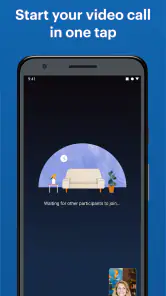
Let’s dive into how this app works. At its core, Telehealth by SimplePractice offers a seamless experience for both practitioners and patients. The app is designed to facilitate video consultations, meaning no more waiting rooms or travel time. All you need is a stable internet connection, and you’re good to go!
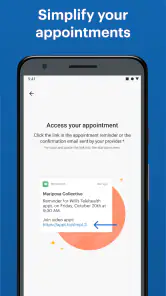
One of the standout features is its user-friendly interface. Whether you’re tech-savvy or not, navigating through the app is a breeze. You can easily schedule appointments, check your calendar, and even send messages to your healthcare provider. It’s like having a clinic in your pocket!
Security and Privacy
In today’s digital age, security is paramount. The app ensures that all your consultations are private and secure. It complies with HIPAA regulations, which means your data is handled with the utmost care. Knowing that my personal health information is safe gives me peace of mind.
The Convenience Factor
Imagine this: it’s a rainy day, and you’re feeling under the weather. Instead of dragging yourself to the doctor’s office, you can simply open the app and have a consultation from your couch. The convenience is unparalleled, especially for those with mobility issues or hectic schedules.
Moreover, it’s not just limited to consultations. The app allows practitioners to share documents, such as prescriptions or treatment plans, directly with you. This feature eliminates the need for physical paperwork, making the entire process more efficient.
Some Thoughts
While the app is fantastic, it’s important to note that it might not replace the need for in-person visits entirely. Some situations require a physical examination, and that’s perfectly okay. However, for regular check-ups or consultations, this app is a fantastic alternative.
In conclusion, Telehealth by SimplePractice is a must-have for anyone looking to modernize their healthcare experience. It's convenient, secure, and incredibly efficient. Whether you're a busy professional or someone who values comfort, this app is worth checking out. Give it a try and see how it can transform your healthcare routine!
Pros
- User-friendly interface for easy navigation.
- Secure video calls for private consultations.
- Integration with practice management features.
- Mobile app available for on-the-go access.
- Supports multiple clients in one session.
Cons
- Occasional connectivity issues during calls.
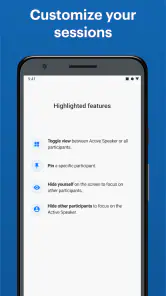
- Limited customization for video call UI.
- Requires stable internet for optimal use.
- Some features locked behind paywall.
- Initial setup can be time-consuming.

- Category
- Medical
- Version
- 4.1.5