SimplePractice Client Portal
- 327.00
- 4.1
- Installs
- 500.00K
- Price
- Free

Screenshots





Analysis by Reviewed
Let's dive into the world of the SimplePractice Client Portal, an app that has turned the tables for clients looking to streamline their therapy and healthcare sessions. Picture this: no more juggling with physical files or waiting in line to book an appointment. Sounds like a dream, right? Well, this app makes it a reality.
Effortless Scheduling and Organization
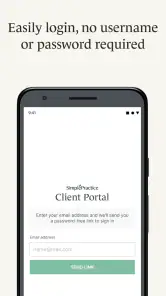
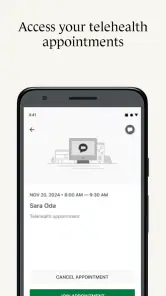
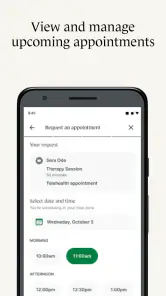
When I first opened the SimplePractice Client Portal, I was immediately struck by its user-friendly interface. Everything is laid out in a way that makes sense, even if you're not tech-savvy. The app allows clients to schedule appointments with just a few taps. It's like having a personal assistant in your pocket! You can view your upcoming appointments and even receive reminders, ensuring you never miss a session.
Secure and Private Communication
Privacy is a big deal, especially when it comes to healthcare. This app ensures all your communications are secure. Whether you're sending a message to your therapist or sharing documents, you can rest easy knowing that your information is protected. I found this feature particularly comforting, as it provides peace of mind in today’s digital age.
Access to Essential Documents
One of the standout features is the ability to access all your documents in one place. No more rifling through emails or physical files. With this app, everything from session notes to billing information is at your fingertips. This aspect of the app truly enhances the client experience by making information easily accessible and well-organized.
Moreover, the app supports electronic signatures, which means you can sign documents without the hassle of printing, signing, and scanning them back. Talk about saving time and trees!
User Experience and Design
The design of SimplePractice Client Portal is both simple and elegant. It doesn’t overwhelm you with unnecessary features. Instead, it focuses on what really matters: providing a seamless experience for the user. The navigation is intuitive, making it easy for anyone to find what they’re looking for without any frustration. I really appreciated the attention to detail in the app's design.
In conclusion, the SimplePractice Client Portal is more than just an app; it's a tool that empowers clients by simplifying their healthcare interactions. It's efficient, secure, and designed with the user in mind. If you're someone who values convenience and security, this app might just be your new best friend. So why not give it a try? You might just find it’s exactly what you need to enhance your therapy journey.
Pros
- User-friendly interface for easy navigation
- Secure communication with therapists
- Convenient scheduling and appointment reminders
- Access to therapy notes and documents
- Mobile-friendly for on-the-go access
Cons
- Limited customization options
- Occasional syncing issues
- No offline access to documents
- Requires stable internet connection
- Limited support for non-tech-savvy users

- Category
- Medical
- Version
- 1.7.11