Suno - AI Music
- 16.64K
- 4.8
- Installs
- 10.00M
- Price
- Free

Screenshots
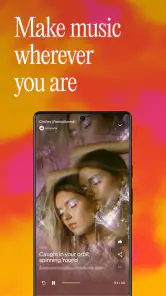
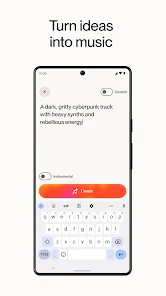
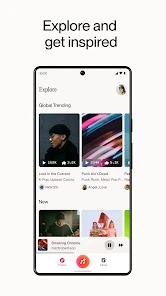
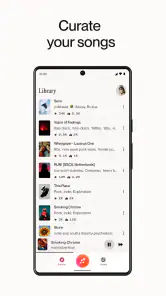

Analysis by Reviewed
Have you ever wished you had a personal DJ who could churn out tunes tailored just for you? Well, let me introduce you to Suno - AI Music, an app that’s here to make your musical dreams come true. With its innovative approach to music creation, this app is turning heads and getting everyone to groove to their own beats.
That idea is most useful when you treat the app as a place to experiment, rather than a replacement for a carefully built music library. Suno, made by Suno, Inc, is a free music and audio app for creating songs with AI. I’d reach for it when I want a quick musical sketch, a playful surprise, or a starting point for a creative project—not when I need a particular existing track or a predictable radio-style queue.
Unleashing Creativity with AI
At first glance, Suno - AI Music might look like just another music app, but don’t be fooled! This app is powered by artificial intelligence, and it’s not your average run-of-the-mill AI. This thing is smart—like, really smart. It can actually learn your music preferences and generate tracks that are tailored to your taste. Imagine having a playlist that feels like it was handpicked by your future self who already knows all the tunes you’re going to love. It’s that cool.
The important distinction is that AI-generated songs are not the same as streaming a known artist’s catalog. I find the appeal is the possibility of making something that fits a mood or idea, even if the result takes a few tries to land. If you already know exactly which recording you want, a conventional streaming service is more direct; if you want to explore a song concept, Suno is the more interesting tool.
Getting Started
Diving into the app is as easy as pie. Once you download it, you’re greeted with a sleek and user-friendly interface that makes navigation a breeze. You start by selecting your favorite genres, and from there, the app takes over. The AI begins to work its magic, creating music that evolves with your listening habits. It’s like having a personal music assistant who’s always on the lookout for your next favorite song.
For a more useful first session, I’d begin with a specific situation rather than a vague request: a short mood, a setting, or the feeling you want a song to leave behind. Then listen through the result before changing direction. That makes it easier to tell whether the idea itself needs refining or whether you simply want a different musical treatment. It also keeps casual experimentation from turning into a string of unrelated generations.
Features That Hit the Right Note
What sets this app apart from the rest? Well, for starters, the music quality is top-notch. The sound is crystal clear, and the variety is mind-blowing. Whether you’re into mainstream pop, indie tunes, or even classical symphonies, Suno has got you covered. Plus, the app's ability to blend different genres into a seamless track is nothing short of impressive. It’s like having a mini music festival right in your pocket.
More From Our News Desk

Weather by Xiaomi Review: Clear at a Glance, Less Clear Up Close

X Under Pressure: Can It Recover When Posting Goes Wrong?

Clash of Clans Is Won Between the Battles

Android Auto Makes the Case for Quieter Car Software

MobiOffice: Transforming Mobile Productivity with Seamless Integration

EA SPORTS FC™ Mobile Soccer: Redefining Mobile Sports Gaming
That breadth is fun, but I would treat the output as a creative draft rather than assume every result will be ready for a polished project. A practical workflow is to make a few variations around one clear idea, keep the version that best captures the mood, and use it as a reference for what you want next. This is especially handy for a personal playlist, a writing warm-up, or a small creative prompt; anyone needing precise arrangement or fine control over every musical detail may be better served by a dedicated production tool.
Another standout feature is the app’s adaptability. As you interact with it, Suno learns and evolves, continuously fine-tuning its recommendations to suit your evolving taste. And let’s not forget about the offline mode. Whether you’re on a plane or stuck in a no-signal zone, your music is always just a tap away.
For example, I can imagine using it during a commute to make a light, upbeat track for the trip, then saving the result to revisit later. If you plan to listen somewhere without reliable service, it’s sensible to check that the particular track is available offline before you leave; don’t build an important moment around assuming every newly created song will already be accessible. That small check is more useful than generating a large batch of tracks you may never return to.
The Experience
Using Suno - AI Music feels like embarking on a musical journey where you’re the captain. The app is intuitive and engaging, making every listening session an adventure. The AI’s ability to surprise you with tracks you’ve never heard before but instantly love is uncanny. It’s as if the app knows you better than you know yourself!
For everyday listening, that element of surprise is also the main trade-off: generated music can be less dependable than choosing a familiar song or artist. I’d recommend Suno to curious listeners, people who enjoy testing musical ideas, and anyone who wants a quick creative spark. I’d skip it as my main choice if I wanted a fixed catalog, exact control over a finished recording, or a completely predictable listening session.
In terms of accessibility, the app is available for both Android and iOS, which means no one is left out of the fun. Plus, it’s constantly updated with new features and improvements, ensuring that it stays ahead of the curve in the ever-evolving world of music apps.
The current Android version is 1.39.0, and it supports Android 8.0 and up. Suno has been available since December 3, 2024; its current version is a concrete marker of where the app stands, rather than a promise about what any future release will add. Existing users should expect the experience to be shaped by ongoing changes, so it’s worth checking the app itself after an update before relying on a familiar workflow for a creative task.
There is a free way to try it, while optional in-app purchases range from $4.00 to $289.99 per item. I’d start by deciding what I actually want to make and seeing how far the free experience takes me before spending. The range makes it particularly sensible to check the purchase details in context instead of assuming every paid option is necessary for ordinary listening or experimentation.
For a sense of its reach, the app has more than 10 million installs and an average rating of 4.8 from around 852,000 ratings, alongside roughly 17,000 written reviews. It is rated Teen. Those figures suggest plenty of people have tried it, but they don’t tell me whether its particular creative approach suits you; the best test is whether you enjoy shaping ideas through generated music.
One question I’d consider before using any AI music maker is whether its output fits the purpose I have in mind. For private listening or brainstorming, a rough or surprising result can be part of the fun. For a public or commercial project, I’d first review the app’s current terms and make sure the intended use is allowed, rather than assuming that a generated track automatically comes with every permission I might need.
Making the Most of a Short Session
A useful way to fit Suno into an ordinary day is to give it a small, concrete job. I might want a song with a particular energy for a morning walk, a playful background idea while cooking, or a musical cue that helps me get started on a writing task. I would describe the feeling and context first, then decide whether the result actually serves that moment. The point is not to generate endlessly; it is to find out whether one musical idea makes the activity more enjoyable.
When a first attempt is close but not quite right, I’d change one part of the brief at a time. If I revise the mood, genre, and setting all at once, I won’t know which change improved the result. Keeping the central idea steady while testing a different musical direction makes the process easier to judge. It also helps me avoid treating every unexpected result as a failure: sometimes it reveals that the original idea was too broad, and sometimes it simply takes the song somewhere I didn’t want to go.
For a shared creative task, such as brainstorming a theme with a friend, I’d use the generated song as a conversation starter rather than a finished deliverable. It can make a vague mood tangible quickly, which is useful when people struggle to explain what they have in mind. But if the group needs exact lyrics, a specific melody, or a carefully arranged final recording, a tool built for hands-on music production offers more deliberate control. Suno works best for the early spark, not every later step.
Where It Fits—and Where It Doesn’t
Compared with a standard streaming app, Suno asks me to create and evaluate rather than search a familiar catalog. That makes it a poor substitute when I want a particular album, artist, or recording, but a more playful choice when I have a mood and no exact track in mind. A streaming service can reliably take me to something I already know; generated music is more exploratory, and that uncertainty is part of both its appeal and its limitation.
Compared with a digital audio workstation or another detailed production tool, the appeal is speed and accessibility. I can begin with an idea without first building a track from individual parts, but I should not expect the same hands-on control over arrangement, performance, or final polish. If I’m learning production or need to make precise changes, I’d choose software designed for that work. If I mainly want to hear a concept quickly, Suno is a more approachable starting point.
I’d also separate personal enjoyment from uses where the result has to meet a strict brief. A creator looking for inspiration may welcome an unexpected style or a rough direction to develop elsewhere. Someone making music for a client, a release, or a project with specific requirements should check the current terms and assess the output carefully before relying on it. That extra step matters because liking a generated track and being able to use it for a particular purpose are different questions.
All in all, Suno - AI Music is a game-changer for music lovers everywhere. It combines technology and creativity to deliver an experience that’s both unique and deeply personal. So, if you’re ready to revolutionize the way you listen to music, give Suno a spin. Trust me, your ears will thank you!
Who I’d Recommend It To
My recommendation comes with a clear distinction: this is most rewarding when I approach it with curiosity and a flexible idea, not a demand for a perfect track on the first try. It sits somewhere between a music discovery app and a lightweight creative tool. Traditional streaming is better for browsing known artists and albums, while a full audio workstation is better for detailed editing. Suno’s attraction is the middle ground: quickly turning a musical thought into something I can hear.
What I’d watch as the product evolves is whether new versions make the creation process more dependable and give users clearer ways to shape, revisit, and use their results. The app’s release history and current version show an actively maintained product, but they do not guarantee any particular future feature. For now, I’d judge it by the simple question that matters most: does making and listening to these AI-created songs add something enjoyable or useful to my day?
Suno - AI Music Frequently Asked Questions
Can I use Suno - AI Music on my device?
Suno - AI Music is available for Android devices running version 8.0 or later. Before downloading, check your device’s operating system and make sure you have enough storage space for the app and any creations you choose to keep. A stable internet connection is useful for getting the most from its music-generation features.
Who makes Suno - AI Music, and what kind of app is it?
Suno, Inc develops Suno - AI Music, an app in the Music & Audio category. Its focus is AI music and song generation, making it a tool for people who want to explore musical ideas without needing to start with traditional recording or production software. Whether you are curious about AI or already enjoy making music, its purpose is to help turn creative prompts into songs.
Is Suno - AI Music free to download, and what should I know about costs?
Suno - AI Music is free to download, so you can try the app without paying upfront. It also offers in-app purchases, with prices ranging from around $4 to $290 per item. Before buying anything, check the purchase details shown in the app and consider whether the free experience meets your needs. The app is aimed at creating music and songs with AI.
What age group is Suno - AI Music intended for?
Suno - AI Music has a Teen content rating, which is worth considering before installing it for a younger user. Parents and guardians may want to review how the app will be used and discuss responsible sharing of AI-generated music. As with any app that lets people create and share content, it is sensible to check the available settings and make sure they suit the user's age and preferences.
What is Suno - AI Music and how does it work?
Suno - AI Music is an innovative application designed to create music using artificial intelligence. It allows users to generate original compositions by selecting different music styles and elements. The app uses advanced algorithms to analyze and produce harmonious music pieces, making it suitable for both amateur and professional musicians. Users can either let the AI take control or customize their compositions to achieve the desired result.
Pros
- User-friendly interface
- Wide range of music genres
- High-quality sound output
- Customizable playlists
- Offline listening feature
Cons
- Limited free version features
- Occasional app crashes
- Ads in free version
- Requires stable internet for streaming
- Limited song skips in free version
- Category
- Music & Audio
- Version
- 1.39.0











