status - sims but social media
- 17.60K
- 4.2
- Installs
- 1.00M
- Price
- Free

Screenshots


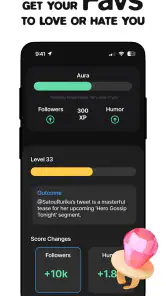
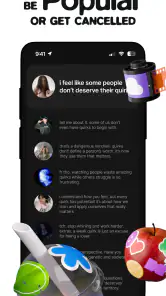
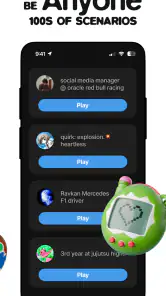


Analysis by Reviewed
I’d describe Status as a playful lifestyle app for people who enjoy treating social media as a world to shape, not just a feed to scroll. Its Sims-like appeal is the chance to build an imagined online life and see how that persona feels. That premise is more interesting than another conventional social network, but it also sets a clear expectation: the fun depends on enjoying self-expression and simulation, rather than looking for a practical tool for managing your real accounts.
In my view, the app’s strongest idea is that it turns the performance of being online into the activity itself. You can approach it as a creative space for experimenting with the version of yourself you want to present, without needing every choice to reflect your actual day. That makes it a better fit for casual play and imagination than for keeping up with friends or publishing to an existing audience.
Where the social-life simulation works best
I find the simulation works best when I give it a small creative purpose instead of expecting it to behave like a real feed. Choosing a persona or mood first can make each decision feel connected, and it gives a short visit a natural endpoint. The next section looks at who is likely to enjoy that kind of self-directed play, as well as the expectations that can make the experience feel limited.
A different kind of social app
The familiar social-media format usually asks you to follow people, post updates, and keep up with a stream of real events. Status takes a more game-like angle: its central draw is building a dream social-media life. I like that distinction because it gives the app a purpose beyond duplicating a timeline. The appeal is not simply to be more visible; it is to play with an idealized online identity.
That framing can make the experience feel lighter than ordinary social media. A real profile carries an audience, expectations, and the possibility of awkward consequences. A simulated persona gives you room to try an idea without turning it into a public statement about who you are. If you enjoy styling an online presence or imagining how a different version of your life might look, that freedom is the main reason to give it a try.
There is a trade-off, though. A social simulation is not the same as genuine social connection. I would not choose this app to message friends, organize plans, or follow reliable news. Its premise is entertainment through an imagined social-media life, while established networks are still more useful when the goal is to interact with people you actually know.
Useful ways to approach it
One non-obvious way to get more from the concept is to treat it as a small creative exercise rather than a race to make the most impressive profile. Pick a mood or persona before you start making choices: for example, a polished public-facing version of yourself, a more relaxed one, or a character with a very different taste. A clear direction gives your decisions a thread and makes the result feel intentional instead of like a collection of disconnected choices.
More From Our News Desk

Weather by Xiaomi Review: Clear at a Glance, Less Clear Up Close

X Under Pressure: Can It Recover When Posting Goes Wrong?

Clash of Clans Is Won Between the Battles

Android Auto Makes the Case for Quieter Car Software

MobiOffice: Transforming Mobile Productivity with Seamless Integration

EA SPORTS FC™ Mobile Soccer: Redefining Mobile Sports Gaming
It can also work as a low-pressure way to explore what you enjoy about online self-presentation. If you often find yourself editing a caption, changing an image, or wondering how a post will come across, a simulated setting can let you separate the creative part from the pressure of a real audience. I would not treat that as a substitute for real communication, but it can be an entertaining way to notice which kinds of online expression appeal to you.
A third useful approach is to play in short sessions with a specific goal. Rather than opening the app whenever you are bored and hoping the experience will hold your attention, decide what you want to shape or explore that day. This gives the simulation a little structure and helps you judge whether its particular style of play is engaging for you. If you prefer open-ended experiences, you may find that self-directed approach appealing; if you need clear tasks and a strong sense of progression, the premise may feel less satisfying.
For an everyday example, imagine you have a few minutes between errands and want something more creative than checking a real feed. You could open Status to work on an imagined online persona, make a few choices that suit its character, then leave without having to reply to anyone or keep up with an ongoing conversation. That is the sort of casual use case I think it suits: a small pocket of playful self-expression, not a replacement for your regular social life.
What to expect from the experience
It is worth deciding what “social” means to you before installing it. If you mean real-time contact, familiar faces, and posts from people you follow, this simulation-led idea may not meet that need. If you mean the aesthetics and fantasy of having a compelling online life, the concept is much closer. That distinction is more useful than comparing it only with mainstream social platforms, because the two types of app serve different moods.
Compared with a conventional life-simulation game, Status has a more focused social-media identity. The imagined online presence is the hook, rather than a broad simulation of every part of daily life. That focus can make it easier to understand what the app is for, but it may also narrow its appeal: someone wanting a sprawling world, a detailed story, or many kinds of activities may prefer a fuller simulation game. Someone who wants a real audience and direct interaction should instead use a genuine social network.
My practical tip is to give the central idea a fair test before deciding whether it is for you. Ask yourself whether shaping a fictional online life is enjoyable on its own. If the answer is yes, the premise has room to entertain. If you only enjoy social apps when friends respond or new real-world posts appear, a self-contained simulation may not hold your interest for long.
Who should try it, and where it may fall short
I’d approach Status as a focused bit of imaginative play, not as a substitute for keeping up with friends or building a real audience. That distinction matters most when deciding whether to keep it: people who enjoy shaping a fictional online identity may find the premise satisfying, while anyone seeking conversation, practical posting tools, or a broader simulation may be better served elsewhere.
A good match for curious, casual players
Status is a lifestyle app from WishRoll, and its audience is likely to include people who enjoy creative identity-building, social-media aesthetics, and light simulation. I would recommend trying it if you like inventing characters, experimenting with how a profile might come across, or playing with an idealized version of online life. It may also suit someone who wants a social-media-themed diversion without making every session about real friends and current events.
At the same time, I would not recommend it as a tool for improving a real profile or building an actual following. Its core fantasy is not a practical guide to posting, audience growth, or account management. If that is what you want, a dedicated creator tool or the platform where you already publish will be more useful. And if you are looking for direct conversation, an ordinary messaging or social app is the better choice.
The app is free to start, which makes it easier to explore the idea without paying upfront. It also offers in-app purchases, with listed item prices ranging from $0.99 to $199.99. I would pay attention to any purchase prompt and decide whether an optional item adds enough to your own experience before spending. A wide price range is a reason to be deliberate, especially if you are installing it for casual entertainment rather than a game you already know you love.
Age matters here, too: the content rating is Teen, so I would not assume it is aimed at very young children. For a parent considering it, the more useful question is whether a social-media simulation feels appropriate for the child’s age and habits, not merely whether it is available to download. Teen-rated content is a sensible cue to check the experience together and talk about the distinction between a constructed online persona and real life.
Popularity, polish, and a realistic limitation
The app has reached more than a million installs, and its average rating is 4.2 from around 557,000 ratings. Those figures suggest that the concept has found a substantial audience, though popularity alone does not tell me whether it will suit your taste. A social-life simulation can be appealing to one person and feel thin to another, depending on whether creating an imagined online identity is enough to keep them engaged.
The clearest limitation is built into the premise: Status can let you play with the idea of a social-media life, but it cannot offer the unpredictable value of a real network of people. There are no genuine friendships to maintain simply because a fictional profile exists, and a polished imagined persona does not provide the same practical feedback as sharing something with a real audience. That is not a flaw if you want a contained creative diversion; it is a mismatch if you expect a replacement for your usual social apps.
I also think the concept asks the player to bring some of the motivation. If you enjoy setting your own creative direction, that can feel freeing. If you need frequent external goals or a strong narrative to make each session feel worthwhile, you may run out of reasons to return. I would treat it as a focused experiment in online self-expression, rather than assume it will become a long-term daily habit.
Making the most of a short session
A useful way to decide whether to keep it is to notice what you want from each visit. If you open the app with a particular character or mood in mind, you can assess whether shaping that imagined presence is satisfying without expecting a constant stream of new material. This also helps separate enjoyment of the creative premise from the habit of checking a phone simply because there is a spare moment.
For someone who enjoys making themed profiles, a small personal challenge can give the experience direction: create a persona that feels deliberately different from your everyday presentation, then see whether the choices still feel coherent as you build it. The point is not to chase a perfect version of yourself. It is to test whether the app’s fictional framing makes identity play more enjoyable. If the exercise feels like work, that is a useful sign that the core appeal may not be yours.
My verdict
Status is at its best when I approach it as a playful simulation of online identity: a place to imagine a persona, shape a dream version of social media, and spend a little time exploring that idea. Its appeal is specific, which is a strength for the right person and a limitation for everyone else. It does not need to be a full social network to be entertaining, but it should not be judged as though it were one.
The app was released on January 28, 2025, and its current version is 1.9.61. It requires Android 7.0 or later, making it accessible to a broad range of Android devices. Its Teen rating is another useful consideration for anyone deciding whether it is appropriate for a younger user.
My recommendation is to try Status if you enjoy social-media aesthetics as a form of play and want a low-pressure space to shape an imagined online life. Skip it if your priority is real conversation, practical creator tools, or a deep simulation with a broad range of activities. Once you make that distinction, the app’s appeal becomes much clearer: it is a niche, potentially enjoyable creative diversion, not a replacement for the people and platforms that make real social media social.
status - sims but social media Frequently Asked Questions
What is Status - Sims but Social Media?
Status - Sims but Social Media is a mobile game that blends life-simulation elements with a social-media-inspired setting. Players typically guide a character through everyday choices, relationships, and activities while engaging with an interface designed around online posts and social interactions. The exact features and available content can vary by version and platform, so check the app listing for current details before downloading.
Is Status - Sims but Social Media free to download and play?
The game may be available to download without an upfront purchase, but that does not necessarily mean every feature is free. Some mobile games offer optional in-app purchases, advertisements, or paid content, and availability can differ between the Android and iOS versions. Review the store listing and its purchase disclosures before installing, particularly if children may use the device or account.
Does the game require an internet connection?
Because Status - Sims but Social Media uses a social-media theme, some features may rely on an internet connection, while other gameplay could work offline. Requirements can depend on the specific version, account setup, and features you choose to use. Check the developer’s store description, and remember that connecting to online services may involve data use and additional privacy considerations.
Is Status - Sims but Social Media suitable for children?
Suitability depends on the game’s age rating, content, online features, and the maturity of the player. Social-media-style gameplay may include themes involving popularity, relationships, or interactions that parents will want to assess. Check the rating and content notes in the relevant app store, review available privacy settings, and supervise younger players, especially if the game includes online communication or purchases.
What should I check before downloading Status - Sims but Social Media?
Before installing, confirm that the app is offered by the expected developer and is compatible with your device and operating-system version. Read the latest store description, user reviews, age rating, privacy disclosures, and in-app purchase information. Also consider available storage, internet requirements, and permissions requested during installation. These details can change with updates, so rely on the current official store listing.
Pros
- Create a virtual Sim and customize their look and personality.
- Post status updates and express yourself through your Sim.
- Browse a social feed featuring other players’ Sims.
- A playful alternative to a conventional social networking app.
- Easy to explore without needing extensive gaming experience.
Cons
- The social features may feel limited compared with established networks.
- Enjoyment depends on having an active community to interact with.
- Some customization options may require in-app purchases.
- Frequent notifications can become distracting if enabled.
- Sharing personal details in social spaces requires care.
- Category
- Lifestyle
- Version
- 1.9.61











