Spellai - AI Art Maker
- 1.03K
- 4.2
- Installs
- 1.00M
- Price
- Free

Screenshots
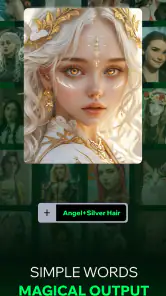
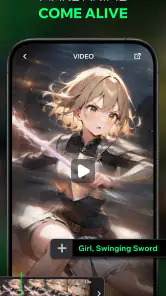
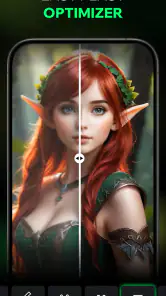
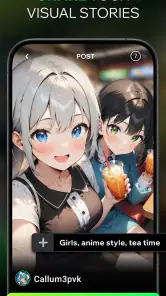
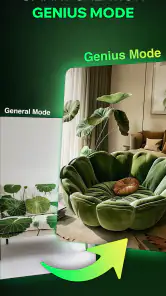
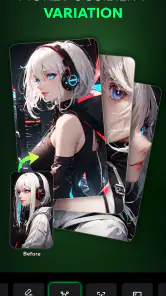
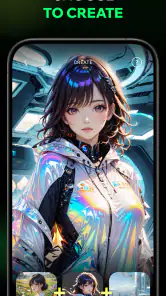
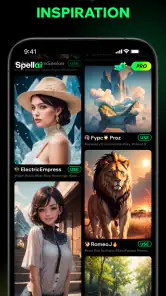
Analysis by Reviewed
I treat AI art apps as quick creative workbenches rather than replacements for drawing software, and Spellai - AI Art Maker makes most sense in that role. It brings text-led image creation, image-to-video experiments and AI chat into one art-focused app, so I can move between imagining a scene and testing ways to develop it. The appeal is immediacy; the trade-off is that the result depends heavily on how clearly I describe what I want.
What the current version is best suited to
Spellai is a free art and design app from POLYVERSE INC., with optional in-app purchases ranging from $1.99 to $119.99 per item. It has a 4.2 average from around 29,000 ratings and more than a million installs. The current version is 1.9.8, and it runs on Android 7.0 or later. Its Mature 17+ age rating is worth noticing before installing, particularly if the phone is shared with younger family members.
I’d reach for it when I have a visual idea but no time, materials or confidence to sketch it from scratch: a moody book-cover concept, a character portrait for a tabletop game, or a few playful variations on a photo. For example, during a lunch break I might describe a rainy, neon-lit street, compare several image results, then use the most promising one as a starting point for a personal project. That is a low-pressure way to explore; it is not the same as producing a polished, editable illustration.
A more useful way to experiment
My practical tip is to build a prompt in layers instead of piling on adjectives. Start with the subject and setting, then add the mood, lighting and visual treatment. If the result misses the point, change one element at a time; otherwise it is hard to tell which instruction helped. For image-to-video work, I’d begin with a picture that already has a clear subject and composition, because motion cannot fix an image that feels confusing to begin with.
The AI chat can also help turn a vague idea into a more specific creative direction, but I would treat its suggestions as brainstorming rather than authority. A useful workflow is to ask for a few distinct scene concepts, choose one, and then write or refine the image prompt yourself. That keeps the final choices in your hands and avoids accepting a generic suggestion simply because it sounds polished.
Where it fits among creative tools
Compared with a conventional drawing app, Spellai is quicker for generating an initial visual but offers less of the deliberate control that comes from shaping every line, layer and brushstroke yourself. Compared with a single-purpose image generator, its mix of image creation, video experiments and chat makes it more convenient when I want to explore several directions in one place. If I need precise typography, dependable brand consistency, or a carefully editable layered file, I’d use a dedicated design or illustration tool instead.
The app is most appealing to curious beginners, casual creators and artists who want a fast source of concepts. It is less suitable for someone who wants complete manual control, predictable results on the first attempt, or a strictly professional production pipeline. I’d also check the purchase options before committing to a paid feature: the app is free to start, but some in-app items can be costly, so I would not assume every creative option is included at no charge.
You May Like

Clash of Clans Is Won Between the Battles

Android Auto Makes the Case for Quieter Car Software

MobiOffice: Transforming Mobile Productivity with Seamless Integration

EA SPORTS FC™ Mobile Soccer: Redefining Mobile Sports Gaming

How Microsoft OneDrive Became a Mobile Productivity Giant

How Google Translate Breaks Language Barriers Effortlessly
What its release history can and cannot tell me
Spellai was released on February 8, 2024, and its current version gives existing users a concrete point of reference, but a version number alone does not tell me which changes have arrived or how much the workflow has evolved. I would judge future changes by whether they make prompts easier to steer, improve continuity between image and video experiments, or reduce the effort needed to save a useful result. Those are the improvements that would matter in everyday use, rather than a longer menu of styles for its own sake.
For a first session, I’d pick one small goal, such as creating a character portrait, and test a few carefully varied prompts before exploring every tool. That makes it easier to learn what the app responds to and decide whether its style suits you. If you want a quick, playful path from an idea to a visual draft, it is worth trying; if your priority is exact control and predictable production, a traditional editor will probably serve you better.
The Magic of AI Art Creation
When I first downloaded Spellai - AI Art Maker, I was curious but a bit skeptical. Could an app really transform my doodles into masterpieces? Spoiler alert: it absolutely can! The app uses advanced AI technology to analyze and enhance your artwork, offering a range of styles from abstract to hyper-realistic. Whether you're a seasoned artist or someone who just likes to dabble, this app provides an accessible way to explore your creativity.
Features That Will Blow Your Mind
One of the standout features of the app is its wide selection of artistic styles. You can choose from a variety of filters that mimic famous art movements, giving your creations a unique flair. I particularly loved the Impressionist filter – my photos looked like they belonged in a gallery! Plus, the app's user interface is incredibly intuitive. Even if you’re not tech-savvy, navigating through the options is a breeze.
Another feature worth mentioning is the app’s community aspect. You can share your creations within the app and get feedback from other users. It’s like having a virtual art show where everyone can appreciate and critique each other's work. This feature not only adds a social element but also inspires you to keep improving your skills.
Why You Should Download It Right Now
If you’re still on the fence about trying out Spellai - AI Art Maker, let me give you a gentle nudge. The app is perfect for those moments when you want to unwind and let your imagination run wild. It's also a fantastic tool for professional artists looking to experiment with new styles without the commitment of traditional media.
Whether you're on a coffee break or lounging at home, the app makes art accessible to everyone, anywhere. Trust me, once you start playing around with the features, you’ll find it hard to stop. Plus, it's a fun way to impress your friends with your newfound artistic skills.
Making a small project feel manageable
I find it helps to decide what the image is for before opening the generator. A private mood board can tolerate surprising details, while a character portrait meant to stay recognizable needs a narrower brief. I’d write down the subject, the one feature that must remain clear, and the mood I want; then I’d avoid changing all three at once. This turns a string of generations into a comparison rather than a hunt for a lucky accident.
For a practical example, imagine planning a handmade birthday card after work. I might use the app to explore a garden scene in a soft, storybook mood, then choose a result for inspiration rather than expecting it to be the finished card. If the image is too busy, I would simplify the prompt by removing background details before asking for a different style. That small edit can reveal whether the problem is composition or visual treatment, and it gives me a clearer direction to draw or assemble by hand.
Keeping the result useful beyond the first glance
AI-generated images can look impressive in a preview and still be awkward for the job I had in mind. I’d inspect the focal point, edges and small details before sharing or building on an image; decorative complexity is not the same as a clear design. For a thumbnail or reference, a strong overall impression may be enough. For a poster, invitation or product graphic, I would plan to finish the work in an editor that gives me dependable control over text, spacing and revisions.
There is also a useful distinction between asking for inspiration and asking for a deliverable. Spellai suits the first especially well: it can help me see several possible moods for an idea and decide which one is worth pursuing. If I need a consistent series of images, I’d keep a written prompt template and change only the scene-specific details, while still checking each result individually. That may help maintain a shared direction, but it does not guarantee identical characters or composition from one image to the next.
Who will enjoy it, and who may not
I’d recommend it to someone who likes visual experimentation, wants a quick concept partner, or is curious about moving between a still image and a motion-oriented experiment. It can also be useful to an artist who already has a clear taste and wants rough visual references before doing the careful work in a drawing or design program. The app does not replace those skills; its value is in shortening the distance between an idea and something visible enough to judge.
I’d skip it if the main goal is precise layout, repeatable commercial assets, or complete control over every mark. A manual illustration app is a better fit when I want to adjust individual strokes and layers. A conventional graphic-design editor is preferable when the text must be exact or a client needs a carefully revised file. And if I only want to animate existing footage, a dedicated video editor is likely a more direct choice than starting with an AI art workflow.
Costs, comfort and sensible expectations
The free starting point makes it easy to test whether the creative approach suits me, but the in-app purchase range is broad enough that I would pause before buying anything. I’d first spend a little time with the features I can access, decide which part of my workflow is actually being held back, and check the specific purchase rather than assuming a payment unlocks everything. That is particularly sensible for occasional users, who may find that a simple concept session is all they need.
The Mature 17+ rating also matters in a shared-device household. I would not treat an art generator as automatically suitable for every age simply because it is creative; the rating is a reason for adults to make that decision deliberately. For my own use, I’d also think before sharing a personal photo or an unfinished idea, and keep the app’s community feature for work I am comfortable showing. Those habits make the social side feel optional rather than something I need to use to get value from the creative tools.
What I would watch as it develops
For people already using the app, the most meaningful changes would be practical ones: clearer control over how a prompt affects the final composition, a smooth handoff between image creation and video experiments, and an easy way to keep track of results worth revisiting. Those are areas I would watch for as the app develops, rather than assuming a new version necessarily means a better creative process. The version number is a snapshot, not a changelog, so I judge progress by what becomes easier in a real session.
I would also pay attention to how well the app supports a repeatable workflow. Casual experimentation benefits from novelty, but a creator returning to a character or visual theme needs a way to make sensible comparisons and preserve a consistent direction. If future changes make that less dependent on luck, Spellai could become more useful for ongoing personal projects. Until then, I would treat each generation as a proposal to review, not as a finished answer.
In conclusion, Spellai - AI Art Maker is not just an app; it's a gateway to a world of creativity. With its powerful AI capabilities and user-friendly design, it’s a must-have for anyone with even a hint of artistic inclination. So go ahead, give it a try, and unleash the artist within you!
Spellai - AI Art Maker Frequently Asked Questions
Does Spellai require an account, and can I try it before committing to a purchase?
Spellai is free to install, so you can download the app before deciding whether its tools suit your creative interests. Some in-app purchases are available, with prices ranging from $1.99 to $119.99 per item. Check the options shown in the app before paying, and consider whether the features offered match what you want to create.
Is Spellai suitable for younger users?
Spellai has a Mature 17+ content rating, so it is intended for adults rather than younger users. Parents and guardians should take that rating into account before allowing a teenager to install it. The app focuses on AI-assisted creative tools, but the age classification is still an important part of deciding whether it is appropriate for a particular user.
Is Spellai compatible with my device?
Spellai is an art and design app for Android, with a minimum operating system requirement of Android 7.0. It is worth checking your device’s software version before downloading so you know it meets that requirement. The app is free to install, though it offers in-app purchases. Its content rating is Mature 17+, so it may not be suitable for younger users.
What does Spellai let me create?
Spellai’s store summary highlights text-to-image creation, image-to-video tools, and AI chat. That makes it useful for people interested in more than generating a still image from a prompt, with options to explore visual ideas and interact with AI in chat. It is listed in the Art & Design category and is developed by POLYVERSE INC.
What is Spellai - AI Art Maker?
Spellai - AI Art Maker is an innovative application that uses artificial intelligence to assist users in creating stunning digital artwork. With an array of tools and features, users can generate unique pieces of art by simply inputting their desired parameters. The app caters to both novice and professional artists looking to explore AI-driven creativity.
Pros
- Easy to use interface for beginners.
- Wide variety of art styles available.
- Quick processing and generation of art.
- Customizable settings for unique creations.
- Regular updates with new features.
Cons
- Limited to digital art only.
- Requires a stable internet connection.
- Some features locked behind paywall.
- Occasional glitches during art generation.
- User data might be used for training AI.

- Category
- Art & Design
- Version
- 1.9.8













