SmartLife: Smart Living
- 18.75K
- 4.6
- Installs
- 50.00M
- Price
- Free

Screenshots

Analysis by Reviewed
I find Smart Life - Smart Living most appealing when several connected devices are beginning to feel like a collection of separate chores. As a lifestyle app from Volcano Technology Limited, it aims to put everyday smart-home controls in one place. The first-week draw is easy to understand: instead of switching between device apps, I can start building a routine around the lights, plugs, or other compatible equipment I already use.
First-week appeal: start with one real problem
The quickest way to judge a home-control app is not to connect everything at once. I would begin with the device I already adjust most often, then see whether bringing it into a shared control space actually saves a step. That keeps setup focused and gives me a fair test: if I still reach for the manufacturer’s app every time, the central hub is not yet doing enough.
It also helps to plan around actual behavior rather than an idealized smart home. If I routinely turn off a lamp when leaving, that is a better first use than building an elaborate scene for a moment that rarely happens. Compatibility is the practical gate here: before investing time in a new routine, I would check whether the device can be added and whether its everyday controls are available in the shared app.
What feels useful after the novelty wears off
The more lasting question is whether a central control app saves effort once the initial setup excitement fades. For me, the strongest case is a home with devices that need attention at different times: a light to switch off at bedtime, a plug to check before leaving, or a scene to make evenings feel consistent. Those small repeated tasks are where a shared app can earn a place in a routine rather than becoming another icon I open once and forget.
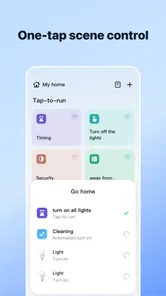
A practical way to start is to connect only the devices you actually adjust often. Then group them by how you use them, not just by product type: a “leaving home” group is more useful than a list of every plug, if those are the controls you reach for together. Scenes are most valuable when they replace a repeated sequence; I would avoid creating one for every mood, since too many options can make a simple action harder to find.
Where it fits among smart-home options
Smart Life is a free app, rated for Everyone, and its broad adoption is reflected in an average rating of 4.6 from around 1.2 million ratings, with over 10 million installs. It has been available since May 26, 2016, and version 7.0.5 supports devices running Android 6.0 or later. In-app purchases range from $0.05 to $259.99 per item, so I would check what a particular purchase covers before treating the app itself as the whole cost of a setup.
Compared with relying on each gadget’s own app, one shared control point is more convenient for day-to-day routines. The trade-off is that the experience depends on your devices working well with this ecosystem; a dedicated manufacturer app may be the better choice when you need its specific settings or troubleshooting tools. Voice assistants can also be quicker for a one-off command, while an app is easier when I want to see several controls together or adjust a scene deliberately.
More From Our News Desk

Weather by Xiaomi Review: Clear at a Glance, Less Clear Up Close

X Under Pressure: Can It Recover When Posting Goes Wrong?

Clash of Clans Is Won Between the Battles

Android Auto Makes the Case for Quieter Car Software

MobiOffice: Transforming Mobile Productivity with Seamless Integration

EA SPORTS FC™ Mobile Soccer: Redefining Mobile Sports Gaming
For a realistic example, imagine getting ready for work: I can use a grouped set of controls to check the devices I normally switch off before leaving, then use a scene later to bring familiar lighting back in the evening. The useful habit is not automating everything. It is deciding which repeated steps genuinely benefit from being together, and keeping the rest simple enough that I still know what each control will do.
A useful test for household routines
Before making a scene part of someone else’s routine, I would check it together with them and use plain names that describe the result. A label like “Evening lights” is easier to interpret than a private joke or a vague title, especially when another person needs to turn something on quickly. This is a small design choice, but it determines whether a shared setup feels helpful or like a system only one person understands.
I would also test a scene at the time and in the conditions where it is meant to be used. A routine that looks sensible while setting it up may be awkward when I am carrying bags, in a hurry, or trying not to wake someone. Keeping the action list short makes it easier to spot an unexpected change and simpler to adjust later.
A Unified Smart Home Experience
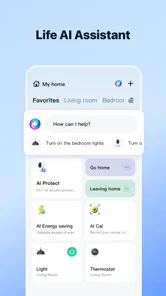
So, what's the deal with Smart Life - Smart Living? Well, it's pretty much your one-stop-shop for controlling all your smart devices. Whether you've got smart bulbs, plugs, cameras, or even a thermostat, this app has got you covered. I mean, it's like having a universal remote for your home, and who wouldn't want that?
Set Up and Interface
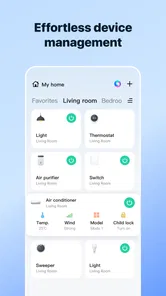
First off, the setup process is surprisingly smooth. I was expecting a hassle, but connecting my devices was as easy as pie. Just a few taps, and boom – all my gadgets were ready to go. The interface is sleek and intuitive, which is a breath of fresh air. You don't need to be a tech wizard to navigate through it, trust me.
One thing I absolutely love is the ability to create custom scenes. Imagine waking up and having your blinds open, the coffee maker start, and your favorite morning playlist begin all at once. It's like living in the future!
Performance and Features
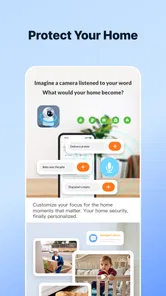
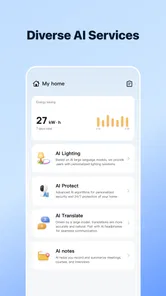
When it comes to performance, the app is rock solid. I didn't experience any lags or crashes, which is a huge plus. You can group devices for easier management, and the real-time monitoring feature is super handy. I always know what's going on at home, even when I'm miles away.
There's also integration with voice assistants like Alexa and Google Assistant. Just imagine bossing your gadgets around with your voice – it's incredibly satisfying and makes you feel like a tech-savvy superhero.
Getting more from a shared control point
There is a useful distinction between a dashboard and a routine. A dashboard is where I want to inspect or adjust a device; a scene is for a small set of actions I already know I want to happen together. Keeping those purposes separate prevents the app from turning into a maze of nearly identical shortcuts. If I often need to change one light independently, I would leave that control easy to find rather than hiding it inside a scene.
For a home with several people, I would make the names and groupings understandable to the least technically interested person in the household. That is a more meaningful test than whether I can create a clever routine myself. If someone else cannot confidently tell which control affects a plug or light, the convenience is limited, even if the setup looks tidy on my phone.
Security and Privacy
Security is a biggie, and I'm glad to report that Smart Life - Smart Living takes it seriously. The app uses encryption and other advanced measures to protect your data. Plus, they’re transparent about their privacy policy, which is something I always appreciate.
As someone who values privacy, knowing that my data is handled responsibly gives me peace of mind. It's great to see an app that prioritizes user security without cutting corners.
What may become tiring over time
A control hub is only as dependable as the setup behind it. When a device is offline, a scene that includes it may not behave as expected, so I would keep important actions easy to trigger individually rather than burying them in a complicated chain. For anything that affects comfort or security, it is sensible to check the result instead of assuming that a tap or voice command worked.
There is also a maintenance cost in attention. New devices, renamed controls, and abandoned scenes can gradually make a once-clear home screen confusing. I would review the setup whenever I add or remove equipment, give controls names that make sense to other household members, and delete routines that no longer match how I live. That small tidy-up prevents the app from becoming a second source of household admin.
Maintenance without turning it into a project
I would keep a simple mental rule: if I cannot remember why a scene exists, it is probably time to test it, rename it, or remove it. A quick review after a device change is more useful than letting old shortcuts accumulate for months. This is not a reason to constantly tinker; the point is to make occasional maintenance small enough that the setup stays understandable.
When troubleshooting, I would first separate a device problem from a scene problem. Try the device control on its own, then check the grouped action. If the individual control works but the scene does not, the issue may be how the steps are organized; if the device itself is unavailable, editing the scene will not fix the underlying connection. That basic sequence avoids needless rebuilding.
Who should keep it—and who may prefer another route
I would recommend it to someone who already owns compatible smart devices and wants a common place for regular controls, especially if they enjoy shaping repeatable routines. It is less compelling for a person with only one gadget, someone who rarely changes settings, or anyone who needs a particular manufacturer’s advanced controls more than cross-device convenience. In those cases, the device’s own app or a voice assistant may be the simpler everyday choice.
The app is free to download, but the cost of building a smart home is not the same as the cost of opening the app. Individual in-app purchases are listed from $0.05 to $259.99, and the connected devices themselves are a separate consideration. I would begin with the equipment I already own and avoid buying hardware solely to make a dashboard feel more complete.
When another option is the better fit
If most of my smart equipment comes from one manufacturer and I depend on its detailed settings, I would keep that maker’s app close at hand. A shared hub is valuable for common actions, but it is not automatically a replacement for every specialized control. Likewise, if I only want to switch one light with a spoken command, a voice assistant may be quicker than opening any app at all.
Smart Life makes more sense when the daily task involves several controls, when I want to check them together, or when a repeated sequence is worth simplifying. Someone who prefers a single brand’s carefully tailored interface—or who does not enjoy maintaining connected devices—may find a narrower setup less frustrating. The right choice depends less on how many gadgets a home can support than on how often their controls genuinely need to meet.
Keeping the routine manageable
My best practical tip is to create one dependable scene first, test it in ordinary conditions, and only then add more steps. A morning or bedtime routine should be easy to understand at a glance; if I cannot remember what it changes, I would simplify it. For shared homes, clear names matter more than clever labels, because another person should be able to tell what a scene will do before tapping it.
That approach also helps answer a common concern: do you need to be deeply technical to get value from Smart Life? I don’t think so, provided the devices are already compatible and the setup stays modest. The learning curve is less about mastering complicated controls and more about deciding which repeated actions are worth grouping together.
Does it earn a lasting place?
After the novelty of connecting devices passes, I think the app earns its space when it removes a few small decisions from every day without demanding constant care. Its value is practical rather than spectacular: convenient access, grouped controls, and scenes that can turn a repeated sequence into one deliberate action. If your home has no recurring smart-device tasks, that convenience may not justify another app in your routine.
Overall, Smart Life - Smart Living is most convincing as a flexible organizer for a home that is already becoming connected, not as a reason to automate every corner of it. I would keep the setup focused, check that important actions have worked, and treat routines as useful shortcuts rather than substitutes for attention. If that matches how you want to manage your devices, it can remain helpful well beyond the first week.
SmartLife: Smart Living Frequently Asked Questions
Can I use Smart Life - Smart Living if I don’t own smart home devices yet?
Smart Life - Smart Living is intended to bring smart home controls together, so its main purpose is most useful when you have compatible devices to manage. If you are considering a smart home setup, the app may be worth exploring alongside your device choices. Before buying hardware, check that the specific products you plan to use work with the app.
Do I need an internet connection to control devices with Smart Life - Smart Living?
Smart Life - Smart Living provides a single place to manage smart home devices, including remote control and automation features. Those functions involve communication between the app and your devices, so a dependable connection is important when setting things up or controlling them away from home. Check the connection requirements for your particular devices and home network before relying on remote access.
Can I share access to my smart home with other household members?
Sharing access can be important when several people need to manage the same lights, cameras, or other connected devices. Smart Life - Smart Living is built around controlling multiple devices from one platform, but the way access is arranged can depend on the app’s available account and device settings. Review those options during setup to make sure they suit your household.
Does Smart Life - Smart Living work with voice assistants?
Smart Life - Smart Living integrates with voice assistants like Amazon Alexa and Google Assistant, which can make controlling supported devices more convenient. Compatibility can depend on the particular device and how it is connected, so check the setup options for your hardware before relying on voice commands. The app also offers its own controls for managing devices in one place.
Is Smart Life - Smart Living free to download, and are there optional purchases?
Smart Life - Smart Living is free to download, so you can try the app without paying an upfront price. It also offers in-app purchases, with listed items ranging from $0.05 to $259.99 each. Those prices make it worth checking the purchase details before confirming anything, especially if you plan to use optional features or services. The app is rated for Everyone.
Pros
- Easy to set up and use
- Compatible with many smart devices
- Offers remote control capabilities
- Supports voice commands
- Regular software updates
Cons
- Requires stable internet connection
- Limited offline functionality
- Some features need premium access
- Occasional app crashes
- User interface can be confusing











