Simply Piano: Learn Piano Fast
- 36.70K
- 4.6
- Installs
- 50.00M
- Price
- Free

Screenshots
Analysis by Reviewed
What I find most useful about Simply Piano is the way it listens while I play and gives me a practical cue about what registered. For a beginner, that can turn an uncertain practice session into a series of small, checkable attempts: play a phrase, notice where it went astray, and try again with a clearer idea of what to change. The app is less valuable as something to watch than as a prompt to sit at a keyboard and listen closely to my own playing.
Why the listening feedback changes practice
Simply Piano is an education app from Simply Ltd, built around learning by playing rather than only watching demonstrations or reading explanations. As I work through a lesson, it listens to my playing and responds to the notes it detects. That small loop—try a phrase, see what registered, and try again—makes practice feel less like guessing. It also gives beginners a reason to pause and correct one passage instead of rushing through a whole song with errors intact.
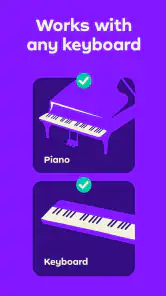
That approach is most useful when I have a real keyboard or piano available and a quiet moment to play. It gives me a more active routine than a video lesson, where it is easy to watch attentively without actually repeating the exercise. It is not a substitute for a teacher noticing posture, hand tension, or a habit that causes discomfort, but it can make independent practice more focused.
What a useful session looks like
I’d keep a session modest: choose a lesson, play its short phrases carefully, and treat the app’s response as a prompt to listen to myself rather than a verdict. If a note is marked wrong, I would check whether I hit the key cleanly and at the right moment before repeating the passage. This is a practical way to build accuracy; it also prevents the common beginner mistake of speeding up just because a section looks familiar.
The app is free to download, though it offers in-app purchases ranging from $0.99 to $314.99 per item, so I would check what is included before committing to anything. It has a 4.6 average from around 927,000 ratings and has been installed over 50 million times, which suggests it has reached a broad audience without telling me whether its teaching style will suit my own needs. It is rated for Everyone, and the current version is 7.30.21, with Android 6.0 or later required.
Getting Started with Simply Piano
So, first things first, downloading Simply Piano is a breeze. It's available on both Android and iOS, so no worries about compatibility. Once you fire it up, you're greeted with a clean, friendly interface that even my grandma could navigate! You start by setting your skill level – whether you're a complete newbie or someone who's had their fair share of piano key encounters, there's something for everyone.
Lessons Tailored Just for You
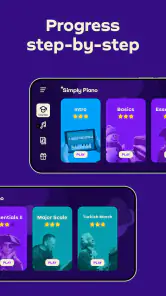
The app is structured around various courses, and they’ve got a pretty neat way of teaching. It’s a mix of fun and challenge that keeps you coming back for more. The lessons feel like a game, which is great because who doesn’t love gaming, right? You’ll find yourself progressing through lessons like a hot knife through butter, and before you know it, you're playing songs!
More From Our News Desk

Weather by Xiaomi Review: Clear at a Glance, Less Clear Up Close

X Under Pressure: Can It Recover When Posting Goes Wrong?

Clash of Clans Is Won Between the Battles

Android Auto Makes the Case for Quieter Car Software

MobiOffice: Transforming Mobile Productivity with Seamless Integration

EA SPORTS FC™ Mobile Soccer: Redefining Mobile Sports Gaming
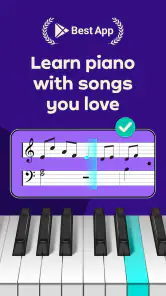
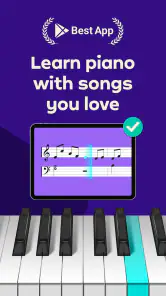
One of the coolest features, in my opinion, is the real-time feedback. As you play along, the app listens to your performance and lets you know where you're hitting the right notes and where you need a bit more practice. It’s like having a mini piano sensei nodding approvingly or shaking their head, but way less intimidating.
Song Library and Practice Mode
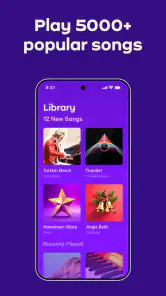
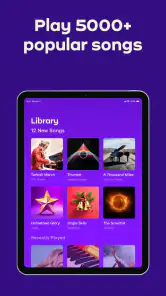
Now, let’s talk about the song library because, honestly, this is where Simply Piano shines. They've got an extensive collection of songs across genres. Whether you’re into classical, pop, or jazz, you’re bound to find something you love. The best part? The songs are broken down into manageable sections, so you’re not overwhelmed from the get-go.
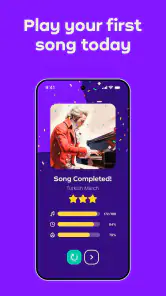
There’s also a practice mode which lets you slow down tricky sections and loop them until you get it just right. It’s perfect for those of us who like to nail it before moving on. Plus, it’s super satisfying to see your progress over time.
Making the feedback work for you
For a more useful check-in, I would begin a difficult phrase at a pace where each note feels deliberate, then repeat only the part that keeps tripping me up. The important habit is to separate recognition from speed: first make sure I understand which keys the phrase asks for, then work on playing them smoothly. If I keep getting inconsistent feedback, I would simplify the attempt rather than assume that repeating it faster will solve the problem.
A phone or tablet also needs a sensible place during practice. I’d position it so I can glance at the lesson without twisting away from the keyboard, and avoid having other audio drown out the notes. That little setup choice makes it easier to stay relaxed and keep my attention on both the screen and my hands. For a short evening session after work or school, this is more practical than turning practice into a complicated event: sit down, work through one small target, and stop while I still have enough patience to play carefully.
Where it fits among learning options
Compared with free piano videos, this app’s main advantage is that it asks me to play and reacts to what it hears, rather than leaving me to judge every attempt alone. A printed method book can be cheaper and encourage careful reading, but it won’t respond to a note in the moment. A human teacher remains the stronger choice for tailored technique, musical expression, and hands-on correction. I see Simply Piano as a convenient practice guide between lessons—or a structured starting point for someone who is not ready to book lessons—not as a replacement for every kind of instruction.
There are trade-offs to that convenience. Listening feedback can tell me whether a note seems to have registered, but it cannot explain every musical choice or diagnose why my hand feels awkward. And if I don’t have access to a piano or keyboard, the central play-and-listen routine is hard to use as intended. Someone who already reads music confidently and wants advanced interpretation may also find a guided beginner path less valuable than a teacher or a more specialized resource.
A realistic routine at home
One useful way to fit the app into an ordinary day is to pick a single recurring obstacle rather than aim to finish as much material as possible. For example, after dinner I might return to a short passage that felt uneven earlier, play it slowly enough to notice where my fingers hesitate, and use the app’s response to check whether the intended notes are coming through. I would then try the phrase again with my eyes moving between the screen and the keys, instead of treating a correct screen result as proof that the movement is comfortable.
This distinction matters because note recognition and good technique are not the same thing. If I can get through a phrase only by tensing my wrist or making a large, awkward reach, I would stop and reassess rather than keep repeating it to satisfy the lesson. The app can help me locate a musical error, but I still need to pay attention to how my body feels and take breaks when concentration fades. That makes short, attentive practice more useful than a long session in which I keep tapping through mistakes.
Choosing a setup that supports practice
Before starting, I would check that the keyboard is stable and that the device is close enough to read without leaning over the keys. I’d also leave a little room to look down at my hands: beginners often need that visual check while learning where notes sit, and constantly craning toward a screen can make practice tiring. If the room is noisy or another device is playing music, the app’s listening-based approach may be less convenient, so a quieter corner is a sensible choice.
It is also worth deciding what counts as success before opening a lesson. I might aim to recognize a small pattern, play a phrase without stopping, or make a transition feel less hesitant. Those goals are more helpful than measuring a session only by how many screens I completed. When I return another day, I can begin with the passage that still feels uncertain instead of assuming that yesterday’s successful attempt has made it automatic.
Understanding the cost and commitment
Although downloading the app costs nothing, its in-app purchases mean I would treat the first session as a chance to understand the teaching style, not as a reason to buy immediately. Before paying, I would inspect the specific purchase details and make sure the lessons fit my goals and the amount of practice I can realistically maintain. A large catalog or an engaging course structure is only worthwhile if I actually sit down to play; the app cannot make a purchase useful on its own.
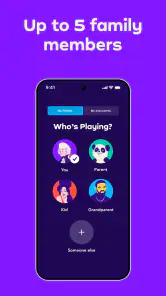
This is especially relevant for families. An adult can help a child get the instrument and device in a comfortable position, then check that practice stays calm rather than turning every prompt into a test. For a learner who is unsure whether piano will become a lasting hobby, starting with a small, repeatable routine is a better way to judge fit than expecting rapid progress. If the app’s format motivates that routine, it may be a good match; if the learner prefers direct conversation and correction, a teacher may be a better first step.
Who will get the most from it
I’d recommend it most to a beginner who has a keyboard at home, wants a clear next step, and can build a regular short practice habit. It also suits someone returning to piano who wants to refresh basic skills at their own pace. A realistic routine might be ten quiet minutes before dinner: revisit a phrase that felt uncertain, use the feedback to locate the stumble, and finish by playing it once more without staring at every prompt.
If you are choosing it for a child, the Everyone rating is reassuring as an age classification, but I would still consider whether the child can follow on-screen instructions and has an adult nearby to help set up the instrument and keep practice comfortable. For an adult learner, the friendly, game-like progression can make starting less daunting, though it still takes patience; an app can organize practice, but it cannot create consistency on your behalf.
When another approach is a better fit
I would skip this as my main learning tool if I wanted someone to correct hand posture, explain a difficult musical idea in several different ways, or tailor the pace around a personal weakness. Those are situations where a teacher’s ability to observe and respond directly has a real advantage. A book or video may also suit someone who prefers to study notation or replay an explanation without following an interactive lesson. The app’s particular strength is the immediate playing-and-checking loop, so people who do not enjoy that screen-led rhythm may not get much from it.
Likewise, it is not an ideal answer for someone without access to a piano or keyboard, because the central exercise depends on playing notes for the app to hear. If a learner already has strong reading skills and is seeking nuanced interpretation, a structured beginner-oriented course may feel restrictive. I would use it for guided practice and basic confidence, while looking elsewhere for detailed technique coaching or advanced musical development.
Final Thoughts
So, is Simply Piano worth it? In my humble opinion, absolutely! It’s user-friendly, engaging, and genuinely makes learning the piano feel achievable. Whether you’re a total beginner or looking to brush up on your skills, this app has something to offer.
Sure, nothing beats in-person lessons, but for the convenience and the price, this is a fantastic alternative. Plus, it’s great for those random bursts of inspiration when you just want to whip out your phone and start playing. So, go ahead, give it a shot, and who knows? You might just be the next piano virtuoso in the making!
Simply Piano: Learn Piano Fast Frequently Asked Questions
Can I use Simply Piano to prepare for formal piano lessons?
Simply Piano can serve as a structured way to begin practicing and build familiarity with piano skills before or alongside formal lessons. Its guided lessons and feedback are designed to support independent practice, while a teacher can offer personal guidance on technique and musical interpretation. If you already take lessons, you can use the app as an additional practice tool rather than a replacement for your teacher.
What kind of music can I learn with Simply Piano?
The app includes songs to learn and play, giving practice a musical focus as well as a lesson-based structure. Learning songs you enjoy can make it easier to stay motivated while developing piano skills. The available selection and access to particular content may depend on what is offered in the app and your purchase access, so it is helpful to explore the song options before deciding whether it suits your musical interests.
Does Simply Piano give feedback while I play?
Yes. Simply Piano uses your device’s microphone to listen as you play a real piano or keyboard, then provides real-time feedback intended to help you improve. This can make practice feel more interactive than simply reading instructions, since you can notice mistakes and adjust as you go. For the listening feature to work well, place your device where it can pick up the instrument clearly.
Can I learn at my own pace with Simply Piano?
Yes. Simply Piano is designed around lessons you can work through at a pace that feels manageable, so you can revisit practice and build skills gradually rather than needing to keep up with a class. Its guided approach can help make regular practice feel more structured, whether you are starting from the basics or developing existing piano skills.
Is Simply Piano free to download, and what might I have to pay for?
Simply Piano is free to download, but access to paid content is offered through in-app purchases. Individual purchases range from $0.99 to $314.99 per item, so check the available options in the store and within the app before committing. This is worth doing if you are comparing learning tools or want to understand what continued access to lessons and songs may cost.
Pros
- User-friendly interface for beginners
- Wide variety of songs to learn
- Real-time feedback on performance
- Offers both classical and pop music
- Suitable for all age groups
Cons
- Requires subscription for full access
- May not work well with all keyboards
- Limited advanced lessons
- Occasional app crashes
- Internet connection needed for full features
- Category
- Education
- Version
- 7.30.21













