Simple Gallery Pro
- 6.52K
- 4.5
- Installs
- 1.00M
- Price
- $2.99

Screenshots



Analysis by Reviewed
Have you ever found yourself scrolling endlessly through your phone's default gallery app, just wishing for something more intuitive and visually appealing? Well, I did, and that's when I stumbled upon Simple Gallery Pro. Let me tell you, it's like a breath of fresh air for anyone looking for a sleek and user-friendly photo management tool.
The Beauty of Simplicity
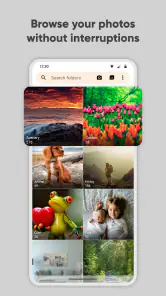
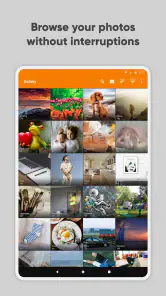
One of the first things you'll notice about Simple Gallery Pro is its clean and straightforward design. It's not cluttered with unnecessary features or ads that often plague other gallery apps. Instead, it offers a polished interface that allows you to focus on what's important—your photos and videos. Navigating through the app feels like a breeze, with everything exactly where you'd expect it to be.
Features That Stand Out
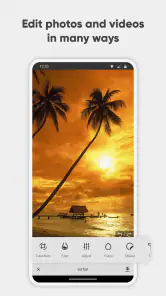
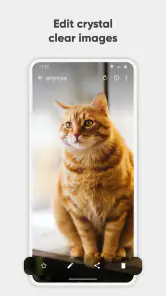
Now, let's talk about some of the standout features. First off, the app supports a wide range of file formats, which means you can view almost any type of photo or video without a hitch. Plus, there's a built-in editor that lets you make quick adjustments on the fly. Whether you want to crop, rotate, or apply filters, it's all just a tap away.
Privacy is another biggie with Simple Gallery Pro. The app offers robust security features, including a password-protected vault where you can store sensitive media. No more worrying about prying eyes stumbling upon your personal photos!
Customization Galore
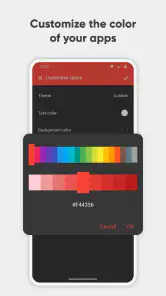
What really sets this app apart is the level of customization it offers. You can change the theme to suit your style, and even adjust the layout to make browsing your gallery a more personalized experience. It's like having a tailor-made gallery app right in your pocket.
Moreover, if you're someone who loves organizing, you'll appreciate the folder management system. It allows you to sort your media into different folders effortlessly, making it super easy to find exactly what you're looking for.
Final Thoughts
In a world where we're constantly capturing moments, having a reliable and efficient gallery app is crucial. Simple Gallery Pro ticks all the right boxes, offering a seamless and enjoyable user experience. It's not just an upgrade from your standard gallery app—it's a complete overhaul that you'll wonder how you ever lived without.
So, if you're in the market for a new gallery app that combines simplicity with functionality, give Simple Gallery Pro a shot. Trust me, your photos and videos will thank you!
Pros
- Ad-free experience enhances usability.
- Supports various media formats seamlessly.
- Highly customizable interface.
- Offline access to media files.
- Frequent updates with new features.
Cons
- Limited cloud storage integration.
- No facial recognition feature.
- Requires manual organization of files.
- Advanced features need a learning curve.
- Paid app with no free version.

- Category
- Photography
- Version
- 6.28.1











