Ria Money Transfer: Send Money
- 9.16K
- 4.8
- Installs
- 5.00M
- Price
- Free

Screenshots


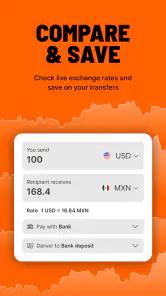
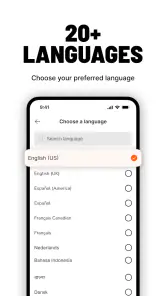
Analysis by Reviewed
I judge a money-transfer app less by how polished it looks than by whether I can understand each step before money leaves my account. Ria is built for sending funds internationally, including to Mexico, India, and many other destinations. The finance app is free, and Ria Money Transfer (Ria Financial) is the developer. Its 4.8 average from around 199,000 ratings and more than 5 million installs suggest that many people use it, though popularity alone is not a reason to send without checking the details of a particular transfer.
Start with the details that matter
Before confirming a transfer, I would treat the recipient’s details, destination, payout method, and the amount they are expected to receive as things to check carefully. A small typo or a misunderstanding about how the recipient will collect the money can create avoidable friction. For a first transfer, I’d take a moment to review every confirmation screen rather than rushing because the app makes the process feel straightforward.
That habit is especially useful when sending money for a specific purpose, such as helping with a household bill. I’d confirm the amount with the person receiving it and make sure the selected destination and payout arrangement suit them. The app is most useful when both sides agree on those basics before I begin.
Getting Started with Ria Money Transfer
First things first, downloading the app was a breeze—it’s available on both Android and iOS, so I was covered no matter what device I decided to use. Once installed, setting up my account took just a few minutes. The app asked for the usual details: name, email, and phone number. Pretty standard stuff, right?
Usability and Interface
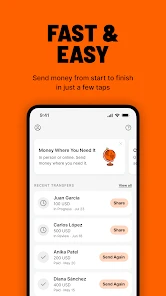
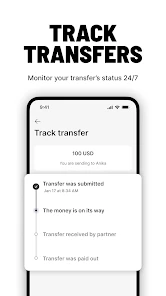
Now, I’m not the most tech-savvy person, but the user interface of Ria Money Transfer is super intuitive. Everything is laid out clearly, and you’re guided through each step of the process. Whether you’re sending money or tracking a transfer, it’s all just a tap away. Plus, the bright, clean design makes navigation a breeze—no clutter to trip over!
Make a transfer fit the real situation
A practical routine is to avoid leaving an international transfer until the last minute. If I were helping a relative with a recurring expense, I’d start early enough to review the transfer and give the recipient time to confirm that the money arrived. Processing can depend on the destination and payout method, so I wouldn’t assume that every transfer will move at the same pace or plan around the quickest possible outcome.
For someone who sends money regularly, keeping the recipient’s information consistent and checking it before each send can reduce mistakes. I’d still verify the details every time rather than relying on memory. This is a useful distinction from some bank transfers: a dedicated remittance app can make an international send feel more focused, while a bank may be more convenient if the money is already there and its international option suits the destination and timing.
More From Our News Desk

Weather by Xiaomi Review: Clear at a Glance, Less Clear Up Close

X Under Pressure: Can It Recover When Posting Goes Wrong?

Clash of Clans Is Won Between the Battles

Android Auto Makes the Case for Quieter Car Software

MobiOffice: Transforming Mobile Productivity with Seamless Integration

EA SPORTS FC™ Mobile Soccer: Redefining Mobile Sports Gaming
Speed and Efficiency
When it comes to transferring money, speed is of the essence. With Ria, I was pleasantly surprised at how quickly my transactions were processed. Depending on the country and payout method, some transfers were completed in just a few minutes! This is a huge plus point for anyone needing to send money in a hurry.
Security Features
Of course, when dealing with financial transactions, security is a top concern. Ria doesn’t skimp here. The app uses advanced encryption to keep personal data and transactions safe. I felt confident knowing my information was secure, and the app even sends notifications for every transaction, so I was always in the loop.
Pause before sharing sensitive information
Account creation and sending money involve personal and financial details, so I’d use the app only on a device I control and take care when entering recipient information. Notifications can help me notice transfer activity, but they are not a substitute for checking the transaction details in the app. If I receive an unexpected message about a transfer, I would avoid following instructions from the message itself and instead open the app directly to review my account.
I also wouldn’t treat a clear interface as proof that every transfer is automatically reversible or that every issue has the same resolution. Before sending a larger amount, I’d make a smaller, carefully checked transfer if that fits the situation, then confirm the recipient can receive it as expected. That is a cautious approach, not a special feature, and it helps limit the consequences of a mistaken detail.
Who will appreciate it—and who may prefer another route
This app makes the most sense for people who regularly support family or handle payments across borders and want a dedicated place to arrange and follow a transfer. It may be less suitable if you need a guaranteed arrival time, want to compare several providers’ total costs before every send, or can make the payment more simply through a local bank option. Exchange rates, fees, delivery timing, and available payout choices can affect the real value of a transfer, so I’d compare the final amount the recipient gets rather than focusing only on speed.
For instance, if a relative asks for help with a bill due soon, I’d check the destination and payout details together, review the amount due, and send with enough time for any processing variation. If the deadline is immediate and missing it would cause a serious problem, I would not rely on an estimate of a fast transfer; I’d first make sure the recipient has a workable backup.
Customer Support
Sometimes, things don’t go as planned, and that’s when you need reliable customer support. I had a small hiccup with one of my transfers and reached out to Ria’s support team. They were super responsive and resolved my issue in no time. It’s comforting to know help is just a click away.
The app is rated for Everyone, was released on December 29, 2017, and its current version is 3.84.5, with Android 8.0 as the minimum operating-system requirement. Those details are helpful when deciding whether an older device is likely to be compatible. The store shows around 9,200 written reviews alongside its rating count, but I’d still read recent feedback for issues that matter to my own destination or transfer method rather than assuming every user’s experience will match mine.
In conclusion, Ria Money Transfer: Send Money has made sending money internationally simple and stress-free for me. Whether you're supporting family overseas or paying for services abroad, this app is a solid choice. With its user-friendly interface, fast processing times, and robust security, it’s a must-have tool for anyone needing to transfer funds. Give it a try, and see how it can make your life easier too!
My cautious verdict
I’d recommend Ria to someone who values a dedicated international-transfer workflow and is willing to check the recipient, payout details, and final amount before confirming. Its broad destination reach and tracking-oriented approach are appealing, but the right choice still depends on the specific transfer. I would compare alternatives when cost or a firm arrival deadline matters most, and I’d keep the confirmation details until the recipient verifies receipt. Used with that care, it can be a practical option without asking me to treat convenience as a guarantee.
Ria Money Transfer: Send Money Frequently Asked Questions
Is Ria Money Transfer available in my language and can I use it while traveling?
Ria Money Transfer is an app for arranging international money transfers, so it may be useful when you need to send money across borders. Before downloading, consider whether you can comfortably navigate the app and complete financial steps on your device. If you plan to use it while traveling, check that you can access your account and review transfer information when you need it.
What information should I have ready to set up and send a transfer?
It helps to have the recipient’s correct details and a clear idea of the destination and amount before beginning. The information requested can depend on how the recipient is meant to receive the funds and on the transfer route. Follow the prompts in the app and review each entry carefully, since accurate details help avoid preventable errors during an international transfer.
Can I send money to a country supported by Ria Money Transfer?
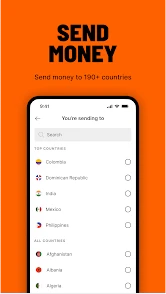
Ria Money Transfer is designed for international transfers, with the app summary highlighting Mexico, India, and more than 190 countries. Before starting a transfer, select the destination and review the available delivery options shown for that route. Availability and the choices offered can depend on where the money is being sent, so check the details in the app before proceeding.
What should I check before confirming a transfer in the app?
Before confirming, carefully review the recipient details, destination, amount, payment method, delivery method, and any charges or exchange rate shown in the transfer flow. Make sure the recipient’s information is accurate, particularly when sending money for cash pickup or to a bank account. Taking a moment to check these details can help prevent delays or complications with an international transfer.
What is Ria Money Transfer and how does it work?
Ria Money Transfer is a finance app designed to facilitate the transfer of money across borders. Users can send money to over 165 countries quickly and efficiently. The app allows users to choose how their recipients receive funds, either through cash pickup, bank deposit, or mobile wallet. It is known for competitive exchange rates and low fees, making it an ideal choice for international remittances.
Pros
- Fast transfer speeds.
- User-friendly interface.
- Low transaction fees.
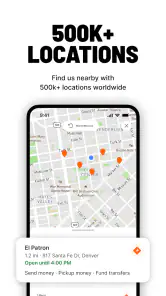
- Wide network coverage.
- Multiple payment options.
Cons
- Limited customer support hours.
- Occasional app crashes.
- Transfer limits vary by country.
- Exchange rates may vary.
- Account verification can be slow.
- Category
- Finance
- Version
- 3.84.5











