RepairBuddy - AI Fix
- 318.00
- 4.6
- Installs
- 500.00K
- Price
- Free

Screenshots



Analysis by Reviewed
I approached RepairBuddy - AI Fix as the sort of tool you open when an everyday object has stopped cooperating and you would rather understand the problem before spending money on it. It is a free productivity app from Dijital Elma, built around AI-guided, step-by-step help for repairing ordinary items. That sounds simple, but the useful part is the change in attitude: instead of searching through scattered videos and hoping one matches your exact situation, you can begin with the item, the symptom, and the details you can observe.
My first impression is that this is not a replacement for a qualified technician, nor is it intended to turn a complete beginner into an electrician, plumber, or appliance engineer. Its value is more practical. It helps you slow down, describe what is wrong, identify sensible checks, and decide whether the problem is approachable or better left alone. For small household fixes, that guidance can prevent wasted time and unnecessary purchases.
What to expect before you start
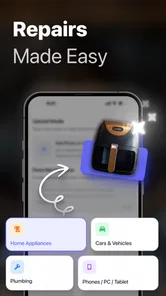
The app belongs in the productivity category, although its tasks are hands-on rather than office-based. You are not using it to manage a calendar or write notes. You are using it as a repair companion when a cable, fitting, household object, or other everyday item needs attention. The store summary presents it as an AI-powered repair guide, and that is the right way to think about it: the app organizes troubleshooting into a sequence rather than merely offering a single guess.
The free download makes it easy to try without making an immediate commitment. There are in-app purchases ranging from $1.99 to $39.99 per item, so I would treat the free starting point as an opportunity to judge the quality of the guidance before deciding whether anything paid is worthwhile. That matters because repair advice is only valuable when it is clear, relevant, and safe enough for the situation in front of you.
Its audience is broad. A renter who wants to understand a loose cabinet handle, a parent trying to fix a small household item, or a careful beginner dealing with a simple mechanical issue can all find a sensible use for it. I would be more cautious with anything involving mains electricity, gas, pressurized systems, structural damage, or an appliance that could become dangerous if opened. In those cases, the app may help you describe the symptoms to a professional, but it should not be treated as permission to take risks.
The app has a 4.6 average from around 65 thousand ratings, with over 500 thousand installs. Those figures suggest that the basic idea has found a substantial audience, but they do not remove the need for judgment. A repair assistant can be popular and still be unsuitable for a delicate or hazardous job. The best results come when you use it to improve your decisions, not to bypass them.
RepairBuddy - AI Fix is marked for Everyone, which fits its approachable purpose. It runs on Android 7.0 or later and is currently at version 22. I would still check that your phone is supported before planning to use it at a workbench, especially if you are relying on an older device. The developer is Dijital Elma, and the app’s straightforward identity is one of its strengths: it is easier to understand than a general AI chatbot that can answer almost anything but may not guide a repair in a disciplined order.
More From Our News Desk

Weather by Xiaomi Review: Clear at a Glance, Less Clear Up Close

X Under Pressure: Can It Recover When Posting Goes Wrong?

Clash of Clans Is Won Between the Battles

Android Auto Makes the Case for Quieter Car Software

MobiOffice: Transforming Mobile Productivity with Seamless Integration

EA SPORTS FC™ Mobile Soccer: Redefining Mobile Sports Gaming
The difference between a repair guide and a search result
When something breaks, the usual alternative is a web search. That works well when you know the exact model number and the precise name of the failed part. It works less well when your description is “it makes a noise,” “this piece is loose,” or “it worked yesterday and now it does nothing.” Search results often mix models, skip safety checks, and lead you toward a solution before you have established the cause.
A video tutorial has a different advantage: you can watch someone perform the task. However, videos can hide important differences between versions and may encourage you to copy a step without understanding why it is being done. RepairBuddy’s more useful role is the space before the tutorial. It can help turn a vague complaint into a structured diagnosis, which makes any later manual, video, or professional conversation more productive.
I also see a trade-off compared with a traditional printed manual. A manual is usually authoritative for one specific product and does not need to reinterpret your description. The app is more flexible, but that flexibility depends on the quality of the information you give it. If you leave out a visible crack, a burning smell, a recent drop, or the fact that the item is still connected to power, the resulting guidance may begin from the wrong assumption.
Starting with the first useful repair
I’d use this section to set a small, safe goal for the first session rather than trying to solve the most complicated problem at home. Starting with an object whose symptoms are easy to describe lets me see whether the steps are understandable and whether they help me decide what to check next. That first result is most useful when I treat it as a diagnosis exercise, not just a hunt for a quick fix.
Set up the problem, not just the object
For a first attempt, I would avoid opening the app with a complicated failure. Choose an inexpensive, non-dangerous item whose problem is easy to describe. A loose handle, a wobbly hinge, a stuck drawer, or a simple household fitting is a better test than a device that contains batteries, high voltage, heat, or moving machinery.
Before entering anything, inspect the object in good light. Note what changed, when you noticed it, whether the issue happens every time, and whether any part is visibly bent, cracked, wet, frayed, or missing. This small preparation is more important than it sounds. AI guidance can organize observations, but it cannot see every detail of an object unless you communicate it clearly through the app’s available interaction.
Use ordinary language rather than trying to sound technical. “The drawer opens two inches and stops” is more useful than “the runner is defective” if you are not certain about the part. “The lamp flickers when the cord moves” is a meaningful symptom; “the wiring is bad” is already a diagnosis. Keeping those two things separate gives the guide a better starting point and helps you notice when a proposed step does not fit what you are seeing.
The most important first habit is to describe the symptom before suggesting the cause. That one change prevents a surprisingly common mistake: asking for instructions to replace a part that may not be responsible for the failure. It also makes the resulting steps easier to evaluate because you can compare them with the original behavior.
Follow the sequence instead of jumping ahead
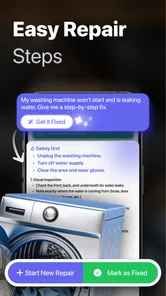
Once the repair guidance begins, I recommend treating it as a checklist. Read the whole current step, gather the suggested item if it is safe to do so, and complete one action before moving on. The temptation with a small fix is to skim until you see a familiar instruction, but that can lead you to tighten something before checking alignment or remove a cover before disconnecting the item.
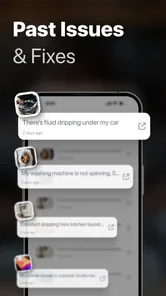
A useful workaround for uncertainty is to keep a simple record of what you observe after each action. You do not need a separate technical notebook. A quick phone note such as “noise stopped after cleaning,” “still loose,” or “no visible damage” is enough. This creates a clear trail if you need to go back, ask the app for a more precise direction, or explain the situation to a repair shop.
Do not assume that the first suggested solution is the final answer. If a step produces a result that does not match the expected outcome, pause and reassess rather than forcing the next instruction. This is where RepairBuddy is best used as a conversational guide rather than an authority. The app can help you explore possibilities, but your physical observations remain the deciding evidence.
A realistic first success
Imagine a kitchen cabinet handle that has become loose. You open the app, describe that the handle moves but the cabinet door itself is not damaged, and explain that the movement is consistent rather than occasional. The useful path is not simply “tighten the screw.” You want to identify which fastener is loose, whether the screw turns without gripping, whether the handle is sitting squarely, and whether the door material around the mounting point has started to break down.
With that information, a step-by-step guide can help you inspect the two ends of the handle, use the right tool, support the hardware while tightening, and stop if the screw is spinning freely or the wood is splitting. The meaningful success is not merely making the handle feel tighter. It is learning whether the problem is a loose fastener, damaged mounting material, or a part that needs replacement.
That distinction saves time. If tightening solves the problem, you are finished without buying anything. If the screw will not hold, you have learned that repeatedly turning it is unlikely to help. You can then move to a repair involving a suitable insert, a replacement fastener, or a professional opinion, depending on the damage. This is the kind of small decision RepairBuddy can make less intimidating for a first-time user.
What to do when the instructions feel too broad
Broad guidance is often a sign that the app needs more context, not necessarily that it has failed. Add the details that separate one version of the problem from another: the object’s material, the location of the failure, what happens when you operate it, and what you have already tried. If a part has a label or model identifier, include it when relevant, but do not invent a technical name for something you cannot identify.
Photos can be useful when the app supports the kind of interaction you need, but a picture should supplement your description rather than replace it. State what the image shows and what concerns you. A close-up of a crack is more informative when paired with whether the crack is widening, whether the item still bears weight, and whether the damage appeared after an impact.
Another practical tip is to separate diagnosis from shopping. Do not begin by asking which replacement part to buy. First establish what has failed and what must match. Dimensions, attachment method, material, and compatibility can matter more than a similar-looking product photo. This approach is especially helpful for beginners, because buying the wrong replacement is one of the easiest ways to turn a minor repair into a longer project.
Where first-time users can get confused
I’d pay attention to the gap between a confident-sounding suggestion and what I can actually see on the object. If a step assumes a part or condition that does not match, I’d pause and add concrete observations instead of forcing the repair to fit the instructions. That habit makes it easier to distinguish a request for more context from a job that is safer or better handled by a professional.
AI confidence is not proof
The conversational style of an AI tool can make an answer sound more certain than the available evidence justifies. I would read every instruction as a proposed next step, not as a guarantee. If the advice assumes a screw, latch, fuse, seal, or removable panel that you cannot find, stop and clarify the situation. Do not dismantle an object simply to make the answer fit.
This matters most when several faults produce the same symptom. A device that will not start may have a simple connection problem, a depleted battery, a damaged switch, or an internal failure. A dripping fitting may need a new washer, but it may also have a cracked body or excessive pressure. A good workflow tests the safest and simplest explanations first, then escalates only when the evidence supports it.
Know the point where the app should hand over
I would stop and seek qualified help if the repair involves exposed mains wiring, gas, smoke, burning odors, swollen batteries, refrigerants, structural supports, or anything that could cause injury or serious property damage. The same applies when a component becomes unusually hot, a liquid reaches electrical parts, or the item behaves unpredictably after a repair attempt.
In those situations, the app can still be useful as a preparation tool. You can use it to organize the timeline, record symptoms, identify visible changes, and formulate questions for a technician. That is a safer and more realistic role than asking it to replace professional inspection.
Free access and paid choices
Because the app is free to install but includes paid items, I would not assume that every useful path has the same access conditions. Start with a straightforward problem and see whether the guidance is understandable before spending money. If a paid option appears, consider whether it provides something you genuinely need for the specific repair rather than purchasing out of frustration.
The listed purchase range reaches $39.99 per item, which makes comparison worthwhile. For a low-cost object, the repair may not justify a substantial expense once tools, replacement parts, and time are included. For a valuable item, a carefully guided diagnosis could be more reasonable, but only if the task remains within your skill level. The right question is not whether the app can produce more instructions; it is whether those instructions improve the decision you are about to make.
Some users should skip this type of app entirely. If you already have a trusted service manual for a specific appliance, that manual is usually the better authority. If you prefer watching a complete repair from start to finish, a model-specific video may be clearer. And if you are working on a safety-critical system, neither general AI guidance nor a generic online tutorial should be your primary resource.
Turning one repair into a repeatable workflow
After the first successful action, I would keep using the app as a process rather than as a one-time answer box. Begin each job with a short symptom description, identify the safe boundary, follow the steps in order, and record the result. This method is more valuable than memorizing individual fixes because it transfers to new objects without pretending that every problem is identical.
A particularly useful habit is to photograph or note the arrangement of parts before removing anything, when doing so is safe. Small objects often have washers, spacers, clips, or orientation-sensitive pieces that look interchangeable once they are on the table. A quick reference prevents reassembly errors and gives you something concrete to compare if the repair does not work immediately.
Another advanced but simple technique is to change only one variable at a time. If you clean, lubricate, tighten, and replace a part all at once, you may restore the function without learning what actually caused the problem. When the situation is safe, make the smallest reasonable change, test the result, and then continue. This produces better information and reduces the chance of creating a second fault while chasing the first.
I also recommend setting a stopping rule before you begin. For example, decide that you will stop if the item shows hidden damage, if a fastener will not release without force, or if the next step requires a tool you do not have. This prevents the familiar “I have already started, so I may as well continue” trap. RepairBuddy can help you move through a task, but a clear boundary keeps the task from expanding beyond its original scope.
For households, the app can become a useful first filter. It may help you decide whether a problem is a five-minute adjustment, a parts-ordering job, or a service call. That classification alone can save time. It also improves communication: instead of telling a technician only that something is broken, you can explain what changed, what you checked, and what happened afterward.
My recommendation for the next step
If you are new to repairs, install RepairBuddy - AI Fix and test it on a safe, inexpensive object rather than on the most frustrating thing in your home. Give it a precise symptom, read the first steps carefully, and judge the experience by whether it helps you make a sound decision—not by whether it always produces an instant fix.
For me, the app’s strongest use is the uncertain middle ground between doing nothing and calling a professional: the loose fitting, the stuck mechanism, the household item whose problem needs a little investigation. It is less convincing as a substitute for product-specific documentation, and it should not be used to justify hazardous work. Those limits are important, but they do not cancel out its everyday usefulness.
With a 4.6 average and a sizeable installed audience, it is clearly not an obscure experiment, yet its real value depends on how thoughtfully you describe the problem and how carefully you follow the sequence. I would recommend it to patient beginners, renters, and anyone who wants a calmer way to investigate minor faults. I would skip it for dangerous systems or highly specialized equipment, where a qualified person or exact service manual is the better choice.
Used with that judgment, RepairBuddy - AI Fix turns a vague household problem into a manageable next action. That is a modest promise, but it is the right one. The app does not need to perform every repair itself to be useful; it needs to help you observe, test, and stop at the right moment. For everyday fixes, that can be exactly the reassurance a first-time user needs.
RepairBuddy - AI Fix Frequently Asked Questions
What kinds of everyday problems can RepairBuddy - AI Fix help me troubleshoot?
RepairBuddy - AI Fix is intended for everyday troubleshooting, offering AI-powered, step-by-step guidance to help you work through a problem. You explain what is happening, then use the suggested checks and repair steps to decide what to try. Clear details about the symptoms and the item involved can make the guidance more useful. Treat suggestions as help for troubleshooting, not as a guarantee of a repair.
Is RepairBuddy - AI Fix available for iPhone and iPad as well as Android?
RepairBuddy - AI Fix is available for Android devices running version 7.0 or later. That makes it compatible with many older as well as newer Android phones and tablets. If you are considering another platform, check the relevant app store for availability before downloading. On an Android device, confirm its operating system version and available storage first so installation can proceed smoothly.
Who develops RepairBuddy - AI Fix, and which devices can install it?
RepairBuddy - AI Fix is a productivity app from Dijital Elma. It is available for Android devices running version 7.0 or later, making it accessible on many older as well as newer phones and tablets. Before downloading, check your device’s operating system version and available storage so the installation can proceed smoothly.
What is RepairBuddy - AI Fix and what can it do?
RepairBuddy - AI Fix is an AI-powered troubleshooting assistant designed to help users understand and resolve common problems with devices, appliances, software, or everyday technical issues. You describe the problem, and the app suggests possible causes, checks, and repair steps. Its usefulness depends on the information you provide, so detailed symptoms, error messages, and device details usually produce more relevant guidance.
Is RepairBuddy - AI Fix suitable for beginners?
The app is generally aimed at users who want clear, guided help without immediately contacting a technician. Its instructions are presented in a conversational format, which can make basic troubleshooting easier for beginners. However, some recommendations may involve technical terms, settings, tools, or opening equipment. If a repair involves electricity, gas, batteries, water damage, or safety risks, inexperienced users should stop and consult a qualified professional.
Pros
- AI guidance helps identify likely causes of common household problems.
- Step-by-step instructions are easy for beginners to follow.
- Useful for quick troubleshooting before calling a professional.
- Can help estimate the tools and materials needed for a repair.
- Convenient for keeping repair advice available on a mobile device.
Cons
- AI suggestions may be inaccurate for unusual or complex faults.
- Some repairs still require professional skills or specialist equipment.
- Advice may not cover every appliance model or regional standard.
- Users must verify safety steps before working with electricity or gas.
- Full functionality may depend on subscriptions
- credits
- or internet access.













