radio.net - AM FM Radio Tuner
- 4.38K
- 4.6
- Installs
- 10.00M
- Price
- Free

Screenshots

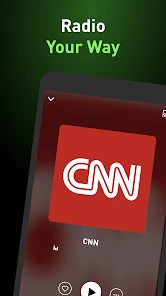
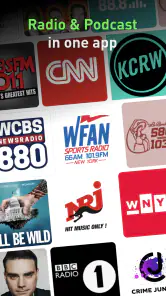
Analysis by Reviewed
I find radio apps easiest to judge when something interrupts the listening: a station is hard to locate, the stream pauses, or I want to switch from music to news without starting my search over. radio.net - AM FM Radio Tuner brings live radio and podcasts into one place, which makes it appealing if you like browsing beyond the handful of stations you already know. It is a free Music & Audio app from radio.net - Webradio, News & Podcasts, with optional in-app purchases. Its Teen age rating is worth noting for families choosing audio apps, though it does not replace checking whether particular broadcasts suit a listener.
Where listeners can get stuck
The main adjustment is learning to search by the clue you actually have. If you remember a station’s name, use that; if you only know the city or style, try those terms instead. A broad search can bring up more choices than you want, so I’d narrow the query rather than repeatedly scrolling. Saving stations you return to is a small but useful habit: it turns discovery into a short route back to familiar listening.
Radio also behaves differently from an on-demand music library. You tune into a live broadcast rather than selecting a precise track and expecting it to start at a particular point. That trade-off is part of the appeal when I want a host, local updates, or an unexpected song, but it can frustrate me if I have a specific album or episode in mind. For that, a dedicated music or podcast service is usually the better fit.
Setup checks before blaming the stream
If audio will not start, I first check the basics: whether the phone has a working internet connection, whether sound is routed to the output I expect, and whether the app is still open and responsive. Live stations depend on a connection, so a weak or changing signal can affect playback even when the app itself is fine. Switching between Wi-Fi and mobile data, when available, can help distinguish a connection problem from a station-specific issue.
It also helps to test another station. If one broadcast fails but another plays, the issue may be limited to that stream rather than the whole app. If nothing plays, I’d close and reopen the app and check the phone’s connection before searching for a more complicated fix. These simple checks are more useful than assuming every pause means the service is broken.
Discovering a World of Stations
When I first opened the radio.net - AM FM Radio Tuner app, I was blown away by the sheer variety of stations available. From local FM stations to international channels, this app covers it all. I could easily switch from listening to a lively jazz station in New Orleans to tuning into a classical music broadcast from Vienna. It's like a global music tour without leaving your couch! The app’s interface is super intuitive, making it easy to find exactly what you’re in the mood for.
Tuning In: The User Experience
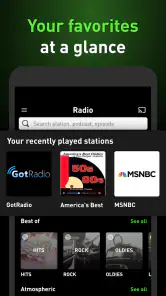
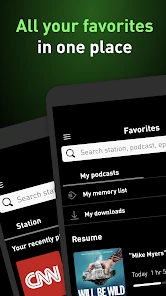
One of the things I love about this app is how user-friendly it is. Navigating through the selection of stations is a breeze, thanks to its clean and organized layout. The search function is particularly handy; just type in a genre, city, or even a specific station name, and boom, you’re there. Plus, the app lets you save your favorite stations, so they’re just a tap away whenever you need them.
More From Our News Desk

Weather by Xiaomi Review: Clear at a Glance, Less Clear Up Close

X Under Pressure: Can It Recover When Posting Goes Wrong?

Clash of Clans Is Won Between the Battles

Android Auto Makes the Case for Quieter Car Software

MobiOffice: Transforming Mobile Productivity with Seamless Integration

EA SPORTS FC™ Mobile Soccer: Redefining Mobile Sports Gaming
My most practical use for that combination is keeping a few different listening routes ready: one familiar station for regular routines, a local source for regional news, and a new genre to browse when I have time. On a commute, I can start with a known favorite and switch to local coverage if there is a reason to catch up. At home, searching by city can make discovery feel more focused than simply hopping between random results. I’d save only the stations I genuinely revisit; a short favorites list is quicker to scan than one that becomes another directory.
More Than Just Music
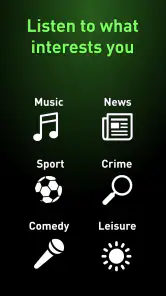
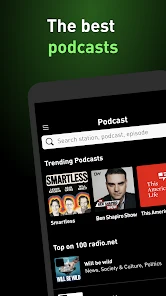
What sets radio.net apart is that it’s not just about music. Sure, you can find every kind of music station under the sun, but you can also dive into news, sports, talk shows, and podcasts. It's like carrying a Swiss Army knife of audio content. Whether you want to catch up on the latest headlines or unwind with a comedy podcast, this app has you covered.
That mix is useful when I want one place to explore different kinds of audio, but it does not make live radio and podcasts interchangeable. A live broadcast is good company while cooking or doing chores; a podcast is easier to fit around a schedule when I want to pause and return later. If I rely on podcasts for a particular routine, I’d check how the available playback options suit that habit rather than assuming every podcast app feature is here. The app’s strongest case is convenient variety, not replacing a specialist tool for every format.
Making a listening routine work
A useful way to start is to treat discovery as a separate activity from everyday listening. When I have a few spare minutes, I can search by a city or musical style and sample options; during a busy morning, I can return to one saved station rather than browsing while getting ready. That separation keeps the app from turning into a string of half-finished searches. It also helps me notice which stations are genuinely worth keeping, instead of filling favorites with broadcasts I tried once.
For example, on a weekday when I’m making breakfast and checking what is happening locally, I might put on a familiar station first, then search for a regional news source if I want a different perspective. Later, while doing chores, I can switch to a music station and let the programming choose the next track. This is where radio.net feels more useful than a music library: I spend less time deciding what to play and more time letting a broadcast provide the flow. If I need a particular song or a quiet, uninterrupted episode, I would switch to an on-demand service instead.
Seamless Streaming
Let’s talk about streaming quality, because honestly, it’s top-notch. There’s nothing worse than a radio stream that constantly buffers or drops out, especially when you’re getting into a groove. Thankfully, my experience with radio.net has been smooth sailing. The streams load quickly, and I’ve yet to encounter any annoying interruptions. It’s perfect for those of us who can’t stand a break in our listening pleasure.
When playback trouble may be elsewhere
Even a reliable app cannot guarantee uninterrupted audio in every place. If a stream drops only when I move through a dead zone or change networks, I would suspect the connection before judging the station directory. If the same station repeatedly struggles while other audio works, trying a different broadcast is a sensible workaround. For long journeys, I would not depend on live streaming as the only entertainment; a connection can change along the route, and radio is not the same as having saved audio ready offline.
There is also a practical data trade-off: live listening uses an internet connection, so I consider whether I’m on Wi-Fi or comfortable using mobile data before leaving a stream on for a long stretch. This is especially relevant if I’m listening in the background while doing something else. If conserving data or guaranteed offline playback matters more than discovering stations, a downloaded music or podcast library may suit me better.
Choosing between radio and on-demand audio
Compared with a traditional FM receiver, the app gives me a broader way to look for stations and listen when I’m not near a radio, but it relies on internet access rather than simply receiving a local broadcast. A regular receiver may be the more dependable choice in a place with poor mobile coverage or when I want to avoid using data. Conversely, radio.net makes more sense when I want to explore beyond what a nearby receiver picks up or move between familiar and distant broadcasts.
Compared with music-streaming services, the difference is less about which has more audio and more about who makes the choices. A playlist is built around deliberate selection; a radio station has its own programming and can introduce music, presenters, and local material without asking me to curate every minute. Podcast apps are stronger when I want to manage a listening queue or follow a specific show closely. I see radio.net as a useful companion to those services, not a reason to replace them all.
Who will get the most from it
I’d recommend radio.net to listeners who enjoy stumbling across stations, want local and international broadcasts in one app, or like moving between music, spoken programs, and podcasts. Its scale is reflected in a 4.6 average from around 382 thousand ratings, and it has passed 10 million installs. Those figures suggest a well-established choice, but they are not a promise that every station will match your taste or work equally well on every connection.
The app is less compelling if you want exact control over songs, a tightly organized personal library, or listening that never depends on connectivity. It is free to start, with in-app purchases ranging from $2.99 to $25.99 per item, so I’d check the purchase details shown in the app before paying for anything. It first appeared on September 15, 2011, and its long presence makes it feel like a familiar radio-focused option rather than a new experiment; its version can change over time, so I’d check the app store on my device for the current release.
Small habits that prevent frustration
If a station disappears from my routine, I would first search for it again using its name or location rather than assuming it has been removed. Search terms matter: a distinctive station name is more useful than a broad word such as “news,” while a city can help when I’m trying to find something local. Once I find a broadcast I trust, saving it reduces the effort of repeating that search. This is a simple workflow, but it makes the app feel less like an endless catalog and more like a personal radio dial.
I would also avoid diagnosing every interruption while moving between networks. If audio stops at the same time I leave Wi-Fi, I’d check whether mobile data is available and whether the phone has switched connections cleanly. If only one station is affected, testing a second one can narrow down the problem. These checks do not guarantee a fix, but they help separate a temporary connection issue from a stream that is having trouble, and that saves time compared with repeatedly changing unrelated settings.
Practical verdict
For someone who wants live stations, local listening, and a little serendipity in the same place, I think radio.net is a worthwhile app to try. Its best quality is not simply the amount of audio it can bring together; it is the change of pace from choosing every track yourself. I would keep it alongside a music library or podcast app if I use those for precise control and offline listening. The Teen rating is a useful reminder for families to consider the content of individual broadcasts, especially when younger listeners will be choosing stations on their own.
My recommendation comes with a clear condition: use it when a live broadcast and easy discovery are the point, and keep another option ready for places with unreliable connectivity or for listening that must work offline. The free starting point makes it easy to see whether its mix suits your habits, while optional purchases are something I’d review carefully before deciding they add value. If that balance sounds right, it can become a handy everyday radio companion; if your listening is mostly about specific songs, albums, or carefully managed podcast queues, a specialist service will likely feel more natural.
In conclusion, if you’re looking for an app that broadens your audio horizons and keeps you entertained with a diverse range of content, radio.net is the way to go. It’s like having the world’s airwaves at your fingertips, ready to accompany you wherever you are. So go ahead, give it a try, and let the tunes take you on a journey!
radio.net - AM FM Radio Tuner Frequently Asked Questions
Does radio.net offer a simple way to find stations by location or listening interest?
radio.net is aimed at listeners who want to explore live radio, music, and local news in one app. Its station discovery can be useful whether you are looking for familiar programming or want to browse broadcasts from other places. If you enjoy switching between different kinds of audio, the app’s combination of live stations and podcasts may make it a convenient place to start.
Is radio.net free to download, and are there optional purchases?
The app is free to download, and optional in-app purchases are available. That means you can try radio.net for live listening without paying upfront, while some purchases may cost from $2.99 to $25.99 per item. It is rated Teen, which is worth considering when deciding whether the app is suitable for a younger listener.
Is radio.net suitable for listening to local news and stations from other places?
Yes. radio.net is designed for live radio listening, with stations that can help you keep up with local news as well as explore broadcasts from elsewhere. You can use it to discover music, news, and other programming in one app, so it may suit both everyday listening and browsing for something new.
Who makes radio.net, and how established is the app?
radio.net is made by radio.net - Webradio, News & Podcasts, and it has been available since 2011. It is a long-running music and audio app with over 10 million installs and a 4.6 average rating. That history and audience may be reassuring if you prefer an established app for radio and podcast listening.
What is radio.net - AM FM Radio Tuner app?
Radio.net - AM FM Radio Tuner is a versatile app that allows users to listen to a wide range of radio stations from around the world. With access to AM, FM, and internet radio, it provides a comprehensive platform for discovering music, news, podcasts, and more, all in one convenient place.
Pros
- Wide range of international stations.
- User-friendly interface design.
- Offers podcasts and music playlists.
- Offline listening available.
- Customizable station list.
Cons
- Contains in-app advertisements.
- Limited offline station saving.
- Premium features require subscription.
- Some stations may not load.
- Occasional app crashes.
- Category
- Music & Audio
- Version
- Varies with device











