Kahoot! Play & Create Quizzes
- 15.51K
- 4.7
- Installs
- 50.00M
- Price
- Free

Screenshots

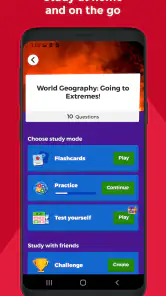
Analysis by Reviewed
If you've ever found yourself in a classroom or a meeting where the energy is just a little too low, then you've probably heard of Kahoot! Play & Create Quizzes. It's that app that turns any dull session into a lively, interactive experience, and trust me, it's worth every megabyte of space on your device.
Where a quiz helps—and where it can get in the way
For a practical example, I’d use it at the end of a study session: a few questions can reveal which ideas everyone remembers and which ones need another look. That makes it more useful than simply rereading notes, though it doesn’t replace a careful explanation when a topic is confusing. A teacher can use the same approach as a quick check for understanding, while a family might choose familiar trivia for a relaxed evening. The best results come when the questions have a clear purpose, rather than being added just to make a session louder.
The format works particularly well when a group already shares a room or can follow the host’s instructions together. It gives everyone a common task and makes participation visible, which can draw in people who would otherwise sit quietly. It is less suitable if a learner needs a private pace, if answers require extended writing, or if competition would make the group uncomfortable. In those cases, I’d choose discussion, notes, or a calm practice exercise instead of trying to make every topic into a game.
Unleashing the Power of Quizzes
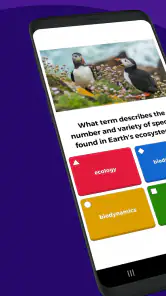
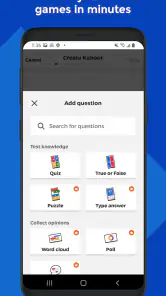
Alright, let's dive right into what makes Kahoot! Play & Create Quizzes such a hit. First off, it's not just about playing quizzes; the app lets you create them too! Imagine you're the quiz master, crafting questions that challenge your friends or colleagues. You can either start from scratch or choose from a plethora of templates available. The app supports various types of questions, including multiple-choice, true or false, and even polls. It's like having your own quiz show at your fingertips!
Engagement at its Best
What I love about Kahoot! is how it keeps everyone on their toes. As soon as you launch a quiz, there's this buzz in the room. Players compete in real-time, and the friendly rivalry is just infectious. Plus, the app is designed to be super user-friendly. Whether you're a tech newbie or a seasoned pro, navigating through it is a breeze. And let's not forget those catchy tunes that play in the background—they really set the mood!
That energy is also the main trade-off. A lively pace can make a recap feel less like a test, but it can reward quick reactions more than careful reasoning. I’d say aloud that the aim is to learn, not simply to top the scoreboard, and pause after answers that reveal a misconception. That small change makes the activity more useful for mixed-ability groups: confident players still get the game-like momentum, while others have a chance to understand why an answer fits.
Perfect for Any Setting
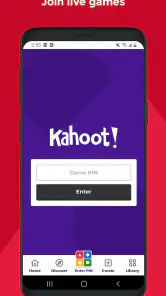
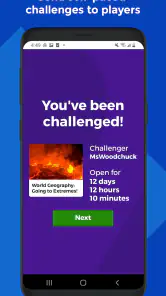
One of the standout features of this app is its versatility. Whether you're using it in a classroom, a corporate meeting, or just having fun with friends at a party, Kahoot! adapts seamlessly. It's available on both Android and iOS, so no one feels left out. Plus, you can host live games or assign challenges for people to complete in their own time. Talk about flexibility!
More From Our News Desk

Weather by Xiaomi Review: Clear at a Glance, Less Clear Up Close

X Under Pressure: Can It Recover When Posting Goes Wrong?

Clash of Clans Is Won Between the Battles

Android Auto Makes the Case for Quieter Car Software

MobiOffice: Transforming Mobile Productivity with Seamless Integration

EA SPORTS FC™ Mobile Soccer: Redefining Mobile Sports Gaming
For a low-pressure everyday use, I’d make a short round for a family gathering with questions everyone can reasonably attempt, rather than turning obscure knowledge into a competition. At work, a team lead could use a few questions to check whether a new process was understood, then discuss any answers that split the room. The useful point is not the score by itself; it is the conversation it prompts. If the group has only a few minutes, keep the quiz brief and leave time to talk through the result.
Creating Your Own Kahoots
If you're the creative type, you'll love the "Create" feature. It’s straightforward and intuitive. You can add images, videos, and even diagrams to your quizzes, making them more engaging and visually appealing. Sharing your creations is just as easy, and you can even collaborate with others to make the quiz even more dynamic.
A useful way to build a quiz is to start with the mistakes you expect people to make. Write distractor answers that reflect likely misunderstandings, then use the results as a cue for discussion rather than treating a score as proof that everyone has mastered the subject. Visuals can clarify a question, but they can also distract if they do not add context. I’d keep each question focused and test the wording before presenting it to a group; unclear phrasing can turn a knowledge check into a reading-speed contest.
One practical preparation trick is to read each question aloud before sharing it. If it takes too long to understand, shorten the wording or separate two ideas into different questions. I’d also decide in advance what I want to learn from the answers: whether people remember a term, can distinguish two concepts, or know the next step in a process. That keeps quiz creation from becoming a hunt for clever distractors and makes the follow-up conversation easier to lead.
When Setup Gets in the Way
The lively format depends on the group being ready to participate, so I’d leave a moment for people to get settled before starting. If someone cannot join or the game feels slow to begin, check the basics first: confirm that the app is open and that everyone is following the host’s instructions. A quick practice question can catch confusion about what to do before the real material begins. For a remote group, explaining the joining steps aloud is often more useful than assuming everyone has used the app before.
Before a planned session, I’d check that the app is installed on the device I intend to use and that it opens normally. The current version is 6.5.0.1, and Android users need version 8.0 or later, so an older device is worth checking before the group gathers. I’d also make sure I can explain the host’s instructions without rushing. These simple checks do not guarantee a perfect session, but they reduce avoidable delays and help separate a setup mix-up from a problem with the quiz itself.
If a participant is unfamiliar with the format, give them a moment to follow the host’s directions rather than assuming they have missed something obvious. In a classroom, that may mean demonstrating the first step; in a meeting, it can help to say what participants should do before the activity starts. For an assigned challenge, explain when people are expected to complete it. Clear expectations matter more than an elaborate introduction, especially when the group has mixed experience with quiz apps.
If a session stalls, I’d avoid rebuilding the whole quiz immediately. First check whether the issue affects one person or the whole group, then have that person return to the instructions and try again. If the problem persists, switching to a discussion or a simple verbal review keeps the lesson moving while you sort it out. This is a practical trade-off: the quiz adds energy, but the group should not lose its learning time to troubleshooting.
When the app may not be the cause
A slow start can come from the room or the group as much as from the app. People may be reading the instructions, switching attention from another task, or unsure whether they are meant to answer individually. I’d first clarify what everyone should be doing and ask whether the same difficulty affects the whole group or just one participant. That quick distinction helps avoid restarting a session that is working for most people, while also making it easier to move on if the activity is no longer worth the interruption.
There is also a teaching issue that no quiz format can solve on its own. If a question is ambiguous, or the group has not yet learned the material, a low score does not necessarily mean the app has failed. Review the wording and the explanation, then choose whether to clarify the topic or continue. Kahoot! is at its best as a way to make learning visible and social; it cannot replace the teacher’s judgement about what the answers mean.
Choosing the Right Format
Compared with paper questions or a standard slide presentation, Kahoot! makes answers feel more social and gives a group a shared activity. That is a real advantage when attention is fading, but the competitive pace is not ideal for every subject or every learner. If people need to think slowly, write detailed responses, or work through a sensitive topic, a worksheet, conversation, or quieter study tool may be a better fit. I’d also avoid making speed the main measure of understanding; a correct answer reached thoughtfully can matter more than a fast one.
Against a conventional flashcard routine, Kahoot! is more suited to a group that wants to respond together than to someone who needs repeated private practice. A slide deck may be better for explaining a complicated idea step by step, while paper questions can give learners room to show their reasoning. I see the app as a useful change of pace rather than a replacement for those tools. A good workflow is to teach or read first, use a quiz to spot gaps, and then return to the material that needs attention.
The app is free to install and is rated for Everyone. Kahoot! is an education app from Kahoot!, with a 4.7 average from around 831,000 ratings and over 50 million installs. In-app purchases range from $2.99 to $474.99 per item, so I’d check what an optional purchase offers before paying rather than assuming every feature is included at no cost. Version 6.5.0.1 requires Android 8.0 or later. That makes it worth checking an older device before planning a group session around it.
Its reach makes it a familiar option for many people, but popularity does not mean it fits every budget or use case. The app is free to install, while optional in-app purchases range from $2.99 to $474.99 per item. I’d take a moment to review any purchase before committing, especially if I only need a simple activity. For someone who just wants to join a quiz, there is no reason to assume they need to buy anything; for a regular organiser, it makes sense to check whether an optional paid item matches a real need.
Who I’d recommend it to
I’d recommend it most readily to teachers, trainers, and group organisers who want to check recall without handing out another worksheet. It can also suit friends or families who enjoy trivia and do not mind a little competition. People who mainly study alone, need detailed written feedback, or prefer to work at a fully self-directed pace may be happier with notes, flashcards, or a standard practice resource. Choosing a quieter alternative is not a drawback; it is simply a better match for those goals.
For a teacher planning a lesson, I’d use it as one short checkpoint rather than the whole session: introduce the idea, ask a handful of focused questions, and use the answers to decide what needs another explanation. A team organiser can take the same approach after explaining a new process. In both cases, the questions work best when they are tied to a specific decision about what to revisit, not when the activity is added only to fill time.
In essence, Kahoot! Play & Create Quizzes is more than just an app—it's a platform that brings people together through the love of learning and competition. Whether you're an educator looking to spice up your lessons, a team leader aiming to boost morale, or just someone who loves trivia, this app is your go-to.
So, next time you feel the energy dipping in a room, just pull out your phone and launch Kahoot!. Trust me, you won't regret it!
Kahoot! Play & Create Quizzes Frequently Asked Questions
Can I create quizzes in Kahoot! without hosting a live game?
Yes. Kahoot! supports both creating learning games and playing them, so you can prepare a quiz even when you are not ready to host a live session. You can make your own learning activities and use them for practice or share them with others. The app is designed for learning at school, at home, or at work.
Does Kahoot! work for group learning and team activities?
Kahoot! is built around interactive learning games, making it a natural fit for activities with classmates, colleagues, friends, or family. A host can create or choose a quiz for a group to play, while participants join in and answer questions. It can add a lively, game-like element to learning, whether the group is meeting at school, at home, or at work.
Can I use Kahoot! on a phone or tablet?
Yes. Kahoot! is available as a mobile app, so you can use it on a compatible phone or tablet to create and play learning games. The app is listed for iOS 8.0 and later, and its activities can also be accessed through a web browser. This gives you a choice of device when joining a quiz or preparing one.
What is Kahoot! and how does it work?
Kahoot! is an interactive learning platform that allows users to create, share, and play quizzes and games. It is used in educational settings to make learning fun and engaging. Users can either join games created by others or create their own quizzes. It's accessible via mobile apps and a web browser, making it versatile for different environments.
Is Kahoot! free to use?
Kahoot! offers a free version that includes basic features such as creating and playing quizzes. However, there are premium versions available that provide additional features like advanced game creation tools, analytics, and more customization options. These are mainly targeted at educators and businesses looking for more robust capabilities. Optional in-app purchases are also available, so it is worth checking the purchase details before choosing paid features.
Pros
- Engaging quizzes enhance learning.
- User-friendly and intuitive interface.
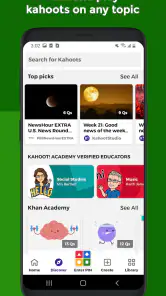
- Wide variety of quizzes available.
- Multiplayer mode for group fun.
- Create personalized quizzes easily.
Cons
- Limited offline functionality.
- Ads can be intrusive at times.
- Requires stable internet connection.
- Some features require premium.
- Occasional glitches in quiz creation.
- Category
- Education
- Version
- 6.5.0.1