Phone Mirror app - True Mirror
- 990.00
- 4.7
- Installs
- 10.00M
- Price
- Free

Screenshots
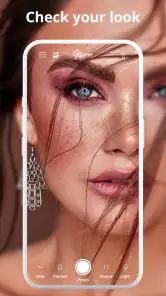
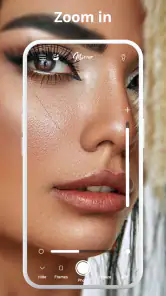
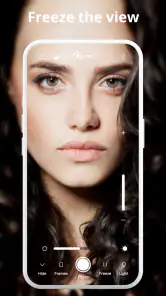
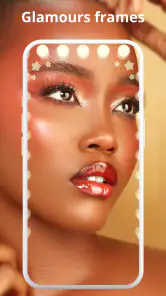
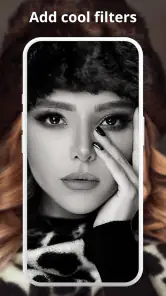
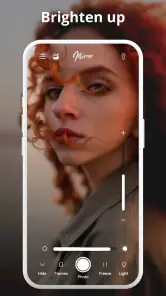
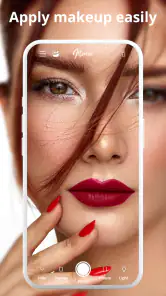

Analysis by Reviewed
When I want to check my appearance quickly, a phone’s front camera can feel like more work than it should be. Phone Mirror – True Mirror takes a simpler approach: it turns the phone into a mirror, with zoom and light tools and a photo editor for when I want to make an adjustment. That small, focused purpose is useful for a quick check before leaving home, though it is different from casting a screen to a television or computer.
A practical tool, not a screen-casting solution
That distinction matters because “mirroring” can mean two different things. This is a beauty app for viewing yourself on your phone, not a way to project a phone display onto a TV, PC, or projector. I would choose it for checking makeup, hair, or a detail that is hard to see in a regular camera preview; for a group photo slideshow or a presentation, I would use a casting tool instead.
The app is made by Cards and is free to install. It has a 4.7 average from around 86,000 ratings and more than 10 million installs, which suggests plenty of people find this narrow use case worthwhile. Its age rating is Everyone. The current version is 10.0.0, and it runs on Android 6.0 or later. Those details make it easy to judge basic compatibility, but they don’t tell me how it handles personal information, so I avoid assuming that a particular privacy practice is in place.
Where the controls help—and where to be cautious
The useful controls are the ones that solve ordinary mirror problems: zoom helps me inspect a small area without leaning close to the screen, while light can make a dim room easier to work in. I’d use them in sequence rather than turning everything up at once. First I’d find a comfortable distance, then use a little zoom to check a detail; if the room is dark, I’d adjust the light and reassess the result. This helps avoid mistaking harsh lighting or a close-up view for how I look in normal conditions.
The photo editor gives the app a second role, but I’d keep the distinction between checking and editing clear. A live mirror view is useful for a quick grooming decision; editing a photo is a separate choice that can change what I’m evaluating. If I’m checking whether makeup looks balanced before an event, I’d use the mirror view first and treat an edited image as a creative result, not as an accurate reflection.
Trust, permissions, and personal moments
A mirror app naturally gets opened in private moments, so I think about where and when I use it. I’d avoid opening it while sharing my phone screen in a public setting, and I wouldn’t use a photo editor on an image I didn’t intend to alter. Those are practical habits, not claims about the app’s data handling. I look for clear permission prompts and visible choices on the device, and I recommend reviewing them before granting access. I don’t infer encryption, storage, or account controls without a clear indication in the app.
There is also a useful distinction between permission and purpose. If a feature asks for access that seems relevant to what I’m trying to do, I can decide whether to allow it; if I’m unsure, I can pause and check the phone’s settings rather than tapping through automatically. That gives me more control over a beauty tool I may only need for a short check. People who want a full-featured camera, detailed retouching suite, or a mirror that works without relying on a phone screen may prefer a different option.
More From Our News Desk

Weather by Xiaomi Review: Clear at a Glance, Less Clear Up Close

X Under Pressure: Can It Recover When Posting Goes Wrong?

Clash of Clans Is Won Between the Battles

Android Auto Makes the Case for Quieter Car Software

MobiOffice: Transforming Mobile Productivity with Seamless Integration

EA SPORTS FC™ Mobile Soccer: Redefining Mobile Sports Gaming
Cost and the right expectations
The app is free to download, with optional in-app purchases ranging from $0.99 to $99.99 per item. I’d check the purchase screen carefully before confirming anything, especially if I only want the basic mirror function. The price range is broad enough that I would not assume every extra is necessary; I’d first try the features I actually came for and decide whether an upgrade addresses a real need.
For a typical morning, I can see the appeal: open the app near a window, use the light if the room is dim, zoom in briefly to check a small detail, then close it without turning the routine into a photo session. It is best for people who want that quick, on-device convenience. If I needed to compare several outfit photos, capture polished portraits, or show content to a room, I’d reach for a camera or casting app designed for that job.
Making a quick check more useful
One small habit makes a mirror app more reliable: I’d use the phone at a consistent distance before relying on zoom. A close view can exaggerate tiny details, while a zoomed view can make it easy to focus on one spot and lose the overall impression. I’d check the whole face first, then inspect only the specific area I’m uncertain about, and finish by returning to the broader view. That routine is more useful than repeatedly magnifying every feature.
Lighting deserves the same restraint. A light tool can help when a hallway or bedroom is dim, but a brighter view is not automatically a more realistic one. For decisions about color—such as whether a foundation or lipstick looks right—I’d check near natural daylight when possible, then use the app’s light as a practical aid rather than the final judge. If the image looks different in another room, I’d trust the conditions where I’ll actually be seen.
That makes this most useful for brief checks, not prolonged inspection. I can imagine using it to confirm that a collar sits properly, remove a visible smudge, or see whether a hair strand has fallen out of place. Those are tasks where zoom and a screen-sized reflection can save a trip to a larger mirror. It is less helpful when I need to judge a full outfit from head to toe, because a phone display is naturally a limited viewing area.
Who will get the most from it
I’d recommend trying it if a compact mirror is often missing from your bag, or if you want a quick way to check a detail while travelling. A phone is already close at hand, and the app’s purpose is clear enough that it doesn’t need to become part of a complicated beauty routine. Someone who wears glasses, styles their hair, or applies makeup on the go may find zoom and light more convenient than switching between a front-camera preview and other tools.
It can also suit people who want to avoid taking a photo every time they check their appearance. A camera workflow often means framing, capturing, reviewing, and deleting an image, even when all you needed was a quick look. A mirror-style view is a more direct fit for that moment. The editor is there for a different task, but I would not treat it as a reason to turn every mirror check into a saved or altered picture.
I’d skip it if my main goal were professional-looking portraits, extensive retouching, or detailed comparisons across multiple images. A dedicated camera or editing app is built around those jobs and usually offers a more appropriate workflow. I’d also choose a physical mirror for shaving or any task where I need both hands free, a larger field of view, or a view that does not depend on keeping a phone steady.
A realistic routine, and the trade-offs
Picture getting ready in a dim hotel room before meeting friends. I could open the app, use its light to see whether my hair is in place, and zoom briefly to check a small makeup detail. Before deciding that a color looks right, I’d step toward a window or another light source and look again. The app helps me catch something I might otherwise miss, but it cannot make the room’s lighting neutral or replace a full-length mirror when I’m checking an outfit.
There is a practical trade-off in using a phone for something that a small physical mirror does well. The phone gives me a larger, illuminated view and brings zoom and editing into reach, but I need to hold it at a useful angle and keep the display available. If the battery is low, my hands are occupied, or I need to see more than my face, a simple compact mirror may be faster. I see the app as a convenient backup and detail-checking tool, not a universal replacement.
Compared with a standard front-camera app, this is appealing when I want the mirror task to feel direct rather than photo-centred. The camera app is the better choice when I want to capture a picture, use its camera-specific options, or review how a look appears in a saved image. Compared with a physical mirror, Phone Mirror is more portable in the sense that it is already on a device I carry, but it depends on the screen and viewing angle. Choosing between them comes down to the task, not which one is always better.
What I would check before relying on it
For a first try, I would open the app at home and test the basic mirror view before I needed it in a hurry. I’d see whether the screen size and the available controls work comfortably for me, then check how the light looks in a dim corner and in a brighter room. This is a low-effort way to learn whether the app solves my particular problem instead of discovering its limits while getting ready for an appointment.
I would also treat prompts as decisions, not interruptions to dismiss automatically. If I see a permission request, I’d consider which feature I’m trying to use and whether the request makes sense for that purpose. If I don’t want to proceed, I can pause and review the device’s app settings. That approach is especially sensible for a tool used near the face, where a person may be handling personal images or opening the app in a private space.
Before paying for anything, I’d ask myself what the free experience is not doing for me. Optional purchases range from $0.99 to $99.99 per item, so I would inspect the exact offer and its terms rather than assume that a paid extra is needed for ordinary mirror use. If the main need is simply checking appearance, I’d start there and only consider a purchase if it clearly solves a problem I actually have.
What’s the Buzz About?
So, here's the deal. Phone Mirror is an app designed to project your phone's screen onto any compatible device, be it your PC, smart TV, or even a projector. Think of it as having a portable cinema in your pocket. The app works seamlessly on both Android and iOS platforms, which is super convenient for all you mixed-device households out there.
Setup and User Interface
Getting started with Phone Mirror is as easy as pie. Once you download and install the app, you're greeted with a simplistic and intuitive interface. No need to be a tech wizard here. Just follow the on-screen instructions, and you'll have your phone screen mirrored in no time. I mean, who doesn't love an app that doesn't require a user manual the size of a dictionary?
Performance and Features
The performance is where Phone Mirror truly shines. The connection is super stable, and there's barely any lag, which is a game-changer for streaming videos or playing games on a bigger screen. The app supports high-definition mirroring, ensuring that you don't miss out on any details. Plus, it comes with a nifty feature that allows you to control your smartphone directly from the mirrored screen. Talk about convenience!
I also appreciated the added security measures, as the app uses encryption to protect your data during the mirroring process. It's always reassuring to know that your personal info is safe, especially when you're sharing your screen.
Why You Might Love It
Imagine hosting a party and wanting to share your vacation photos or videos with everyone. Phone Mirror makes this possible without everyone huddling around your tiny phone screen. Or perhaps you're a professional needing to present a report straight from your phone. The app's capability to connect effortlessly to projectors makes it a perfect companion for business presentations.
It's also ideal for gamers who want to experience mobile games on a larger screen. The low latency ensures that your gaming experience is smooth and uninterrupted. And let's not forget about binge-watching your favorite shows – this app transforms your phone into a personal theater.
In short, Phone Mirror – True Mirror is like having a magic wand for your phone, making it versatile and adaptable to any situation. Whether for work or play, it’s got you covered.
Final Thoughts
Overall, Phone Mirror is a stellar app for anyone looking to expand their phone's capabilities. With its user-friendly interface, robust performance, and high-security measures, it's definitely worth a try. So, if you're in the market for a reliable screen mirroring solution, give Phone Mirror a whirl. You won't be disappointed!
Phone Mirror app - True Mirror Frequently Asked Questions
Can I use Phone Mirror - True Mirror to check my appearance in low light?
Yes. Phone Mirror - True Mirror is intended to show your image on your phone, and its light feature can help when the room is dim. The app also includes zoom and a photo editor, giving you a few useful options while checking your reflection or preparing for a photo. Its focus is a convenient on-phone mirror rather than a screen-casting tool.
What does the photo editor let me do in Phone Mirror - True Mirror?
The app includes a photo editor alongside its mirror, zoom, and light features, making it more than a basic reflection on your screen. These tools are geared toward checking your appearance and working with photos. If you mainly want a simple mirror, the core function is straightforward; if you want to edit images, explore the editor in the app to see whether its options suit your needs.
Is Phone Mirror - True Mirror suitable for children?
Phone Mirror - True Mirror has an Everyone content rating, so its content is considered suitable for a broad audience. It is a Beauty app focused on showing your image, with a photo editor, zoom, and light. Parents may still want to consider whether the app’s appearance and photo-related tools are appropriate for their child and review any purchase options before allowing use.
Does Phone Mirror - True Mirror work on older Android phones?
The Android version requires Android 6.0 or later, so a phone running an earlier system version will not meet its stated minimum requirement. If your device meets that requirement, you can consider trying the mirror, zoom, light, and photo editor features. Compatibility and performance can still depend on the particular phone, so check your device’s software version before downloading.
Who makes Phone Mirror - True Mirror, and is it widely used?
Phone Mirror - True Mirror is developed by Cards and is listed in the Beauty category. It has a 4.7 average from around 86 thousand ratings and has passed 10 million installs, suggesting that many people have tried it. Those figures can provide a quick sense of its reach, but your experience will depend on whether its mirror and photo tools match what you need.
Pros
- Easy to use interface.
- Real-time mirroring.
- Compatible with various devices.
- High-quality mirror image.
- Free basic version available.
Cons
- Requires stable internet.
- Ads in free version.
- Limited features without upgrade.
- Occasional lag in mirroring.
- Privacy concerns with permissions.
- Category
- Beauty
- Version
- 10.0.0