Logo Maker : Logo Creator
- 4.60K
- 4.1
- Installs
- 10.00M
- Price
- Free
Screenshots
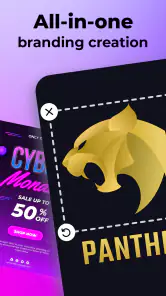
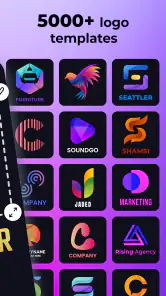
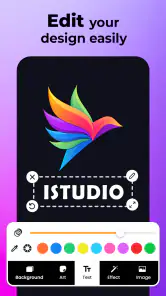
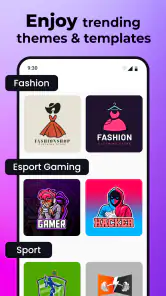
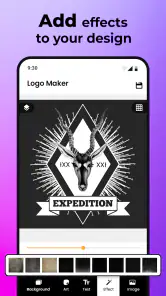

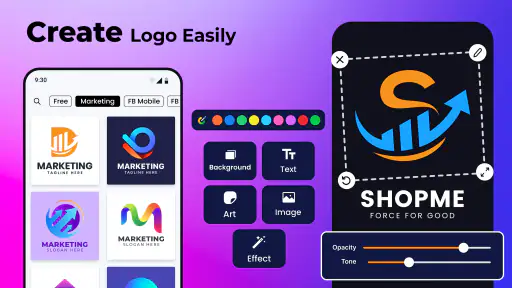
Analysis by Reviewed
When I need a quick visual identity for a small project, I’d rather test a few ideas myself than get stuck choosing a full design suite. Logo Maker: Logo Creator is aimed at that kind of practical job: it’s a free art-and-design app from CA Publishing, with a 4.1 average from around 330,000 ratings and over 10 million installs. It’s rated for Everyone, and the current version is 43.58.
What the free starting point means
You can install the app for free, but it also offers in-app purchases priced from $0.99 to $69.99 per item. I’d treat the free access as a way to explore the design workflow rather than assume every template or export option is included. Before building a project around a particular asset, check what the app makes available without payment and whether any purchase is worth it for your needs.
Where the value comes from
The practical appeal is speed: templates and editable design elements can help turn a rough idea into something presentable without first learning professional design software. That makes it useful for a temporary event logo, a social profile image, or an early concept for a side business. Its large audience suggests many people find the format approachable, though popularity alone doesn’t tell me whether a finished mark will suit a specific brand.
Trade-offs before you commit
A template-based workflow is convenient, but it can make a logo feel familiar if you use a design with little customization. I’d change more than the wording: adjust the color choices and type, simplify decorative elements, and check that the result still reads clearly when viewed small. For a business that needs a distinctive identity or precise control over lettering, a professional vector editor or a designer may be a better fit.
Who is likely to get value
I’d try it if I needed a quick starting point, wanted to experiment before paying for custom work, or was making graphics for a personal project. I’d be more cautious if the logo had to work across packaging, signage, and print, where scalable artwork and careful production checks matter. The app runs on Android 5.0 and later, so it can also suit people using older Android devices.
Ever found yourself in a pinch, needing a logo for that new business idea or perhaps a personal project? Enter the Logo Maker: Logo Creator, a nifty app that promises to make logo designing as easy as pie. I’ve taken it for a spin, and here’s how it went down.
First Impressions and User Interface
When I first opened Logo Maker: Logo Creator, I was greeted with a clean and intuitive interface. No clutter, no fuss—just a straightforward setup that even a beginner can navigate with ease. The app’s design is sleek, making it a joy to use. Everything is just a tap away, and the icons are pretty self-explanatory, which is always a win in my book.
More From Our News Desk

Weather by Xiaomi Review: Clear at a Glance, Less Clear Up Close

X Under Pressure: Can It Recover When Posting Goes Wrong?

Clash of Clans Is Won Between the Battles

Android Auto Makes the Case for Quieter Car Software

MobiOffice: Transforming Mobile Productivity with Seamless Integration

EA SPORTS FC™ Mobile Soccer: Redefining Mobile Sports Gaming
Designing Your Logo
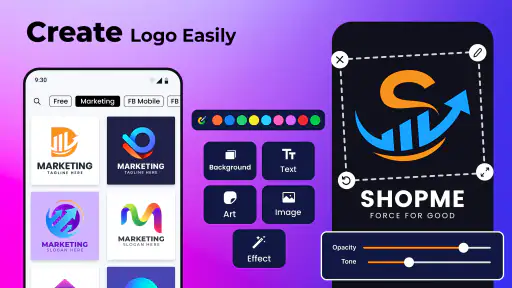
Diving into the actual logo creation process, I was pleasantly surprised by the variety of templates available. Whether you’re looking for something minimalist or a bit more extravagant, there’s something here for everyone. The customization options are vast. You can tweak colors, fonts, icons—you name it. It’s quite flexible, allowing for a personal touch to your designs.
The app also offers a decent library of icons and shapes. I spent a good chunk of time just exploring the different elements I could incorporate into my logo. And the drag-and-drop functionality? Let’s just say it’s as smooth as butter.
Saving and Exporting
Once you’ve crafted your masterpiece, saving and exporting it is a breeze. The app supports various file formats, which is great if you need to use your logo across different platforms. Just a few taps, and you’re good to go. Whether you want it as a PNG for your website or a vector file for print, Logo Maker: Logo Creator has you covered.
Who Is It For?
This app is perfect for small business owners, freelancers, or anyone who needs a logo without breaking the bank. It’s straightforward enough for non-designers but offers enough depth for those who want a little more control over their design process.
A more useful way to work through a design
For a realistic workflow, I’d start with the name and purpose of the project, then browse templates for layout ideas rather than selecting the first design that looks polished. Once I find a direction, I’d replace the sample wording, limit the palette to a small number of colors, and test the result at thumbnail size. That last check matters: fine details that look attractive on a phone screen can disappear in a social avatar or a small label.
I’d also save a couple of variations before settling on one. A version with a symbol and one with typography alone can reveal whether the icon is adding meaning or merely filling space. This is a useful way to avoid overdecorating a logo, especially when the template library makes it tempting to keep adding elements.
How it fits beside other design tools
Compared with a general-purpose graphics editor, this app puts logo-making first and offers a more guided route from template to finished design. That can be an advantage when I want a quick result and don’t need to build every shape from scratch. The trade-off is less freedom than a dedicated vector workflow, where precise paths, alignment, and scalable artwork are central. For a casual project, the faster start may be worth it; for a serious brand system, I’d use a more flexible tool or work with a designer.
One everyday example: if I were preparing a simple logo for a weekend market stall, I could sketch the business name, try a few templates, and make a clean draft for a profile image or flyer. I wouldn’t assume that same draft is automatically ready for large-format printing or every commercial use. I’d check the export choices and any purchase prompts before relying on a particular output for a deadline.
Making a draft work harder
I’d approach a logo in this app as one part of a small visual kit, not as an isolated decoration. Before choosing a template, I’d write down where the mark will appear most often: a social profile, a simple menu, a business card, or a flyer. That practical constraint helps me avoid layouts that look appealing in the editor but become hard to read in the place I actually need them.
For example, a long business name can become cramped when paired with a detailed icon. I’d try a shorter label or a more compact arrangement, then compare it with a text-only treatment. This is a useful test even if I ultimately prefer the symbol: it shows whether the graphic is carrying a clear idea or simply taking up space. If the name is the most recognizable part of the business, giving it room may be the better choice.
Another small but important check is contrast. I’d look at the design against both a light and a dark background before calling it finished, since a color combination that works on the editor’s canvas may not stand out everywhere. I’d also avoid relying on tiny decorative details to communicate the main idea. When a logo is reduced to an avatar, the broad shapes and lettering matter more than fine ornament.
Questions I’d settle before relying on an export
Can I use the result immediately for a profile picture? For a personal page or a quick online mock-up, that is a reasonable use to explore. If I’m preparing materials for a launch, I’d first confirm the available export format and whether the version I need is included without an in-app purchase. The price range makes that check worthwhile before I promise a client or organizer a particular file.
Will a design remain editable later? I’d keep the project in the app while I’m still testing ideas and save more than one version if I’m comparing layouts. I wouldn’t assume that an exported image offers the same flexibility as a working design file. If future revisions, exact spacing, or handoff to a printer are central to the job, a vector-focused tool or a designer is a safer route.
Does free mean every element is free? No: the app is free to install, while individual in-app purchases are offered. I’d explore first, note which elements or outputs are actually useful, and only then decide whether paying makes sense. There is no reason to spend simply because a design looks unfinished; often a simpler arrangement with fewer elements reads better anyway.
When a different tool is the smarter choice
If I needed a logo for a growing company that had to stay consistent across a website, packaging, signage, and printed materials, I would not treat a fast template as the final answer. The hard part in that situation is not just finding a pleasing mark; it is making sure the identity holds together at different sizes and can be handed off reliably. A designer or a more precise vector editor gives me better control over that broader system.
I’d also look elsewhere if my main goal were to draw an original symbol from scratch or to refine letterforms closely. This app’s template-led approach is helpful for getting moving, but that same guidance can limit the room to create something unusually specific. For a birthday project, an early business concept, or a one-off online graphic, convenience may matter more than that control. For a serious identity with long-term use, the balance shifts.
It is also worth separating a logo draft from a complete brand identity. A logo alone does not decide how a business should use colors, type, imagery, or layouts across every communication. I can use the app to explore a direction and make a working visual, but I would still need to apply consistent choices elsewhere. That distinction keeps expectations realistic and prevents a quick result from being asked to do more than it can.
Deciding whether to keep using it
Logo Maker: Logo Creator makes the most sense when convenience matters more than originality at the level a custom design process can provide. The app was released on March 30, 2017, and its continued version updates have brought it to 43.58; for me, the important question is still whether its available tools match the task in front of me. If you’re curious, the free download gives you a low-commitment way to assess the workflow, while paid items make the value decision personal rather than automatic.
I’d skip it if I needed exact brand guidelines, highly distinctive artwork, or a guaranteed production-ready vector file and didn’t want to verify the export options first. For a personal project, an early concept, or a quick logo for a small online presence, it can be a sensible place to experiment. The key is to use its templates as a starting point, not mistake a fast draft for a finished brand identity.
Overall, using Logo Maker: Logo Creator feels like having a mini design studio in your pocket. I’d definitely recommend giving it a try if you’re in the market for a logo maker that’s user-friendly and efficient. You might just find your next creative partner in this app!
Logo Maker : Logo Creator Frequently Asked Questions
Does Logo Maker: Logo Creator work on iOS as well as Android?
Logo Maker: Logo Creator is an Art & Design app from CA Publishing, and its Android version requires Android 5.0 or later. Its Everyone age rating may also help families decide whether it is suitable for their household. If you plan to use it on a particular device, check that device’s operating system before downloading so you can choose a compatible version.
Do I need design experience or special equipment to make a logo?
You can start with the app’s ready-made templates and customize them, so previous design experience is not necessary. It is intended to make logo creation approachable for beginners as well as people who already have design ideas. A phone or tablet that meets the app’s operating-system requirement is the key starting point; the app is designed for mobile logo and poster work.
Can I use Logo Maker: Logo Creator on my device?
Logo Maker: Logo Creator is an Art & Design app from CA Publishing. It supports Android devices running Android 5.0 or later, and its age rating is Everyone. If you’re looking for a mobile tool to work on logo ideas, these compatibility and age details can help you decide whether it suits your device and household.
Is Logo Maker: Logo Creator free to download?
Yes. Logo Maker: Logo Creator is free to download, and it also offers in-app purchases priced from $0.99 to $69.99 per item. You can start with the free app and consider paid options if they fit your needs. The app’s current version is 43.58, so it’s also worth checking that your device meets the minimum operating-system requirement before installing.
What features does Logo Maker: Logo Creator offer?
Logo Maker: Logo Creator offers a comprehensive suite of design tools to help users create professional logos with ease. The app includes a vast library of templates, icons, fonts, and color schemes, allowing users to customize their designs fully. Advanced editing features such as layering, transparency adjustments, and gradient effects make it possible to create unique and eye-catching logos. Its store summary also highlights logo and poster design, with more than 7,000 templates mentioned.
Pros
- User-friendly interface simplifies design
- Wide range of templates available
- High customization options for logos
- Quick export and share functionality
- Supports multiple file formats
Cons
- Limited free features
- most are paid
- Occasional ads can interrupt workflow
- No offline mode available
- Some templates feel outdated
- Requires in-app purchases for premium
- Category
- Art & Design
- Version
- 43.58