Pandora Music for TV
- 252.00
- 3.3
- Installs
- 10.00M
- Price
- Free

Screenshots
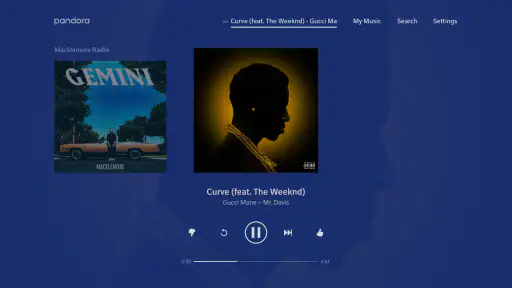
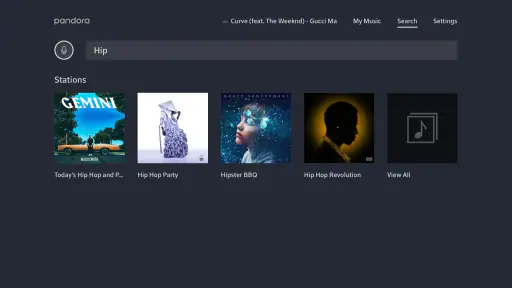
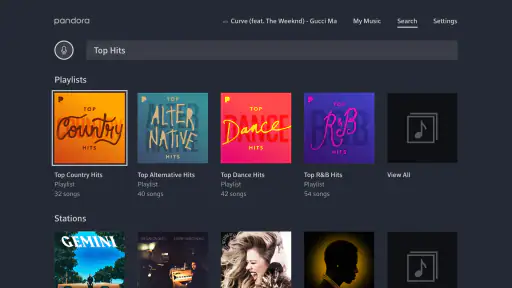
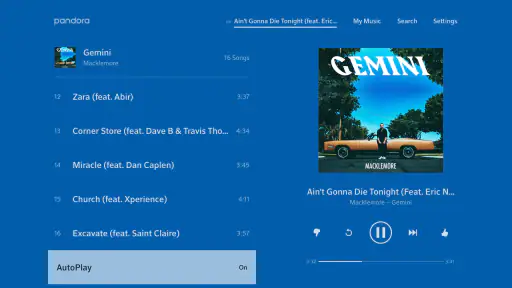
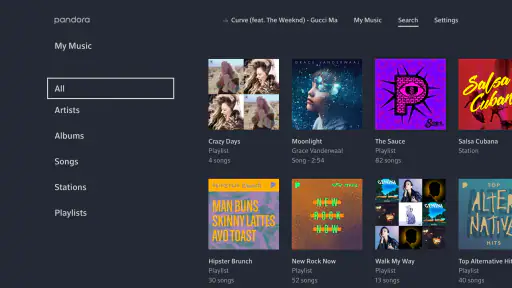
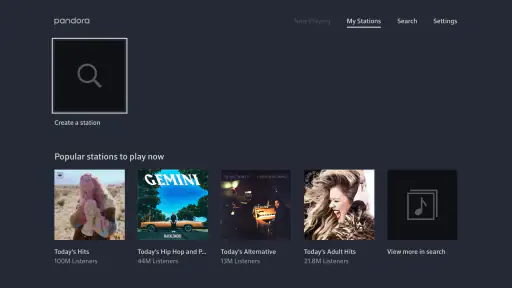
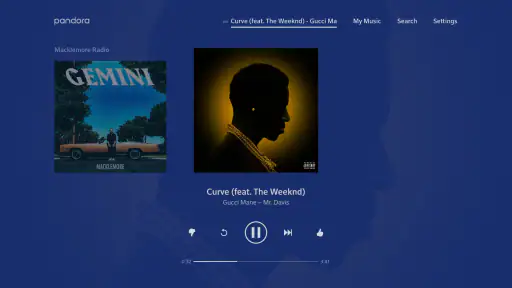
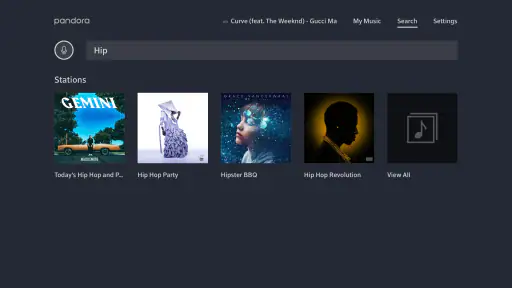
Analysis by Reviewed
I found Pandora Music for TV most useful when I treated it as a bridge between a familiar music service and the biggest screen in the room. Its main appeal is straightforward: it lets me play new music and stream favorite songs or artists through a television, turning a TV into a more social listening space. That sounds simple, but the effect is different from using a phone beside me. Music becomes something everyone in the room can hear and discuss without passing a device around.
This is a free music and audio app from Pandora, with optional in-app purchases priced at $4.99 per item. It carries a Teen content rating and works on devices starting with Android 7.0. The app has been available since October 27, 2014, and version 4.3.1 is the current release. Its average rating is 3.3 from more than 800 ratings, while the app has received more than 250 written reviews and passed 10 million installs. Those figures suggest a widely used product with a noticeably mixed reception, which matches my impression: the central idea is convenient, but the experience depends heavily on how you like to discover and control music.
Why listening through the TV changes the experience
The important capability here is not merely that music appears on a television. It is that the TV becomes the visible and audible center of a listening session. On a phone, I tend to start a station, choose a track, and then put the device away. On a television, the same activity feels more deliberate. Album imagery and track information are easier to notice, and people nearby can follow what is playing without asking me to show them.
I especially like this arrangement for casual gatherings. If friends are visiting, I can use the television as the shared music source instead of leaving a phone connected to a small speaker. The app is also a natural fit for a living room where the TV already has a strong sound system. In that situation, Pandora Music for TV does not need to compete with a separate music setup; it gives an existing screen another useful job.
The distinction matters because this is not the same kind of tool as a personal, library-focused player. I would not choose it primarily to inspect a carefully organized collection, manage a large local archive, or spend an evening making precise playlists track by track. I see it more as a way to start listening quickly and let artist or song preferences guide what comes next.
Discovery is the real center of the app
When I use the service for new music, the television format makes discovery feel less like searching a catalog and more like programming a room. I can begin with an artist or a familiar song, then allow the listening session to develop from that starting point. That approach works well when I know the mood I want but do not have a complete sequence in mind.
There is a useful trade-off in that design. A discovery-focused service can save me from the small decisions involved in building a queue, but it also gives me less precise control than a conventional on-demand music library. If I want a particular order, a specific deep cut immediately, or a carefully timed sequence, I may find the experience less satisfying. Pandora’s strength is reducing the effort required to keep music playing, not giving me absolute control over every next track.
More From Our News Desk

Weather by Xiaomi Review: Clear at a Glance, Less Clear Up Close

X Under Pressure: Can It Recover When Posting Goes Wrong?

Clash of Clans Is Won Between the Battles

Android Auto Makes the Case for Quieter Car Software

MobiOffice: Transforming Mobile Productivity with Seamless Integration

EA SPORTS FC™ Mobile Soccer: Redefining Mobile Sports Gaming
That difference is easy to overlook when reading a short store description. In practice, I would ask myself one question before installing it: do I want to choose every song, or do I want to choose a starting point and let the service help shape the session? If the second answer sounds more appealing, the TV version makes a convincing case for itself.
How I use it in an ordinary evening
A realistic example is a weeknight dinner. I might start with an artist that suits the meal, place the television where everyone can hear it, and leave the app running while I cook. Guests can see what is playing, and I do not need to keep checking a phone for the next track. The value is not that the app transforms dinner into a concert; it simply removes a repeated interruption from the evening.
For a relaxed weekend, I use the same approach differently. I may begin with a familiar singer, listen for a while, and note which unfamiliar tracks fit the mood. Later, I can return to those artists rather than trying to remember every song that passed by. This makes the TV useful as a discovery surface, not only as a remote playback screen.
One practical tip is to decide on the starting artist before other people arrive. That small bit of preparation prevents the first few minutes from becoming a group debate over what to play. Once the station or listening direction is established, the app is better at maintaining momentum than at helping a group make a decision from scratch.
What the television format does well
The larger display improves shared awareness. On a phone, the person controlling the music has information that everyone else cannot easily see. On a TV, the current track and artist become part of the room. That is helpful when someone asks, “What is this song?” and it also encourages conversation about what should come next.
I also find the format less distracting than keeping a phone open. A phone invites unrelated notifications, messages, and app switching. A television is more passive, so once playback starts, I am less likely to interrupt the session for reasons unrelated to music. This is a small behavioral benefit, but it is one of the strongest reasons I would recommend the TV version to someone who wants background listening without turning a phone into the center of attention.
Another advantage appears when several people have different musical tastes. Instead of asking one person to maintain a perfect playlist, the group can begin with a broad artist or style and see where the listening goes. That will not satisfy everyone equally, but it creates a more flexible compromise than handing the remote to one person for the entire evening.
Where the experience can become frustrating
The same simplicity that makes discovery comfortable can feel restrictive. If I am in the mood for one exact song and want to repeat it, jump through a carefully chosen album, or control every transition, I prefer a more traditional on-demand service. Pandora Music for TV is less compelling when the listener already knows the complete program and does not want recommendations involved.
Control from a television can also feel less immediate than control from a phone. Even when the app is easy to understand, selecting text or navigating a screen from across a room is not always pleasant. I would rather prepare the listening direction before settling down than search extensively once the session is underway. This is one of the most useful workflow changes I found: use the TV for communal playback, but avoid treating it like a full desktop catalog.
The mixed average rating of 3.3 reflects why expectations matter. I would not interpret that score as proof that the app is unusable, but I would take it as a warning against expecting a flawless experience for every type of listener. The core idea works best when the user values convenience and discovery. Someone seeking a highly controlled music library may judge the same design much more harshly.
How it compares with familiar alternatives
Compared with a standard phone-based music app, Pandora Music for TV feels more communal and less personal. A phone is better for headphones, private listening, quick searches, and detailed library management. The television is better when the sound should fill a room and the people present should be able to see the musical context.
Compared with a conventional playlist service, Pandora’s appeal is the reduced preparation. A playlist service rewards careful curation: I choose the tracks, order them, and decide how the session should progress. Pandora is more useful when I want a musical direction without doing all that work myself. The trade-off is obvious but important: convenience comes at the cost of some control.
It also differs from simply playing music through a television’s built-in media options. The dedicated app gives the listening session a clearer music-first purpose, especially for artist-led discovery. However, if I already have a perfectly organized library and mainly want to play known albums, the extra discovery layer may not add much. In that case, the usual library player could be the more direct choice.
Small habits that improve the result
I get better results when I start narrowly but not too narrowly. Choosing a very specific song can create a session that feels repetitive, while choosing an artist with a broad catalog gives the service more room to surprise me. This is not a technical setting; it is a listening habit, but it has a real effect on whether the recommendations feel useful or random.
I also separate “background music” from “active discovery.” For background use, I start playback and avoid judging every track. For active discovery, I stay near the controls and pay attention to artists I have not heard before. Mixing those two goals can lead to disappointment: a station that is pleasant while cooking may not be the right tool for finding a precise new favorite.
A third tip is to use the television session as a shared filter. When a new track catches someone’s attention, we can remember the artist and explore that direction later. This works better than stopping the music repeatedly to investigate every unfamiliar song. The TV is strongest when it keeps the room moving, while detailed research happens afterward.
Who will get the most from it
I would recommend this app to people who already use their television as a social device and want music to be part of that setup. It suits casual hosts, families, and listeners who enjoy starting with a familiar artist and discovering related music without building a complete playlist. It is also a sensible option for anyone who wants a free starting point before deciding whether optional purchases are worthwhile.
It is less suitable for listeners who demand uninterrupted control over song order, who mainly listen privately with headphones, or who have already invested time in a detailed personal library. Audiophiles looking for specialized playback controls should also examine their priorities carefully rather than assuming that a TV music app will meet them. The large screen improves visibility, but it does not automatically make the service a replacement for every kind of music player.
The Teen rating is another reason parents should consider the intended audience before handing over control. I would treat it as a general signal to review whether the listening environment is appropriate for younger members of the household, especially when playback is being used in a shared room.
My recommendation after using it
The strongest reason to choose Pandora Music for TV is shared, low-effort music discovery. It turns the television into a visible listening companion and reduces the need to manage every song manually. In the right room, that is more valuable than a long list of advanced controls.
My honest recommendation is conditional. If you want music that can begin with an artist or song and carry a social setting along with it, the free version is worth trying. If your ideal session means selecting an exact album, arranging every track, and controlling the sequence without surprises, I would choose a more library-oriented alternative instead.
For me, the app succeeds when I stop expecting it to be a complete replacement for every music service. It is a focused way to bring Pandora’s discovery style to a television, and that focus is both its advantage and its limitation. Used for dinners, visits, relaxed evenings, and casual exploration, it earns its place. Used as a precision music-management tool, it feels like the wrong fit.
Pandora Music for TV Frequently Asked Questions
Can I install Pandora Music for TV on a phone or tablet?
Pandora Music for TV is designed for viewing and listening through a television, so the best place to look for it is your TV or streaming device’s app store. Pandora also offers music-listening experiences on other devices, but availability and features can differ by platform. Before downloading, check that the app is listed for the device you plan to use and that its operating system meets the requirements.
What is Pandora Music for TV, and how does it work?
Pandora Music for TV is a television-friendly version of the Pandora streaming service that lets you listen to personalized radio stations, playlists, podcasts, and other audio content on a compatible smart TV or streaming device. After installing the app, you typically sign in with a Pandora account, choose an artist, song, or genre, and Pandora creates a station based on your preferences. The interface is designed for remote control navigation and relaxed listening from the sofa.
Is Pandora Music for TV free to use?
Pandora Music for TV can generally be used with a free, ad-supported Pandora account, although availability may depend on your country and the supported TV platform. Free listening usually includes advertising and may offer fewer controls over song selection, skips, and replays. Pandora’s paid plans can provide an ad-free experience and additional features, but the exact benefits and subscription options may vary. Check the app or official Pandora website for current pricing before subscribing. The app is free to download, with in-app purchases listed at $4.99 per item.
Which TVs and streaming devices support Pandora Music for TV?
Support depends on Pandora’s current app availability and the operating system installed on your television or streaming device. The app may be offered on selected smart TV platforms, media players, and game consoles, but not every model or region is compatible. Before downloading, search for Pandora in your device’s official app store and check the listed requirements. Older televisions may need a supported streaming stick, set-top box, Chromecast, or another compatible device to play Pandora. The app’s minimum operating-system requirement is version 7.0.
Do I need a Pandora account to use the TV app?
A Pandora account is normally required to access the full TV experience and synchronize your stations, playlists, listening history, and subscription benefits. You can usually sign in directly with your email and password or activate the television using a code shown on the screen through another device. Creating an account is typically straightforward, but users should review the available plan options, privacy settings, and regional restrictions before completing registration.
Pros
- Large catalog with personalized stations and playlists
- Simple interface designed for remote-control navigation
- Supports background playback while using other TV apps
- Voice control works on compatible Android TV devices
- Easy access to saved stations and recently played music
Cons
- Some features require a Pandora Premium subscription
- Ad-supported listening can interrupt free playback
- Availability varies by country and supported TV platforms
- Limited on-screen lyrics and music video content
- Performance may depend on your TV’s hardware and connection
- Category
- Music & Audio
- Version
- 4.3.1












