ORG 24: Your Music
- 6.04K
- 4.4
- Installs
- 100.00M
- Price
- Free
Screenshots
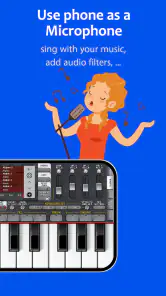
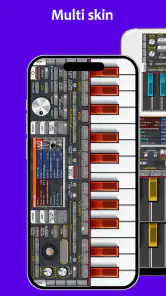
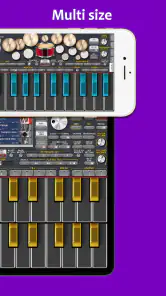
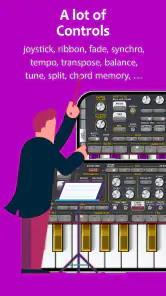
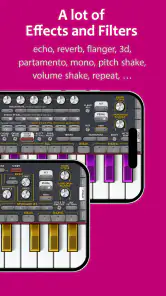
Analysis by Reviewed
My first impression of ORG 24 is that it makes musical play easy to reach for: I can open it, tap out a melody, and switch from a keyboard sound to a beat without setting up a full studio. That quick start is its strongest first-week appeal. ORG 24: Your Music is a free music-making app from Sofeh Sunrise, and its focus is playing and creating rather than simply streaming songs.
Why the first sessions feel inviting
The on-screen keyboard gives beginners a clear place to start, while the range of instrument sounds makes casual experimentation more interesting than practicing on a single preset. I like that a short session can be worthwhile: a few taps while waiting for a ride can become a small musical idea, even if I do not have time to arrange a complete track. The trade-off is that playing on a phone is still playing on a small touch surface; it is convenient, but it does not feel like a full-size keyboard.
The app sits in the Music & Audio category, but it serves a different need from the usual music player. I would choose a streaming service to find and listen to finished songs, and a desktop production setup for detailed arranging and mixing. ORG 24 makes more sense between those extremes: it is for people who want to play, sketch, or explore sounds without turning a casual moment into a studio session.
From quick experiments to a lasting habit
With ORG 24: Your Music, you're not just listening to music; you're creating it. This app is like carrying a mini keyboard around with you wherever you go. The interface is super user-friendly, making it easy for both beginners and seasoned musicians to whip up a tune. It's packed with features that allow you to explore your creativity without any limits.
Features That Make It Stand Out
First off, let's talk about the sound quality. It's impressive, to say the least. The app offers a wide range of instruments, from pianos to drums, and even some exotic ones that you might not have heard of. The sound is crisp and clear, making it hard to believe that it's coming from a smartphone app. You can easily switch between instruments, layer your tracks, and even add some effects to spice things up.
Another standout feature is the recording option. You can record your sessions and edit them as much as you like. Whether you're just doodling around or composing the next big hit, ORG 24 has got your back. Plus, the app allows you to share your creations directly to your social media, so your friends can hear your genius in real-time.
A practical way to build a routine
For month-to-month value, I would treat it as a musical sketchbook, not a replacement for lessons or a dedicated production tool. A useful routine is to record a short idea as soon as it appears, then return later to develop it rather than expecting every session to produce a finished song. That approach suits a commute, a quiet break, or a few minutes at home when inspiration arrives unexpectedly. It also helps answer a practical question: do you need formal music skills to start? No—casual tapping is accessible, though making a polished arrangement takes patience and practice.
More From Our News Desk

Weather by Xiaomi Review: Clear at a Glance, Less Clear Up Close

X Under Pressure: Can It Recover When Posting Goes Wrong?

Clash of Clans Is Won Between the Battles

Android Auto Makes the Case for Quieter Car Software

MobiOffice: Transforming Mobile Productivity with Seamless Integration

EA SPORTS FC™ Mobile Soccer: Redefining Mobile Sports Gaming
One less obvious benefit of recording ideas is that it gives experiments somewhere to go. Instead of trying to remember a rhythm or melody after switching sounds, I can capture a rough version and use it as a reference for the next session. I would keep early recordings simple and name or organize them in a way that makes sense to me; a growing pile of sketches is much less useful if I cannot find the promising ones again. For anyone using the app to practice, recording can also make it easier to notice whether a pattern is becoming more consistent over time.
The learning curve and the small-screen trade-off
The app is designed to be intuitive, but if you're new to music creation, it might take a bit of time to get the hang of it. Thankfully, there are plenty of tutorials available within the app to help you out. Once you've got the basics down, you'll find yourself lost in the world of music creation, experimenting with different sounds and styles.
There is a difference between having many sounds available and knowing what to do with them. I find it more productive to choose one sound, make a short phrase, and only then try a different instrument or effect. Constantly browsing can feel exciting at first, but it can also interrupt the musical thought that brought me to the app. On a phone, precise timing and comfortable finger placement can be limiting, especially for a player accustomed to physical keys; that is a real reason to move to a larger instrument or a more specialized setup if accuracy becomes the priority.
Making a useful session out of an ordinary day
A realistic routine does not need a dedicated music room. I might open the app during a quiet lunch break, tap out a bass-like pulse or melody, and record the rough shape before returning to work. Later, at home, I can listen back and decide whether it is worth developing. The important point is to give each visit a small purpose: capture an idea, test a rhythm, or practice a phrase. That keeps the app from becoming an endless sound-browsing session and makes short bursts of time feel productive.
For a beginner, I would start with a familiar tune or a simple repeating pattern rather than trying to compose a complete song on the first day. Repeating a phrase helps reveal whether the touch keyboard feels comfortable and whether the sounds encourage you to keep playing. For someone who already plays an instrument, it can work as a quick companion for melody and rhythm ideas away from that instrument, though I would not rely on phone taps for exact performance practice when finger technique matters.
Maintenance, costs, and who should look elsewhere
ORG 24 has been available since July 27, 2016, and its current version is 2025.11.25. It runs on Android 6.0 or later, is rated for Everyone, and has in-app purchases ranging from $1.99 to $19.99 per item. I would begin with the free experience and decide whether I actually return to it before paying for anything. That is a sensible way to judge recurring value: a sound library is only useful if it supports the kind of playing I do regularly, not just a burst of first-day curiosity.
Maintenance here is less about tending to a complicated project and more about keeping a simple habit alive. I would set aside a few saved ideas to revisit, clear out experiments that no longer matter, and avoid treating every new sound as something I need to explore. If I mainly want ready-made playlists, this is the wrong kind of app; if I need detailed editing for finished releases, a desktop-oriented music workstation is likely a better fit. ORG 24 is strongest when I want an approachable instrument to play with, not when I expect it to do every part of music production.
The free starting point also makes it easier to judge what is genuinely missing from your own routine. I would not buy an item just because it sounds interesting in isolation; first, I would notice what kind of instrument or sound I keep reaching for and whether the available options are stopping me from making the ideas I want. That simple check prevents an occasional creative app from quietly turning into a series of purchases without changing how often I use it. Since purchases are priced per item, the sensible question is not whether more options exist, but whether a particular addition would solve a recurring need.
Who should skip it? I would point a playlist listener toward a streaming app, because ORG 24 is about making sounds rather than discovering a ready-made catalogue. I would also steer a producer who needs detailed, repeatable control over a finished arrangement toward a more specialized workstation. And if the feel of physical keys is central to your playing, a touchscreen can remain frustrating even after you learn the layout. The best fit is someone who values instant access and accepts that a phone is a compact instrument with clear limits.
What can cause the novelty to wear off?
Sound variety can encourage repeat visits, but it can also become the source of fatigue. If I spend each session switching instruments without building on an idea, the app starts to feel like a collection of options rather than a creative outlet. A small personal goal—such as recording a melody, trying a rhythm, or improving a short phrase—makes the experience more satisfying than browsing indefinitely. This is also where expectations matter: a phone app can make starting easy, but it cannot supply musical direction on its own.
One practical way to avoid that fatigue is to limit a session deliberately. I might stay with one sound for a few minutes, save the idea, and only then test whether another instrument makes it clearer or more interesting. This is a small workflow choice, but it changes the role of the app: instead of treating every sound as a new attraction, I use each sound as a decision in a musical sketch. If I have no idea what to try, I can revisit an old recording rather than beginning with an empty screen every time.
There is also a difference between a useful sketch and a polished result. A recording can preserve a spark, but it does not automatically turn that spark into a finished track. I would use the app to capture and explore, then be honest about whether its touch controls and editing approach are enough for the next stage. If they are not, moving the idea to a more capable setup is not a failure; it is a natural boundary between quick mobile play and more demanding production.
At the time of writing, ORG 24 has a 4.4 average from around 719,000 ratings and more than 100 million installs. Those figures suggest it has found a large audience, but they do not tell me whether it will suit a particular player. The more useful test is whether I enjoy returning to my own sketches after the first burst of curiosity. If the answer is yes, the recording and instrument choices can support a recurring creative habit; if I only enjoy browsing sounds, the appeal may fade quickly.
Final Thoughts
In a world where technology is constantly evolving, ORG 24 stays ahead of the curve by offering a robust platform for music creation. It's perfect for anyone who loves music, whether you're an aspiring musician or just someone who likes to dabble in creating tunes. The convenience of having such a powerful tool at your fingertips is truly unmatched.
So, if you haven't tried it yet, I highly recommend giving it a go. Who knows, you might just discover a hidden talent for music creation. Happy tuning!
Whether it earns a permanent place
For me, the lasting case for ORG 24 is not that it replaces every other music tool; it is that it lowers the effort needed to begin. If a melody comes to mind while I am away from a keyboard, a quick recording can keep the idea from disappearing. If I stop returning to those sketches, the app may become occasional entertainment rather than a regular creative habit—and that is a fair outcome, not a reason to force daily use.
Overall, I would keep it installed if I enjoy playing casually, want a pocket-sized place to test musical ideas, or am learning what kinds of sounds motivate me. I would not make it my only tool if precision, extensive editing, or listening to finished music is the main goal. Its strongest recurring value comes from a modest promise: make it easy to play for a few minutes, save what is worth keeping, and leave the rest behind.
ORG 24: Your Music Frequently Asked Questions
Can I use ORG 24: Your Music to make music, or is it mainly for listening?
ORG 24: Your Music is built around music creation rather than simply playing a library of recorded songs. Its store summary describes it as “Piano, Beats & Studio,” and the app is intended to turn a mobile device into a hands-on music-making space. If you want to experiment with sounds and create compositions, that focus may suit you better than a conventional music-streaming app.
Is ORG 24: Your Music a good choice for playing piano and beats?
The app’s “Piano, Beats & Studio” description points to a mix of keyboard-style playing and beat-focused music creation. It is designed for exploring sounds and building musical ideas on a mobile device, so it may appeal to users who want a flexible instrument-like app. Whether its approach matches your preferred style is best judged by trying the free download.
Can I use ORG 24: Your Music without paying?
ORG 24: Your Music is free to download, which lets you try its music-making experience without an upfront purchase. Optional in-app purchases are available for users who want additional paid content or enhancements. You can start with the free version and decide later whether any extras are worth buying for the way you use the app.
Can my phone or tablet run ORG 24: Your Music?
ORG 24: Your Music is a music and audio app for Android devices running version 6.0 or later. Before downloading, check that your device meets this requirement and has enough room for the app and any sound content you choose to add. The app is free to download, so you can try its basic experience without paying upfront.
Who makes ORG 24: Your Music, and is it widely used?
ORG 24: Your Music is developed by Sofeh Sunrise and is designed for making music on a mobile device. It has more than 100 million installs and an average rating of 4.4 from around 719,000 ratings, suggesting that it has reached a broad audience. Its content rating is Everyone, though individual preferences and needs will still determine whether it is the right music app for you.
Pros
- Intuitive user interface.
- Wide range of music genres.
- High-quality audio streaming.
- Offline mode available.
- Customizable playlists.
Cons
- Requires premium for some features.
- Occasional ads in free version.
- Limited offline downloads.
- Not available in all countries.
- Interface may lag on older devices.
- Category
- Music & Audio
- Version
- 2025.11.25











