Orbot: Tor for Android
- 8.47K
- 4.0
- Installs
- 10.00M
- Price
- Free

Screenshots
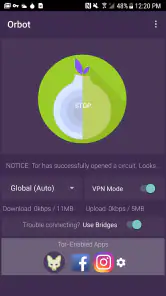
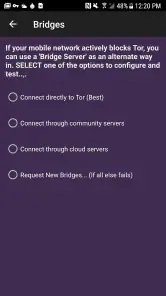



Analysis by Reviewed
Orbot: Tor for Android is like your very own cloak of invisibility when browsing the web on your mobile device. It’s a way to surf the internet with an extra layer of privacy, and for those of us who value our digital secrecy, it’s a game-changer. But how does it hold up in everyday use? Let’s dive in and explore what makes Orbot tick and why it might just be worth a spot on your home screen.
Getting Started with Orbot
First things first, if you’re new to the world of Tor and privacy-focused browsing, Orbot might seem a bit intimidating. But fear not! The app is designed to be user-friendly, even for those of us who aren’t exactly tech-savvy. Once you’ve downloaded it from the Play Store, setting it up is a breeze. Simply follow the on-screen instructions, and you’ll be up and running in no time.
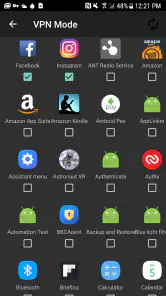
One thing I love about Orbot is its ability to let you choose which apps on your phone get the Tor treatment. Want to keep your messaging app private but don’t mind if your weather app knows your location? No problem! Orbot's got you covered with its selective routing feature.
Privacy at Its Core
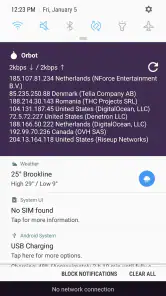
The heart of Orbot is its commitment to privacy. By connecting to the Tor network, your internet traffic is bounced through a series of volunteer-operated servers around the world, making it incredibly difficult for anyone to track your online activities. Orbot ensures that your IP address is masked, adding an extra layer of security whenever you’re surfing the web.
Moreover, Orbot provides a sense of freedom. In an age where every click and scroll can be monitored, having a tool that lets you browse without leaving a digital footprint is liberating. Whether you're looking to access content that’s restricted in your region or simply want to keep your data away from prying eyes, Orbot delivers.
Performance and Usability
Now, let’s talk about performance. While using Orbot, you might notice that your browsing speed takes a bit of a hit. This is because your data is being routed through multiple servers, which naturally slows things down. But for many users, the trade-off between speed and privacy is well worth it. And hey, who said being a digital ninja was fast?
Usability-wise, the app is pretty straightforward. The interface is clean, and you don’t need a degree in computer science to navigate through its settings. Plus, there’s a handy FAQ section within the app for any questions you might have. Orbot’s developers have done a great job ensuring that anyone can use it without feeling overwhelmed.
Final Thoughts
In conclusion, Orbot: Tor for Android is a solid choice for anyone looking to enhance their mobile browsing privacy. It’s not perfect—nothing is—but its robust security features make it a must-have for privacy enthusiasts. If you’re okay with a slight dip in browsing speed in exchange for peace of mind, then Orbot might just be your new best friend in the digital world.
So, if you haven’t already, give Orbot a whirl and see how it fits into your daily routine. Trust me, once you experience the freedom of private browsing, you’ll wonder how you ever lived without it!
Pros
- Enhances online privacy effectively.
- Easy to use with intuitive interface.
- Open-source and transparent code.
- Works seamlessly with most apps.
- Regularly updated for security.
Cons
- Slower internet speed due to encryption.
- Not all apps support Tor routing.
- May not bypass all geo-restrictions.
- Consumes more battery than usual.
- Limited support for streaming apps.

- Category
- Communication
- Version
- 17.7.0-RC-1-tor-0.4.8.19











