OptumRx
- 7.74K
- 4.4
- Installs
- 1.00M
- Price
- Free

Screenshots
Analysis by Reviewed
If you’ve ever found yourself tangled in the web of managing prescriptions, then you know how daunting it can be to juggle refills, costs, and pharmacy trips. Enter OptumRx, a game-changing app that promises to simplify the prescription management process and make life a bit easier for all of us with recurring medications. So, does it live up to its promises? Let’s dive into this app and find out what makes it tick.
Unpacking the Features
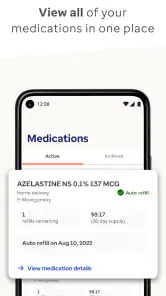
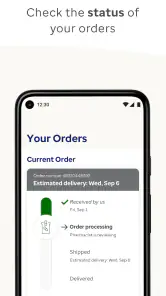
The very first thing you’ll notice about OptumRx is its user-friendly interface. The app is designed to be intuitive, which is a huge plus if you’re not the most tech-savvy person around. Once you’ve logged in, you’re greeted with a dashboard that neatly organizes all your prescriptions. You can easily check your medication history, track orders, and even set up reminders for your next dose. It’s like having a personal assistant whose sole job is to keep your medication schedule on point!
Prescription Management Made Easy
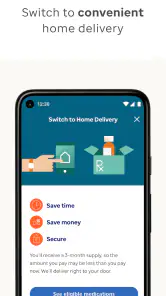
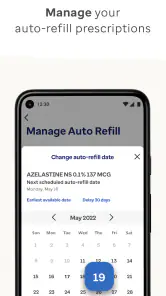
One of the standout features of OptumRx is its refill management. Gone are the days of forgetting to renew your prescription. With just a few taps, you can order refills and even have them delivered straight to your doorstep. Yes, you heard it right, home delivery! And for those of you who prefer picking up your meds, the app lets you locate the nearest participating pharmacy with ease.
Cost Transparency
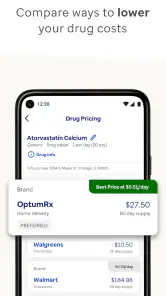
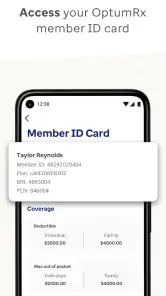
Let’s talk about money for a second. Prescription costs can be a real pain, but OptumRx provides a feature that displays all costs upfront. You can compare prices and see if there are any cheaper alternatives available. Plus, the app shows you how much your insurance covers, which is super helpful in budgeting your healthcare expenses.
Customer Support at Your Fingertips
Having trouble? No worries. OptumRx offers a robust support system right within the app. Whether you have questions about your prescriptions or need help navigating the app, their customer service is just a click away. This level of support is crucial for resolving any hiccups that might arise and ensures you’re never left in the dark.
All in all, OptumRx is like having a pharmacy in your pocket. It’s convenient, efficient, and takes a lot of the stress out of managing medications. Whether you’re tech-savvy or tech-challenged, the app’s straightforward design and comprehensive features make it accessible to everyone. So if you’re looking for an app to streamline your prescription management, OptumRx might just be your new best friend.
Remember, while the app does a lot, it’s still important to stay informed and proactive about your own health needs. But with OptumRx, you’ve got a reliable partner to help you along the way. Happy medicating!
Pros
- User-friendly interface for easy navigation.
- Wide range of pharmacy services available.
- Prescription refills are quick and convenient.
- Secure access to medication information.
- Excellent customer support service.
Cons
- Limited to OptumRx network pharmacies.
- Occasional app glitches and crashes.
- Some features need stable internet.
- Not all features available in all regions.
- Login issues reported by some users.

- Category
- Medical
- Version
- 4.50.1