Nova Launcher Prime
- 42.68K
- 4.3
- Installs
- 5.00M
- Price
- $4.99
Screenshots
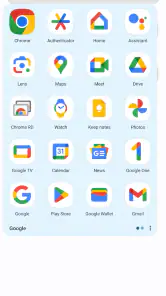
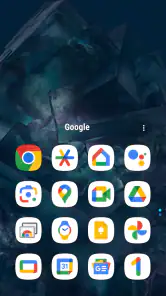
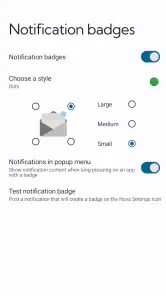
Analysis by Reviewed
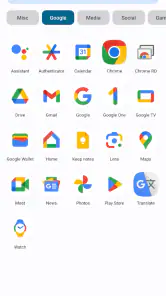
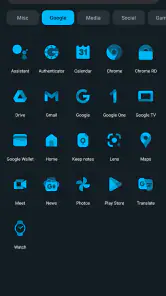
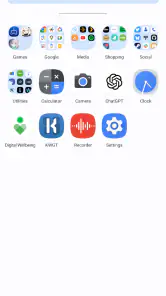
My first week with Nova Launcher Prime would be about making small changes that immediately improve how I reach things. I’d start with the home-screen grid, adjust icon spacing, and settle on an app drawer layout that feels easy to scan. That kind of setup is satisfying, but I’ve learned not to change everything at once: keeping a familiar arrangement makes it easier to tell which tweaks genuinely help.
A better fit for everyday routines
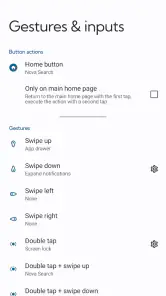
The most useful customization is often the kind I stop noticing. I might put the apps I use before work within easy reach, then use a gesture for something I open repeatedly. On a busy morning, a double-tap or swipe can save a little hunting through icons; the benefit is modest, but it adds up when the action becomes a habit. I’d choose gestures carefully, though. Too many shortcuts are hard to remember, and a gesture is only useful if it feels natural on my phone.
Widgets can also make a home screen more practical rather than merely prettier. Resizing a calendar or music widget to fit the space I actually have can reduce the need to open another app. I’d keep only the information I check often: a crowded screen can undermine the tidy layout I was trying to create. This is where the launcher rewards a little restraint as much as experimentation.
Customization that has to earn its place
As a personalization app from Nova Launcher, Nova Launcher Prime makes the most sense for someone who wants more say over the home screen than the phone’s standard launcher usually offers. The broader Nova Launcher app has a 4.3 average from around 367,000 ratings, and it has been installed over 5 million times. Prime costs $4.99 and is rated for Everyone. I’d think of the purchase as a way to support a more tailored setup, not as a promise that every available option will matter to me.
Why it can keep paying off
The month-to-month value comes from settling on a layout and using it, not from endlessly rebuilding the screen. I’d save a backup once I had a setup I liked, then make changes gradually. That gives me a way back if a new grid or arrangement turns out to be less convenient. Backup and restore are especially helpful when changing phones or resetting one, because recreating a carefully arranged screen by hand can be tedious.
Compared with sticking to the default launcher, Nova gives me more room to adjust the grid, scrolling, drawer, widgets, and shortcuts. A simpler launcher may be the better choice if I just want a clean screen and never feel bothered by the default arrangement. The trade-off is that extra control asks for decisions: someone who dislikes tuning menus may prefer the familiar, lower-effort option already on their phone.
What maintenance really looks like
I wouldn’t treat the setup as a project that needs constant attention. Once the layout works, I’d leave it alone unless my routine changes. If I add gestures, I’d test each one for a few days before assigning another; that makes it easier to catch accidental triggers and remember what each shortcut does. I’d also keep the backup current after a major rearrangement, so a reset doesn’t turn into a memory test.
More From Our News Desk

Weather by Xiaomi Review: Clear at a Glance, Less Clear Up Close

X Under Pressure: Can It Recover When Posting Goes Wrong?

Clash of Clans Is Won Between the Battles

Android Auto Makes the Case for Quieter Car Software

MobiOffice: Transforming Mobile Productivity with Seamless Integration

EA SPORTS FC™ Mobile Soccer: Redefining Mobile Sports Gaming
There is a real fatigue risk here: customization can become a loop of changing icons and effects without making the phone easier to use. A visually striking layout may also be less practical if it hides the apps I need or makes familiar places harder to find. I’d favor clear labels and a predictable dock over novelty that slows me down. If I rarely notice a change after the first day, I’d undo it rather than keep tweaking for its own sake.
Who should choose it—and who should pass
I’d recommend it to people who enjoy shaping their home screen around their habits, especially anyone who wants a particular app drawer, a more deliberate grid, or gesture shortcuts for frequent actions. It is also a sensible fit for someone who wants to preserve a setup through a phone switch or reset. I’d skip it if the default launcher already feels comfortable, or if I want a phone that never invites me to adjust its appearance.
One practical question is whether I need to use every customization option to get value. I don’t think so: a cleaner grid and one or two useful gestures can be enough. Another is whether the setup will survive a device change; the backup and restore option gives me a way to carry it over, although I’d still check the restored layout rather than assume every detail will feel right on a different screen. For day-to-day use, I’d start with the layout, add only shortcuts I can remember, and save a backup when it feels settled.
Small choices that make a setup last
I’d approach the app drawer as a place to reduce friction, not as a second canvas that needs decorating. For example, if I use a handful of tools during the workday and keep other apps for occasional errands, a layout that makes those frequent choices easy to scan matters more than a clever visual theme. I’d also avoid moving every familiar icon at once. Keeping the main apps in roughly the places my hands expect makes the transition easier, especially when I’m checking something quickly rather than exploring the screen.
There’s a useful trade-off between a packed grid and a spacious one. A denser arrangement can put more apps within reach, but smaller targets and less breathing room may make the screen harder to use at a glance. A more open grid can feel calmer, yet push less-used items into the drawer. I’d test the home screen in the situations that actually matter to me—one-handed use, a quick glance while heading out, or finding an app without stopping what I’m doing—before deciding that a layout is better just because it looks neater.
For a realistic routine, picture checking a calendar before leaving home, opening a map later, and returning to a music app during a break. I’d put the most repeated actions where they are easiest to reach, then use a widget only if it saves a step I genuinely take. That keeps the screen useful without turning it into a dashboard full of information I rarely read. If the widget is taking space but I still open the app every time, I’d remove it; the screen should serve the routine, not dictate one.
How it compares with other launcher choices
The usual alternative is the launcher already installed on the phone. That is often the sensible choice: it is familiar, requires little setup, and may already offer enough room for a few widgets and app shortcuts. I’d choose Nova when I keep wishing I could make the grid, drawer, or gestures behave differently. The value is not that every screen needs a makeover; it is that I can shape the parts I interact with often instead of adapting to defaults that feel awkward to me.
Other personalization-focused launchers can also appeal to people who want a distinctive look. I’d compare them by asking whether I want to tune the structure of my home screen or mainly apply a ready-made visual style. Nova’s strength, in my view, is the practical control described here: arranging how apps appear and how I reach them. If I want a preset that changes the look with almost no decisions, a simpler themed option may suit me better. If I want to keep adjusting the layout to fit changing habits, Nova is the more natural direction.
That choice also affects how much time I spend maintaining the phone. A default setup asks little of me, while a flexible launcher can tempt me to revisit choices whenever I see a new idea. I’d set a stopping point: once the grid, drawer, and a few shortcuts work reliably, I would use the phone normally for a while before making another change. That pause is a better test of usefulness than judging a new arrangement during the first few minutes, when novelty can make almost any change seem exciting.
When the flexibility becomes a chore
Customization has a learning cost, even when the changes are small. If I’m not sure where an app has moved, or I keep forgetting what a gesture does, the setup is asking too much of me. I’d remove a shortcut that causes confusion rather than trying to train myself to use it. This is especially important for someone sharing a device or handing it to a family member: a highly personal arrangement can make common tasks less obvious to another person.
I’d also be cautious about treating a restored backup as a perfect copy of how a phone should feel. It can save the work of rebuilding a layout, but a different screen size or a changed routine may make the old arrangement less comfortable. I’d use the saved setup as a starting point, then check widget fit, app placement, and the gestures I rely on. That small review prevents the convenience of restoring from locking me into a layout that no longer suits the device or my habits.
The price is easiest to justify when I can name a recurring annoyance that the added control fixes. If I want to organize the drawer more clearly or reach a frequently used app with fewer steps, that benefit can keep showing up in ordinary use. If I only want to experiment once, the purchase may feel less compelling after the novelty fades. The app’s Everyone age rating makes it suitable for a broad audience, but the more important question is personal: do I enjoy making these choices, or would I rather leave the home screen alone?
My lasting verdict
Alright, folks, let’s dive into the world of customization with Nova Launcher Prime. If you’re anything like me, you love having control over how your phone looks and feels. And that's exactly what this app grants you - an almost endless array of customization options that can transform your home screen into a truly personalized interface.
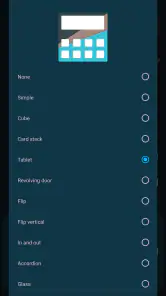
First off, let’s talk about what Nova offers in terms of customization. This isn’t just your run-of-the-mill launcher. Oh no, it’s a powerhouse. You can tweak almost every aspect of the interface, from the icon grid to the scrolling effects and even the app drawer style. It’s like giving your phone a makeover every day if that’s what you’re into.
Widgets and Gestures
Now, one of the things I absolutely love about Nova is the use of widgets and gestures. Imagine swiping up with two fingers to open your favorite app or double-tapping to lock your screen. It’s these little things that make using your phone feel fluid and intuitive. Plus, the widgets are super easy to customize and resize, giving you the chance to have your weather, calendar, or even music controls right at your fingertips.
Performance and Speed
What really sets Nova apart from some other launchers is its performance. It’s smooth, fast, and doesn’t lag. I’ve tried a few launchers in my day, and some of them really bog down your phone, but not Nova. It’s like having a sports car engine in your everyday sedan. Everything just runs seamlessly, and it’s a joy to use daily.
Backup and Restore
Another feature that deserves a shout-out is the backup and restore functionality. If you’re someone who likes to switch phones or reset your device often, this is a lifesaver. You can save your setup and restore it whenever you need. No more starting from scratch every time you change phones!
Summing it all up, Nova Launcher Prime is a must-have for anyone who loves to tweak their phone’s appearance and functionality. It’s versatile, powerful, and an absolute pleasure to use. Whether you’re a customization junkie or just want a cleaner interface, Nova has got your back. So, if you haven’t already, give it a whirl and see how it transforms your mobile experience!
Nova Launcher Prime Frequently Asked Questions
Can I use Nova Launcher Prime on an iPhone or iPad?
No. Nova Launcher Prime is an Android personalization app, so it is intended for Android devices rather than iPhones or iPads. It customizes the Android home-screen experience, including launcher features such as gestures, folders, and app-drawer organization. If you are choosing a download, make sure you are looking for the Android version and have Nova Launcher installed as the base app.
Will Nova Launcher Prime replace my phone’s default home screen?
Nova Launcher Prime is an upgrade for Nova Launcher, which provides the home-screen environment you customize. After installing Nova Launcher and unlocking Prime’s added options, you can make Nova Launcher your default home app if you want it to handle your home screen. This changes how the launcher looks and behaves; it does not replace your phone’s operating system or turn Prime into a standalone home-screen app.
Do I need to install Nova Launcher before buying Nova Launcher Prime?
Nova Launcher Prime is the paid upgrade for Nova Launcher, rather than a complete launcher that replaces it on its own. You should install Nova Launcher first, then use Prime to unlock its additional customization options. This distinction is useful before purchasing: Prime adds features to the launcher experience, while Nova Launcher provides the home-screen environment you customize.
What features does Nova Launcher Prime offer that the free version doesn't?
Nova Launcher Prime unlocks a suite of advanced features that are not available in the free version. These include gesture controls, the ability to hide apps from the app drawer, and the option to set custom swipe actions for apps. Additionally, it offers more scrolling effects, custom drawer groups, and enhanced folder icons, making your phone's interface more customizable and efficient.
Is Nova Launcher Prime compatible with all Android devices?
Nova Launcher Prime is designed to be compatible with a wide range of Android devices. However, some features may vary depending on the Android version you are using. It's important to ensure your device meets the app's requirements, typically Android 5.0 Lollipop or higher, to enjoy all its features without any issues.
Pros
- Highly customizable home screen options
- Smooth and fast performance
- Backup and restore settings feature
- Gestures for quick access
- Frequent updates enhancing features
Cons
- Paid app with no free trial
- Complex for non-tech savvy users
- Limited widget resizing options
- Some features require additional permissions
- May drain battery faster on older devices
- Category
- Personalization
- Version
- Varies with device












