NordVPN – fast VPN for privacy
- 57.18K
- 4.6
- Installs
- 100.00M
- Price
- Free

Screenshots


Analysis by Reviewed
I judge a VPN less by the thrill of connecting once than by whether it still feels useful after the first week. NordVPN is a tools app from Nord Security, and the quick-connect approach makes trying it feel approachable rather than technical. In my experience, the real question is whether a VPN becomes a sensible everyday habit—or another setting I forget to manage.
From first connection to everyday habit
The first appeal is convenience: choose a connection, then carry on with browsing on public Wi-Fi, checking messages while traveling, or using a shared network at a café. A VPN can add privacy on the connection between your device and the VPN service, but it is not a force field for every part of online life. I still treat suspicious links carefully and use account protections; a VPN does not make those habits optional.
A realistic routine might be opening the app before joining airport Wi-Fi to read work messages, then disconnecting when the task is done if I do not need the VPN at home. That small, deliberate step is more useful than leaving an app installed but never thinking about it. If you want protection without choosing a server every time, a quick-connect option can make that routine easier, though it is worth checking that the connection is active before sending anything sensitive.
Who gets lasting value—and who may not
I can see this suiting someone who regularly uses unfamiliar networks, travels with a phone, or wants a straightforward way to route internet traffic through a VPN. It is also approachable for a beginner who would rather start with a simple connection button than learn networking terms first. The app is free to install, is rated for Everyone, and has a 4.6 average from around 1.2 million ratings; those figures suggest broad reach, not a guarantee that every person will find it worthwhile.
If you only use a trusted home connection and have no clear need for a VPN, you may not notice enough day-to-day benefit to justify maintaining another app or considering a paid plan. The app includes in-app purchases ranging from $2.99 to $199.99 per item, so I would check the terms shown in the app and decide what you actually need before paying. A basic privacy tool built into a browser or device may be enough for a narrower task, although that is not the same as routing traffic from multiple apps through a VPN.
What changes after the novelty fades
For month-to-month value, I would focus on two questions: do I remember to use it when the network is unfamiliar, and does it interfere with anything I rely on? VPNs can occasionally make a site or service behave differently because the connection appears to come from another location. If a page will not load, my first troubleshooting step would be to disconnect briefly and retry, then reconnect for tasks where I want the VPN. That simple check can prevent blaming the phone or the website for a routing issue.
There is also a practical trade-off between always-on convenience and control. Keeping a VPN active can reduce the need to remember each time, while switching it on only when needed gives you a clearer sense of when your traffic is routed through it. Neither habit is universally better; I would choose based on where I use my device and how often a VPN causes friction with the services I need.
More From Our News Desk

Weather by Xiaomi Review: Clear at a Glance, Less Clear Up Close

X Under Pressure: Can It Recover When Posting Goes Wrong?

Clash of Clans Is Won Between the Battles

Android Auto Makes the Case for Quieter Car Software

MobiOffice: Transforming Mobile Productivity with Seamless Integration

EA SPORTS FC™ Mobile Soccer: Redefining Mobile Sports Gaming
Maintenance, fatigue, and alternatives
Maintaining a VPN is not just installing it. I would periodically open the app, confirm it connects, and make sure I understand which connection setting I last chose. If a connection fails or a site stops working, toggling the VPN is a useful first test; if the same problem keeps returning, the friction may outweigh the privacy benefit for that particular task. The app has more than 100 million installs, but popularity cannot tell you whether its routine fits your own devices and networks.
Compared with skipping a VPN altogether, NordVPN adds a layer between your device and the network you are using, but it also means relying on a VPN provider and accepting that some services may react to the connection. Compared with a browser-only privacy feature, a VPN can cover activity beyond that browser when the device is connected through it. If your main concern is blocking trackers inside one browser, a focused browser setting may be simpler; if you need a VPN across everyday phone use, a dedicated app is the more relevant kind of tool.
My main source of fatigue would be paying for something I rarely remember to turn on, or repeatedly switching it off to make a service work. I would give it a short, intentional trial in the situations where I expect to benefit—such as public Wi-Fi—then decide whether it has earned a place in my routine. Nord Security released the app on May 16, 2016, and its scale is substantial, with over 100 million installs and around 57,000 written reviews. Those details offer context, but the best test is still whether using it feels simple enough to maintain.
Have you ever found yourself browsing the web and suddenly panicked about your online privacy? I’ve been there, and that’s where NordVPN comes into play. This app promises to be your go-to solution for safeguarding your online escapades, and let me tell you, it does not disappoint.
Setting Up and Getting Started
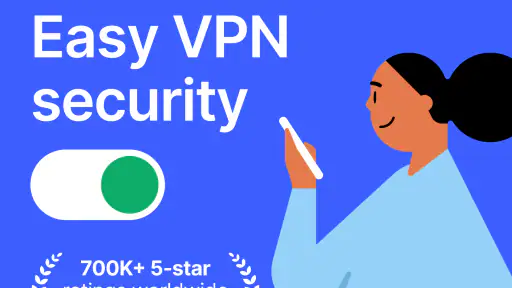
Diving into the world of VPNs can be daunting, but NordVPN makes it feel like a breeze. Once you download the app, the installation is straightforward and takes just a few clicks. The user interface is clean and intuitive, with a big, inviting button screaming "Quick Connect" that hooks you up to the best server available. I was pleasantly surprised by how fast the connection was. No more endless buffering or waiting around for a page to load.
Security Features
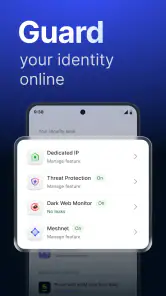
Now, let's talk about what truly matters: security. NordVPN boasts a suite of features designed to keep your data safe from prying eyes. With military-grade encryption, your data is as secure as Fort Knox. Plus, there’s the Kill Switch feature, which, like the name suggests, shuts down your internet traffic if your VPN connection drops unexpectedly. This means your IP address won’t be exposed even for a second.
Furthermore, NordVPN offers CyberSec, a nifty feature that blocks ads and protects you from entering malicious websites. I found this particularly useful when navigating through some sketchy sites. It’s like having a guardian angel watching over my online activities.
Speed and Performance
One of the biggest concerns with VPNs is that they can slow down your internet speed. However, with NordVPN, I hardly noticed any lag. Streaming my favorite shows on Netflix was smooth, and there was no annoying buffering during an intense gaming session. It’s like the VPN is silently working in the background while I go about my business.
User Experience
What I love about NordVPN is its versatility. It works on practically all devices, from your smartphone to your laptop, and even your smart TV. The app allows up to six simultaneous connections, perfect for a tech-savvy family like mine. It’s also available in multiple languages, making it accessible to users worldwide.
Final Thoughts
In a world where digital privacy is becoming increasingly important, NordVPN stands out as a reliable companion. Its robust security features, impressive speed, and user-friendly interface make it a top contender in the VPN market. Whether you’re a seasoned VPN user or someone who’s just starting to explore the realm of online privacy, NordVPN has got your back. So, if you’re looking to surf the web without a care in the world, give NordVPN a try. Trust me, it’s worth it.
NordVPN – fast VPN for privacy Frequently Asked Questions
What is NordVPN, and what does the app do?
NordVPN is a Tools app from Nord Security for connecting to the web through a VPN. Its store summary highlights a secure connection and fast VPN speeds in the USA. A VPN can be useful when you want an additional layer of privacy while browsing, but it is worth checking the app’s available features and purchase options before deciding whether it fits the way you use your phone.
Does NordVPN make my internet connection faster?
NordVPN describes its service as offering fast VPN speeds, but using a VPN does not guarantee that every connection will feel faster. Your experience can vary with the network you are using and the VPN connection you choose. If speed matters to you, try the app with the activities you care about and compare how it feels with your usual connection.
Can I use NordVPN on public Wi-Fi?
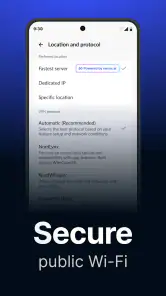
NordVPN is intended to provide a secure VPN connection, so it may be useful when browsing on a phone or tablet connected to public Wi-Fi. A VPN can add privacy to your connection, but it should not be treated as a substitute for cautious browsing or protecting your accounts. Review the app’s settings and connect before using networks you do not manage.
Is NordVPN free to download, and what might I pay for?
NordVPN is free to download, but the app also offers in-app purchases ranging from $2.99 to $199.99 per item. Before choosing a purchase, review the options shown in the app so you understand what each one includes and whether it suits your needs. The free download itself does not mean that every service or feature is free to use.
Who develops NordVPN, and is it suitable for all ages?
NordVPN is developed by Nord Security and is listed for everyone, so it is not presented as an age-restricted app. Its purpose is to provide a secure VPN connection, which may appeal to people who want more privacy while browsing on a phone or tablet. As with any app, parents can decide whether its features and any available purchases are appropriate for younger users.
Pros
- Fast connection speeds on most servers.
- Strong encryption for enhanced security.
- User-friendly interface for easy navigation.
- Supports multiple devices simultaneously.
- Effective in bypassing geo-restrictions.
Cons
- Occasional server connection drops.
- Higher cost compared to some competitors.
- No free version available.
- Inconsistent speed on some servers.
- Complicated refund process.
- Category
- Tools
- Version
- Varies with device









