Music Recognition
- 6.01K
- 4.3
- Installs
- 10.00M
- Price
- Free

Screenshots
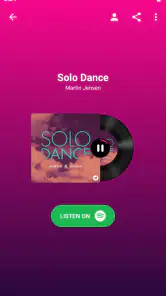
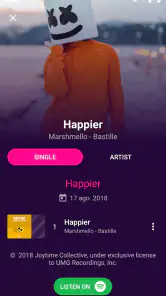
Analysis by Reviewed
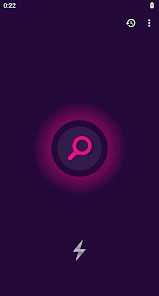
I judge a song-recognition app by what happens in the few seconds when a track catches my ear: can I get a useful answer before the music changes, and what do I do if the moment is noisy or my connection is unreliable? Music Recognition is built for that quick question. It is a free music and audio app from Beatfind Music Recognition, and its appeal is straightforward: open it when a song is playing nearby and try to identify it without having to search by lyrics or describe the tune.
When the answer depends on the moment
Recognition is most useful when the music is audible and there is time for the app to listen. In a quiet shop or while a song plays from a nearby speaker, I can see why this would become a handy habit: identify the track, note the result, then return to what I was doing. A crowded café, overlapping voices, or music heard only briefly makes the same task less dependable. I would treat a result as a quick lead, not assume every listen will work perfectly.
Connectivity is part of the practical picture, so I would try it before relying on it in a place where mobile service is patchy. If a lookup does not complete, my first move would be to get closer to the music, wait for a quieter passage, and try again while the song is still playing. That is often more useful than repeatedly tapping in a noisy room. If the track has already ended, searching a lyric or asking someone nearby may be the faster fallback.
A small tool for real mobile situations
The app makes most sense for people who often hear unfamiliar music in everyday places: browsing in a store, sitting in a restaurant, or catching a tune in a film. I like that the purpose is narrow and easy to understand. Instead of opening a general search app and guessing words from a chorus, I can make the music itself the starting point. The trade-off is that it is not a full music player or a substitute for a library, so someone looking mainly to stream, organize albums, or manage a collection should choose a different kind of app.
For a useful routine, I would keep the phone accessible before a song reaches its final seconds, then make one careful attempt rather than letting the moment pass while I navigate menus. If background conversation is loud, moving nearer to the speaker can help the phone hear more music relative to the room. This is a simple but worthwhile adjustment; it also avoids turning the phone volume up and disturbing people around you.
How the app fits into everyday music discovery
In an ordinary day, I might hear an unfamiliar song while waiting for coffee, notice it in a shop, and want to remember it before I leave. That is the kind of brief, specific problem a recognition app is meant to solve. I would open Music Recognition while the music is still playing, give it a clear chance to listen, and check the result before returning to the conversation or errand. The key practical detail is timing: a phone in a bag or a long search through apps can matter more than the app itself if the track is nearly over.
What to expect when connectivity is uneven
Network conditions can affect whether a lookup finishes, so I would not make this my only plan for identifying music during a commute through dead zones or at a venue with unreliable service. If the first try stalls, there is little value in tapping repeatedly without changing anything. I would first check whether the song is still audible, move closer to its source if that is appropriate, and wait for a less crowded musical passage. Then I would try once more when the connection has a better chance of responding.
More From Our News Desk

Weather by Xiaomi Review: Clear at a Glance, Less Clear Up Close

X Under Pressure: Can It Recover When Posting Goes Wrong?

Clash of Clans Is Won Between the Battles

Android Auto Makes the Case for Quieter Car Software

MobiOffice: Transforming Mobile Productivity with Seamless Integration

EA SPORTS FC™ Mobile Soccer: Redefining Mobile Sports Gaming
That approach also helps distinguish two different problems. A failed attempt might come from difficult audio—voices, distance, or a song that stopped too soon—or from a connection that is not cooperating. I cannot always tell which is responsible immediately, but changing one condition at a time gives me a more useful next step than assuming the app is broken. When the track has ended, switching to a lyric fragment or asking someone who knows the playlist is a sensible recovery, not a reason to keep retrying.
Keeping recognition intentional
For a data-conscious routine, I would use the app only when I actually want to identify a track, rather than leaving it open as background company. That makes the interaction focused: bring it out, listen for a result, and close or move on once I have what I need. I would also avoid running repeated attempts just because a song is playing somewhere in the room. If the music is too faint or the environment is too loud, waiting for a better moment is usually the more considerate and practical choice.
One small habit that helps is to remember a clue while the song is still fresh: the venue, the scene in a film, or even a few words from the chorus. Those details give me an alternative route if recognition does not work, and they can make a later search less frustrating. The app is useful as a first step, but it is not a replacement for noticing context when the sound itself is hard to capture.
Who should try it—and who may prefer another route
I would recommend this kind of focused tool to someone who often hears music outside their own playlists and wants a quick way to put a name to it. It suits casual discovery better than people who mainly want a streaming service, playlist manager, or organized music library. If you rarely wonder about songs playing around you, it may not earn a regular place in your routine. And if you need identification in loud spaces where you cannot move closer or wait for a clearer passage, a remembered lyric or a voice assistant may be more useful.
Compared with searching the web by a half-remembered line, listening-based recognition has an obvious advantage when I do not know the words. A voice assistant can provide another hands-free route, but a dedicated recognition app makes sense when identifying nearby music is the main task. Neither approach removes the limits of poor sound or an unreliable connection. I would choose based on the situation: recognition while the song is playing, lyric search after it ends, and a general search when I have a specific clue but no clean audio.
How Does Shazam Work?
So, you might be wondering, how does Shazam pull off its music magic? It’s pretty simple, actually. Just fire up the app, hit the Shazam button, and let your phone do the work. In a matter of seconds, it listens to the song playing around you, identifies it from its massive database, and voilà, you have the song title and artist right in front of you. It’s like having a musical genie in your pocket!
Features That Make Shazam a Must-Have
Beyond its primary function of identifying songs, Shazam is packed with features that make it an invaluable tool for any music lover. For starters, it offers real-time lyrics, which means you can sing along to your favorite tunes without missing a beat. Plus, you can connect Shazam to your Spotify or Apple Music account and create playlists directly from the app. Talk about convenience!
And if you’re someone who loves discovering new music, Shazam’s got you covered. The app provides personalized song recommendations based on your Shazam history, so you’re always in the loop with the latest hits and hidden gems. It’s like having a personal DJ who knows exactly what you like.
Choosing it over familiar alternatives
Compared with typing a half-remembered lyric into a search engine, listening-based recognition is a better fit when you do not know any words. Voice assistants can also identify songs, but opening a dedicated recognition app may feel more direct when music discovery is the main task. For a stubborn track, though, lyric search or an assistant gives you another route instead of making repeated attempts in the same conditions. This app is best for quick identification, not for every kind of music search.
A practical question is whether it suits a quick stop as well as a longer listening session. I would use it for the first: identify a song in a café, then decide later whether to look it up again or add it to a playlist elsewhere. Another useful habit is to remember where and when you heard an unsuccessful track; the venue, a lyric fragment, or the scene in a film can help with a later search. Recognition narrows the hunt when it works, but it cannot replace those clues when the audio is hard to capture.
Who will get the most from it
This is a sensible choice if you regularly wonder what is playing around you and want a dedicated, low-effort way to check. It is less compelling if you rarely discover music outside your own playlists, or if you need reliable identification in loud environments and cannot move closer to the source. I would also avoid treating it as a guaranteed solution when you have no connection available; for that situation, a lyric you can remember may be the more dependable starting point.
Recovery, restraint, and expectations
If the first attempt fails, I would change one condition before trying again: wait for a quieter section, reduce nearby noise by stepping away from conversation, or move nearer the speaker. A second attempt under better listening conditions is more promising than rapid repeats. If the song has stopped, switching to a lyric search is a sensible recovery path. The app is most useful when I keep expectations realistic: the sound, timing, and network all shape whether a quick identification succeeds.
For data-conscious use, I would reserve recognition for tracks I genuinely want to identify rather than leaving the phone listening while I do other things. That keeps the action intentional and avoids assuming that a dedicated music tool needs to be open continuously. If you are deciding whether to try it, the practical question is simple: do you often hear songs you cannot name, and can you usually take out your phone while they are still playing?
Why You Should Give Shazam a Try
Now, I know what you’re thinking - do I really need another app on my phone? Well, if you’re a music enthusiast like me, the answer is a resounding yes! Shazam not only helps you identify songs on the fly, but it also enriches your music experience by connecting you to a world of new artists and tracks. It’s like opening a door to a musical universe you never knew existed.
Plus, the app is super user-friendly. It doesn’t bombard you with ads or unnecessary features, which is always a plus in my book. And with its sleek design and intuitive interface, navigating through Shazam is a breeze.
In the catalog, Music Recognition is marked free, rated for Everyone, and rated 4.3 on average from around 301,000 ratings; it has been installed over 10 million times. It first appeared on May 26, 2017, and version 1.6.61 is listed for devices running Android 6.0 or newer. The developer is Beatfind Music Recognition, and optional in-app purchases range from $5.99 to $34.95 per item. Those details make it easy to try, but I would still think of it as a focused utility rather than a complete music service.
So, whether you’re at a party, watching a movie, or just relaxing at home, make sure you have Shazam by your side. It’s your trusty companion in the journey of music discovery, and honestly, I can’t imagine my life without it now. Happy Shazaming!
Music Recognition Frequently Asked Questions
Can I use Music Recognition while wearing headphones?
Music Recognition is intended to identify music it can hear, so results depend on the audio reaching your device’s microphone. If you are listening through headphones, the sound may not be audible to the phone, and recognition may be less straightforward. You can try playing the track aloud near the device when you want the app to identify it.
Does Music Recognition identify songs playing in other apps?
Music Recognition is designed to identify a song you are listening to, but whether it can recognize audio from another app depends on how that sound reaches it. Playing music through your device’s speaker may make it easier for the app to hear the track. For the best chance of a match, keep the music clear and nearby while you try recognition.
What devices can I use Music Recognition on?
Music Recognition is an Android app in the Music & Audio category, designed to identify songs you are listening to. It requires Android 6.0 or later, so check your device’s operating system before downloading. If your phone meets that requirement, you can use the app to find out more about music playing nearby.
Is Music Recognition suitable for children?
Music Recognition has an Everyone content rating, making it suitable for a general audience. Its purpose is to identify songs, so it may be useful for listeners of different ages who want to discover the title or artist of a track. As with any app, parents can decide whether it fits their child’s needs and how they use a mobile device.
What is Music Recognition and how does it work?
Music Recognition is a feature that allows users to identify the name and artist of a song by simply playing it or humming it to the app. It works by analyzing the audio signal of the music, comparing it to a vast database of songs, and then quickly providing information about the track, including its title, artist, and album. This technology is a boon for music enthusiasts who often encounter songs they want to know more about.
Pros
- Identifies songs quickly.
- Supports a wide range of music genres.
- Integrates with streaming services.
- Offline mode available.
- User-friendly interface.
Cons
- Requires internet for full features.
- Ads in the free version.
- Limited offline recognition.
- Subscription for premium features.
- Occasional misidentification.
- Category
- Music & Audio
- Version
- 1.6.61











