Mini Piano Lite
- 957.00
- 4.7
- Installs
- 10.00M
- Price
- Free
Screenshots
Analysis by Reviewed
I reach for a phone piano when I want to try a tune without setting up an instrument, and Mini Piano Lite is built for exactly that casual starting point. It puts a playable keyboard on screen, so I can tap out a melody during a quiet moment or use it to explore how a phrase sounds. It is a simple idea, and the appeal is being able to begin quickly rather than turning a spare minute into a music lesson.
A useful way to fit it into the day
The app works best when I give each session one small purpose. On a commute, that might be checking the shape of a melody I keep humming; at home, it could mean testing a few notes before deciding whether an idea is worth developing. A phone piano is especially convenient when carrying or setting up a separate instrument would stop me from trying anything at all.
For example, if a tune comes to mind while I’m waiting for someone, I can tap the opening phrase, record it, and return to it later. I would not expect that quick note-taking session to become a finished song. The benefit is simply having a way to hold onto an idea long enough to decide what I want to do with it.
Small settings choices that make play easier
Before settling into a longer session, I’d take a moment to look at the available sound and song options and choose one that fits the task. A familiar piano tone can make it easier to focus on a melody, while a different instrument sound can help keep casual experimentation fresh. If I’m practicing a guided song, I’d avoid changing the sound repeatedly; keeping one choice for the session makes it easier to concentrate on the notes and timing.
Device position is another practical setting, even if it is not an in-app control. I get more from a touch keyboard when the phone rests securely on a flat surface instead of being held in one hand. That leaves both hands available and reduces the chance of shifting the display while I play. On a smaller screen, I’d also keep the phrase short and use comfortable finger movements rather than stretching for a performance-style passage.
The app is free to start, with optional purchases available at $2.49 per item. I’d first try the regular workflow and decide whether it fits my habits before spending anything. Someone who only wants an occasional melody sketch may have no reason to buy anything, while a regular player can judge whether an optional item adds something they will actually use.
Repeatable habits for quicker progress
A useful pattern is to break a song into a short phrase, follow the visual guidance, and then repeat that phrase while listening for a steadier beat. The metronome can make timing easier to notice, but it helps most when I keep the goal specific: for example, playing the same few notes evenly rather than trying to master an entire song at once. That approach turns an idle session into a small exercise without making the app feel like homework.
More From Our News Desk

Weather by Xiaomi Review: Clear at a Glance, Less Clear Up Close

X Under Pressure: Can It Recover When Posting Goes Wrong?

Clash of Clans Is Won Between the Battles

Android Auto Makes the Case for Quieter Car Software

MobiOffice: Transforming Mobile Productivity with Seamless Integration

EA SPORTS FC™ Mobile Soccer: Redefining Mobile Sports Gaming
Recording can support a similar routine. I can capture a brief take, listen back, and focus on one thing to change next time, such as whether the notes are in the order I intended. Keeping a recording as a reference is more realistic than treating it as a polished demo. It also helps distinguish “I remember the tune” from “I can reproduce the tune,” a useful difference when an idea is still new.
For a family member who is curious about music, I’d keep the first visit short: let them explore a few keys, pick a song, and follow the cues together. That offers a gentle introduction without suggesting that a screen alone teaches posture, fingering, or musical reading. Adults with no piano background can use the same low-pressure approach, starting with a melody they know rather than worrying about formal technique.
Where the touch keyboard reaches its limits
Mini Piano Lite is a music and audio app from Umito, and its long-running presence since June 2, 2010 makes it a familiar kind of lightweight mobile instrument. It has a 4.7 average from around 47,000 ratings and over 10 million installs. Those figures suggest broad interest, but they do not change the practical question: does tapping notes on a screen suit the way you want to make music?
For casual exploration, the answer can be yes. For serious piano study, the screen is a compromise. It cannot provide the physical spacing and tactile response of a keyboard, and a phone’s display can make hand position awkward. If you need to develop technique, control dynamics, or work on demanding two-handed passages, a real keyboard and a structured learning resource are better choices.
It also sits apart from a full music-production app. Here, the straightforward keyboard, songs, sounds, and recording make it approachable; a production tool is a better fit when you need to build arrangements from multiple parts or shape a more elaborate recording. I’d choose based on the job: use this app to try a tune or practice a short guided passage, and move to a broader music tool when the idea needs layers and detailed editing.
Who will enjoy it—and who may not
I’d recommend it to curious beginners, casual players, and people who want a keyboard ready for quick experiments. It can also suit someone who already plays but wants a handy way to check a simple melodic idea when away from an instrument. Its Everyone age rating reflects its broad accessibility, though a child who wants to learn piano seriously will still benefit more from suitable keys and guidance from a teacher.
I’d skip it if the main goal is expressive performance, a structured course with ongoing technique feedback, or a production workspace. It is also a poor match for someone who finds touch controls uncomfortable or expects a small phone keyboard to feel like a full instrument. Knowing those limits in advance helps set a fair expectation: this is a convenient way to play, not a portable replacement for every kind of piano app or hardware.
First Impressions and Everyday Playing
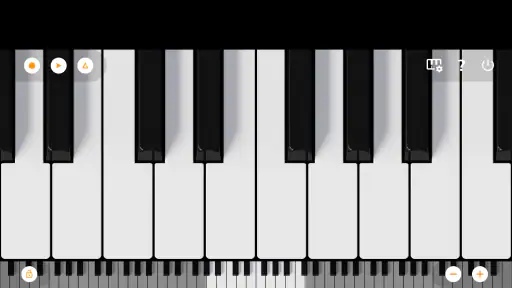
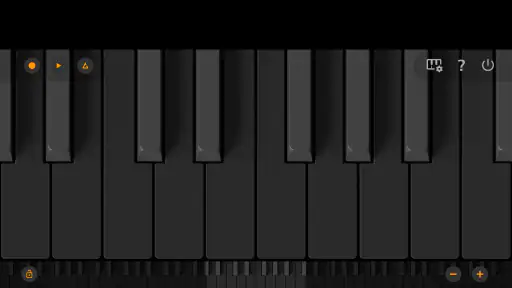
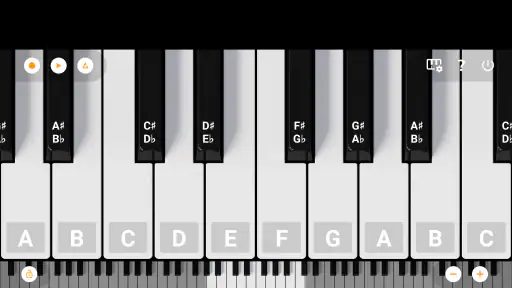
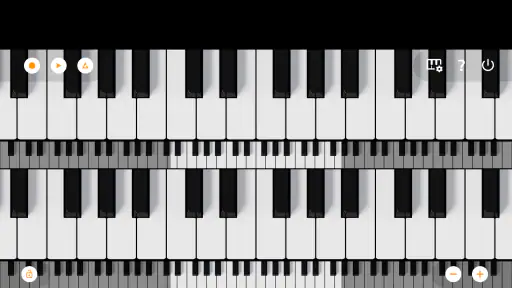
Upon launching Mini Piano Lite, I was greeted with a sleek and intuitive interface. The app is designed with simplicity in mind, ensuring you can start playing right away without any fuss. The piano keys are perfectly responsive, and the sound quality is surprisingly good for a mobile app. It's like having a mini grand piano right at your fingertips!
That immediacy suits small, practical sessions. I might pick out a few notes while waiting for a ride, test whether a melody I remember is going up or down, or let a child explore the keyboard while I sit nearby. A phone screen is not a full-size instrument, though: finger spacing and reach can make two-handed passages awkward, especially on a smaller device. I’d treat it as a convenient sketchpad, not a substitute for keys that respond to touch and dynamics like a real piano.
Features that Stand Out
One of the standout features of Mini Piano Lite is the ability to record your sessions. Whether you’re composing a new tune or just playing around, capturing your musical creations is a breeze. Plus, you can save your recordings and share them with friends or family. Talk about bringing your music to life!
Recording is most useful when I keep the goal modest: capture a short idea, listen back, and decide what to change. A repeatable habit is to play the same phrase twice, record the clearer take, then use that recording as a reminder rather than expecting a finished arrangement. That makes the feature helpful for remembering a tune that might otherwise vanish, while keeping expectations realistic about what a phone piano can produce.
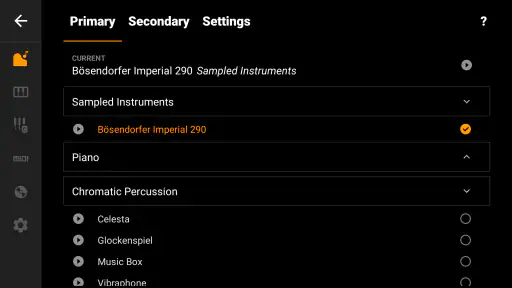
Additionally, the app offers a variety of instrument sounds. You’re not just limited to a piano; you can experiment with other instruments like the violin or the flute. This versatility adds a fun twist to your musical exploration, keeping things fresh and entertaining.
Changing sounds can be a useful way to check whether a melody still feels recognizable in a different tone, or to make a quick play session more playful. It is less suited to anyone who needs detailed control over how an instrument behaves or wants a full production setup. If your priority is arranging multiple parts or shaping a polished recording, a dedicated music-making app will usually offer a more appropriate workspace.
Learning and Fun Combined
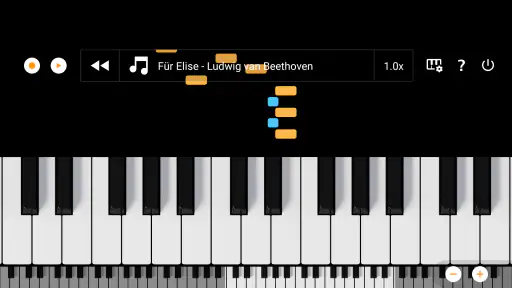
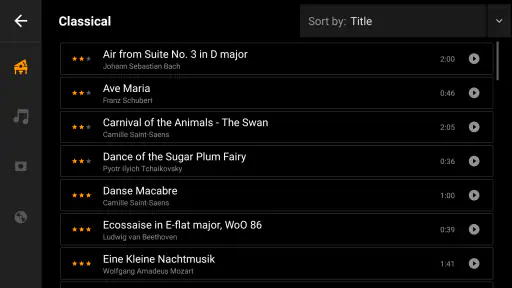
For those looking to learn, Mini Piano Lite is a fantastic educational tool. The app includes a range of songs that you can learn to play, with the keys lighting up to guide you. It’s an interactive way to practice your skills, making learning both engaging and fun. Plus, there’s a handy metronome feature to help you keep the beat.
I find the guidance most useful when I slow down and focus on a small section instead of trying to rush through a whole song. Following lit keys can help you connect a visual cue with a note, while the metronome encourages steadier timing. Neither replaces learning note names, reading music, or getting feedback from a teacher, so I’d use them as approachable practice aids rather than a complete course.
For a simple practice routine, I’d choose one song, follow the on-screen cues, then try the same passage again while paying attention to the beat. If the timing slips, the metronome gives a clear reason to repeat the phrase more carefully. This kind of short, repeatable session is a better fit for the app than expecting to make major progress in one sitting.
On the flip side, if you're just in it for fun, this app can be a great way to kill time and entertain yourself. It’s perfect for those moments when you’re waiting for the bus or just chilling at home. You’ll find yourself lost in the music, forgetting all about your worries.
For families, the low-pressure format can make trying a few notes feel inviting, and the app’s Everyone age rating reflects that broad audience. I’d still keep the screen comfortable to use and treat shared play as a bit of exploration, not a structured lesson. If you want a child to develop technique, an appropriately sized physical keyboard and guided instruction will provide more room to grow.
Where It Fits Among Music Apps
Compared with a piano-learning app that builds lessons around technique and progress, this one is more immediate: open it, find a song, and play. Compared with a full digital audio workstation, it asks far less of the user but also offers a narrower creative canvas. That middle ground is its strength. I’d recommend it to curious beginners, casual players, and anyone who wants an on-screen keyboard close at hand; I’d steer serious students and producers toward tools designed for longer practice or layered composition.
The everyday trade-off is convenience versus physical control. A touch keyboard is easy to carry and quick to use, but it cannot give the same tactile feedback as piano keys, and screen size affects how comfortably I can play. Before settling into a longer session, I’d check that the phone is positioned securely and that the display is comfortable to reach. Those small adjustments matter more than trying to force a complicated piece onto a cramped layout.
What to Expect Before You Settle In
Mini Piano Lite is a free music and audio app from Umito, with optional in-app purchases priced at $2.49 per item. It has a 4.7 average from around 47,000 ratings and over 10 million installs. It has been available since June 2, 2010, giving it a long history as a lightweight way to play on a phone. I’d think of the purchase option as something to weigh only if the free experience already suits the way you play.
If you are wondering whether you need musical experience, I’d say no: the visible keys and guided songs give a newcomer a place to start, while recording and alternate instrument sounds can keep casual experimentation interesting. If you are asking whether it can replace a piano, the honest answer is also no; it is better for trying ideas and practicing simple patterns than for developing touch or playing demanding pieces. That distinction makes it easier to decide whether this is a handy companion or whether you should choose a physical instrument or a more structured learning app instead.
Final Thoughts
In conclusion, Mini Piano Lite is a charming app that offers both entertainment and education. Its user-friendly interface, combined with a host of versatile features, makes it a standout choice for music lovers of all ages. If you haven’t tried it yet, I highly recommend giving it a go. Who knows? You might just discover your hidden musical talent!
My recommendation is strongest for someone who wants an uncomplicated place to tap out melodies, revisit a short idea, or follow a song for fun. It is less compelling if your main goal is formal piano technique, expressive performance, or detailed music production. As a pocket-sized starting point, though, it makes musical curiosity easy to act on: open the keyboard, try a phrase, and see where it takes you.
Mini Piano Lite Frequently Asked Questions
Does Mini Piano Lite work on both phones and tablets?
Mini Piano Lite is designed for playing a virtual piano on a mobile device, with touch input that lets you tap notes on the keyboard. That makes it a straightforward option for a quick melody or informal practice session on a phone or tablet. If you prefer a larger playing surface, a tablet may feel more comfortable, while a phone keeps the app handy for short sessions.
Is Mini Piano Lite a good choice for casual music-making?
Yes, its focus is on making piano sounds accessible through a touch-operated keyboard, so it can suit casual play as well as simple practice. The app is described as having responsive piano sounds, graphics and songs, including Christmas selections. It is best approached as a compact way to experiment with melodies and enjoy playing, rather than as a replacement for a full music course.
Does Mini Piano Lite need an internet connection to play?
Mini Piano Lite is a piano app for tapping out music on a virtual keyboard, so it can be appealing when you want a quick practice session or a little musical play on your device. Whether you plan to use it at home or while travelling, check that the app has finished installing before you go offline; access to store downloads and any optional purchases may require an internet connection.
Who makes Mini Piano Lite, and what kind of app is it?
Mini Piano Lite is a Music & Audio app developed by Umito. Its focus is straightforward: a responsive virtual piano with sounds, graphics and songs, including Christmas selections. It is intended for casual playing as well as practice, rather than serving as a full course in music theory. That makes it worth considering if you want a compact way to explore piano sounds on a phone or tablet.
What is Mini Piano Lite and how does it work?
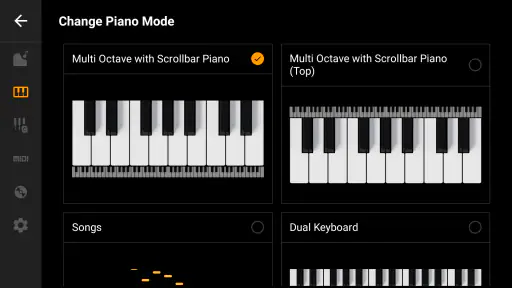
Mini Piano Lite is a mobile application designed to provide a fun and interactive piano playing experience on your smartphone or tablet. The app features a user-friendly interface with a virtual piano keyboard that you can play using touch gestures. It offers various modes and song collections to help beginners learn to play and practice their piano skills.
Pros
- Lightweight and easy to install
- Simple interface for quick learning
- Good sound quality for a free app
- Includes multi-touch support
- No internet connection required
Cons
- Limited features compared to paid apps
- Ads can be distracting
- Some keys may be unresponsive
- Lacks advanced customization options
- Basic graphics and design
- Category
- Music & Audio
- Version
- Varies with device











