Meta Ads Manager
- 3.92K
- 4.2
- Installs
- 10.00M
- Price
- Free

Screenshots


Analysis by Reviewed
Have you ever felt overwhelmed trying to manage ad campaigns on social media platforms? Well, let me introduce you to the Meta Ads Manager, a tool that might just become your new best friend in the world of digital advertising. Designed to streamline the process of creating, managing, and analyzing ads on Facebook and Instagram, this app offers a comprehensive suite of features that cater to both novices and seasoned advertisers alike.
Getting Started with Meta Ads Manager
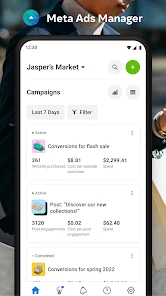
First things first, setting up the Meta Ads Manager is a breeze. Once you download the app, logging in with your Facebook account is all it takes to get started. The user interface is intuitive and easy to navigate, which is a huge plus if you’re new to the platform. The dashboard provides a bird’s-eye view of all your campaigns, and with just a few taps, you can dive into the specifics of each ad set.
Creating Campaigns Made Easy
One of the standout features of this app is how it simplifies the process of creating ad campaigns. Whether you want to boost a post or launch a full-fledged marketing campaign, the step-by-step guidance ensures you’re never lost. You can select your target audience, set your budget, and choose your ad placements all from the app. And let’s not forget about the creative tools! The app offers a range of templates and design options to make your ads pop.
Monitoring and Analyzing Performance
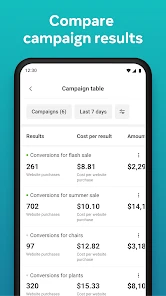
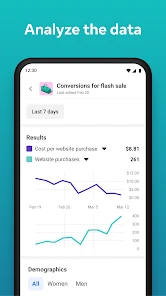
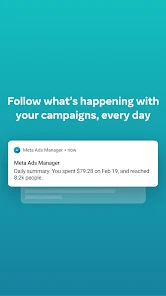
Once your ads are live, the real magic happens in the analytics section. The app provides real-time insights into how your ads are performing. You can track metrics such as reach, engagement, and conversions. If you’re a data geek like me, you’ll appreciate the detailed breakdowns and the ability to customize your reports. It’s fascinating to see what strategies are working and which ones need tweaking.
Why Meta Ads Manager Stands Out
What really sets the Meta Ads Manager apart is its ability to manage multiple accounts from a single interface. This is particularly useful for agencies or freelancers managing campaigns for various clients. The app also integrates seamlessly with other Meta platforms, providing a unified experience that saves time and effort.
Moreover, the support team is incredibly responsive. Whether you have a technical query or need help optimizing your ads, assistance is just a message away. This level of customer support is rare, and it makes a world of difference, especially during crunch times.
In conclusion, if you’re looking to take your social media advertising to the next level, the Meta Ads Manager is definitely worth a try. It combines ease of use with powerful features, making it a valuable tool for anyone serious about digital marketing. So, why not give it a whirl and see how it can transform your advertising strategy?
Pros
- Intuitive interface for easy ad management.
- Real-time performance tracking and analytics.
- Comprehensive targeting options available.
- Seamless integration with Facebook and Instagram.
- Supports multiple ad formats and placements.
Cons
- Requires a Facebook account to use.
- Complex setup process for beginners.
- Limited customer support availability.
- Occasional bugs and app crashes.
- High learning curve for advanced features.

- Category
- Business
- Version
- 455.0.0.103.107











