Messages - SMS Texting App
- 2.75K
- 4.5
- Installs
- 5.00M
- Price
- Free

Screenshots
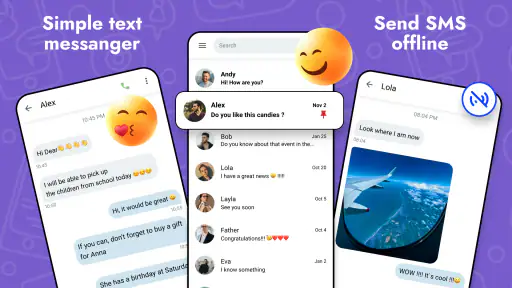
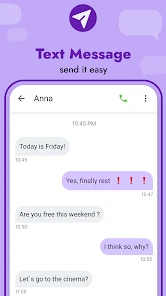
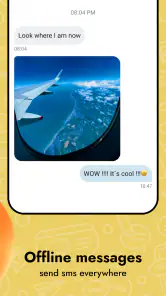
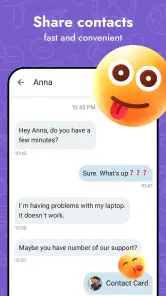
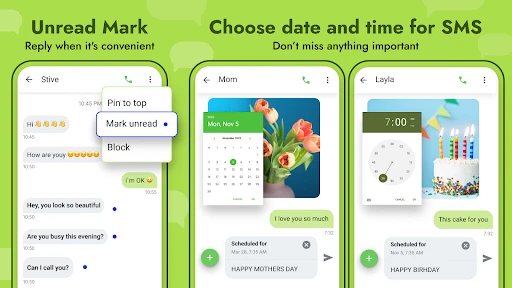
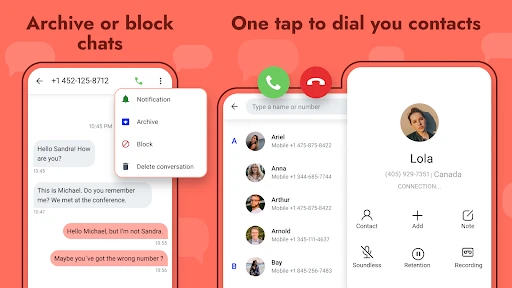
Analysis by Reviewed
When I choose an SMS app, I want the basics to stay uncomplicated: open a conversation, find the right person, and send a message without detours. Messages - SMS Texting App is a communication app from Battery Stats Saver, and its straightforward purpose makes it most appealing to people who still rely on ordinary texting for everyday coordination. It is free to install, though in-app purchases range from $0.99 to $99.99 per item, so I would check purchase details before paying for anything. Its Everyone age rating also makes it broadly accessible, while the actual usefulness comes down to whether its approach suits your routine.
Where a simple SMS routine fits
I find this kind of app most useful when texting is a practical channel rather than the center of every conversation. Think short exchanges about errands, appointment times, or whether someone has arrived. A dedicated SMS inbox can keep those messages distinct from social feeds and work chats, which is helpful if you want to handle a quick reply without opening several internet-based services.
It is also worth deciding what “switching” means before you begin. If you only want to try a different interface, you can explore the app’s layout and options first. If you intend to make it your regular messaging app, check the phone’s default messaging setup and make sure new texts arrive where you expect. I would test with a low-stakes conversation before relying on a new routine for time-sensitive plans.
Small settings choices can make the inbox clearer
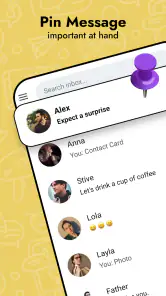
The app’s themes and organizational tools are most valuable when they solve a specific annoyance. I would choose a comfortable appearance for regular reading, then keep pinned conversations to a small working set: people I need to contact again soon, not every person I know. That makes the pinned area a genuine shortcut instead of another crowded list.
Reminders are best treated as prompts for a particular next step, not as a replacement for a calendar or task manager. For example, if a contact has not yet confirmed a meeting detail, a reminder can help me remember to check back. I would avoid building a complicated personal system around reminders until I know they fit naturally into my day. Simpler habits tend to survive busy weeks better than elaborate ones.
Before settling on a theme or arrangement, I would spend a few minutes checking how easy it is to read a long conversation and return to the main inbox. Appearance matters, but the everyday test is whether I can quickly distinguish active threads from older exchanges. If a visual choice makes that harder, I would change it rather than trying to adapt to a layout that gets in the way.
Getting Started with Messages - SMS Texting App
Jumping into the Messages - SMS Texting App is as easy as pie. The installation process is straightforward, and before you know it, you're greeted with a clean and intuitive interface. The layout is refreshingly simple, allowing you to navigate through your messages with ease. No more digging through piles of texts to find that one important message from last week!
More From Our News Desk

Weather by Xiaomi Review: Clear at a Glance, Less Clear Up Close

X Under Pressure: Can It Recover When Posting Goes Wrong?

Clash of Clans Is Won Between the Battles

Android Auto Makes the Case for Quieter Car Software

MobiOffice: Transforming Mobile Productivity with Seamless Integration

EA SPORTS FC™ Mobile Soccer: Redefining Mobile Sports Gaming
That simple starting point is a better fit for a focused SMS workflow than for someone hoping to bring every kind of chat into one place. I would use it for practical exchanges such as confirming a pickup, checking an appointment detail, or keeping a short conversation with a contact easy to revisit. If your friends and family mostly communicate through internet-based services, a dedicated SMS app will not replace those other channels; you may still need them open separately.
Features That Make Life Easier
One of the first things that caught my attention was the app's organizational prowess. You can categorize your messages, pin important conversations, and even set reminders for specific texts. It's like having a personal secretary for your messages. Plus, the app supports different themes, so you can customize the look to suit your style.
The most useful habit here is to treat organization as a small routine, not a one-time cleanup. I would pin only the conversations I expect to return to soon, then let less urgent threads sit in the regular list; pinning everyone can make the shortcut meaningless. If reminders fit the way you manage follow-ups, use them for a concrete action—such as replying after checking a schedule—rather than as a substitute for keeping an entire task list inside a messaging app.
Another standout feature is the app's robust search functionality. Finding a needle in a haystack is now a breeze. You can search by keyword, contact, or even date. This is a game-changer for anyone who deals with a high volume of messages daily.
A practical search tip is to try the detail you are most likely to remember first: a distinctive word, the person’s name, or when the exchange happened. That can be quicker than scrolling through a long thread, especially when you are looking for an address or a time someone mentioned. For sensitive details, though, I would avoid treating search as a secure filing system; it is a way to retrieve conversations, not a reason to store information you would not want in a text message.
Settings and Privacy: What to Keep in Mind
In today’s world, privacy is paramount. The app offers end-to-end encryption, ensuring that your conversations remain private and secure. This is especially important if you're sharing sensitive information. The developers have really upped their game in this department, giving users peace of mind.
Before making it your default, I would review the options the app presents and make sure the appearance and organization choices work for your habits. A theme can make frequent reading more comfortable, while a restrained set of pinned threads keeps the conversation list useful. Most importantly, I would not assume that an SMS app changes the privacy properties of every message: for highly confidential conversations, choose a service designed for that need and confirm that the person you are contacting can use it too.
There is a useful distinction here between an app’s interface and the communication method underneath it. A different inbox can make messages easier to browse, but it does not automatically make ordinary texting the right channel for every situation. I would use this app for routine coordination and move a sensitive discussion to a suitable secure service instead. That keeps the choice of tool tied to the content, rather than assuming one messaging app is appropriate for everything.
Performance and Reliability
Performance-wise, the app is a powerhouse. It runs smoothly without any hitches, even on older devices. Whether you're sending a quick text or a multimedia message, the app handles it all with grace. I haven’t experienced any crashes or lag, which is a huge plus.
Moreover, the app's battery consumption is minimal. You won't find yourself reaching for the charger more often than usual, which is a relief for heavy texters.
For a realistic day-to-day example, imagine coordinating a late change to a family pickup: I can keep the relevant conversation easy to reach, search for the earlier time, and use a reminder to follow up if I still need confirmation. That is a modest workflow, but it is exactly where an SMS-focused app can save friction. The trade-off is that SMS remains less suited to group conversations or rich, ongoing chats than a service built around internet messaging, particularly when everyone involved already uses that alternative.
A repeatable approach helps more than trying to manage every text as it arrives. I would scan the inbox at a natural break, pin only the conversations tied to near-term plans, and use search when a detail is buried. For a temporary coordination thread, unpinning it once the plan is settled keeps the list relevant. This small reset avoids turning an organizational feature into a permanent backlog of old priorities.
The app has a 4.5 average from around 126,000 ratings, and it has been installed over 5 million times. Those figures suggest a sizable audience, but I would not use popularity alone to decide whether to switch. It was released on July 2, 2022, and version 2.8.14 is the current version; it requires Android 6.0 or later. If you are choosing it for an older phone, check that your device meets that requirement before planning a move.
For someone comparing options, the main contrast is between a focused SMS inbox and the phone’s built-in messaging app on one side, and internet-based chat services on the other. A built-in app may be the easier choice if you want to keep your setup familiar and avoid optional purchases. An internet messenger is usually a better match when your regular conversations depend on richer group chats or a shared online community. This app’s appeal is narrower: it is for people who want a dedicated place to handle ordinary texts with added organization.
Cost is another point worth weighing. The app is free to get, but optional in-app purchases span a wide range, so I would avoid assuming every useful option is included at no charge. The sensible approach is to try the basic experience first and consider a purchase only when its purpose and price are clear. If you prefer a completely predictable, no-purchase setup, your phone’s existing messaging app may be the more comfortable choice.
Who benefits from the extra organization
I would recommend trying it if your inbox regularly contains practical details you need to retrieve: a delivery note, a revised appointment time, or a short exchange about who is bringing what. Search can reduce scrolling, while pinning and reminders can help separate immediate follow-ups from conversations that can wait. The benefit is less about sending texts differently and more about making a busy SMS inbox easier to act on.
On the other hand, I would skip it if you rarely use SMS, already have a built-in app that feels effortless, or expect one app to combine every messaging service. It is also a poor fit if your main need is a secure channel for confidential discussions. In those cases, keeping the familiar default or choosing a service built around your actual communication needs is more sensible than switching for the sake of extra features.
One practical question is whether changing apps will disrupt your routine. I would avoid making the change just before travel, a busy workday, or an event where missing a message would matter. Try it during an ordinary stretch, send a few test messages, and check that the conversations you rely on are easy to find. That gives you a low-pressure way to judge whether the interface genuinely saves effort.
Another question is whether the optional purchases are necessary. My approach would be to use the free experience first and identify a specific limitation before considering any purchase. A broad price range is not a reason by itself to spend; the value depends on what an item actually offers and whether that solves a problem you have. If you cannot name the friction it would remove, waiting is the better decision.
Overall, the Messages - SMS Texting App is a fantastic choice for anyone looking to streamline their texting experience. With its user-friendly interface, robust features, and commitment to privacy, it ticks all the right boxes. Whether you're a casual texter or someone who relies heavily on SMS for communication, this app has something for everyone.
For me, its strongest case is a person who wants an SMS-centered inbox and will actually use organization, search, and reminders to keep messages manageable. It is less compelling if you need one unified home for multiple chat platforms, or if your main priority is confidential communication rather than ordinary texting. That distinction matters more than any theme or shortcut: choose the app that matches the conversations you have most often.
My final test would be whether I still use its organizational tools after the novelty of a new layout wears off. If pinning, search, and reminders become part of a light, repeatable routine, the app can make ordinary texting feel easier to manage. If I keep forgetting those tools exist, the familiar default may be just as effective and simpler for me. That is a useful way to judge the switch without turning messaging into another system to maintain.
So, if you're on the hunt for a reliable, feature-packed SMS app, look no further. Give it a try, and you might just find that it becomes your go-to texting app in no time!
Messages - SMS Texting App Frequently Asked Questions
Is Messages - SMS Texting App available for iPhone, or is it for Android only?
Messages - SMS Texting App is presented as an Android app, so check that you are viewing the Android download option before proceeding. If you use an iPhone, make sure an iOS version is available through the appropriate store before expecting to install it. The app is intended for messaging with your contacts, and compatibility depends on the platform and device you use.
Do I need to make this my default SMS app to send and receive texts?
Messages - SMS Texting App is described as a messenger for your contacts and a faster version of Messages. On Android, messaging apps may ask for SMS-related permissions or a default-app selection to handle texting. Review any permission prompts during setup and choose the setting that matches how you want to use the app. You can decide whether it fits your messaging routine before relying on it.
Can Messages - SMS Texting App send and receive SMS without mobile service?
Whether a text can be sent depends on the type of message and the connection or service required by your device. SMS ordinarily relies on cellular messaging service, while some internet-based messaging features require an internet connection. Before depending on the app, consider your carrier plan and connectivity, and check how the app behaves with the contacts you message. The app is intended as a messenger for your contacts.
Will my existing text messages and contacts appear automatically after I install it?
Messages - SMS Texting App is designed for messaging with your contacts, but installation alone does not necessarily mean that every existing conversation will be imported automatically. Your device settings, permissions, and the messaging app you currently use can affect what is available. Review the setup prompts and check your conversations before switching fully, especially if you want to keep access to older messages.
What should I check before granting the app access to my messages and contacts?
Read each permission request and consider whether it matches the task you want the app to perform. Access to contacts can help you find people to message, while SMS permissions may be relevant to handling texts. You can review app permissions in your Android settings and adjust them as needed. Be comfortable with the access you grant before making the app part of your regular messaging routine.
Pros
- User-friendly interface with intuitive navigation.
- Supports group messaging and multimedia sharing.
- Customizable themes and notifications.
- Seamless sync across multiple devices.
- Reliable delivery and read receipts.
Cons
- Lacks end-to-end encryption for messages.
- Occasional ads can interrupt user experience.
- Limited integration with third-party apps.
- Some features require in-app purchases.
- Interface could use more personalization options.
- Category
- Communication
- Version
- 2.8.14













