USB Screen Share - Phone to TV
- 1.63K
- 3.8
- Installs
- 10.00M
- Price
- Free
Screenshots
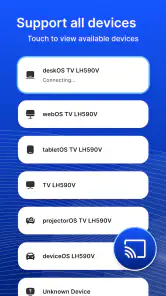
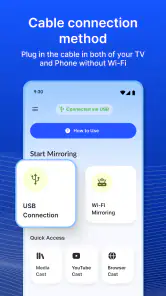
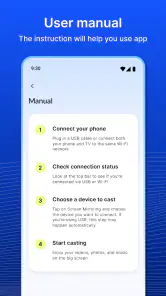
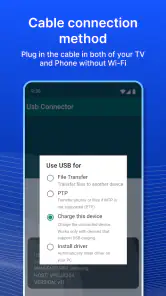
Analysis by Reviewed
When several people are gathered around one phone, even simple things can become awkward: photos are hard to see, a short clip turns into a round of passing the device, and everyone has to crowd close. I can see the appeal of USB Screen Share - Phone to TV in that kind of household moment. It is meant to put a phone’s display on a television through a wired connection, so the person holding the phone can show something to the room instead of making everyone peer at a small screen. The idea is practical, but the useful question is whether your particular phone and TV cooperate.
A shared screen, without passing the phone around
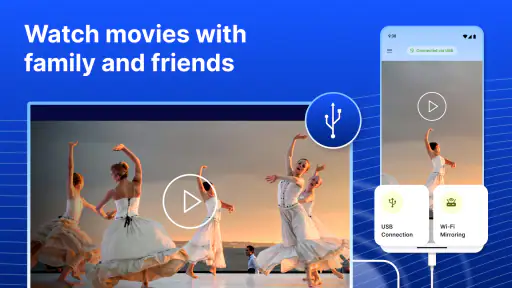
For a relaxed evening, the most natural use is showing a handful of photos or a video to family or housemates. One person can keep the phone in hand and choose what appears, while everyone else watches from the sofa. That is a modest benefit, but it can make a shared device feel less like a bottleneck. It also avoids asking every guest to join the same wireless network or install an app just to see a screen, although the phone-to-TV connection still depends on compatible hardware and a cable.
I would treat this as a viewing aid rather than a household media system. It can make one person’s phone useful to a group, but it does not replace a TV’s built-in apps or create separate profiles for different people. If the goal is simply to browse family photos together, a direct connection may be convenient. If everyone wants to choose content independently, a streaming device or the TV’s own apps are usually a better fit.
What to check before connecting
The app’s appeal rests on a direct USB connection, so it is worth checking the practical setup before planning a movie night around it. A USB-shaped port does not automatically mean a television can display a phone’s screen: ports and connection methods serve different purposes. Check the phone’s connection options and the TV’s supported inputs first, and keep the right cable or adapter within reach. That small bit of preparation is more useful than assuming that any USB cable will turn the TV into a display.
A sensible first test is a low-stakes one: connect the devices while you are at home, open a photo or short clip, and see whether the TV shows what you expect. If you are choosing between this approach and wireless casting, the trade-off is straightforward. A cable avoids relying on a shared Wi-Fi connection, while wireless options can be more convenient when supported and can leave the phone free to move around. For a fixed living-room setup, wired sharing may suit you; for walking around while presenting, wireless casting is often less restrictive.
Setting Up: Easier Than Expected
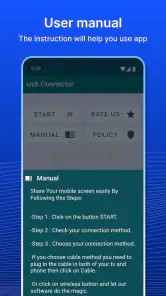
Getting started with the USB Screen Share - Phone to TV app was surprisingly straightforward. All you need is a USB cable and a compatible TV. Once you’ve connected your phone to the TV via USB, simply open the app, and voila! Your phone’s display is mirrored onto the larger screen. No need for Wi-Fi, no fiddling with Bluetooth – just a direct, hassle-free connection.
Performance: Smooth Sailing or a Bumpy Ride?
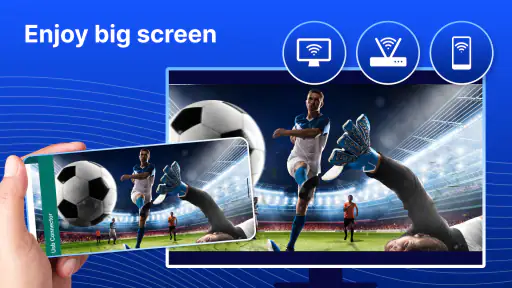
Now, let’s talk about performance. I was genuinely impressed with how seamlessly the app worked. The display on the TV was crisp and clear, with minimal lag. Whether I was watching a high-definition video or sharing a photo slideshow, the quality remained top-notch. The app handled everything effortlessly, making it a joy to use for both personal and professional presentations.
More From Our News Desk

Clash of Clans Is Won Between the Battles

Android Auto Makes the Case for Quieter Car Software

MobiOffice: Transforming Mobile Productivity with Seamless Integration

EA SPORTS FC™ Mobile Soccer: Redefining Mobile Sports Gaming

How Microsoft OneDrive Became a Mobile Productivity Giant

How Google Translate Breaks Language Barriers Effortlessly
However, it’s worth noting that the performance can vary depending on the phone and TV model you’re using. Some older models might experience slight delays or reduced image quality, but newer devices generally offer a smooth experience.
Keeping a shared session comfortable
When several people are watching, I find it helpful to decide in advance who is navigating the phone. Mirroring can show more than the intended photo or clip if the person holding the device switches apps, so it is sensible to close unrelated screens and have the content ready before connecting. This is especially useful when guests are present or when the phone is shared among children and adults. It is a simple habit, not a special privacy feature, and it keeps the viewing session focused.
For a presentation, I would also prepare the phone’s orientation and brightness before the audience is waiting. A quick preview on the TV can reveal whether text is readable from across the room; if it is not, zooming in or using a dedicated presentation setup may be better than trying to make small phone text work on a large display. This app is most helpful when the content is already suited to a shared screen, such as photos or a short clip, rather than when you need a polished, controlled presentation.
Features That Stand Out
One of my favorite features of this app is its versatility. It's not just about mirroring your screen; you can also play media files directly from your phone to the TV, turning your device into a convenient media player. The app supports a wide range of file formats, making it incredibly flexible no matter what type of content you want to share.
The user interface is also commendably intuitive. With straightforward navigation and clear instructions, even the least tech-savvy users will find it easy to operate. It’s designed with the user in mind, which is always a big plus in my book.
Making a shared-device routine work
For a household that passes one phone among several people, the helpful workflow is not simply “plug in and browse.” I would choose the photos or clip first, check what is currently open, and then connect when the phone is ready to act as the source. That order reduces the chance of the group waiting while someone searches through albums or changes apps on a screen everyone can see. It also means the person holding the phone can stay responsible for what appears, rather than treating the TV as a separate, shared account.
A practical example is a relative visiting with pictures from a trip. Instead of passing the phone down the sofa, the owner can select a few images, connect, and let everyone look together. If someone else wants to contribute, they can take their turn as the phone operator rather than needing their own login on the television. This is useful for short, informal sharing; it is less convenient if the group wants to build a playlist, switch between multiple people’s accounts, or leave content playing while the phone is used for something else.
There is also a small but important coordination point: decide who disconnects and returns the phone to normal use. In a shared home, it is easy for one person to assume another has finished. A quick handoff avoids leaving the phone tethered or having the next person unexpectedly change what everyone sees. The app does not turn a household into a managed media environment; the benefit comes from a clear, simple routine around the device.
Who will get the most from it?
I think this is best for someone who wants an occasional, uncomplicated way to show phone content on a compatible television and is comfortable keeping the phone connected during use. It may also be handy in a shared home where one person can help less confident relatives get a slideshow or video onto a larger screen. For that kind of use, the phone stays the point of control and the TV becomes the communal viewing surface.
I would skip it if you need a guaranteed connection across a mix of devices, want to stream for long periods without keeping a phone tethered, or expect a full-featured TV interface. A built-in casting option, a streaming device, or a laptop connected to the display may suit those needs better. The choice depends less on which method sounds simplest and more on what your television and phone actually support.
Questions worth settling before a group session
Will it work with every television? I would not assume so. The key is whether the phone’s connection method and the television’s inputs support the intended display connection; a USB port by itself is not proof of compatibility. A quick test with a photo is the most useful way to find out before arranging a shared viewing session. If the TV does not show the phone, trying another random cable may not solve a compatibility mismatch.
Does the phone need to stay connected and available? For this kind of wired screen sharing, plan on keeping it connected and under the operator’s control while people watch. That is a reasonable trade for a short photo session, but it is a drawback if you want to walk around freely, take calls, or use the phone for something else. Wireless casting or a TV app is usually more comfortable when the phone should not remain part of the viewing setup.
Can everyone use the TV independently once the app is installed? I would not choose it for that expectation. The shared screen reflects the phone being used, so it is not the same as separate TV profiles, a family library, or a multi-user streaming interface. For different people to choose their own content and accounts, a television’s built-in services or a dedicated streaming device is generally a better match.
Age, trust, and app details
The app is rated for Everyone, which makes its intended audience broad, but that does not mean every shared-screen situation is automatically suitable for children. The phone can still display personal messages, photos, or other open apps, so an adult should choose what is visible and remain in control of the device when that matters. I would prepare the content first rather than hand over an unlocked phone simply because the family is watching together.
That distinction matters in a home where adults and children share devices. The age rating is a useful general indication, not a substitute for deciding what is appropriate to show or who should operate an unlocked phone. For younger viewers, I would keep the session in a common room, select the intended content beforehand, and stay nearby if the phone contains personal material. These are ordinary household boundaries, not controls provided by the app.
It is a free personalization app from Battery Stats Saver, with a 3.8 average from around 74,000 ratings and more than 10 million installs. It first appeared on May 20, 2018, and version 1.1.6 requires Android 5.0 or later. Optional in-app purchases range from $0.99 to $99.99 per item, so I would check any purchase prompt carefully before proceeding, especially if a child is using the phone.
Because it is free to install but offers optional purchases, I would treat any purchase screen as a separate decision rather than assuming every part of the experience is included. If a child might be using the phone, an adult should handle purchase decisions and keep the device’s usual account safeguards in place. That is especially sensible on a phone shared by household members, where the person watching on the TV may not be the person who owns the account.
Is It Worth It?
So, is the USB Screen Share - Phone to TV app worth downloading? In my opinion, absolutely. It’s a simple yet effective solution for anyone looking to expand their viewing experience without investing in expensive hardware. Whether you're hosting a movie night, giving a presentation, or just want to enjoy your photos and videos on a bigger screen, this app delivers on its promises.
My recommendation comes with one practical condition: test the connection before you rely on it for a group occasion. A short trial helps you confirm that your specific devices work together and gives you time to sort out cable placement, content choice, and who will operate the phone. If that check goes well, the app can be a useful, low-effort way to make one person’s screen visible to everyone.
For the household decision, I would keep the use case narrow and realistic: occasional, phone-led sharing for people in the same room. That is where a cable can be less troublesome than setting up a wireless session, especially when the group only needs to look at a few items together. If you need everyone to browse freely, a permanent media library, or dependable operation across assorted devices, I would choose the TV’s native features or another established display route instead.
In conclusion, if you’re tired of small screens and complicated setups, give this app a try. It’s straightforward, efficient, and does exactly what it says on the tin. You might just find it becoming one of your go-to apps for entertainment and productivity. Happy screen sharing!
USB Screen Share - Phone to TV Frequently Asked Questions
Can I use USB Screen Share - Phone to TV on an iPhone or iPad?
The app’s stated minimum operating-system requirement is Android 5.0, so it is intended for Android devices rather than iPhones or iPads. If you are using an Apple device, check the relevant app store for a compatible screen-sharing option before downloading. For Android users, confirming the operating-system requirement is a useful first step before trying to connect a phone to a TV.
What cables or TV connections should I prepare before trying the app?
USB Screen Share - Phone to TV is described as a phone-to-TV connection app that uses USB and HDMI. Before getting started, check which ports are available on both your phone and television, and prepare a compatible cable or adapter for those connections. The right setup can depend on the devices you own, so it is worth checking their connection options before relying on the app for a particular viewing setup.
Will USB Screen Share - Phone to TV work with my particular phone and television?
Compatibility depends on the connection capabilities of your Android phone and TV, as well as the cable or adapter you use. Check that your phone supports video output through the connection you plan to use and that your television has a suitable input. The app is designed around connecting a phone to a TV through USB or HDMI, but the devices and connection setup still matter.
Is USB Screen Share - Phone to TV free to download, and are there optional purchases?
USB Screen Share - Phone to TV is free to download, so you can try the app without paying upfront. It also offers in-app purchases, with individual items ranging from $0.99 to $99.99. Check the purchase details in the app before confirming anything, especially if you plan to use it only for basic screen sharing. The app is rated for Everyone.
What Android version do I need to install USB Screen Share - Phone to TV?
The app requires Android 5.0 or later. Before downloading, check your phone’s Android version in its settings to make sure it meets that requirement. USB Screen Share - Phone to TV is a personalization app developed by Battery Stats Saver, and its current version is 1.1.6. Keeping your device’s software up to date can also help with general compatibility.
Pros
- Easy setup process
- High-quality video streaming
- Low latency connection
- Supports multiple devices
- User-friendly interface
Cons
- May require additional hardware
- Limited compatibility with older TVs
- No advanced customization features
- Can drain phone battery quickly
- Occasional connection dropouts

- Category
- Personalization
- Version
- 1.1.6













