Magnifier Plus with Flashlight
- 6.01K
- 4.7
- Installs
- 10.00M
- Price
- Free
Screenshots
Analysis by Reviewed
I see Magnifier Plus with Flashlight as a useful on-demand tool, not a substitute for glasses, a reading magnifier or specialist low-vision support. Its strongest point is how quickly it turns a phone into a closer, brighter view for a brief task. That convenience matters when a label, control or small line of print catches you off guard, but the camera still has limits: focus, steadiness and lighting decide how readable the result is.
When a quick close-up is genuinely useful
The app makes most sense in the small moments when fetching another tool would be more trouble than the task itself. I can imagine checking a tiny ingredient line while putting groceries away, finding the marking on a charger, or reading a number on a paper receipt before putting it in my wallet. These are short inspections, not jobs that call for prolonged close-up work.
One practical habit is to prepare the view before turning up the zoom. I first hold the phone at a distance where the camera can focus, then increase magnification gradually. If the picture turns soft, moving the phone slightly away is often more useful than pushing closer. This is especially helpful with small printed lettering, where excessive zoom can make every tremor more obvious without revealing extra detail.
The light is best treated as an aid for the target, not as a guarantee of clarity. On matte paper or a dark control panel, extra illumination can make the surface easier to inspect. On glossy packaging, a direct beam can reflect into the camera and wash out the very words I am trying to read. Shifting the phone or the object a little can reduce that reflection; sometimes the room light is the better choice.
A calmer workflow for small print
For a label or short instruction, I would place the item on a steady surface whenever possible, bring the camera into focus, and then use the zoom control in small adjustments. That sequence is less frustrating than zooming in fully while holding the phone in midair. A table edge or countertop can help steady the device, and pausing before reading gives the camera a chance to settle.
There is a useful trade-off here: the phone makes the image larger, but it also asks the user to manage the phone, the object and the light at once. If both hands are needed to hold a product or operate a small mechanism, the app may be awkward. I would set the object down first or ask someone nearby to hold it rather than trying to juggle everything while zoomed in.
I would also keep the task short. A quick glance at a date, dosage line or switch label is a sensible use; reading several pages this way is tiring because the phone has to remain aimed and steady. For longer text, enlarging the text on a larger screen, using reading glasses or choosing a dedicated visual aid is usually more comfortable.
More From Our News Desk

Weather by Xiaomi Review: Clear at a Glance, Less Clear Up Close

X Under Pressure: Can It Recover When Posting Goes Wrong?

Clash of Clans Is Won Between the Battles

Android Auto Makes the Case for Quieter Car Software

MobiOffice: Transforming Mobile Productivity with Seamless Integration

EA SPORTS FC™ Mobile Soccer: Redefining Mobile Sports Gaming
How it differs from a magnifying glass or camera
A traditional handheld magnifying glass has a straightforward advantage: it does not need to be opened or aimed like a phone, and some people find it easier to keep at a consistent distance. But it does not provide the same built-in camera view and illumination in one device. I would choose the physical tool when I want a simple, stable optical aid and do not need to use my phone for anything else.
A phone’s regular camera can already show a close-up, so installing a separate utility is not essential for everyone. The appeal here is having magnification and a flashlight presented as a focused task rather than having to improvise with the camera each time. If I only need a close-up once in a while and already know my camera controls, the default camera may be enough. If I want a direct magnifier-and-light setup, this app has a clearer purpose.
For sustained reading or low vision, neither a quick camera magnifier nor a handheld glass is automatically the right answer. Accessibility tools or a purpose-built optical aid can be more appropriate, depending on what makes reading comfortable. I would not rely on this app for precise inspection simply because the image looks enlarged; magnification is not the same as dependable detail or a stable, measured view.
Who should install it—and who should look elsewhere
I would suggest it to people who sometimes need a closer look at ordinary objects and want that option already on their phone. It can also suit someone who appreciates a simple interface more than a collection of camera settings. Digitalchemy, LLC makes this free lifestyle app, and its Everyone age rating makes the audience broad. It has a 4.7 average from around 89,000 ratings, with more than 10 million installs.
Someone who needs help only for occasional labels may find it more convenient than carrying a separate magnifier. A person who reads small print every day, needs both hands free, or depends on consistent clarity should compare it with reading glasses, a larger display or a dedicated aid instead. That distinction is important: the app is convenient because it is already on a phone, not because a phone camera is the best tool for every visual task.
It is free to install, with optional in-app purchases that range from about 69 cents to around $15 per item. I would treat the basic idea as a quick utility and decide whether it meets my needs before spending on anything optional. The current version is 4.8.15, and it supports Android 6.0 or later, so checking compatibility matters if the phone is older.
Zooming In: Features and Functionality
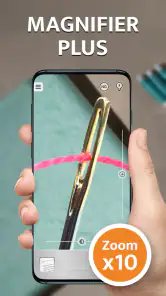
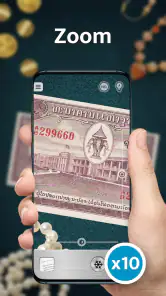
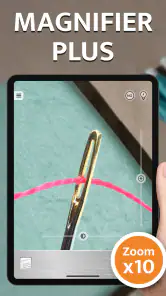
First off, let me tell you about the magnification feature. It’s like having a magnifying glass in your pocket, but without the awkward bulge. You can smoothly zoom in and out using an intuitive slider, and the clarity is top-notch. I tried it on a newspaper, and the print was as clear as day. No more struggling to read those small fonts!
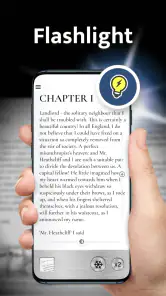
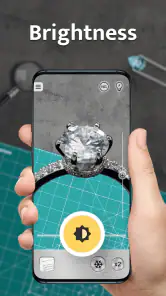
The app also boasts a built-in flashlight. Perfect for those moments when you need a bit of extra light. I found this particularly useful when I was trying to read a restaurant bill in a dimly lit setting. Just a tap, and voilà, everything was visible. It’s like having a superpower at your fingertips.
User Interface: Simplicity at its Best
Now, onto the user interface. The app is straightforward and easy to navigate. There aren’t a million buttons to confuse you, just the essentials. This simplicity is what makes it accessible for everyone, from tech-savvy teens to tech-challenged seniors. Plus, the app runs smoothly without any annoying lags or crashes.
Switching between the magnifier and flashlight is a breeze, thanks to the intuitive design. The developers have done a stellar job in ensuring that anyone can pick it up and use it right away without needing a tutorial.
Getting a sharper view in everyday situations
For the clearest result, I find it helps to brace my phone against a table, shelf or other stable surface before zooming in. Digital zoom makes hand shake more noticeable, especially when reading tiny print. I also try to move the object into even light rather than relying on the flashlight alone; glare on glossy packaging can make letters harder to distinguish, not easier.
A realistic use is checking a label while unpacking groceries: I can bring the phone close, steady it, and use the light if the kitchen is poorly lit. The same approach works for a small button marking or a short line of print on a bill. For a long document, however, I would choose a larger screen or ordinary reading glasses. This app is best for brief checks, not extended reading sessions.
Where it fits among other options
Compared with a physical magnifying glass, this app is more convenient to have on hand and can add illumination, but a handheld glass may give a steadier view without asking you to manage a phone at the same time. A phone’s built-in camera may already be enough for occasional close-ups; the dedicated layout here makes the magnifier-and-light combination easier to reach when that is what you need. If you need dependable help for sustained reading or low vision, a purpose-built optical aid or accessibility feature may be a better fit.
It is also worth remembering that a phone camera needs to focus. If text looks soft, I move the phone a little farther away and adjust the zoom rather than pushing the lens right against the object. That small change can make the view easier to read. In very dark surroundings, the flashlight may help illuminate a target, but it cannot fix motion blur or poor focus.
Who will get the most from it
I would recommend it to anyone who only occasionally needs to inspect fine print, read a small control label or see a detail in a dim corner, especially if carrying another tool feels like a nuisance. It is also a handy option to keep available for a family member who prefers a simple, direct interface. The app is rated Everyone, and it is free to install, with optional in-app purchases ranging from about 69 cents to around $15 per item.
On the other hand, I would skip it as a primary solution if you need long reading sessions, precise inspection, or a consistently stable image while both hands are occupied. A dedicated magnifier can be easier to hold at a fixed distance, while a larger display is kinder for several pages of text. The app is currently at version 4.8.15 and supports Android 6.0 or later, useful details to check before installing it on an older device.
My Experience: A Handy Tool for Everyday Life
I’ve been using this magnifier for a couple of weeks now, and it has become a staple on my phone. Whether I’m reading the fine print on a product label or trying to see in low light, this app has got my back. The combination of magnification and illumination is a game-changer.
One evening, I even used it to help a friend with a splinter. The magnifier made it easy to see, and the flashlight provided enough light to safely remove it. It’s those little things that make this app invaluable.
For a tiny splinter or another close detail, I would still take care not to let the phone itself get in the way: stable positioning and good light matter, and the tool should not replace proper medical help when an injury needs it. That is the broader trade-off here. Its convenience is real, but it remains a camera view on a phone, not specialist equipment.
A sensible way to decide
The question I would ask before installing it is not whether a phone can enlarge an image, but how often I need that help and for how long. If the answer is “occasionally, for a few seconds,” keeping a dedicated magnifier app ready is appealing. If the answer is “every day, for pages at a time,” I would prioritize comfort, stability and an option designed for sustained reading.
In an everyday setting, the distinction can be simple. At a restaurant, I might use the light and zoom to check a short line on a bill, then put the phone away. At home, if I need to compare several ingredient labels, I would work through them one at a time under better room lighting rather than holding the camera over each package for a long stretch. That approach reduces glare and hand fatigue while making the tool feel like a quick assist, not a reading setup.
My overall view is positive because the purpose is clear and the app can remove a small but familiar inconvenience. The best results come from realistic expectations: use it for brief close-ups, give the camera a chance to focus, and steady the phone when detail matters. I would recommend Magnifier Plus with Flashlight to someone who wants a simple backup for fine print and dim corners. I would point frequent readers or anyone who needs reliable hands-free viewing toward a more suitable accessibility or optical solution.
In conclusion, if you’re looking for a reliable and easy-to-use magnification tool, give it a try. It’s like having a Swiss Army knife of vision aids right on your smartphone. Trust me, once you start using it, you’ll wonder how you ever managed without it. Happy magnifying!
Magnifier Plus with Flashlight Frequently Asked Questions
Does Magnifier Plus need access to my phone’s camera?
The app uses your device’s camera to magnify text and objects, so camera access is central to its main purpose. You may be asked to grant permission when you first use the magnifier. If you deny access, the camera-based viewing feature cannot work as intended. Check your phone’s permission settings if you later want to change that choice.
Can Magnifier Plus help me read small print or inspect objects up close?
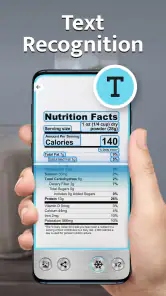
Magnifier Plus is intended for looking more closely at small text and objects through a phone. Its digital magnifying glass can be useful for tasks such as checking fine print or examining details, while the flashlight can add light when the surroundings are dim. The results depend in part on your phone’s camera and the lighting around the object.
What does the microscope feature in Magnifier Plus do?
Magnifier Plus is described as a digital magnifying glass with a flashlight and microscope, so it is intended for looking more closely at small objects as well as text. This can make it useful for casual close-up viewing when you want to inspect details through your phone. The app is in the Lifestyle category and is developed by Digitalchemy, LLC.
What is Magnifier Plus with Flashlight and how does it work?
Magnifier Plus with Flashlight is a powerful utility app designed to help users magnify small text or objects by using their device's camera. It combines a digital magnifying glass with an integrated flashlight feature, allowing users to enhance visibility in low-light conditions. The app is user-friendly and offers adjustable zoom levels, making it ideal for reading fine print or examining small details.
Is Magnifier Plus with Flashlight free to use, or are there in-app purchases?
Magnifier Plus with Flashlight is available for free download, providing users with basic magnifying features. However, it may offer in-app purchases for advanced functionalities or to remove ads for a more streamlined experience. Users can choose to enjoy the free version or enhance their app experience by purchasing additional features. Optional purchases are available at different price points, so check the purchase details in the app before buying. Individual in-app purchase prices range from $0.69 to $14.99.
Pros
- Enhances visibility in low-light conditions.
- Simple and intuitive user interface.
- Adjustable zoom for better focus.
- Flashlight feature for added utility.
- Lightweight and quick to install.
Cons
- Limited to device camera quality.
- Battery consumption can be high.
- Not suitable for long-distance magnification.
- May lag on older devices.
- Ads can be intrusive for some users.
- Category
- Lifestyle
- Version
- 4.8.15













