Live Mic to Bluetooth Speaker
- 220.00
- 3.6
- Installs
- 5.00M
- Price
- Free

Screenshots
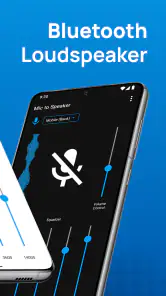
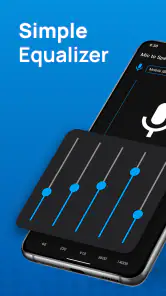
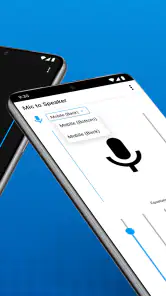
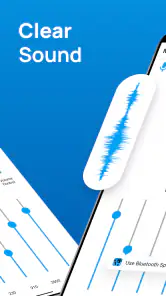
Analysis by Reviewed
I find a phone-to-speaker microphone app most useful when I need a quick voice boost, not when I’m trying to build a dependable sound system. That distinction matters with Live Mic to Bluetooth Speaker: it can be handy for a brief announcement or a bit of casual fun, but the result depends on the phone, speaker, and room as much as on the app. I’d treat it as a convenient option to try with equipment I already have, rather than a replacement for a dedicated PA setup.
Where people can get stuck
The confusing part of this kind of setup is often the route the sound takes. Pairing a phone and speaker does not automatically mean the microphone signal is being sent through that speaker; the app has to be active, and the selected Bluetooth device has to be the one you intend to use. If you hear nothing, I’d check those basics before assuming the app has failed.
There is also a practical trade-off with Bluetooth: sound may arrive with a delay. That can make a spoken announcement feel less immediate, and it is especially distracting if you are trying to sing along with music or monitor your voice. For a short, one-way announcement, a small delay may not matter. For live performance or anything that depends on tight timing, a wired microphone or proper PA is usually a better fit.
Checks before you speak
The app comes from Cards and is a free lifestyle app, with in-app purchases offered. It is rated for Everyone, and its current version is 4.0.0. I’d still test the whole chain quietly before using it in front of a group: connect the speaker through the phone’s Bluetooth settings if needed, open the app, and speak at a normal volume while standing where you plan to use it.
Keep the phone’s microphone unobstructed, and place the phone and speaker far enough apart to reduce the chance of an unpleasant feedback squeal. Start with the speaker volume low, then raise it gradually. This is a more useful first adjustment than speaking louder, which can make the microphone pick up more room noise without solving a weak speaker output.
Making a small setup work better
For a short announcement, I’d decide where the speaker will sit before connecting everything. Put it closer to the listeners than to the person speaking, then keep the phone on the speaking side of the room. This can reduce the temptation to turn the volume up simply because the speaker is pointed the wrong way. It also makes a quick test more meaningful: you hear what the audience is likely to hear, rather than judging the sound from beside the speaker.
A useful check is to say a complete sentence at the volume you expect to use, then pause and listen for both clarity and delay. A single word may sound fine even when a longer announcement becomes hard to follow. If you’re using it for a class or a gathering, prepare the phone and speaker before people arrive; troubleshooting in front of a group adds pressure and makes it easier to overlook a simple connection issue.
More From Our News Desk

Clash of Clans Is Won Between the Battles

Android Auto Makes the Case for Quieter Car Software

MobiOffice: Transforming Mobile Productivity with Seamless Integration

EA SPORTS FC™ Mobile Soccer: Redefining Mobile Sports Gaming

How Microsoft OneDrive Became a Mobile Productivity Giant

How Google Translate Breaks Language Barriers Effortlessly
When a different tool makes more sense
For a quiet room and a few listeners, this can be a simpler choice than carrying a microphone and mixer. For a noisy room, a large audience, or a presentation where every word has to be clear, I’d choose dedicated audio equipment instead. A phone speaker is not the same thing as a public-address system, and the Bluetooth connection adds another point that can affect responsiveness.
If you already use a karaoke app, this may be a convenient experiment, but I would not count on it as a fully synchronized karaoke rig. Likewise, teachers or trainers should test it in the actual room before relying on it for a session. A sound check helps reveal whether the phone can be heard clearly and whether the speaker’s placement works for the people listening.
Turning Your Phone into a Live Mic
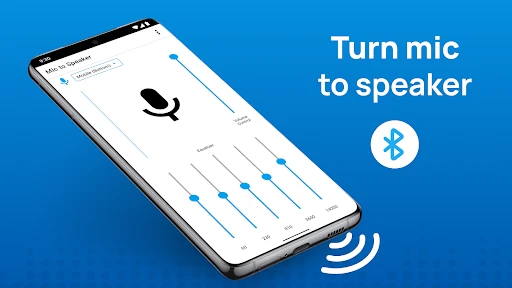
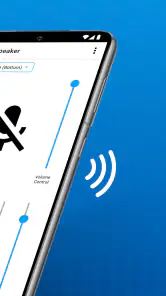
The first thing I noticed was how straightforward the app was to set up. As soon as you launch Live Mic to Bluetooth Speaker, you’re greeted with a no-frills interface. It’s clear and focused on what it does best—connecting your phone’s mic to a Bluetooth speaker. I connected my phone to a portable speaker, and within seconds, I was amplifying my voice like a pro!
Easy Peasy Bluetooth Connectivity
One of the standout features is the seamless Bluetooth connectivity. The app automatically detects available Bluetooth devices, making the pairing process a breeze. No more fiddling around with settings or endless waiting. Just tap to connect, and you’re good to go. This is especially handy if you’re setting up for a quick announcement or an impromptu karaoke session.
Sound Quality That Packs a Punch
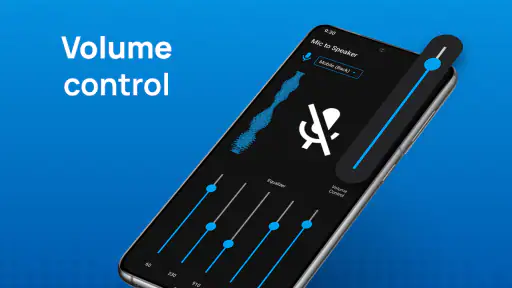
Now, let’s talk about sound quality. I was pleasantly surprised by how clear and loud the output was. The app provides options to tweak the audio settings to suit your environment, whether you’re indoors or outdoors. The echo and noise cancellation features work wonders, ensuring your voice comes through crisp and clear. It’s perfect for public speaking, presentations, or even just having fun with friends.
Practical Uses and Fun Applications
Beyond the technicalities, what really makes this app shine is its versatility. Hosting a party? Use it for announcements or to get everyone hyped! Teachers and trainers can utilize it for conducting classes or workshops without having to invest in expensive equipment. It’s also a great tool for street performers looking to amplify their sound without hassle.
Oh, and did I mention the karaoke potential? Pair it with your favorite karaoke app, and you have a portable karaoke machine at your fingertips. Whether at home or on the go, you’re all set for a musical showdown!
Using it in an ordinary day
A realistic use is a small gathering in a community room: I’d connect the phone and speaker before people arrive, test a short sentence from the spot where I’ll speak, and keep the phone close enough to pick up my voice without holding it directly in front of the speaker. That quick rehearsal is useful because room acoustics and speaker placement can change how clear the result feels. I would also keep a backup plan, such as speaking normally or moving closer, rather than assuming the app will solve every acoustics problem.
The same preparation makes sense outdoors, where background noise can swallow a voice even when the connection is working. For a street performer, the app may be a lightweight way to try a setup using existing gear, but it is not a guarantee of audience-filling volume. I’d test at a realistic distance and avoid turning the speaker up abruptly; if the sound becomes harsh or starts feeding back, repositioning the phone and speaker is a better first move.
Recovering when the audio stops
If the sound cuts out or comes from the wrong device, I’d pause rather than keep tapping at random. Check whether the Bluetooth speaker is still connected to the phone, confirm that the app is open and ready, and try a brief test again at low volume. If another device is competing for the speaker connection, disconnecting it may help restore the intended route. A short reset of the connection is more sensible than changing several settings at once, because it makes it easier to tell what fixed the problem.
For a group event, I would avoid making the first test during the announcement itself. A quiet check also gives you a chance to notice battery or placement issues before they become interruptions. Keep the phone where its microphone can hear you, but not right beside the speaker; the best arrangement is a compromise between voice pickup and avoiding feedback.
When the app may not be the cause
Not every disappointing result points to a software fault. A weak or distorted sound can come from the speaker’s own limits, a noisy space, an obstructed phone microphone, or the distance between the speaker and the listeners. Bluetooth latency is another limitation of the overall setup, so an app cannot make every speaker suitable for real-time singing or performance. When clear, consistent coverage matters, a dedicated microphone-and-speaker system is the safer choice.
It is also worth being realistic about the audience. This is most appealing if you want a portable, low-effort voice boost for a few people and are comfortable testing your own speaker. If you need dependable sound for a large room, need to move freely while speaking, or cannot risk a connection hiccup, I would skip the phone-based approach. The app is free to try, while optional in-app purchases range from $0.99 to $99.99 per item, so I’d make sure the basic workflow suits my needs before considering any purchase.
Who should give it a try
The app has a 3.6 average from around 24,000 ratings, with about 220 written reviews, and has been installed over five million times. Those figures suggest it has found an audience, but they do not tell me whether it will work well with a particular speaker. I’d judge it by a simple test with the exact phone and Bluetooth speaker I plan to use.
It is a reasonable fit for casual announcements, small informal gatherings, and experimenting with a voice-amplification setup without bringing dedicated equipment. I would be more cautious if I needed polished audio, reliable timing, or coverage for a crowd. The usual alternative—a standalone microphone and PA speaker—takes more effort and equipment, but offers a more purpose-built solution. A phone’s built-in speaker is simpler still, though it does not offer the same route to a Bluetooth speaker.
Compatibility and expectations
The app supports Android 8.0 and later, which makes it an option for people using an older compatible phone rather than only a recent device. I’d still check that the phone can connect to the speaker I plan to use and test the combination directly. Compatibility with the operating system is only one part of the chain; the speaker’s behavior and the room can matter just as much to the result.
For a low-stakes use, such as getting a few people’s attention at a family gathering, I’d keep the message brief and have a normal-speaking backup. That is a better fit than relying on it for a long speech where the phone has to stay in a precise position or the sound needs to cover a large area. The convenience is having a mic option in a device you already carry, not gaining all the control of dedicated equipment.
Wrapping It Up
In a nutshell, Live Mic to Bluetooth Speaker is a fantastic tool for anyone looking to amplify their voice without breaking the bank. It’s user-friendly, with excellent sound quality and plenty of applications both for work and play. Whether you’re a professional needing a quick audio solution or just someone wanting to have a bit of fun, this app is worth checking out. So, go ahead, give your voice the boost it deserves!
My more measured recommendation is to try it for low-stakes situations first and let the actual speaker, room, and connection decide whether it earns a place in your routine. If that quick test is clear and responsive enough, it can be a useful shortcut; if not, a dedicated audio setup is the better investment of your time.
Live Mic to Bluetooth Speaker Frequently Asked Questions
Can I use Live Mic to Bluetooth Speaker without a Bluetooth speaker?
The app’s main purpose is to connect a mobile microphone to a speaker and create a smart Bluetooth loudspeaker, so a Bluetooth speaker is central to the experience. If you are considering using it without one, keep in mind that its advertised role is voice projection through a connected speaker rather than serving as a standalone recording or amplification tool.
Will there be a delay between speaking and hearing my voice through the speaker?
The app sends microphone audio to a Bluetooth speaker, and the listening experience can depend on the phone and speaker connection. For situations where people need immediate, natural-sounding amplification, try the setup in the intended environment before relying on it. A small delay can be more noticeable during singing or conversation than during a simple voice announcement.
Can Live Mic to Bluetooth Speaker be used for karaoke or announcements?
The app’s microphone-to-speaker purpose makes it relevant to casual uses such as karaoke, announcements, or speaking to a small group. Connect the phone to a Bluetooth speaker and speak into its microphone to project your voice. For a large or professional event, a dedicated PA system is a more suitable choice when dependable coverage and sound quality are important.
Do I need to create an account to use Live Mic to Bluetooth Speaker?
Live Mic to Bluetooth Speaker is described as a mobile microphone tool that connects to a Bluetooth speaker. Before downloading, consider whether you are comfortable trying the app directly for that purpose and reviewing any setup prompts it presents. The central task is connecting the phone and speaker, so keep both devices nearby when you are ready to test it.
Is Live Mic to Bluetooth Speaker suitable for children?
The app has an Everyone content rating, which indicates it is intended for a broad audience. Its basic purpose is using a phone microphone with a Bluetooth speaker, so it may be understandable for younger users with help setting up the connection. Parents should still supervise device use and review any purchase options before allowing a child to use the app.
Pros
- Easy Bluetooth connectivity
- User-friendly interface
- Minimal audio latency
- High sound quality
- Compatible with various devices
Cons
- Requires stable Bluetooth connection
- Drains battery quickly
- Limited free features
- Occasional app crashes
- Ads can be intrusive
- Category
- Lifestyle
- Version
- 4.0.0