LifeLock Identity by Norton
- 12.11K
- 4.5
- Installs
- 5.00M
- Price
- Free

Screenshots

Analysis by Reviewed
LifeLock Identity by Norton is aimed at people who want to keep an eye on identity-related alerts from their phone. I find that focus useful, but identity protection is a trust-sensitive area: an app can only be judged sensibly by the controls and choices a person can actually see, not by assuming that a reassuring name guarantees every kind of protection. I’d approach it as a way to manage account notices and stay attentive, rather than as a substitute for careful habits or a promise that fraud cannot happen.
Putting trust in context
Identity protection is different from a utility that performs one simple task. To use a monitoring service, you may need to make choices about an account and personal information, so it is worth deciding what you want from it before signing up. I’d start by naming the concern I’m trying to address: keeping track of identity alerts, making notices easier to spot, or having a service to consult if something looks wrong. That makes it easier to judge whether the plan and controls shown in the app match my needs.
I would not treat a familiar security brand as a reason to skip that check. Instead, I’d review the account screens, the options offered during setup, and the plan details before entering information or making a purchase. This is a practical way to assess a sensitive service without assuming anything about its unseen data practices: use the choices presented to decide what you are comfortable enabling, and pause if the terms do not suit you.
What the app is built around
This is a free finance app from NortonMobile, with a 4.5 average from around 42,000 ratings and more than 5 million installs. Its age rating is Everyone, and version 2.7 is listed for devices running Android 10 or later. Those details make it easy to place the app, but they do not tell me how much protection any one person will receive: that depends on the service and plan connected to the account.
The app’s practical role is to put identity-protection activity on your phone, where alerts are easier to notice than messages you check only occasionally. That can suit someone who wants a central place to manage notices while handling everyday tasks. I would still treat each alert as a prompt to verify what happened through a trusted route, rather than tapping hurriedly just because a notification sounds urgent.
What’s the Buzz About?
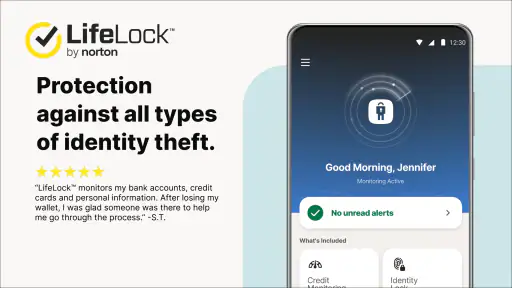
So, what's the deal with LifeLock Identity by Norton? Well, it promises to protect your personal information from identity theft and fraud, which, let’s be honest, is pretty much everyone's nightmare these days. The app offers a range of features, including credit monitoring, alerts for suspicious activity, and even a recovery team that steps in if things go south.
Getting Started
Installing and setting up the app was a breeze. The interface is clean and user-friendly, which is a huge plus for someone like me who doesn't want to spend hours figuring things out. I was up and running in no time, with the app guiding me through each step like a helpful friend.
More From Our News Desk

Weather by Xiaomi Review: Clear at a Glance, Less Clear Up Close

X Under Pressure: Can It Recover When Posting Goes Wrong?

Clash of Clans Is Won Between the Battles

Android Auto Makes the Case for Quieter Car Software

MobiOffice: Transforming Mobile Productivity with Seamless Integration

EA SPORTS FC™ Mobile Soccer: Redefining Mobile Sports Gaming
Even when setup feels straightforward, I’d take a few extra minutes to understand the account before moving on. I would note which sign-in method I chose, check how to reach account settings again, and make sure the phone is protected with a screen lock. Those small steps do not replace the service, but they make the phone itself a more sensible place to receive sensitive notices. If another person sometimes uses your device, I’d also consider whether notifications should appear in full on the lock screen.
Features Galore
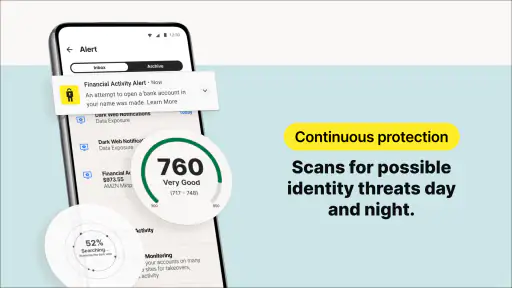
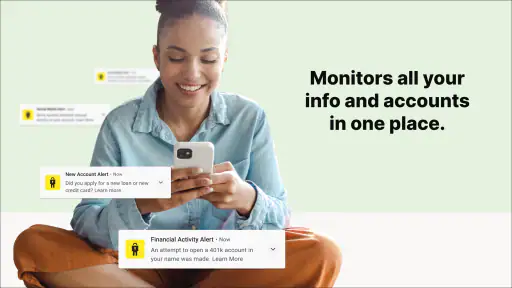
One of the standout features for me is the real-time alert system. I got a notification every time there was a significant change in my credit report or any suspicious activity was detected. It's like having a watchdog that's always on duty, making me feel secure and informed. Plus, the app covers various aspects of identity protection, from bank account takeovers to social security number alerts.
Another cool feature is the VPN provided by Norton. It helps keep my online activities anonymous, which is a nice touch, especially when using public Wi-Fi. Knowing that my browsing habits and personal data are shielded from prying eyes is a comforting thought.
Working out what an alert means
An alert is a reason to investigate, not proof on its own that someone has committed fraud. I’d first compare its timing with anything I recently did, such as updating an account or applying for a financial product, then check the relevant account through its official app or contact details. This two-step approach helps me avoid both extremes: ignoring a potentially important notice and reacting to a message before I know what it concerns.
For a realistic example, imagine receiving a notice while waiting in line at a shop. I would avoid opening a link or sharing information while distracted. I’d make a note of the alert, wait until I can read it carefully, and verify the event directly with the organization involved. If the event is unfamiliar, I’d follow the service’s stated instructions and keep a record of what I checked. The useful habit is not simply turning notifications on; it is having a calm plan for what to do after one arrives.
How I’d use the alerts day to day
A useful habit is to decide in advance what you’ll do when an alert arrives. For example, if I’m in the middle of errands and see a notice about an unfamiliar change, I’d avoid reacting from the notification itself. I’d open the app deliberately, read the details, and then check the relevant account using its official app or contact method. That extra pause helps separate a legitimate warning from a message that merely looks convincing.
This kind of routine is particularly handy during busy stretches: moving house, changing financial accounts, or applying for something that may generate legitimate identity activity. An unexpected alert can be easier to assess when you remember what you recently changed. I’d keep a simple note of those changes, not sensitive account details, so I can compare a notification with events I actually initiated.
Another useful workflow is to make one short review part of a routine you already keep, such as checking account activity after paying bills. That gives you a fallback if a phone notice is missed, without turning identity monitoring into a constant interruption. I’d keep any notes limited to dates and actions, never passwords, full account numbers, or copies of identity documents. The point is to make it easier to recognize your own activity while keeping the record itself low-risk.
Trust, permissions, and personal information
Identity services deal with information people naturally handle cautiously. Before entering details, I’d read the sign-in and account screens closely, check what choices are presented, and use only the information the service asks for to set up the protection I intend to use. I would also review phone notification settings: previews can expose the subject of an alert on a locked screen, so showing less detail there may be a sensible trade-off for privacy.
It is worth distinguishing the phone app from the broader service. Installing an app does not, by itself, establish what plan is active or which services apply to an account. I’d confirm those in the account before relying on a particular alert or protection. That matters especially if a household member assumes that downloading the app automatically covers everyone or every account.
For a trust-sensitive app, I’d also revisit the choices after setup rather than treating the first decision as permanent. Check the notification controls when your circumstances change, for example if you begin sharing a device or want fewer details visible while it is locked. Before changing an account or plan, read the on-screen explanation of what the change affects. This keeps the user in charge of visible settings without making assumptions about what happens behind the scenes.
Peace of Mind, But at a Cost
While the app offers a comprehensive suite of features, it does come at a price. The subscription fee might be a bit steep for some, but considering the level of protection and the potential cost of dealing with identity theft, it seems like a worthwhile investment. After all, can you really put a price on peace of mind?
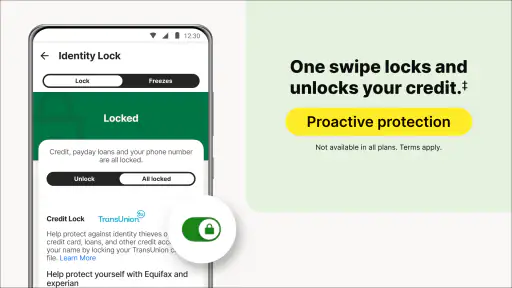
However, I did notice that some features are only available on higher-tier plans, which could be a bummer if you're on a budget. But then again, the basic plan still covers a lot of ground.
That makes the decision less about whether identity protection sounds reassuring and more about whether the particular coverage earns a place in your budget. I’d compare the exact plan terms with what I already get from financial providers, then pay only for a gap I actually want to address. If I cannot explain which feature I’m paying for or how I would use it, I’d hold off rather than treating the most expensive option as automatically better.
Choosing it over simpler alternatives
Compared with checking bank and credit accounts one by one, a dedicated identity app can make alerts feel more centralized, which is convenient if you want to manage them on the go. The trade-off is that it adds another account and another place to review. If your main concern is a single bank card, that bank’s own alerts may be a simpler fit. If you want broader identity monitoring, a dedicated service is more relevant, but I’d compare the plan’s actual coverage and ongoing cost before deciding.
The app is best suited to someone who will read and act on alerts, values a phone-based view of identity protection, and is comfortable managing a paid service if the desired features require it. It is less compelling for someone who wants a completely free, one-purpose notification tool, or who would rather avoid sharing personal information with an identity service. In that case, careful account security and alerts from individual financial providers may be a more comfortable starting point.
There is also a middle ground: keep bank alerts enabled for immediate activity on specific accounts, and use an identity service only if its broader scope fills a need those alerts do not meet. These tools are not interchangeable. A bank’s notice may be more direct for a transaction on that bank account, while a dedicated identity service is intended for a wider set of identity-related concerns. I’d choose based on the events I want to track, rather than expecting one app to replace every provider’s own safeguards.
I would skip this app if I am unlikely to review notifications, if I only need alerts from one financial account, or if I do not feel comfortable creating an account for identity monitoring. Someone helping a relative should also avoid assuming that installing the app gives them authority to manage that person’s information; the account holder should understand and control the choices being made. In those situations, simpler provider alerts or a conversation about account security may be a better first step.
Questions I’d settle before relying on it
Before signing up, I’d check which protections are included in the plan I’m considering, whether the notices I care about are covered, and what steps the service expects me to take if an alert appears. I’d also look at the renewal and purchase terms in the account flow rather than assuming that “free” means every service is free: in-app purchases range from $10 to $339.99 per item. That broad range makes it especially sensible to understand the specific offer before committing.
I’d also ask myself whether I’ll keep notifications enabled and make time to review them. An alert system is only useful if the person receiving it can distinguish a real account event from routine activity and follow up calmly. If you travel often or tend to dismiss phone notifications, a weekly check-in may be a better complement than relying on instant prompts alone.
A further practical question is what happens when I change phones or stop using the service. I’d look for the account controls and terms that explain how to manage access, purchases, and notifications, and make sure I can still use the sign-in method I chose. I would not keep an account simply because I installed the app; if my needs change, I’d review the available account options and decide deliberately whether to continue.
A cautious verdict
All in all, my experience with LifeLock Identity by Norton has been more than satisfactory. It's a robust app that provides a sense of security in an increasingly uncertain digital world. While it might not be the cheapest option out there, the reassurance it offers is invaluable. If you're someone who's serious about protecting your identity, this app is definitely worth considering.
So, there you have it! Whether you're a tech-savvy individual or just someone looking to safeguard their personal information, this app has got you covered. Give it a shot, and you might just find it to be the digital guardian you never knew you needed.
LifeLock Identity by Norton Frequently Asked Questions
Can I manage LifeLock Identity alerts while away from home?
LifeLock Identity is designed to put identity-theft protection tools on your phone, making it easier to keep up with fraud alerts and notifications while you are away from a computer. That can be useful if you prefer to review account notices on the go. The app is focused on managing alerts; be prepared to read them and follow up when something needs your attention.
What devices and operating systems can run LifeLock Identity?
LifeLock Identity is available for Android and iOS devices. Before installing, check the operating-system requirement and confirm that your phone or tablet meets it. The app is developed by NortonMobile, and its store description is simply “LifeLock Identity.” If your device is compatible, you can use it to manage the service’s identity-protection alerts and notifications from your mobile device.
Is LifeLock Identity by Norton free to download, and what might require payment?
LifeLock Identity is free to download, so you can install the app without paying upfront. The app also offers in-app purchases, with prices ranging from $10 to $339.99 per item, so some services or subscription options may involve additional costs. Check the options shown in the app before choosing a purchase, and review the terms carefully to make sure the coverage fits your needs.
What is LifeLock Identity by Norton and how does it work?
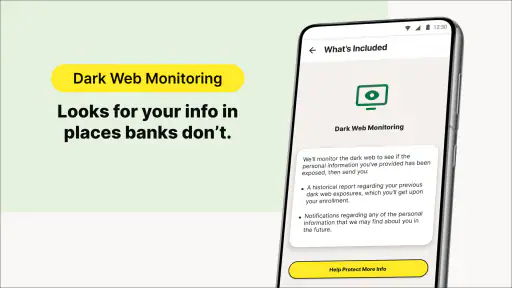
LifeLock Identity by Norton is an identity theft protection service designed to help monitor personal information and alert you to potential threats. It works by scanning the web for your personal data, such as Social Security numbers and bank account details, and alerts you if it detects suspicious activity. It also provides tools to help you manage your identity, including credit monitoring, identity restoration support, and insurance coverage for certain identity theft losses.
Is LifeLock Identity by Norton compatible with both Android and iOS devices?
Yes, LifeLock Identity by Norton is compatible with both Android and iOS devices. The app can be downloaded from the Google Play Store for Android users and the Apple App Store for iOS users. Once installed, users can access the service’s features, including alerts, credit monitoring, and identity restoration support, directly from their smartphones or tablets.
Pros
- Comprehensive identity protection tools.
- Real-time alerts for suspicious activity.
- Credit score tracking included.
- Lost wallet protection feature.
- User-friendly interface.
Cons
- Premium price for full features.
- Limited international support.
- Some features require extra setup.
- Occasional false alerts reported.
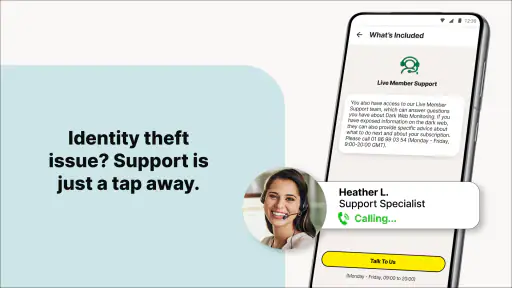
- Customer service wait times.
- Category
- Finance
- Version
- 2.7













