Norton VPN – Fast & Secure
- 49.26K
- 4.5
- Installs
- 10.00M
- Price
- Free

Screenshots
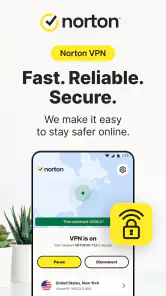
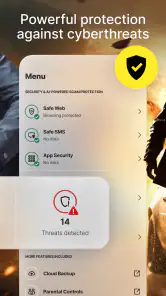

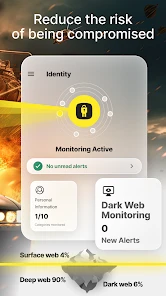

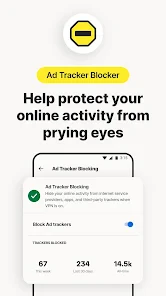


Analysis by Reviewed
I use a VPN most when I’m away from my usual home connection: checking a personal account on café Wi-Fi, for example, or wanting an extra layer of privacy while browsing on a trip. Norton VPN is aimed at those everyday situations, with a straightforward Tools app from NortonMobile. It’s free to install, but the distinction between free access and paid value matters here: in-app purchases are listed from $9.99 to $129.99 per item, so I’d check what a particular purchase includes before deciding it suits my needs.
What I would check before paying
The free download gives you a chance to see how the app fits your routine, but it should not be confused with an assurance that every VPN feature or usage option is free. I’d look at the purchase screen on my own device and read the exact terms shown there, including what the selected option covers. The listed range is broad enough that the offer matters more than the headline price: I would not choose based on the smallest figure alone.
I’d also decide what job I need the VPN to do before comparing costs. If I only want to use it now and then on shared Wi-Fi, a paid option may be harder to justify than it is for someone who regularly travels and wants a VPN available throughout the day. The key question is not whether a VPN sounds useful in general, but whether I will use this one often enough to value the specific purchase offered.
Getting Started with Norton VPN
First off, getting started with Norton VPN – Fast & Secure is a breeze. All you need to do is download the app from your device’s app store, and you’ll be up and running in no time. The interface is clean and intuitive, which is perfect for folks who aren’t exactly tech-savvy. With just a few taps, you can connect to a virtual location and browse the internet like a ghost—unseen and untraceable.
That last image is more absolute than I’d use when explaining VPNs to a friend. A VPN can route your connection through another location and help protect traffic on the route, but it does not make you anonymous or prevent every kind of tracking. Websites can still recognize accounts you sign into, and a VPN is not a replacement for careful link handling, strong passwords, or device security. I see it as one privacy tool, not an invisibility switch.
Features That Stand Out
One of the standout features of this app is its ability to let you choose from a wide range of virtual locations. This is particularly useful for accessing content that might be restricted in your region. Just imagine you’re traveling abroad and you miss your favorite TV show—it’s like having your cake and eating it too! Plus, the app provides unlimited bandwidth, which means you can stream, download, and surf the web to your heart’s content without worrying about hitting a data cap.
Location choice can also be useful for a less obvious reason: if a site behaves differently when you travel, connecting through a familiar region may give you a more consistent browsing experience. I’d still treat access to streaming libraries as a possibility rather than a guarantee; services can change how they handle VPN connections, and a selected location does not promise that every program or website will work.
More From Our News Desk

Weather by Xiaomi Review: Clear at a Glance, Less Clear Up Close

X Under Pressure: Can It Recover When Posting Goes Wrong?

Clash of Clans Is Won Between the Battles

Android Auto Makes the Case for Quieter Car Software

MobiOffice: Transforming Mobile Productivity with Seamless Integration

EA SPORTS FC™ Mobile Soccer: Redefining Mobile Sports Gaming
For a practical routine, I’d connect before opening banking, email, or shopping apps on public Wi-Fi, then check that the VPN is still active if I switch networks. If a page loads oddly, disconnecting briefly can help identify whether the VPN route is the cause; I would avoid entering sensitive details during that test on an untrusted network. This small habit is more useful than leaving the app installed and assuming it is protecting every connection automatically.
A useful way to think about virtual locations is as a connection choice, not a universal fix. I’d start with a nearby option when I care about responsiveness, then try a different location only if a site or service gives me a reason to. If I’m troubleshooting a page, I’d change one thing at a time—first the location, then whether the VPN is on—so I can tell what actually helped instead of making several changes at once.
Another practical detail is to plan around tasks that depend on a stable connection. I might turn the VPN on before checking messages or browsing on a café network, but I would test it before an important video call rather than discovering mid-call that the route is slower than I want. For a large download, I’d weigh the added privacy against the time it takes; if I’m on a trusted home network and speed matters more, a direct connection may be the better choice.
Another feature worth mentioning is the app’s strict no-log policy. In a world where data is the new gold, it’s comforting to know that Norton is not tracking your online activities. And for those who are really serious about their security, the app offers bank-grade encryption, which sounds super fancy and super secure.
Privacy-minded users should remember that choosing a VPN means trusting the provider that handles the connection, so I would read the current policy and purchase terms before relying on any service for a specific requirement. Encryption can protect data in transit, but it does not make a compromised phone safe, hide activity from a site where you are logged in, or guarantee that every app uses the connection in the same way. Those limits do not make a VPN pointless; they help set realistic expectations.
User Experience
In terms of user experience, Norton VPN provides a seamless and smooth ride. The app runs quietly in the background without affecting your device’s performance. It’s like having a silent guardian watching over your digital shoulder. Occasionally, I noticed a slight dip in internet speed, but it wasn’t enough to be a deal-breaker.
Speed is the trade-off I’d pay attention to during video calls, large downloads, or online games, where a slower or less stable route is more noticeable than it is during ordinary reading. If that happens, trying a nearer virtual location—or disconnecting when privacy on the current network is not a concern—can be a sensible troubleshooting step. A VPN is not automatically the best choice for every task, and people who prioritize the lowest possible latency may prefer a direct connection.
Compared with manually configuring a VPN or choosing a specialist service with more settings, this app’s appeal is convenience: it is built for people who want a recognizable provider and a simple connection flow rather than lots of technical controls. That simplicity is also a limitation for users who want to tune advanced network behavior or evaluate every configuration themselves. I’d choose based on whether ease of use or detailed control matters more to me.
Against the usual alternatives, the decision is less about a universally superior VPN and more about the amount of control I want. A direct connection avoids routing through a VPN but gives up that extra layer on a shared network. Manual configuration or a more technical provider can suit someone who likes to adjust settings, while a simple app is easier for someone who would rather connect and get on with the task. Norton VPN makes most sense to me when that convenience is the priority.
I also appreciate the customer support, which is available 24/7. Whether it's through email, phone, or chat, you can get the help you need anytime, anywhere. It feels good to know that there’s someone ready to assist you if you run into any roadblocks.
The app is rated for Everyone and requires Android 10 or later, which makes compatibility worth checking before downloading if you use an older phone. Its average rating is 4.5 from around 297,000 ratings, and it has passed 10 million installs. Those figures suggest broad interest, but they cannot tell me whether a particular connection, device, or subscription option will fit my needs.
For a realistic travel day, I’d connect before using a café’s shared Wi-Fi, check that the connection remains active after moving to a different network, and then use ordinary safeguards as well: I would avoid unfamiliar links and sign out of accounts I no longer need open. If a work call starts to stutter, I’d consider whether the VPN route is responsible and switch approaches only when the network and task make that reasonable. This is the kind of flexible routine where a VPN can help without pretending to solve every security concern.
Cost, Fit, and Final Thoughts
As a free app with in-app purchases ranging from $9.99 to $129.99 per item, it is easy to try the download, but I would not assume every feature or duration is included at no cost. Before paying, I’d review the purchase screen carefully and compare the offer with how often I expect to use a VPN. A person who only needs occasional protection on public Wi-Fi may judge value differently from someone who wants it as part of a daily routine.
When judging value, I’d also consider whether I can use the app consistently rather than whether I might need it someday. Someone who travels often, uses shared networks, or wants a simple way to connect without learning manual setup may get more practical use from it. Someone who is almost always on a trusted connection and rarely travels could reasonably decide that even an easy-to-install VPN is not worth paying for right now.
So, is Norton VPN – Fast & Secure worth the hype? I’d say yes. It’s reliable, easy to use, and packed with features that cater to both casual browsers and security buffs. While it may not be the cheapest option out there, the peace of mind it offers is priceless. If you’re looking to up your online security game, this app is definitely worth a try.
My recommendation is strongest for someone who wants a simple way to add a VPN connection while traveling or using shared Wi-Fi, and who is comfortable checking the paid terms before committing. I’d skip it if I needed guaranteed access to a particular streaming catalog, the absolute best speed for competitive gaming, or highly customizable networking tools. For most people deciding whether to try it, the sensible next step is to install it on a compatible Android device, test the connection in their normal routine, and only consider an in-app purchase if the actual offer matches their needs.
One question worth settling before relying on it is whether it suits the device and the kind of protection you expect. On Android, the stated minimum is Android 10, so I’d check the operating system first. A VPN also protects a connection in a limited sense; it cannot secure an infected phone or make a logged-in account anonymous. If those are the main risks you are trying to address, I’d pair a VPN with sensible account and device security rather than treating it as a substitute.
In today’s digital age, protecting your online presence isn’t just a luxury—it’s a necessity. And with Norton VPN, you can surf the web with confidence, knowing that your data is in safe hands.
Norton VPN – Fast & Secure Frequently Asked Questions
Can I install Norton VPN on my phone or tablet?
Norton VPN is an app for mobile use, and it is available for Android and iOS devices. On Android, it requires version 10 or later, so check your device’s software version before downloading. If you use an iPhone or iPad, look at the current compatibility information in its app store before installing.
Is Norton VPN suitable for beginners?
Norton VPN is presented as a tool for accessing favorite websites and apps more securely while on the go. If you are new to VPNs, consider what you want to use it for—such as adding protection while browsing away from home—and review the available options in the app before choosing a plan. Its Everyone content rating indicates a broad audience.
Does Norton VPN work on public Wi-Fi?
Norton VPN is intended to provide a VPN connection for mobile use, which may be useful when browsing away from your usual network, including on public Wi-Fi. A VPN can add a layer of security to your connection, but it should not be treated as a guarantee that every online risk is eliminated. Use good security habits alongside it.
Can I use one Norton VPN account across multiple devices?
Whether a subscription can be used across several devices depends on the plan and its terms. Before purchasing, check the details displayed in the app so you know what is included and whether it suits the devices you want to protect. Norton VPN is available for Android and iOS, while the specific plan conditions should guide your choice.
Does Norton VPN offer customer support if I need help?
If you run into trouble with installation, connection, or a subscription, check the support options available through Norton or the app store where you downloaded Norton VPN. Having your device and app information ready can make it easier to describe the issue. For billing questions, the store or payment method used for the purchase may also be relevant.
Pros
- High-speed connections for streaming and browsing.
- Strong encryption ensures user privacy.
- No-log policy maintains anonymity.
- Easy-to-use interface for all users.
- Wide server coverage across multiple countries.
Cons
- Limited free version with restricted features.
- Occasional connectivity drops reported.
- Premium plans can be expensive.
- Not all servers support P2P sharing.
- Customer support response times vary.
- Category
- Tools
- Version
- Varies with device









