LEGO® DUPLO® Marvel
- 367.00
- 4.1
- Installs
- 10.00M
- Price
- Free

Screenshots
Analysis by Reviewed
What stands out to me about LEGO® DUPLO® Marvel is the way it turns familiar superheroes into a starting point for young children’s play. Instead of asking a preschooler to follow complicated rules, it invites them to explore bright scenes, characters, and LEGO-style building. That simple mix can make a short stretch of screen time feel more active than watching a cartoon, though it works best when an adult treats it as a shared play idea rather than an automatic babysitter.
The central appeal is the bridge between a recognizable character and a simple action: a child sees a hero, explores the scene, and gets to make something happen. That can be a more approachable first step into interactive games than a title built around scores, timers, or precise controls. I would describe it as guided imaginative play, not a sandbox with unlimited freedom. That distinction helps set expectations: the screen offers prompts and responses, while the child supplies much of the story in their own words.
StoryToys made this free educational app for young children, and its Everyone age rating suits the family audience it is aimed at. It has a 4.1 average from around 53,000 ratings and has passed 10 million installs, so it is clearly a familiar choice for many households. The current version is 20.1.0, and it runs on Android 6.0 or later. The app is free to install, but in-app purchases range from $3.99 to $39.99 per item, a detail worth checking before handing a device to a child.
Superhero play built around simple interactions
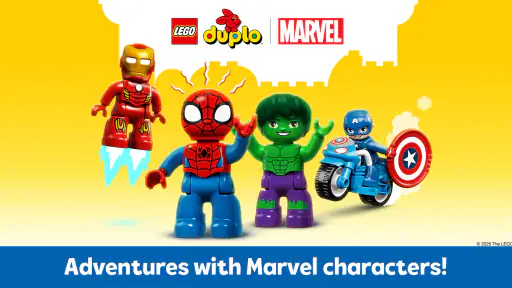
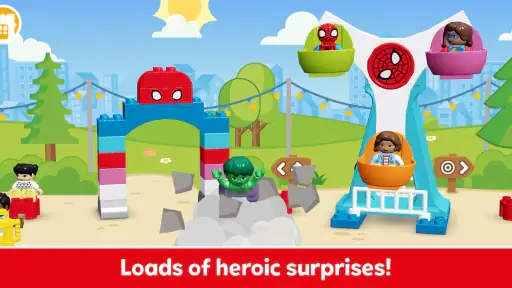
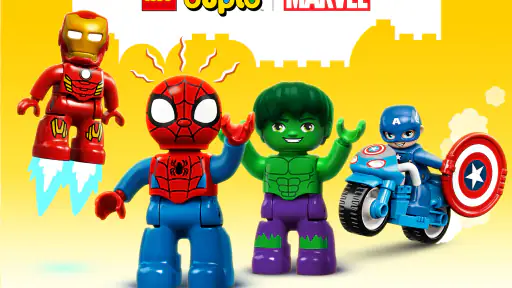
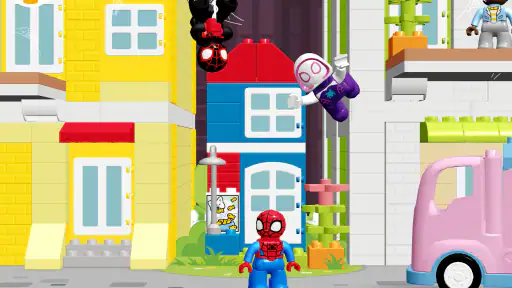
So, what’s the buzz about LEGO® DUPLO® Marvel? Imagine your child stepping into a world where they can join forces with iconic superheroes like Spider-Man, Captain America, and Iron Man. The app is designed to be an interactive and safe environment for preschoolers to explore and create. Each superhero is brought to life with vibrant animations and engaging storylines that are sure to capture your child’s imagination.
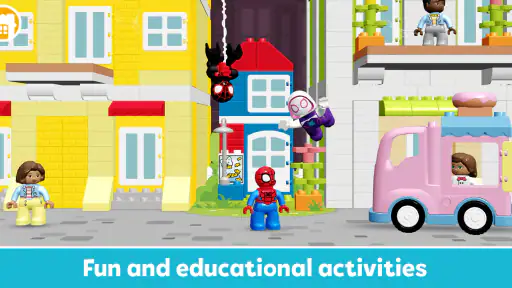
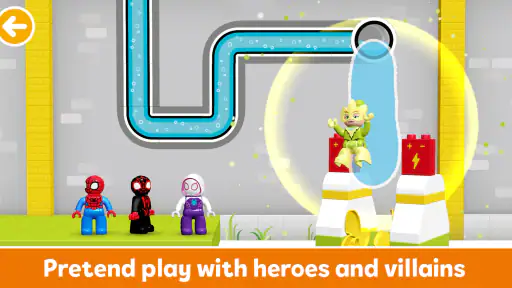
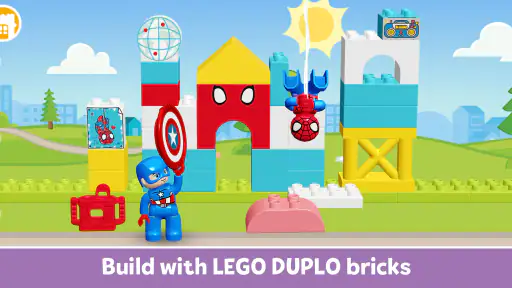
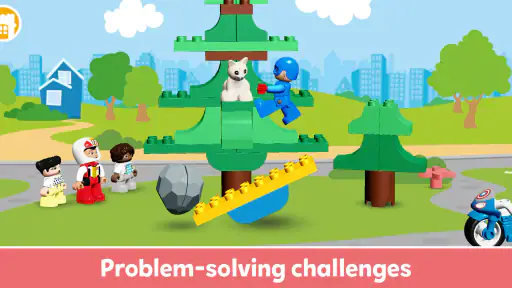
The app offers a variety of activities that encourage creativity and problem-solving skills. From building structures using DUPLO bricks to completing fun missions with their favorite superheroes, kids can engage in a plethora of activities that stimulate their brains and enhance their cognitive skills. And let’s be honest, who wouldn’t want to help Spider-Man save the day?
Easy to explore, better with a little guidance
One of the standout features of the app is its intuitive and kid-friendly interface. Designed with young users in mind, the controls are easy to navigate, allowing children to focus on what’s most important – having fun and learning. The app guides them through each step, ensuring that they can play independently without needing constant supervision from parents.
Moreover, the app is packed with interactive elements that keep children engaged. From tapping on characters to make them perform actions to dragging and dropping LEGO pieces to build creative structures, every interaction offers a sense of accomplishment and joy.
More From Our News Desk

Weather by Xiaomi Review: Clear at a Glance, Less Clear Up Close

X Under Pressure: Can It Recover When Posting Goes Wrong?

Clash of Clans Is Won Between the Battles

Android Auto Makes the Case for Quieter Car Software

MobiOffice: Transforming Mobile Productivity with Seamless Integration

EA SPORTS FC™ Mobile Soccer: Redefining Mobile Sports Gaming
For a first try, I’d resist turning the controls into a mini lesson. Sit beside the child, show one action if they are stuck, and then let them experiment with the next one. This makes it easier to see whether they are enjoying the cause-and-effect play itself or simply following an adult’s directions. It also gives you a chance to notice when a scene is becoming confusing or when the child is ready to move on.
Playful learning, without expecting a lesson plan
What I love about LEGO® DUPLO® Marvel is how it combines education with entertainment. The app is designed to help young children develop essential skills such as hand-eye coordination, spatial awareness, and basic problem-solving – all crucial for their developmental stage. Plus, the engaging superhero stories promote values like teamwork and bravery, subtly teaching kids important life lessons while they play.
The app also includes parental controls, allowing parents to set time limits and monitor their child’s progress, ensuring that the screen time is both fun and educational.
I’d keep the learning claims in proportion. A child can practise noticing where a piece might fit, coordinating a tap or drag, and talking through what a hero is doing, but that is not the same as a step-by-step lesson in reading or mathematics. The most useful educational moment may happen beside the screen: asking “What could you build next?” or “How might the characters help each other?” turns an animation into a chance for a child to explain an idea.
Where it fits into a family routine
I’d use this as a short, focused activity when a child wants to play superheroes but is not ready for a more demanding game. For example, while dinner is cooling, a parent can sit nearby, let the child choose a character, and ask them to describe what they are building or trying to do. That small conversation makes the play more social and gives the child a reason to explain choices instead of simply tapping through animations.
It also helps to set expectations before opening the app. A child who is used to physical DUPLO bricks may expect the same open-ended freedom on screen, while a digital activity can feel more guided. I’d present it as a superhero story with building moments, then switch to real bricks afterward if the child wants to continue making things away from the device.
A practical routine is to make the activity a bridge rather than the whole event. If the child enjoys arranging digital pieces, invite them to draw a similar structure or build one with toys afterward. If they prefer the characters and story, ask them to retell what happened using their own toys. Either follow-up keeps the child in charge of the imaginative part without assuming the app itself needs to provide endless new activity.
How it compares with other children’s apps
Compared with a passive video, the app gives children things to touch and respond to, which can make the experience feel more involved. Compared with a general preschool learning app, the Marvel and DUPLO theme gives it a much narrower appeal: that is a strength when superheroes motivate a child, but a drawback if they are more interested in animals, music, or everyday pretend play. For open-ended construction, physical bricks or a dedicated building game may be a better fit; this app’s advantage is combining simple interaction with recognizable characters.
That makes the choice less about which format is universally better and more about what the child needs at that moment. A video is easier when an adult needs a quiet, hands-off pause, while a hands-on building toy gives more room for unscripted construction and does not rely on a screen. A broad preschool app may suit a child seeking varied topics or more explicit practice. This title sits between those options: it gives a young player something to do, but its strongest hook is the themed play rather than a wide curriculum.
It is also not the best choice for a child who gets frustrated when a screen activity guides the next step, or for families looking for a structured reading, numbers, or language curriculum. I would not assume that superhero stories alone make it a complete learning tool. It is better viewed as themed play that can prompt conversation and imaginative thinking, rather than a replacement for books, hands-on play, or an adult-led activity.
A few practical choices before handing over the device
Because the app is free to start but offers paid items, I’d check the purchase settings on the device before a young child explores it. That is a useful precaution even when an adult plans to stay close: preschoolers can tap quickly, and a child-friendly interface does not remove the need for an adult to manage purchases. The listed age rating is Everyone, but parents should still decide whether the content and the way their child uses a screen suit their household.
The price range also changes how I would introduce it. I would begin with the free experience and let the child’s interest show itself before considering any purchase. A favorite character or a burst of enthusiasm in one sitting does not necessarily mean a child will return to the app often, so it is sensible to judge value over repeated use rather than buying in the hope that extra content will solve a short attention span.
Before a trip or a wait at an appointment, I’d open the app at home and check that it behaves as expected on the device. That simple test avoids discovering a purchase prompt or an unfamiliar screen while a child is already impatient. I would also agree on a stopping point before starting; a predictable end is often easier for a preschooler than asking them to quit in the middle of a story or building attempt.
For a smoother first session, I’d explore alongside the child rather than explaining every control in advance. Let them try tapping a character and moving a building piece, then ask what they want to happen next. If they lose interest when the story moves on, that is a good cue to stop rather than stretching the session. The strongest use is a brief invitation to play, not a promise that the app will hold attention indefinitely.
Who is most likely to enjoy it?
This is most appealing for preschoolers who already recognize Marvel heroes or enjoy DUPLO-style play, and for adults who want a simple activity they can discuss together. A child who likes choosing characters and seeing a small action follow will probably find an easy way in. If your child prefers quiet drawing, real-world construction, or activities with clearer learning goals, I’d choose those instead and treat this as an occasional themed option.
I’d also consider the child’s response to guided play. Some young children love a clear prompt because it gives them a starting point; others want to decide every detail themselves. If yours is firmly in the second group, try a short session with an adult nearby before expecting the app to become a regular choice. Their reaction will tell you more than their enthusiasm for superheroes alone.
For families deciding whether to install it, the practical questions are straightforward. Can the child enjoy a character-led activity without needing a formal lesson? Is an adult available to set a boundary around purchases and screen time? And would a short digital prompt complement, rather than replace, the toys and stories the child already likes? If the answers are mostly yes, it could earn a place in an occasional play rotation. If not, a physical DUPLO set, a book, or a more focused learning app is likely to serve that household better.
Wrapping it up, LEGO® DUPLO® Marvel is more than just an app; it’s a delightful blend of learning and entertainment. It’s perfect for parents who want to introduce their children to the world of superheroes in a safe and creative way. So, if you’re looking for an app that keeps your little ones entertained while nurturing their imagination and skills, give this one a try. Happy building and superhero-ing!
LEGO® DUPLO® Marvel Frequently Asked Questions
Is LEGO® DUPLO® Marvel suitable for a child who has never used an app before?
Its child-friendly approach and simple controls make LEGO® DUPLO® Marvel accessible to young children who are new to mobile apps. The activities bring together DUPLO play and Marvel characters in an interactive format, so a parent can help a child explore at first and then see how comfortably they manage. The app is rated Everyone, but families should still consider whether its superhero theme suits their child.
Can LEGO® DUPLO® Marvel be used on a tablet as well as a phone?
The app is designed to work on both tablets and smartphones, giving families a choice of screen size and device. A tablet may offer more room for a young child to tap and explore, while a phone can be convenient when travelling. On Android, the device needs version 6.0 or later. Check that requirement before downloading, and keep the device’s software up to date for a smoother experience.
Is LEGO® DUPLO® Marvel free to download, and what might cost extra?
LEGO® DUPLO® Marvel is free to download, so families can try the app without paying upfront. It also offers in-app purchases for additional content, priced from $3.99 to $39.99 per item. The free experience may be enough for a first look, but it is worth checking purchase controls on your device before handing it to a child.
What is LEGO® DUPLO® Marvel and who is it designed for?
LEGO® DUPLO® Marvel is an interactive mobile application designed for young children, primarily between the ages of 2 to 5 years. The app combines the fun and creativity of LEGO® DUPLO® bricks with popular Marvel superheroes, offering an engaging and educational experience. It features simple controls and activities that help develop fine motor skills, problem-solving abilities, and creativity in a safe digital environment.
Is LEGO® DUPLO® Marvel safe for my child to use?
Yes, LEGO® DUPLO® Marvel is designed with children's safety in mind. The app adheres to strict privacy practices and does not collect personal data from users. It features a kid-friendly interface, free from advertisements, ensuring a safe and uninterrupted playtime. Parental controls are also available to manage in-app purchases and screen time, providing peace of mind for parents.
Pros
- Engaging superhero-themed activities.
- Kid-friendly interface and design.
- Promotes creativity and imagination.
- Educational content tailored for children.
- Safe and ad-free environment.
Cons
- Limited content after initial levels.
- In-app purchases can be expensive.
- Requires a stable internet connection.
- May not appeal to older children.
- Some users report occasional glitches.
- Category
- Education
- Version
- 20.1.0













