Disney Coloring World
- 1.25K
- 4.3
- Installs
- 10.00M
- Price
- Free

Screenshots
Analysis by Reviewed
I found the best way to approach Disney Coloring World is as a relaxed, character-led coloring game rather than a challenge to beat. Its early appeal is immediate: choose a familiar face or scene, pick colors, and start filling it in. That simple first goal suits a short break, and the game’s educational category makes sense as a gentle creative activity for children, though adults who enjoy Disney art can settle in too.
Small goals make it easy to begin
The opening activity doesn’t ask you to master complicated controls or learn a long set of rules. You can focus on one picture and make it your own, which is a useful fit for a child who wants to start coloring without much help. I’d also use it as a quiet waiting-room distraction: choose a design before the wait begins, then let the child work at their own pace instead of handing over a game built around fast reactions.
There is a trade-off in that gentle start. If you want objectives, competition, or a steady stream of demanding puzzles, coloring may feel too open-ended. The satisfaction comes from choosing a palette and seeing a picture take shape, not from proving a high score. That makes the first few minutes welcoming, but it also means the game’s appeal depends on whether coloring itself is enjoyable for you.
Progress you can see, not a race to finish
The clearest sign of progress is the artwork changing under your choices. Tapping certain areas can reveal animations, so I’d try a few finished sections again rather than assuming every interesting detail appears automatically. That small habit makes the interactive side easier to notice and gives a child something to explore after the basic coloring is done.
Saving a completed picture gives the activity a natural stopping point. It can also help a parent turn coloring into a simple routine: finish one scene, save it, and leave the next one for another day. Sharing a result with family is a nice extra, although the core pleasure is still making the picture rather than collecting a score or competing with someone else.
Who will enjoy the pace—and who may not
The difficulty stays approachable because the main task is creative choice, not precision under pressure. The undo option is especially useful when a child changes their mind or an experiment clashes with the rest of the picture; it makes trying unusual colors less risky. I’d encourage that experimentation instead of treating the familiar characters as templates that must match their usual movie colors.
Compared with a basic coloring app, the Disney cast and animated touches give this one a stronger sense of character. Compared with a puzzle or action game, it offers much less challenge and no need to keep up with a timer. That is a genuine strength for calm, shared play, but a limitation for anyone looking for a demanding game loop. A paper coloring book is still better when you want no screen time, while a general-purpose art app is a better fit for someone who wants a blank canvas and more control over original drawings.
More From Our News Desk

Weather by Xiaomi Review: Clear at a Glance, Less Clear Up Close

X Under Pressure: Can It Recover When Posting Goes Wrong?

Clash of Clans Is Won Between the Battles

Android Auto Makes the Case for Quieter Car Software

MobiOffice: Transforming Mobile Productivity with Seamless Integration

EA SPORTS FC™ Mobile Soccer: Redefining Mobile Sports Gaming
Exploring the Enchanted Features
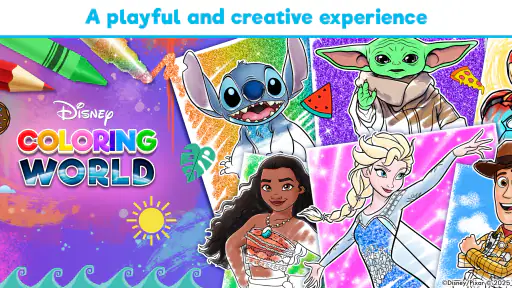
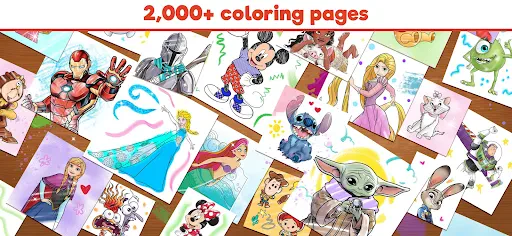
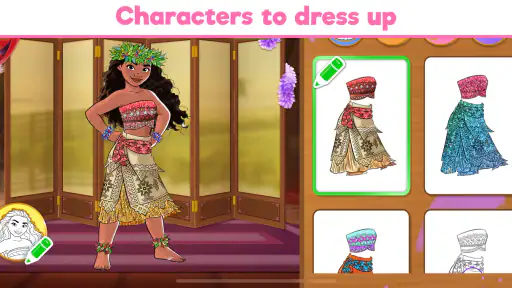
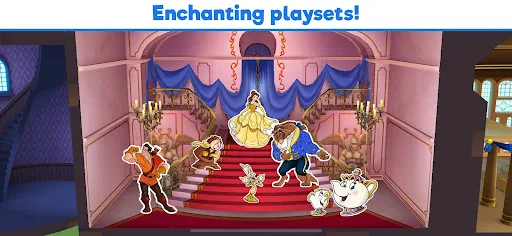
When you open Disney Coloring World, you're greeted with a vibrant palette of characters and scenes to choose from. The app is jam-packed with beloved characters from classics like The Lion King, Frozen, and Moana. It's like having a treasure trove of Disney magic at your fingertips!
The interface is user-friendly and designed to be intuitive, making it suitable for all ages. You don't need to be a tech wizard to navigate through the menus or select your favorite character to color. Just a few taps and you're ready to bring these iconic stories to life with your own color scheme.
Coloring with a Twist
What sets this app apart is its interactive elements. As you color, certain areas can be tapped to reveal animations, adding a layer of fun and surprise to the experience. Imagine coloring Cinderella's dress and seeing it sparkle with magic! This interactive feature not only keeps you engaged but also adds a sprinkle of Disney wonder to your day.
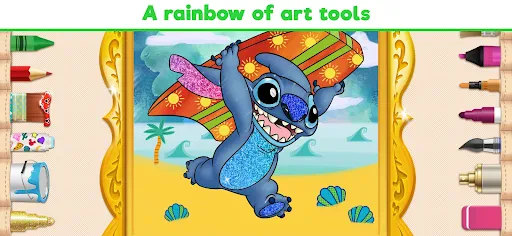
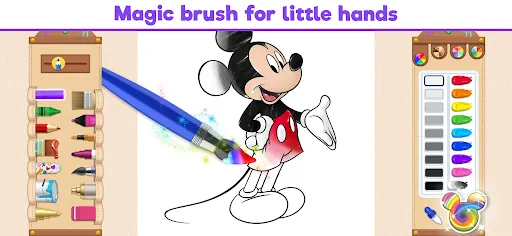
The color palette is extensive, offering a variety of shades that cater to both traditionalists and those who like to experiment. Whether you want Ariel's tail to shimmer in shades of green and blue or prefer a quirky pink, the choice is yours. Plus, the undo option is a lifesaver for when your artistic experiments don't go as planned.
The Magic of Creativity
One of the most rewarding aspects of Disney Coloring World is the freedom it gives you to express yourself. It's not just about staying within the lines; it's about telling a story through color. You can save your masterpieces and even share them with friends or family, spreading a bit of Disney joy beyond the app.
The app is periodically updated with new characters and scenes, so there's always something fresh to look forward to. It's like having an ever-expanding coloring book that keeps the magic alive.
For parents weighing the practical details, this is a free game from StoryToys, rated for Everyone, with a 4.3 average from around 44,000 ratings and over 10 million installs. It launched in December 2018, and version 16.4.0 supports devices running Android 7.0 or later. In-app purchases range from $0.99 to $59.99 per item, so I’d check the purchase options with a child before handing over the device; free to download does not mean every piece of content is necessarily included at no cost.
Keeping the fun pressure-free
The pacing is a better fit for brief, repeat visits than for a long session built around escalating goals. One practical approach is to let a child pick a picture, color until they’re ready to stop, and save the result; that creates a satisfying endpoint without turning the activity into a demand to finish everything. The changing selection of characters and scenes can renew interest, but the game’s calm structure may not be enough for children who need frequent new objectives to stay engaged.
For a family, I’d treat it as a shared creative prompt: ask why a child chose an unexpected color, or make up a story about the scene while coloring. That adds conversation without requiring the app to provide a lesson plan. On the other hand, if your priority is practicing drawing from scratch, building a portfolio, or avoiding in-app spending decisions entirely, a paper coloring book or a different art tool is likely the better choice.
My progression verdict
My overall impression is that the game sustains interest through recognizable characters, visible creative progress, and small interactive surprises—not through escalating difficulty. That is exactly why I’d recommend it for relaxed coloring with a Disney fan, especially when an easy activity is more valuable than a competitive game. I wouldn’t choose it for someone who wants structured challenges or extensive drawing tools, but for a low-pressure coloring session, it has a clear and appealing purpose.
In conclusion, if you're a Disney fan or simply enjoy coloring, Disney Coloring World is a must-have on your device. It's a delightful blend of nostalgia, creativity, and interactive fun that captivates both the young and the young-at-heart. So, grab your virtual crayons and dive into this enchanting world — you won't regret it!
A practical way to use it during the day
I’d keep this game for moments when a child wants to make something but doesn’t have the space or patience for pencils, paper, and cleanup. On a rainy afternoon, for example, I might let them choose one character, color for a while, then save the picture and talk about the choices before moving on. That gives the activity a beginning and an end without turning it into a lesson or a contest.
For younger players, an adult can make the first visit smoother by helping choose a picture and showing how to undo a color change. After that, the child can take over the creative decisions. The useful balance is to offer help with navigation, not to correct the palette: letting a familiar character have unexpected colors is part of the fun.
What the coloring format does especially well
Unlike a generic digital coloring page, the recognizable Disney characters can give a child an immediate reason to choose a picture and stay with it. The animations add a second layer to the finished artwork, so revisiting a colored area can be more rewarding than simply filling every blank space. I’d treat those details as little discoveries rather than something to hunt down exhaustively; the game works best when curiosity stays playful.
It also occupies a useful middle ground between a paper book and a full drawing app. Paper remains the better choice for hands-on coloring and a screen-free activity, while a blank-canvas art tool gives more freedom to sketch original characters. Here, the appeal is starting from familiar artwork and making color choices without needing drawing skills. That focus is a strength for casual creativity, but it means the game is not a substitute for learning to draw.
Managing choices and expectations
Because the download is free but in-app purchases are available, I’d look through the purchase options with a child before they settle on a favorite scene. That conversation is more useful than promising that every character or picture will be available without cost. If you want a completely predictable activity with no spending decisions to manage, a physical coloring book may suit your household better.
One small workflow that helps avoid frustration is to treat each picture as a short project rather than starting several at once. Choose a scene, try a palette, use undo when a choice feels wrong, and save when the child is ready to stop. It makes the session feel complete even if the artwork is not filled in perfectly, and it keeps the emphasis on experimenting rather than finishing for its own sake.
Who should choose something else
I wouldn’t recommend this as the main game for a child who loses interest without explicit missions, increasingly tricky levels, or competitive rewards. The progress is visual and personal, not a clear ladder of challenges. Likewise, older players seeking detailed illustration tools may find the guided coloring format limiting. A dedicated art app is a better match for layers of drawing control and original work, while a puzzle game is better when the goal is to solve problems and feel a rising difficulty curve.
For a Disney-loving child who enjoys choosing colors, or a family member who wants a calm activity to share, the fit is much stronger. The Everyone age rating makes it approachable as a family option, but I’d still guide younger children through any purchase choices. The game is most satisfying when the adult’s expectation is simple: a relaxed creative pause, not a structured educational course or a game that will hold attention for a whole afternoon.
How long the appeal lasts
The game’s repeat value comes from returning to characters and scenes with fresh color ideas, then noticing the interactive details, rather than from mastering a difficult system. That can be enough for children who like revisiting favorite characters and showing their finished pictures to someone. For a player who wants a new mechanic or a tougher objective each time, the same calm loop may start to feel repetitive.
My advice is to use it in small sessions and let the child decide when a picture feels finished. That respects the game’s unhurried pace and makes it easier to switch to another activity before coloring becomes a chore. As a free starting point for Disney-themed digital coloring, it has a clear role; as an all-purpose art studio or challenge-driven game, it does not.
Disney Coloring World Frequently Asked Questions
What kind of activities can children enjoy in Disney Coloring World?
Disney Coloring World is an educational game built around creative coloring. Children can choose Disney-themed artwork and use colors and coloring tools to make each page their own. Its relaxed, creative format is suitable for short activities or longer coloring sessions, and familiar characters can make it appealing to young Disney fans.
Does Disney Coloring World include Frozen and Disney Princesses?
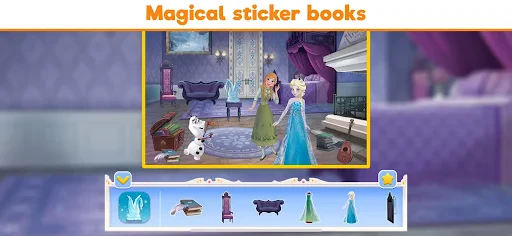
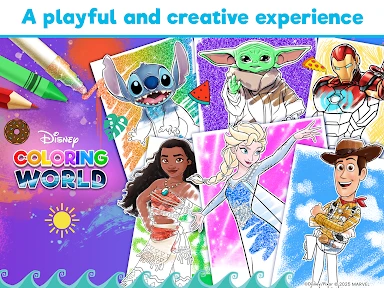
Yes. The app features themes including Frozen, Disney Princesses, Stitch, and more. That gives children and other Disney fans a choice of familiar characters and worlds to explore through coloring. If a particular character or theme is the main reason you are considering the game, the available selection may be worth exploring together after downloading.
Does Disney Coloring World work on my device?
Disney Coloring World is available for Android devices running Android 7.0 or later. Before downloading, check your device’s operating system version to make sure it meets that requirement. The app is a coloring game from StoryToys, and its simple, creative format makes it suited to quick coloring sessions as well as longer periods spent exploring Disney-themed artwork.
Is Disney Coloring World free to download, and what might cost extra?
The game is free to download, so you can try its coloring experience without paying upfront. It also offers optional in-app purchases, with individual items ranging from $0.99 to $59.99. These purchases can unlock additional content, so it is worth reviewing purchase settings with younger players before they begin. The core appeal is creative coloring, while spending is not required to get started.
What is Disney Coloring World and what can I do with it?
Disney Coloring World is a creative app designed for both children and adults who love Disney characters. It allows users to explore their artistic side by coloring a wide range of beloved Disney characters and scenes using a variety of tools and colors. Users can choose from numerous templates featuring characters from popular Disney movies and series, making it a fun way to engage with Disney's magical universe.
Pros
- Wide range of Disney characters to color.
- User-friendly interface for all ages.
- Regular updates with new content.
- Offline coloring available.
- Encourages creativity and relaxation.
Cons
- In-app purchases can be costly.
- Requires significant storage space.
- Limited color palette without purchase.
- Ads can be intrusive at times.
- Some content needs internet access.
- Category
- Educational
- Version
- 16.4.0













