LEGO® DUPLO® Disney
- 73.00
- 4.2
- Installs
- 5.00M
- Price
- Free

Screenshots
Analysis by Reviewed
During the first few sessions, LEGO® DUPLO® Disney has an easy hook: familiar characters, bright scenes, and simple activities make it approachable for young children. I found the gentle guidance helpful when a child is still learning how to tap and drag on a screen. The bigger question, though, is whether it stays useful after the novelty wears off. For me, its lasting value depends on treating it as a short, shared play option rather than a replacement for toys, books, or time away from a device.
Who gets the most from it
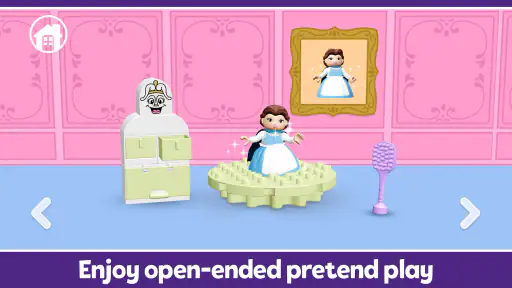
This education app from StoryToys is aimed at children who enjoy pretend play and already respond to Disney characters. It can suit a preschooler who wants to make things happen on screen but isn’t ready for complicated controls. I’d use it during a quiet spell at home, or as a small activity while waiting for an appointment. It is less suited to families looking for open-ended construction with the depth of physical DUPLO bricks, or for older children who want tougher puzzles and a stronger sense of progression.
A useful way to keep play active is to sit alongside your child and ask them to describe what they are building or what they think a character will do next. That turns a quick tap-through into a conversation about choices and cause and effect. It also gives a parent a chance to notice whether the child is exploring independently or simply following prompts. The app can start the play, but a little adult attention makes it easier to carry the idea into drawing or building with real blocks afterward.
How it fits into everyday routines
On a busy afternoon, I can see this working as a brief, predictable activity before dinner: offer a scene, let the child explore, then close the app and move on to a physical activity. Keeping the session bounded matters more than trying to make every visit educational. The voice instructions can help a child who is using the app without an adult narrating every step, though they don’t remove the value of occasional supervision. If your child tends to become upset when screen time ends, agree on the stopping point beforehand rather than relying on the app to manage that transition.
Compared with a general drawing app or a collection of unrelated mini-games, the LEGO and Disney theme gives this experience a more recognizable play frame. Compared with a physical DUPLO set, it is easier to carry and doesn’t require sorting or putting away pieces, but it cannot offer the same hands-on building or freedom to invent structures beyond the screen. I would choose the physical bricks when the goal is tactile play, and this app when portability and a guided digital activity matter more.
What keeps it in rotation—and what doesn’t
For lasting use, a helpful habit is to rotate it with other activities instead of making it the default answer to boredom. A child who returns to favorite characters may enjoy revisiting the app, while a child who wants fresh challenges every time could tire of its familiar style. Parents should also plan around the purchase model: the app is free to start, but it includes in-app purchases ranging from $4.99 to $39.99 per item. I’d check the available options with an adult before handing over the device, rather than assuming every part is included at no cost.
The app has an average rating of 4.2 from around 11,000 ratings, and it has been installed over 5 million times. It is rated for Everyone, and version 16.0.0 requires Android 6.0 or later. Those details make it a straightforward option for many families, but they don’t guarantee that a particular child will keep coming back. I’d judge that by whether the child explores, talks about the play afterward, or asks to recreate an idea away from the screen—not just by how long they stay absorbed.
More From Our News Desk

Clash of Clans Is Won Between the Battles

Android Auto Makes the Case for Quieter Car Software

MobiOffice: Transforming Mobile Productivity with Seamless Integration

EA SPORTS FC™ Mobile Soccer: Redefining Mobile Sports Gaming

How Microsoft OneDrive Became a Mobile Productivity Giant

How Google Translate Breaks Language Barriers Effortlessly
Getting Started with LEGO® DUPLO® Disney
Choosing it for a first try
Before downloading, I’d think about the child’s usual play style rather than relying on the Disney names alone. A child who likes watching characters and then making small choices may settle in quickly; one who prefers to invent a whole story without prompts may find the guided format restrictive. Since the app is free to start and has optional purchases, trying the basic experience is a low-commitment way to see whether its particular mix of familiar figures and simple interaction appeals. I would still make the first session a shared one, especially if the child is new to touchscreen play.
It is also worth treating the first few minutes as a practical test, not a verdict on learning value. Can the child understand the voice guidance? Do they notice that tapping or dragging changes what happens? Can they return to an activity after a small distraction? These observations help me decide whether the app is currently a good fit, and they are more useful than expecting a preschooler to explain what they learned. If the child needs frequent adult help just to operate it, I’d stay nearby or save it for a time when I can participate.
Exploring the Features
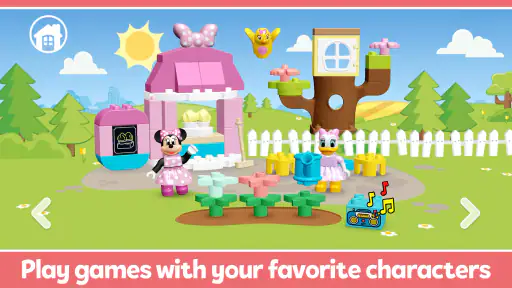
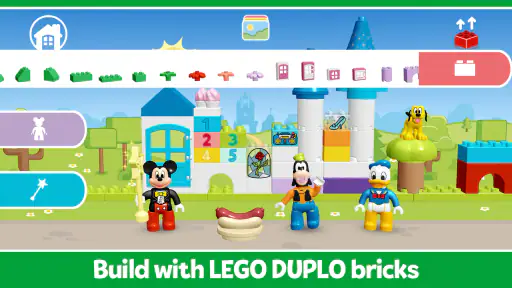
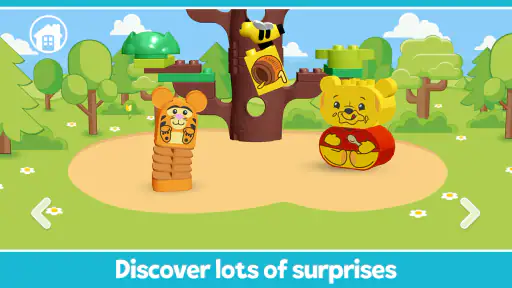
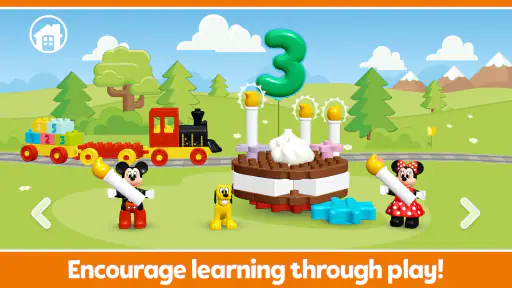
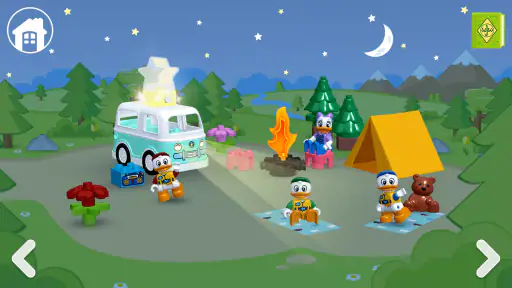
The app is designed for toddlers and preschoolers, so it's super intuitive. Kids can explore various themed environments, build structures, and interact with their favorite Disney characters. What's really cool is how the app combines play with learning. It's like sneaking veggies into mac and cheese - the kids are having fun and learning without even realizing it!
Each level features different challenges and tasks that help develop fine motor skills, creativity, and problem-solving abilities. I was particularly impressed by the voice instructions which guide the kids through the activities. It's like having a friendly guide right there with them.
For a parent, the useful detail is not simply that there are instructions, but how to use them without turning play into a test. I’d let the child try a prompt first, then offer a small question if they get stuck: “What could you tap?” or “What do you think happens next?” That keeps the child making decisions instead of having an adult take over the screen. When a task is completed, pausing to let the child explain their choice can make the activity feel more like pretend play and less like a sequence of instructions to obey.
The building theme also lends itself to a simple follow-on activity. After closing the app, I might ask the child to make a similar idea with blocks, paper, or objects already at hand. It does not need to match what appeared on screen; the point is to let the child carry a choice or character into a different kind of play. That small transition is one way to judge whether the app has sparked imagination, rather than only held attention while it was open.
Interactivity and Engagement
LEGO® DUPLO® Disney nails it when it comes to keeping kids engaged. The graphics are vibrant and colorful, perfectly capturing the magical essence of Disney. The sound effects and music are delightful, adding another layer of immersion to the experience. Plus, the app is designed to be played offline, so it's perfect for those long car rides or flights.
That portability is most useful when the alternative is a phone handed over without a plan. I’d choose one activity or a short stretch of play, then have a book, snack, or toy ready for the next part of the journey. Offline play can make it convenient when a connection is unavailable, but it does not solve the more ordinary challenge of helping a young child stop. A clear cue—such as finishing the current activity before putting the device away—can make the app easier to fit into travel without turning it into an all-purpose distraction.
It is also a different kind of choice from a video. A video asks a child mostly to watch, while this app gives them prompts and actions to respond to; that can make it more participatory for a child who enjoys tapping and making things happen. On the other hand, if the goal is calm listening at bedtime, a story or an audio activity may be a better match. I would choose according to the moment, rather than expecting one screen activity to serve every purpose.
A Parent's Perspective
From a parent's point of view, the app is a winner. It's engaging, educational, and, most importantly, it's safe. There are no in-app purchases, so you won't have to worry about any unexpected charges. The app also doesn't require constant internet access, which is a huge plus in my book.
I would be careful not to read “safe” as “no adult decisions needed.” The app is rated Everyone, but that age classification does not tell me whether it fits a particular child’s patience, interests, or screen-time routine. Nor does the free starting point mean every part is included: optional purchases are available, so I’d review the purchase controls on the device before a child uses it independently. That is a straightforward bit of setup, and it avoids a frustrating surprise if a child taps into an option that requires payment.
For families deciding whether it earns a regular place on a device, I’d use a simple rotation rather than a daily obligation. Keep it available for a short wait, a quiet patch, or a trip, and notice whether the child asks to return to it after trying other kinds of play. If it only works when an adult repeatedly prompts them, it may be better as a shared activity than a solo one. If they initiate play and then carry an idea into blocks or drawing, it is doing something more useful than filling a few minutes.
Overall, if you're looking for an app that combines fun, learning, and a dash of Disney magic, LEGO® DUPLO® Disney is a fantastic choice. It's a great way to keep the little ones entertained while also giving them a chance to flex their creative muscles. So, go ahead, give it a try and watch your child's imagination soar!
LEGO® DUPLO® Disney Frequently Asked Questions
Can LEGO® DUPLO® Disney be played offline?
LEGO® DUPLO® Disney is an education app built around playful building and learning with Mickey Mouse and other Disney characters. If you are deciding whether it will fit your child’s routine, consider where and how you plan to use it, such as during travel or at home. The experience centers on interacting with the app’s activities rather than physical DUPLO bricks.
What devices and operating systems support LEGO® DUPLO® Disney?
LEGO® DUPLO® Disney is available for Android devices running Android 6.0 or later. That makes it worth checking your device’s operating system before downloading, particularly if you are setting it up on an older phone or tablet. The app is developed by StoryToys and is intended to offer young children a playful way to explore building and learning.
What is LEGO® DUPLO® Disney?
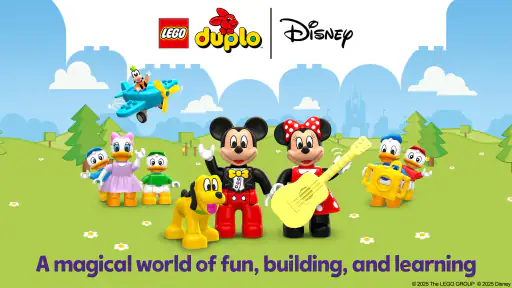
LEGO® DUPLO® Disney is an interactive mobile application designed for young children to engage with their favorite Disney characters through fun and educational building activities. The app combines the creativity of LEGO DUPLO with the enchanting world of Disney, providing a platform where kids can build, explore, and learn in a safe digital environment. Its store description highlights a magical world of fun, building, and learning with Mickey Mouse and more.
Is LEGO® DUPLO® Disney suitable for all ages?
The app is primarily designed for children aged 2-5 years old. It focuses on developing fine motor skills and creativity through simple touch interactions and building challenges. Parents can rest assured that the app is child-friendly and contains no inappropriate content, making it suitable for its intended age group. Its content rating is Everyone, though its simple activities are particularly aimed at young children.
Does LEGO® DUPLO® Disney require parental supervision?
While LEGO® DUPLO® Disney is designed to be child-friendly, parental supervision is recommended, especially for younger children. This ensures that kids can make the most of the educational content and features, while also giving parents an opportunity to engage with their children during playtime, enhancing their learning experience. Staying involved can also help parents guide how the app is used and manage access to optional purchases.
Pros
- Engaging for young children
- Fosters creativity and imagination
- Simple user interface
- Educational content
- Offline play available
Cons
- Limited for older kids
- In-app purchases
- Requires significant storage
- Some repetitive tasks
- Occasional bugs
- Category
- Education
- Version
- 16.0.0













