LEGO® DUPLO® Peppa Pig
- 102.00
- 4.4
- Installs
- 10.00M
- Price
- Free
Screenshots
Analysis by Reviewed
When I judge a preschool game, I look beyond familiar characters: can a child understand what to do, does play invite more than tapping through scenes, and is the experience a good fit for the family’s budget and routine? LEGO® DUPLO® Peppa Pig brings together two worlds young children may already know, which makes it an appealing first stop for families looking for gentle, character-led play. It is an educational game from StoryToys, rated for Everyone, and its free download makes it easy to try before deciding whether it deserves a place on a child’s device.
What to consider before a child starts
I would think first about the child’s age, patience, and interest. A preschooler who likes Peppa’s familiar characters and enjoys making things is a natural match; a child who mainly wants fast reactions, competition, or a clearly defined goal may find this slower, open-ended style less satisfying. The game has an average rating of 4.1 from around 7,300 ratings, and has passed 5 million installs, which suggests broad interest, though neither figure tells you whether its pace will suit your child.
It is also worth treating “free” as a starting point rather than a promise that every part is included. The game offers in-app purchases, with individual items ranging from $2.99 to $29.99. I’d let a child explore only after an adult has reviewed the purchase settings on the device and agreed on what, if anything, is appropriate. That small bit of preparation can prevent a relaxed play session from turning into a surprise spending conversation.
A quick decision before download
Before installing, I’d ask what you want the screen time to do. If the goal is a calm prompt for imaginative play, this blend of characters and virtual bricks makes sense. If you need a game that teaches a particular school skill through repeatable exercises, the open-ended approach is a less direct choice. That distinction helps set expectations: a child may be busy creating a scene without progressing through a lesson plan or reaching a final score.
It can also help to think about where the game will be used. On a shared family tablet, an adult can sit alongside a child and turn building into a conversation. On a device handed over for independent use, the child’s comfort with touch controls and the family’s purchase settings matter more. I’d make those checks before a car ride or waiting-room visit, rather than trying to configure everything while a young child is already eager to play.
Exploring the Piggy Playground
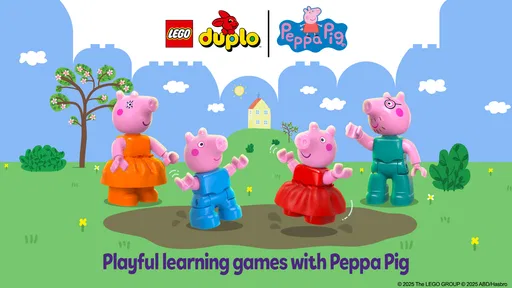
Upon launching the app, you're greeted with a vibrant, friendly interface that's both inviting and easy for young minds to navigate. The main menu is filled with colorful options, encouraging kids to dive into different activities. The heart of the LEGO® DUPLO® Peppa Pig experience lies in its interactive playground, where children can build and explore to their heart's content.
Building Adventures
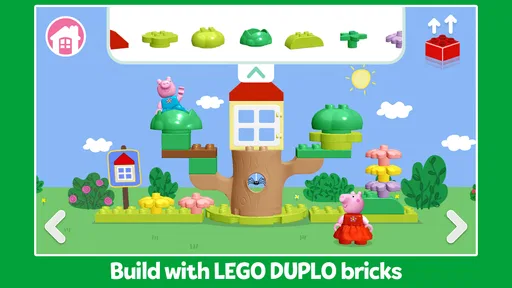
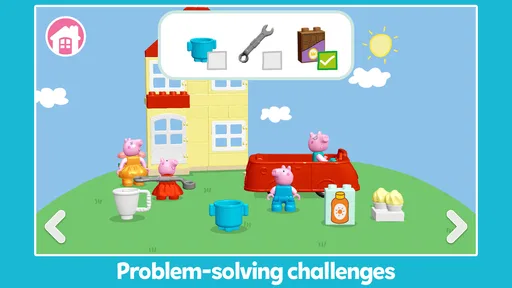
The app provides a sandbox environment where kids can unleash their creativity using virtual DUPLO bricks. They can construct houses, vehicles, and other fun structures while incorporating their favorite characters from the Peppa Pig world. This seamless integration of building and storytelling not only fosters creativity but also enhances cognitive development by encouraging problem-solving and spatial awareness.
More From Our News Desk

Weather by Xiaomi Review: Clear at a Glance, Less Clear Up Close

X Under Pressure: Can It Recover When Posting Goes Wrong?

Clash of Clans Is Won Between the Battles

Android Auto Makes the Case for Quieter Car Software

MobiOffice: Transforming Mobile Productivity with Seamless Integration

EA SPORTS FC™ Mobile Soccer: Redefining Mobile Sports Gaming
For a useful at-home routine, I’d invite a child to describe what they are making rather than simply asking whether it looks right: “Who will use this house?” or “Where should the vehicle go?” That turns a short session into a chance to practice planning and storytelling without making the game feel like a lesson. It also gives a parent a simple way to join in, especially when a child is too young to explain the controls but can point to the next idea.
One small way to make the building feel less like random tapping is to offer a loose prompt, then let the child decide what it means: make somewhere for a character to visit, or build something that could help in a story. I would avoid giving step-by-step instructions unless the child asks. The point is not to produce a neat or recognizable object; it is to let them choose, test an idea, and change direction when their plan shifts.
Peppa’s World Comes Alive
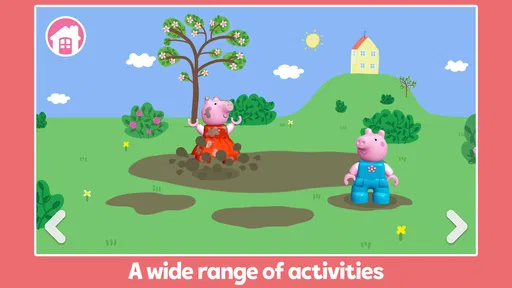
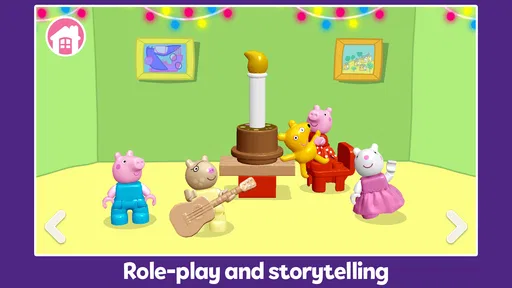
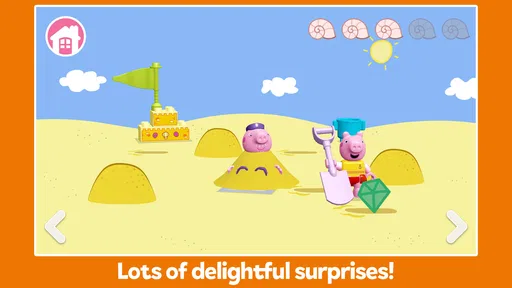
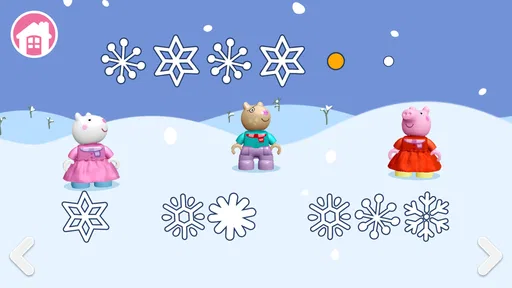
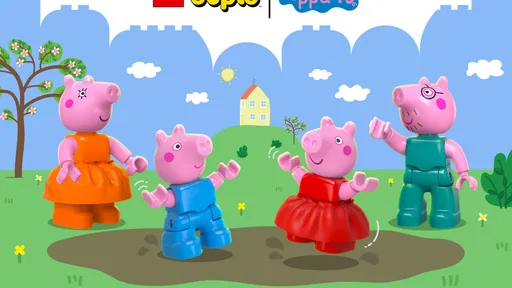
What sets this app apart is how it brings Peppa's world to life. Kids can interact with Peppa, George, and their friends as they navigate through various scenarios, whether it's a day at the park, a visit to Granny and Grandpa Pig's house, or a muddy puddle jumping contest. These interactive stories are designed to captivate young minds while subtly imparting valuable lessons in teamwork and friendship.
This character-led approach is the main reason I’d choose it over a generic building game for a Peppa fan: the familiar cast gives pretend play an easy starting point. It is also a useful option for a quiet stretch at home, such as while a parent prepares dinner, provided the child is already comfortable navigating the screen. I would not rely on it as a substitute for physical DUPLO play, though; real bricks add tactile practice and shared building that a touchscreen cannot replicate.
A realistic use is a brief after-school wind-down: a child picks a character, invents a destination, and tells an adult what happens next. That gives the session a natural stopping point when the story reaches a pause, instead of relying on a level ending or a score. If your child tends to resist putting a device away, agree on the stopping cue before starting and make it part of the story, such as finishing the visit before moving on to another activity.
Easy Peasy Lemon Squeezy Navigation
The app is incredibly user-friendly, featuring intuitive controls that even the littlest fingers can manage. The drag and drop mechanics make it easy for kids to place DUPLO bricks and customize their creations. Plus, the app's gentle learning curve ensures that children won’t get frustrated, making it a hit for both parents and kids alike.
Even with simple controls, the first session is worth sharing. I’d show a child how to move pieces and then let them take over, rather than steering every choice; that helps reveal whether the interface is genuinely comfortable for them. If they repeatedly need help finding their way around, a simpler story app or a familiar offline activity may be a better fit than expecting independent play straight away.
For a child still learning to use a touchscreen, keep the first visit short and watch for the difference between confusion and concentration. A pause to look around may mean they are deciding what to build, while repeated accidental movements may mean they need an adult beside them. That observation is more useful than assuming a young child should be able to manage the game alone just because the controls are designed to feel approachable.
How it compares with other choices
Compared with a conventional preschool learning game built around explicit exercises, this one leans more on imaginative play than on a visible sequence of lessons. That is a strength for children who learn by inventing scenes, but a parent seeking structured practice should look for an alternative designed around clear educational tasks. Compared with watching Peppa episodes, the building element gives a child more room to make choices; compared with physical bricks, it is easier to start without tidying up, but less hands-on.
The practical trade-off is that digital play can be convenient when space, time, or cleanup is limited, while the open-ended format may not satisfy a child who wants levels, scores, or a definite finish line. I’d use it as one option in a mix of play rather than the default activity for every spare moment. A short, shared visit can work well; if a child keeps asking for a specific objective or becomes frustrated by open-ended choices, another type of game is likely the better match.
There is a useful middle ground between this game and a passive episode: an adult can let the child make choices in the scene, then carry the idea into an offline activity. For example, after building a place to visit, the child could draw it or use physical toys to continue the story. That approach makes the app a springboard rather than a complete play routine. If you prefer an entirely screen-free household, of course, the same prompt can be used with real bricks or toys instead.
For siblings, I would not assume that a shared screen automatically makes a shared game. One child may want to build while another wants to direct the characters, which can create a natural turn-taking arrangement if both enjoy that role. If they compete for control, it may be better to give each child a separate turn or choose a cooperative activity away from the screen. The game’s strongest social value comes from conversation around play, not from expecting it to manage sibling disagreements.
Price, compatibility, and expectations
The game is free to download, but optional purchases cost between $2.99 and $29.99 per item, so the price question is really whether the available experience suits your child before you consider spending. I’d start with the free portion, watch what the child returns to, and only then decide whether any paid content is worthwhile. The game’s current version is 7.0.0 and it requires Android 8.0 or later; checking the device before installing can save time if you are setting it up for a child.
StoryToys released it on May 28, 2024, and its Everyone age rating makes it broadly suitable for family play. Still, an age label is not a personal recommendation: a younger child may need an adult nearby, while an older child who has outgrown Peppa or wants more demanding construction may quickly move on. The key question is not simply whether the app is child-friendly, but whether its particular mix of characters and creative play matches the child in front of you.
Before considering any optional purchase, I’d look for a clear reason the child would use the added content, rather than treating a request made in the moment as proof it is needed. A child who enjoys returning to the same creative routine may be perfectly content with the free starting experience; another may lose interest unless it offers more variety. Waiting a few sessions makes that distinction easier to judge and keeps the decision with the adult.
On device suitability, the stated minimum system requirement is Android 8.0. If you are choosing between a phone and a tablet, I’d favor the screen the child can handle comfortably and use with an adult nearby, rather than assuming a larger device automatically makes play better. On a shared device, it is also sensible to check that the child can reach the game without wandering into unrelated apps. That is a practical household setup choice, not a feature of the game itself.
LEGO® DUPLO® Peppa Pig shines in its ability to balance entertainment and education. The game supports multiple languages, ensuring that children from different backgrounds can enjoy the Peppa Pig experience. Additionally, parents can rest easy knowing that the app is free from in-app purchases and ads, providing a safe environment for their children to play.
Who I’d recommend it to
I’d recommend it to a young Peppa enthusiast who likes pretend play, wants to build simple creations, and is happy to explore without a score or a strict goal. It is also a sensible candidate for a parent who wants to test a child-friendly creative game before committing money, as long as an adult checks purchase controls first. For siblings, it can offer a prompt for taking turns and inventing a shared story, although children who prefer very different characters or play styles may not stay engaged together.
I’d skip it if your priority is a structured learning course, a fast-paced game, or a replacement for hands-on building. Families who are avoiding optional spending altogether should also decide in advance whether a free-to-play app with purchases is acceptable in their household. Those distinctions matter more than a general rating: the game’s strongest appeal is its specific combination of Peppa familiarity and digital brick-building.
I would also pass if the child is not interested in Peppa and does not enjoy making up stories. The recognizable characters are a helpful invitation, but they are not a universal draw, and the creative format depends on a child wanting to choose what happens. For a child who prefers a clear task and a quick sense of completion, a focused puzzle or learning activity may be more satisfying. Choosing a different kind of play in that situation is not a criticism of this game; it is simply a better match for that child.
For parents wondering whether it can work as a short, independent activity, I’d base the answer on a supervised first try. If the child can move around comfortably, remain engaged, and stop when asked, it may fit into a quiet part of the day. If they need constant help or find transitions difficult, I’d keep it as a shared activity rather than relying on it to occupy them alone. The same trial also shows whether the child returns to building or quickly asks for something else.
The rating and install figures can be useful context, but I would not treat popularity as a guarantee that every preschooler will enjoy the pace. A child who loves the characters may still prefer watching them, while another may become absorbed in arranging bricks and inventing scenes. The best test is whether the child makes choices and tells a story in their own way, rather than merely tapping because a familiar face is on screen.
To wrap it up, if you're looking for an app that combines the fun of building with the charming world of Peppa Pig, this one is a top contender. It's not just another game; it's an adventure that promises endless fun and learning opportunities for your little ones. So, grab your virtual hard hats and get ready to explore the delightful world of LEGO® DUPLO® Peppa Pig!
LEGO® DUPLO® Peppa Pig Frequently Asked Questions
How much does LEGO® DUPLO® Peppa Pig cost to download and play?
LEGO® DUPLO® Peppa Pig is free to download, so you can try the game without paying upfront. It also offers in-app purchases, with individual items ranging from $2.99 to $29.99. Before handing the device to a child, it is worth reviewing purchase settings and discussing them with your child, so an accidental tap does not lead to an unexpected purchase.
What devices can run LEGO® DUPLO® Peppa Pig?
LEGO® DUPLO® Peppa Pig is available for Android and iOS devices, and its minimum operating-system requirement is version 8.0. Check that your device meets that requirement before downloading, since an older system may not support the game. The game is made by StoryToys and brings together Peppa Pig and LEGO DUPLO play in an educational experience for young children.
What is the LEGO® DUPLO® Peppa Pig app about?
LEGO® DUPLO® Peppa Pig is an interactive children's app designed to engage young minds through playful learning. It combines the beloved Peppa Pig characters with LEGO® DUPLO® building activities, allowing kids to explore creativity and problem-solving in a fun and safe digital environment. The app offers a variety of activities that stimulate imagination and support early childhood development.
Is the LEGO® DUPLO® Peppa Pig app safe for children?
The game has an Everyone content rating and is designed around child-friendly Peppa Pig and LEGO DUPLO play. It is still sensible for parents to supervise young children and check the device’s purchase controls, as the app offers optional in-app purchases. That way, families can make the experience suit their preferences while children explore the game’s activities.
What age group is the LEGO® DUPLO® Peppa Pig app suitable for?
The app is ideal for children aged 2 to 5 years old. It is tailored to support early learning and development through engaging activities that encourage creativity, exploration, and problem-solving. The intuitive interface and simple controls make it easy for young children to navigate and enjoy the app independently or with parental guidance.
Pros
- Interactive learning experience.
- Colorful and engaging graphics.
- Fosters creativity in children.
- Safe and ad-free environment.
- Easy navigation for young users.
Cons
- Limited free content.
- May need parental guidance.
- In-app purchases can add up.
- Requires stable internet.
- Limited to Peppa Pig fans.













