Learn Piano - Real Keyboard
- 548.00
- 4.1
- Installs
- 50.00M
- Price
- Free
Screenshots
Analysis by Reviewed
I often think the hardest part of learning piano is making room for it in an ordinary day. Learn Piano - Real Keyboard makes starting feel less intimidating: I can open a virtual keyboard and try a few notes without needing to sit down at an instrument first. It is a music-learning app from WorkPlay Space, and its appeal is the chance to explore chords and keyboard practice in a format that fits a phone. I’d consider it a useful first step for curious beginners, though not a replacement for every kind of piano instruction.
When a connection shapes the lesson
Music apps can feel different depending on whether a lesson, song, or other material is ready when you want it. I’d make a habit of opening the app while connected before planning a practice session, especially if I’m relying on a particular lesson or song. That simple check helps avoid the frustration of discovering that the material I hoped to use isn’t available at that moment. I wouldn’t plan around offline access without checking how the app behaves on my own device and connection.
For a quick session, the most useful goal is small: practise a chord change, repeat a short passage, or spend a few minutes getting comfortable with the keyboard layout. A phone screen can make long practice tiring, and touch keys cannot reproduce the feel of weighted piano keys. But for a first look at notes and basic coordination, a compact session can still be worthwhile.
Getting Started with Learn Piano
Right off the bat, Learn Piano - Real Keyboard makes it incredibly easy to dive into the world of music. The app greets you with a virtual keyboard that’s both intuitive and visually appealing. Whether you're a beginner or someone with a bit of experience, the app offers a variety of lessons tailored to your skill level. I was impressed by how it manages to teach complex concepts in a simple manner.
An Interactive Learning Experience
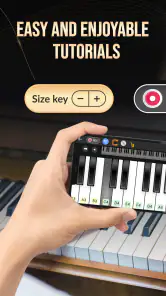
One of the standout features is the interactive learning process. The app employs a gamified approach to teach you the basics of piano playing. It starts with simple exercises and gradually increases in complexity, ensuring that you’re never overwhelmed. The lessons are structured to help you learn at your own pace, which I found especially helpful as it allowed me to revisit tricky sections without any pressure. Also, the app keeps track of your progress, which adds a layer of motivation to keep going.
A useful way to practise is to stop after one exercise and replay just the part that felt awkward, rather than racing through several lessons for the sake of completion. I’d also give myself a clear target—such as remembering a chord shape—before starting. That makes progress easier to notice and keeps the app’s game-like pacing from becoming the goal in itself. If you already read music or want detailed theory, I’d pair this kind of guided practice with a more formal learning resource; a friendly exercise flow is not the same as a complete music curriculum.
Features That Hit the Right Notes
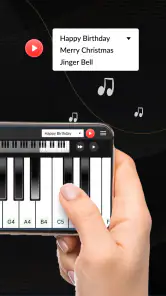
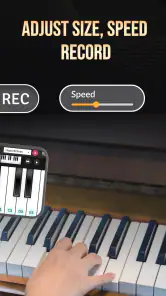
What really sets this app apart are its additional features. The app includes a wide range of songs from different genres, so you're never short of something exciting to play. I particularly enjoyed the feature that allows you to slow down a song, making it easier to follow along and practice. The built-in metronome and recording capabilities are great tools for honing your skills and tracking your improvement over time.
More From Our News Desk

Weather by Xiaomi Review: Clear at a Glance, Less Clear Up Close

X Under Pressure: Can It Recover When Posting Goes Wrong?

Clash of Clans Is Won Between the Battles

Android Auto Makes the Case for Quieter Car Software

MobiOffice: Transforming Mobile Productivity with Seamless Integration

EA SPORTS FC™ Mobile Soccer: Redefining Mobile Sports Gaming
Slowing a song is most helpful when I use it to isolate a difficult transition, then return to the regular pace once my fingers know what to do. I’d treat the metronome as a way to steady timing rather than proof that a passage is mastered; it can expose hesitations that are easy to miss when playing freely. Recording has a different benefit: listening back can reveal uneven rhythm or missed notes that are hard to notice while concentrating on the keys. These tools make short, focused practice more useful than simply tapping through songs.
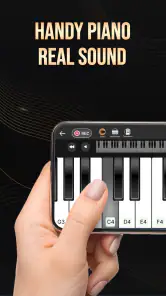
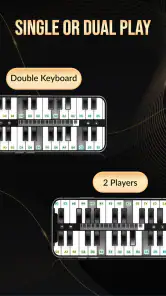
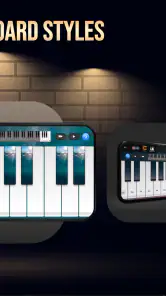
Moreover, the app’s interface is pretty smooth. The keys are responsive, and the sound quality is surprisingly good for an app. It genuinely feels like you're playing a real piano, which makes the learning process even more engaging. Plus, the app supports external keyboards, which could be a game-changer for those who have access to one.
Practising around real-life interruptions
For example, I could use a few minutes between errands to practise a simple chord sequence on the phone, then return to the same idea at home with an external keyboard. That gives the touchscreen a practical role as a portable starting point, while a larger keyboard is better for developing comfortable hand movement. If a session is interrupted by a weak connection or a pause in access to a lesson, I’d switch to repeating a chord pattern I already know instead of repeatedly restarting the same material. It keeps practice moving without assuming every part of the app will be available in every situation.
That distinction also helps set expectations. Compared with a video lesson, an interactive keyboard can make trying notes immediately feel more direct; compared with a teacher, it cannot watch posture or adjust advice to a particular learner. A dedicated physical keyboard remains the better choice for touch and technique, while a general music app may suit someone who mainly wants to listen. I see this app as most useful for beginners who want guided, hands-on exploration, not as a one-stop route to advanced playing.
Cost, compatibility, and choosing the right fit
The app is free to download, with in-app purchases ranging from $3.99 to $18.99 per item. Its average rating is 4.1 from around 68,000 ratings, and it has been installed over 50 million times. Those figures suggest broad interest, but they don’t tell me whether its teaching style will suit a particular learner. I’d try the free experience first and think about purchases only if the lessons fit a regular practice routine. It is rated Teen, runs on Android 7.0 or later, and the current version is 3.2.147.
For data-conscious use, I’d avoid leaving a long music session running in the background and check how the app behaves on mobile data before making it part of a daily commute. If I’m practising somewhere with an unreliable connection, I’d prepare a simple offline practice goal—such as reviewing a chord I already know—rather than counting on new lesson content. The developer is WorkPlay Space, and the app’s June 16, 2022 release date places it among established mobile piano-learning options.
Making a small screen work harder
There is a practical difference between using the phone as a keyboard and using it as a prompt for practice. When the screen is small, I’d avoid trying to play a wide range of notes with both hands at once; it is easier to lose track of where my fingers are and harder to see the spacing clearly. A better approach is to use the app to learn a chord shape or short phrase, then repeat it slowly enough to notice whether I am landing on the intended keys. That narrower task makes the virtual instrument feel less cramped.
If I have an external keyboard available, I’d use the phone to decide what to practise and the larger instrument to work on the movement itself. This is a useful division of labour: the app offers a convenient place to explore, while a full-size keyboard gives my hands more room. It also helps answer a common beginner question: do I need an instrument before trying the app? No, the virtual keyboard gives me a way to begin, but regular work on real keys matters if my goal is to build physical technique rather than simply recognise notes and chords.
Choosing a practice routine that survives interruptions
A realistic routine does not need to depend on a perfect connection or a long stretch of free time. If I were using the app during a lunch break, I’d start while connected, choose one exercise, and decide in advance what I want to remember. If a lesson stops being available or the network becomes unreliable, I can still spend the remaining minutes reviewing a familiar chord sequence. That is more useful than repeatedly refreshing or restarting and turning a short break into troubleshooting.
When access to a lesson returns, I’d pick up with the specific passage that caused trouble rather than replaying everything from the beginning. This makes the app’s short exercises easier to fit around an uneven schedule. It also avoids confusing app progress with musical progress: completing a screen is satisfying, but being able to reproduce a chord or keep a steady rhythm without help is a stronger sign that the idea is sticking.
Connectivity matters most when I am counting on a particular piece of content, not when I am simply practising a familiar pattern. I’d therefore treat new lessons and songs as the part of a session that benefits from a reliable connection, and keep a known exercise as a fallback. That habit is useful on a commute, in a waiting room, or anywhere I may need to pause without warning. I would not assume that every lesson or song will remain available if the network drops, so a quick check before leaving home is sensible.
Who will get the most from it
I’d recommend this app most readily to someone who is curious about piano but hesitant to commit to lessons or equipment. The approachable keyboard and guided exercises can make the first steps feel manageable, while the ability to practise in small intervals suits people whose schedules are unpredictable. It may also help someone who already owns a keyboard but wants a simple way to revisit basic chords or keep a light practice habit going between more structured sessions.
It is less suitable for a learner who needs close correction on hand position, posture, fingering, or musical expression. A teacher can respond to what a student is actually doing; a phone-based lesson cannot offer that same personal adjustment. Likewise, anyone preparing for advanced repertoire or wanting a carefully sequenced theory course should look for a more comprehensive method and use this app, if at all, as a supplementary practice aid.
Compared with watching piano videos, the advantage here is being able to try notes as part of an interactive exercise instead of only following someone else’s demonstration. Videos can be easier when I want to see a hand position or hear a longer explanation, while this app is more convenient for quick attempts at the keyboard. Compared with a physical instrument, the app is easier to carry and start, but the tactile feedback is necessarily different. I would choose based on the task rather than expect one format to replace all the others.
What to check before making it a habit
Before building a routine around the app, I’d test it in the places where I actually expect to use it. Try opening a lesson on a home connection, then see what remains usable when moving between networks or practising somewhere with weaker reception. This is not a claim that particular content works offline; it is simply a way to learn how the app behaves on your own device before relying on it during a commute or trip.
I’d also pay attention to whether the phone’s size makes the keyboard comfortable for the exercise I have chosen. If I find myself tapping inaccurately, switching to a simpler chord or using an external keyboard is a better response than assuming I need to practise faster. For mobile data, a cautious first session is sensible: use the app deliberately, notice whether your connection or data allowance is a concern, and avoid leaving it active when you have finished. These small checks make the experience easier to fit into everyday life without guessing about its network demands.
There is a useful distinction between a connection problem and a practice problem. If a lesson will not load, repeating the same tap or restarting the app several times may not help; I’d first check whether the connection is stable, then switch to a familiar exercise and return to the lesson later. If the content opens but a passage feels difficult, slowing the music or isolating a chord change is a better remedy. Keeping those two situations separate prevents technical friction from making me think I have reached a musical limit.
Final Thoughts
In conclusion, Learn Piano - Real Keyboard offers an impressive package for anyone looking to learn piano in a fun and interactive way. Whether you're a complete novice or someone looking to brush up on your skills, this app provides all the necessary tools and resources to help you succeed. I found it to be a delightful addition to my daily routine, and it's something I look forward to using every day. So, if you're ready to embark on your musical journey, this app is definitely worth a try!
My practical verdict is that it works best as an easy entry point: try a short lesson, use the slower playback for a tricky passage, and keep a familiar exercise ready for moments when connectivity interrupts your plan. If you want a teacher’s feedback, realistic key resistance, or a structured path through deeper theory, choose a complementary option. For casual practice and a low-pressure way to explore piano on a phone, I’d give it a try.
Learn Piano - Real Keyboard Frequently Asked Questions
Is Learn Piano - Real Keyboard suitable for children and teens?
Learn Piano - Real Keyboard has a Teen content rating, so it is intended for teen audiences and older users. Parents may want to review the app themselves before letting a younger child use it, especially if the child will have access to optional in-app purchases. Its focus is piano practice and learning, making it relevant to people interested in music.
How much storage space does Learn Piano - Real Keyboard need?
The amount of storage the app uses can depend on the device and the version installed. Before downloading, it is sensible to check that your phone or tablet has room for a new app and any content you may choose to access within it. The app is a mobile piano-learning tool, so keeping some free space available can also help your device run smoothly.
Is Learn Piano - Real Keyboard free to download, and are there extra costs?
Learn Piano - Real Keyboard is free to download, so you can try the app without paying upfront. It also offers in-app purchases, with individual items priced from around four to nineteen dollars. You can explore the free experience first and decide whether any paid options are useful for your learning routine.
Which devices and operating systems can run Learn Piano - Real Keyboard?
The app is available for Android devices running version 7.0 or later. Before downloading, check your device’s operating system to make sure it meets that requirement. Learn Piano - Real Keyboard is a music and audio app, and its virtual keyboard lets you practice piano using a compatible mobile device rather than a physical instrument.
What is Learn Piano - Real Keyboard, and how does it work?
Learn Piano - Real Keyboard is a mobile application designed to help users learn how to play the piano using a virtual keyboard. The app offers a range of interactive lessons, tutorials, and practice exercises suitable for beginners and advanced players alike. Users can follow step-by-step instructions and get real-time feedback on their progress, making it a convenient tool for learning piano on-the-go.
Pros
- Intuitive interface for beginners
- Wide range of songs to learn
- Adjustable difficulty levels
- Offline mode available
- High-quality audio output
Cons
- Limited free content
- Occasional app crashes
- Ads in free version can be intrusive
- Premium features locked behind paywall
- Requires large storage space
- Category
- Music & Audio
- Version
- 3.2.147











