Kraken: Buy Stocks & Crypto
- 6.92K
- 4.4
- Installs
- 5.00M
- Price
- Free

Screenshots

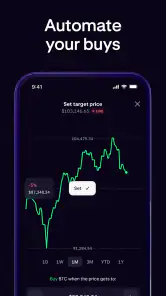
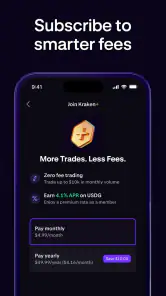
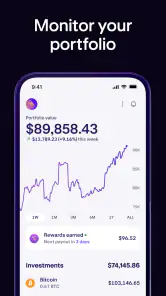
Analysis by Reviewed
I tend to judge a finance app not just by how quickly I can reach a buy button, but by whether I can understand what I’m doing before money is involved. Kraken brings crypto and stocks into one app, which can be convenient if you want fewer places to check. That convenience also makes it worth slowing down: prices move, investing carries risk, and an easy interface is not the same as a guarantee of safety or a good investment.
What to consider before opening an account
Combining two investment areas is most useful when you already have a reason to follow both. If you are comparing a stock with a digital asset, having them accessible in one place may reduce app switching, but it does not make them comparable in risk, purpose, or how you should evaluate them. I’d decide what I want to learn or manage before installing another finance app, rather than letting a broad selection of assets create a reason to trade.
For someone new to investing, a sensible first use could simply be learning how the interface presents prices and account information. I would not treat an account setup as a commitment to make a purchase that day. Take time to understand the difference between watching a price, deciding on an investment, and placing an order; those are separate steps, even when a phone makes them feel close together.
Keeping the account under your control
When I use a financial service, I pay attention to the choices presented at sign-in, identity checks, and transaction approval. Those moments can involve sensitive account or personal information, so I would read each prompt and avoid approving anything I don’t understand. I’d also look through the app’s current privacy and account settings myself, since the controls that matter are the ones I can actually see and manage.
A useful habit is to make security checks part of the routine rather than something to think about only after a problem. Use a unique password, consider two-factor authentication where available, and pause when a sign-in or transaction request appears unexpectedly. None of these steps removes investment risk, but they can help you be more deliberate about who can access the account and which actions you authorize.
I’d also keep the phone itself in mind. A finance app is only one part of account security: protect access to the device, avoid sharing sign-in details, and take care when using a shared screen or public setting. This is especially practical if you check prices while traveling or during a busy day, when it is easy to rush through a prompt without giving it proper attention.
Getting Started with Ease
One of the first things I noticed when I downloaded Kraken: Buy Crypto & Bitcoin was how easy it was to set up and get started. The app greeted me with a sleek design and intuitive interface that made registration a breeze. I was pleasantly surprised by how quickly I could set up my account, verify my identity, and start exploring the various cryptocurrency options available.
More From Our News Desk

Weather by Xiaomi Review: Clear at a Glance, Less Clear Up Close

X Under Pressure: Can It Recover When Posting Goes Wrong?

Clash of Clans Is Won Between the Battles

Android Auto Makes the Case for Quieter Car Software

MobiOffice: Transforming Mobile Productivity with Seamless Integration

EA SPORTS FC™ Mobile Soccer: Redefining Mobile Sports Gaming
Kraken is a free finance app from Payward, Inc. It was released on June 1, 2021, and its current version is 3.44.0, with Android 8.0 as the minimum operating-system requirement. The app is rated for Everyone. Its 4.4 average comes from around 45,000 ratings, and it has more than 5 million installs. Those figures suggest plenty of people use it, but they can’t tell me whether it suits my needs or remove the risks that come with investing. In-app purchases are listed from $4.99 to $49.99 per item, so I’d check any purchase details shown in the app before proceeding rather than assume every optional item is relevant to trading.
Exploring the Features
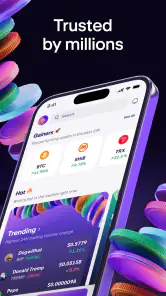
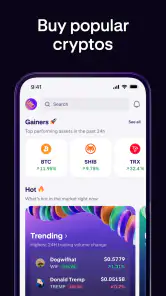
The app boasts a plethora of features that cater to both newbies and seasoned traders. One standout feature is the ability to trade a wide variety of cryptocurrencies. I found everything from popular coins like Bitcoin and Ethereum to lesser-known altcoins. It’s like having a mini crypto exchange right in your pocket! Plus, the app provides real-time price updates and detailed charts which are perfect for keeping track of market trends.
The combined stocks-and-crypto focus can be useful if you already keep an eye on both markets, but I wouldn’t treat one portfolio screen as a complete financial plan. I’d use the charts to understand recent movement, then decide separately whether a trade fits my budget and risk tolerance. A practical habit is to check the asset and order details carefully before confirming; a fast, phone-based workflow can make it easy to act on a price move before thinking through the decision.
For an everyday example, imagine checking a crypto price during a commute and noticing a sharp change. I’d use that moment to review the chart and my own plan, not as a reason to buy immediately. If I’m comparing a stock with a digital asset, I’d also avoid assuming they carry the same risks just because both appear in the same app. This is a useful distinction for newcomers: convenience brings different kinds of investments together, but it doesn’t make their behavior interchangeable.
A less obvious way to use the charts is as a record of context, not a signal that tells you what to do. If I’m checking prices regularly, I’d note whether I’m looking at a short-term move or trying to understand a longer stretch of market behavior. That distinction can prevent a brief fluctuation from dominating a decision that is meant to reflect a longer-term plan. It also gives me a reason to set a personal limit on how often I check: constant monitoring can make every movement feel urgent even when my goals have not changed.
Before comparing assets, I’d make a short checklist outside the heat of a price move: why I’m considering the purchase, how much I can afford to risk, and what would make me reconsider. This is not a special feature of the app; it is a way to keep a convenient trading screen from becoming the decision-maker. It is particularly useful if you are new to crypto, where a long list of available assets can tempt you to explore first and think about suitability later.
Another cool feature I appreciated was the security measures in place. Kraken takes security seriously, offering two-factor authentication and advanced encryption to protect user data and funds. It gave me peace of mind knowing that my investments were safe and secure.
For trust, I put more weight on what I can actively control than on reassuring language. I’d enable two-factor authentication if it is available in my account settings, use a unique password, and review any sign-in or transaction prompts before approving them. I would not interpret security measures as a promise that losses are impossible: account protection and investment performance are separate questions.
User Experience
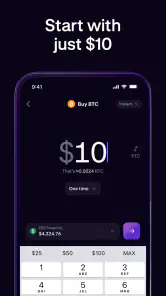
The user experience on Kraken is top-notch. Whether you’re buying, selling, or just monitoring your portfolio, the app runs smoothly without any hiccups. The transaction process is straightforward, allowing users to execute trades with just a few taps. I also found the app’s customer support to be responsive and helpful. They were always ready to assist with any queries I had, ensuring a seamless experience.
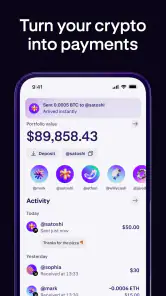
My main caution is that a short trade flow can hide how consequential a choice is. Before confirming, I’d pause to check which asset I selected, whether I’m buying or selling, and the order information presented on screen. I’d also make a small first transaction only if it fits my goals, then review the account activity so I understand how the app records what I did. This deliberate routine is more useful than treating a quick interface as a reason to trade more often.
That first review of account activity can answer a practical question: did the action I intended actually match what the app recorded? I’d check the selected asset and the details shown for the transaction, then make sure I can find the record again later. Doing this immediately, while the steps are still fresh, is more helpful than trying to reconstruct what happened days afterward. If anything looks unclear, I would pause further activity and seek help rather than guess.
For someone who mainly wants to hold investments and check in occasionally, the app may be a convenient access point, but frequent alerts or price checks can pull attention toward short-term changes. I’d decide in advance how often I want to review the account and stick to that rhythm. If I find myself reacting to every movement, the problem may be the way I’m using a market app, not a lack of additional charts or features.
Compared with using a dedicated stock-brokerage app for shares and a separate crypto exchange for digital assets, Kraken’s appeal is having both areas together. The trade-off is that people who want a specialist workflow for one market may prefer an app built around that single need. If your priority is long-term budgeting rather than active market access, a budgeting tool may be a better everyday companion; if you want to avoid investment risk altogether, this is not the right kind of app.
The choice also depends on what you expect from a finance app. A stock-focused service may be a better fit if your research and account habits revolve only around shares. A separate crypto exchange can make more sense if you want a dedicated environment for digital assets and are comfortable managing another account. Kraken’s combined approach is appealing when reducing app switching matters more than having a single-market setup, but it is not automatically the best answer for every investor.
I’d also keep account and personal information in mind at moments when the app asks me to sign in, verify identity, or approve an action. I would read the prompts rather than tap through automatically, and check the app’s current privacy and account settings directly before sharing information or changing controls. That is a sensible routine for any finance service, especially one used to access investments.
One question a cautious first-time user may have is whether the app is suitable before they know exactly what they want to buy. I think it can still be useful for exploring, provided you treat that as learning rather than as a prompt to transact. Another is whether having stocks and crypto together means they can be managed with one simple rule; I would say no. Each investment needs its own reasoning, and the shared interface should not blur that difference.
People also commonly wonder whether a fast mobile process is appropriate for a first purchase. My answer is to move at the speed of your understanding, not the speed of the screen. Read the order details, consider whether the amount fits your budget, and be willing to leave without buying if anything is confusing. The app’s convenience is most valuable when it supports a considered choice, not when it pressures you into making one.
Final Thoughts
In conclusion, Kraken: Buy Crypto & Bitcoin is a fantastic app for anyone looking to dive into the world of cryptocurrency. Its user-friendly interface, extensive features, and robust security make it a standout choice for both beginners and experts. Whether you're looking to make your first crypto purchase or you're a seasoned trader seeking a reliable platform, Kraken has got you covered. All in all, it’s an app that makes navigating the complex world of crypto feel less daunting and more accessible. So, why not give it a try?
My recommendation is more cautious than an unconditional endorsement: Kraken can suit someone who wants mobile access to crypto and stocks and is comfortable checking each decision before placing it. A beginner may find the approachable layout helpful, but should take time to learn how orders work and how market swings affect investments. A person who prefers a very simple savings app, wants no exposure to investment risk, or needs a specialized stock-only workflow may be better served elsewhere. I’d start by exploring the account and security controls, then use the app at a pace that keeps the decisions—not the convenience—in charge.
I would be especially selective about using it as a daily financial hub. It can put market access close at hand, but that is not the same as covering ordinary money management such as planning bills, tracking a household budget, or building an emergency fund. If those are the needs you are trying to solve, I’d choose a tool designed around them first and treat an investment app as a separate, optional part of the picture.
For a prospective user, the most useful first steps are modest: install it only if the combination of markets fits your interests, inspect account and security choices, and learn how the app presents an order before committing money. Keep the purchase decision separate from the excitement of seeing a price move. That approach makes Kraken easier to evaluate on its own merits while keeping your financial priorities in charge.
Kraken: Buy Stocks & Crypto Frequently Asked Questions
Does Kraken require account verification, and what should I prepare before signing up?
Before using Kraken’s financial features, expect to create an account and follow the steps presented in the app. Have your account details ready and read each prompt carefully, especially when it concerns identity or account security. Requirements can depend on the services you want to use, so review the instructions shown during registration before planning a trade or moving funds.
Can I manage my Kraken account from the app while away from home?
Kraken’s mobile app is intended to let users access their accounts on a phone, making it possible to check available features without relying on a desktop browser. You can use the app to review market information and manage account activity while on the go. For financial actions, choose a private, trusted connection and protect access to your device and account.
Is Kraken free to download, and are there costs after installation?
Kraken is free to download, so you can install the app without paying an upfront purchase price. The app also lists in-app purchases, with individual items priced from $4.99 to $49.99. Those purchases are separate from any costs connected with using financial services, so review the terms shown for a particular transaction or feature before proceeding.
What is Kraken and how does it work?
Kraken is a cryptocurrency exchange platform that allows users to buy, sell, and trade various cryptocurrencies, including Bitcoin, Ethereum, and many others. The platform offers a secure and user-friendly interface for beginners and advanced traders alike, providing tools for market analysis and trading. Users can access Kraken through its mobile app or web interface to manage their cryptocurrency portfolio, execute trades, and monitor market trends in real-time.
Is Kraken safe to use for buying and selling cryptocurrencies?
Yes, Kraken is considered one of the most secure cryptocurrency exchanges globally. It employs advanced security measures, including two-factor authentication (2FA), cold storage for digital assets, and regular security audits. Kraken also has a robust compliance framework and is registered with various regulatory bodies to ensure user safety and adhere to legal standards. However, users should always practice personal security measures, such as using strong passwords and enabling 2FA, to further protect their accounts.
Pros
- User-friendly interface with easy navigation
- Supports a wide range of cryptocurrencies
- Strong security measures for user protection
- Low trading fees compared to competitors
- Responsive customer support team
Cons
- Verification process can be lengthy
- Limited payment options available
- Occasional technical glitches reported
- Not available in all countries
- Advanced features may overwhelm beginners
- Category
- Finance
- Version
- 3.44.0











