Free VPN Super™ -Fast & Secure
- 32.90K
- 4.8
- Installs
- 50.00M
- Price
- Free

Screenshots



Analysis by Reviewed
In a world where digital privacy is becoming increasingly significant, having a reliable VPN app on your smartphone is almost as essential as having a password for your email. Enter the Free VPN Super™ -Fast & Secure, an app that promises to keep your online activities private and your data secure. I've taken it for a test drive, and here’s my take on it.
What the free price does—and doesn’t—tell you
The basic appeal is clear: this is a free VPN app in the tools category, developed by TOPAPPS TECH PTE LTD, so you can try it without paying upfront. Optional in-app purchases range from $1.49 to $39.99 per item. That range is worth noticing, but it does not tell you which purchase suits your needs; I’d check the offer shown in the app and its terms before buying rather than assuming every paid option provides the same benefits.
That distinction matters if you are choosing between a no-cost VPN and a subscription service. Free access makes it easy to test whether a VPN fits your routine, while a paid alternative may be preferable if its clearly described plan, privacy details, and support meet requirements that you cannot verify just by connecting. I would not pay solely on the promise of greater speed or security: first decide what problem you need solved, then compare the actual purchase details.
Easy Peasy Setup
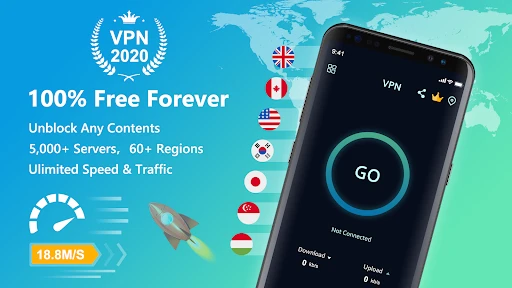
One of the first things I noticed about Free VPN Super™ is how incredibly easy it is to set up. Seriously, I’m talking about a couple of taps and voilà! You’re connected. You don’t need to be a tech wizard to navigate through its interface. It’s as if the app holds your hand and guides you through the process, making it a perfect pick for VPN newbies. Just download, install, and you’re good to go!
Making a VPN useful in an ordinary day
The one-tap approach is most useful when you want a quick, temporary layer between your phone and a network you do not control. For example, if I’m waiting at a café and need to check email, I can connect before opening it and disconnect when I’m done. I’d still avoid treating a VPN as a substitute for careful account habits: use strong, unique passwords and be wary of unexpected sign-in prompts. A VPN changes how traffic is routed; it does not make every online action safe.
For a smoother routine, I’d connect before starting a task that involves several apps rather than switching it on halfway through. If a banking app or work service reacts differently while the VPN is active, disconnect and try again; some services may challenge unusual connection routes. That is a practical trade-off of VPN use, not necessarily a fault unique to this app. If the service you need works only on a normal connection, convenience may matter more than keeping the VPN on for that task.
Speed That Impresses
Now, let’s talk about speed. Usually, VPNs get a bad rap for slowing down your internet connection. But, with Free VPN Super™, I was pleasantly surprised. The speed was pretty impressive. I streamed videos, downloaded files, and even played online games without any noticeable lag. It’s like having a secret tunnel that lets you zoom past digital traffic without hitting any speed bumps!
More From Our News Desk

Weather by Xiaomi Review: Clear at a Glance, Less Clear Up Close

X Under Pressure: Can It Recover When Posting Goes Wrong?

Clash of Clans Is Won Between the Battles

Android Auto Makes the Case for Quieter Car Software

MobiOffice: Transforming Mobile Productivity with Seamless Integration

EA SPORTS FC™ Mobile Soccer: Redefining Mobile Sports Gaming
Choosing between quick connection and control
There is a useful difference between a simple VPN and a more configurable one. If your priority is getting connected with little effort, this app’s straightforward setup is appealing. If you need to select a particular server for a precise reason, manage a detailed work setup, or troubleshoot a connection with advanced controls, compare it with VPNs that clearly explain those options before deciding. I would also test the apps and sites I rely on after connecting, because a fast-feeling session does not guarantee that every service will behave the same way.
When a video pauses or a download slows, I’d first compare the same task with the VPN off and then reconnect before assuming the app is the cause. That quick check helps separate a local network problem from a VPN-related change. For games where every moment matters, I would favor the most stable connection available over keeping a VPN active by default; for ordinary browsing on a shared network, the balance may be different.
Security That Doesn’t Sleep
What’s a VPN if it doesn’t offer top-notch security, right? With this app, you get military-grade encryption that keeps prying eyes at bay. Whether you’re sipping coffee at a local café or checking emails at the airport, Free VPN Super™ ensures your data is locked up tighter than Fort Knox. It’s peace of mind in an app, knowing that your personal information is safe from cyber villains.
Keep privacy claims in perspective
I treat any VPN as one part of a privacy routine, not a magic shield. It can help protect traffic on an unfamiliar network, but it cannot prevent phishing, stop a site from identifying you through an account you sign into, or make a risky download harmless. Before relying on any VPN for sensitive work, I’d read its privacy information and consider whether it explains data handling in a way I’m comfortable with. If you need assurances for regulated work or a particular threat model, a provider with documentation and controls tailored to that need may be the better fit.
It is also sensible to check that the VPN is still connected before beginning a session where you expect it to be active, especially after changing networks or reopening the app. I would not assume that a connection remains in place simply because it worked earlier. This small habit is useful with VPN apps generally and keeps expectations realistic without turning everyday browsing into a chore.
Global Access, Local Feel
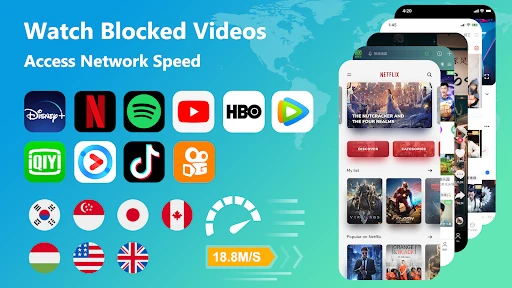
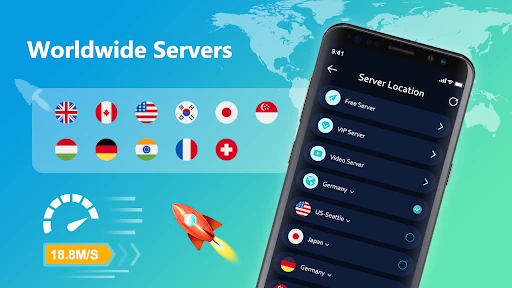
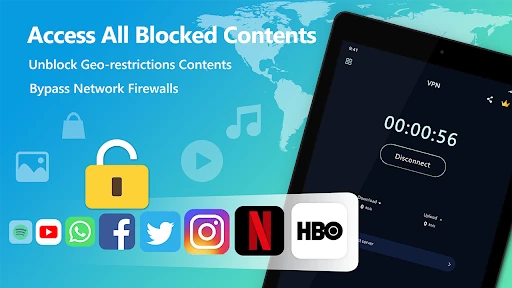
Another cool feature is its global server network. Whether you want to catch up on your favorite shows while traveling or access region-restricted content, this app has got you covered. You can virtually hop from one country to another without leaving your couch. It’s like having a digital passport with visa-free access to the world of the internet!
When location switching is—and isn’t—the answer
Changing a VPN location can be handy when traveling or when you want to see how a service behaves from another region, but it is not a guaranteed way around every content restriction. Streaming platforms and other services can limit VPN traffic or apply their own account and location rules. I’d treat location switching as something to test for a specific need, not as a promise that every show or site will unlock. If reliable access to one particular service is essential, check that service’s rules and compare VPN options with a clear track record for that use.
For everyday browsing, I would choose a nearby or automatically selected connection when available rather than hopping between distant locations just for novelty. A distant route can add delay, and frequent changes may prompt extra checks from sites where you are signed in. The practical benefit is situational: use a different location when you have a reason, then return to a normal connection if it causes friction.
Who is likely to get the most value?
This is a sensible starting point for someone who has never used a VPN, wants a simple connection flow, and is comfortable testing a free option before spending anything. It may also suit occasional travelers who want a straightforward tool for browsing on unfamiliar networks. The app is rated for Everyone, and its 50 million-plus installs and 4.8 average from around 1.3 million ratings suggest broad uptake, though popularity by itself cannot answer whether its privacy approach matches your needs. It runs on Android 7.0 or later, and version 2.4.7.5 is the current version.
I’d skip it if you need a VPN for a tightly defined professional requirement, expect guaranteed access to a specific streaming catalog, or want detailed evidence about privacy and connection controls before installing. In those cases, compare services by their published terms and the exact features they describe, not by a general claim of security. A plain connection from a trusted network can also be the better choice when a site blocks VPN traffic or a VPN disrupts a task you need to finish.
One small but useful habit is to decide in advance when you actually need the VPN. Keeping a clear use case—such as browsing on public Wi-Fi—makes it easier to judge whether the free experience is enough, whether ads interrupt you too often, or whether a paid option is worth considering. It also prevents the common mistake of treating a VPN as an all-purpose privacy fix.
However, like all good things, there are a few hiccups. While the free version is great, it does come with ads. But hey, they’ve got to keep the lights on somehow, right? And if you really want to go ad-free, there’s always the option to upgrade to their premium version.
What to check before making it a habit
For a first-time trial, I’d use the free access in a low-stakes situation rather than turning it on for every connection immediately. Try the websites you visit often, check whether the VPN stays connected as you move between Wi-Fi and mobile data, and notice whether the ads interrupt the moments when you need it. These simple checks tell you more about day-to-day fit than a single speed test or a quick glance at the interface.
That trial also helps answer a common question: is the free option enough, or should you pay? If it handles your occasional browsing and the ads are tolerable, there may be no reason to buy anything. If you are considering an in-app purchase, read the exact offer in the app first; the listed price range alone does not establish what a specific purchase includes or whether it is a good deal for you. Someone who needs a clearly defined service level may be better served by comparing a conventional paid VPN with plainly stated plans.
Compared with a browser’s private mode, a VPN changes the network route rather than simply limiting what the browser keeps on the device. Those tools solve different problems, so one is not a replacement for the other. Compared with a manual VPN configuration or a more advanced client, this app’s main attraction is its low-effort connection flow; the trade-off is that users who want detailed setup choices should look for a service that spells them out. I would choose based on the task, not on the broad label of “private browsing.”
A realistic use case is a traveler who checks messages and maps on a hotel’s shared Wi-Fi, then switches the VPN off if a work login refuses the connection. That is a modest, practical benefit—not a guarantee that every network risk disappears. For a competitive online game or a time-sensitive call, I’d first test whether the VPN adds any noticeable delay and leave it off if stability suffers. The right setting can change from one task to the next.
Final Thoughts
All in all, Free VPN Super™ -Fast & Secure lives up to its name. It’s fast, it’s secure, and best of all, it’s free! If you’re in the market for a VPN app that doesn’t feel like rocket science, this is a great choice. Whether you’re a seasoned techie or just someone who values online privacy, this app is worth checking out. So go ahead, give it a spin and surf the web with confidence!
My recommendation is to start with the free access and judge it on the networks and apps you actually use. If the ads or a connection issue get in the way, compare the purchase details with alternatives before upgrading; the listed purchase range alone is not enough to establish which paid option offers the best value. For a casual user who wants a low-effort VPN to try, it is an approachable choice. For someone needing documented privacy practices, precise controls, or dependable access to a particular service, I’d make that comparison first.
Free VPN Super™ -Fast & Secure Frequently Asked Questions
What should I check before installing Free VPN Super™?
Before downloading, confirm that your phone or tablet runs a compatible operating system and that you are selecting the app for the right platform. Free VPN Super™ is a VPN tool, so it is also worth considering when you plan to use it and whether you are comfortable routing your internet connection through a VPN service. Download it through your device’s official app store.
What does Free VPN Super™ cost, and are there paid options?
Free VPN Super™ is free to download, and users can start with its free version. The app also offers in-app purchases for people who choose paid options, with prices ranging from $1.49 to $39.99 per item. Review the purchase details shown in the app before confirming anything, so you understand the option and cost you are selecting.
Is Free VPN Super™ compatible with my device?
Free VPN Super™ is available for Android and iOS devices, so it can suit people who want VPN protection on a phone or tablet. On Android, the app requires version 7.0 or later. Check that your device meets this requirement before downloading, and make sure you choose the correct app-store version for your platform.
Who makes Free VPN Super™, and is it a well-known app?
Free VPN Super™ is developed by TOPAPPS TECH PTE LTD and is listed in the Tools category. It has an average rating of 4.8 from around 1.3 million ratings, with roughly 33,000 written reviews and over 50 million installs. Those figures suggest a large user base, though individual experiences with a VPN can still vary.
What is Free VPN Super™ and how does it work?
Free VPN Super™ is a secure VPN service that allows users to browse the internet safely and anonymously. It works by encrypting your internet connection, making it difficult for third parties to track your online activities. By connecting to servers worldwide, it masks your IP address, providing you with more privacy and access to region-restricted content.
Pros
- Fast connection speeds for efficient browsing.
- Easy to use with a simple interface.
- No registration required for access.
- Compatible with various devices.
- Provides secure encryption for data protection.
Cons
- Contains ads which can be distracting.
- Limited server locations in free version.
- May slow down internet speed at times.
- No dedicated customer support available.
- Frequent disconnections in crowded servers.
- Category
- Tools
- Version
- 2.4.7.5









