Downloader - Video Downloader
- 4.48K
- 4.7
- Installs
- 100.00M
- Price
- Free

Screenshots
Analysis by Reviewed
Have you ever found yourself scrolling through your favorite social media platform, stumbling upon a hilarious video or a mesmerizing clip, and wishing you could save it to your device for later? Well, let me introduce you to the Downloader - Video Downloader app! This handy tool is here to solve all your video-saving woes, and trust me, it's a game-changer.
Effortless Video Saving
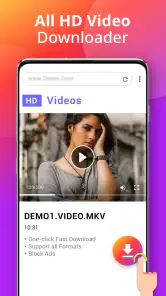
One of the standout features of the Downloader - Video Downloader is its simplicity. You don't need to be a tech wizard to use it. The interface is straightforward, with a clean design that makes navigation a breeze. Just copy the URL of the video you want to save, paste it into the app, and hit download. It's as easy as pie!
Compatibility and Speed
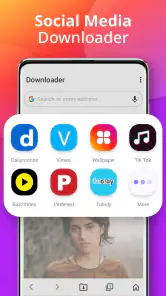
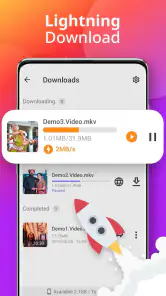
What really impressed me about this app is its compatibility with a wide range of platforms. Whether you're trying to download videos from Instagram, Facebook, TikTok, or Twitter, this app has got you covered. And let's talk about speed! The download process is quick, so you won't be left staring at your screen, impatiently waiting for that buffering wheel to disappear. In the blink of an eye, your video is safely stored on your device.
User-Friendly Features
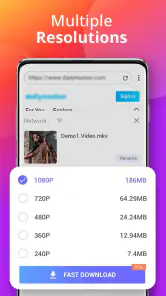
If you're worried about quality, fear not! The app allows you to choose the resolution that suits your needs, ensuring that you get the best possible version of your desired video. Plus, the app supports multiple downloads at once. So, if you're on a downloading spree, there's no need to wait for one video to finish before starting another.
Another feature worth mentioning is the built-in video player. Once you've downloaded your videos, you can watch them directly within the app without needing to switch to another platform. It's all about convenience, and I must say, it's quite satisfying to have everything in one place.
Why You Need This App
In today's digital age, content is king, and having the ability to save and access your favorite videos offline is invaluable. Whether you're gathering inspiration for a project, saving tutorials for later, or just collecting funny clips to share with friends, this app is a must-have in your digital toolkit.
To wrap it up, the Downloader - Video Downloader app is a reliable, user-friendly, and fast solution for all your video downloading needs. It's like having a magical pocket tool that grants you access to your favorite content anytime, anywhere. So go ahead, give it a try, and let the downloading adventures begin!
More From Our News Desk

Weather by Xiaomi Review: Clear at a Glance, Less Clear Up Close

X Under Pressure: Can It Recover When Posting Goes Wrong?

Clash of Clans Is Won Between the Battles

Android Auto Makes the Case for Quieter Car Software

MobiOffice: Transforming Mobile Productivity with Seamless Integration

EA SPORTS FC™ Mobile Soccer: Redefining Mobile Sports Gaming
Downloader - Video Downloader Frequently Asked Questions
Can I save videos for offline viewing with Downloader - Video Downloader?
The app is designed to download videos from popular social websites, so saving a compatible video to your device is its main purpose. Once a download is complete, you can watch the saved file without needing to return to the original page, subject to how the source site and its rules handle downloads. Make sure you have enough storage for the videos you choose.
Do I need to create an account to use Downloader - Video Downloader?
Downloader - Video Downloader is presented as a tool for downloading videos from popular social websites. Before installing, consider whether you are comfortable using it alongside the sites you already visit and review any sign-in prompts or permissions that appear during setup. Avoid sharing account details unless you understand why they are requested and are confident the request is legitimate.
How much storage space should I have available before downloading videos?
The space a video uses depends on its length and quality, so it is sensible to check your device’s available storage before saving several files. Keep in mind that downloaded videos remain on your device until you remove them, and other apps and files also use storage. Leaving some free space can help prevent downloads from interrupting other device tasks.
Does Downloader - Video Downloader work on my Android device?
Downloader - Video Downloader is an Android app for video playback and editing tasks, and it requires Android 6.0 or later. Check your device’s operating-system version before downloading so you can confirm compatibility. The app is free to install, making it easy to try if your device meets that requirement.
Who develops Downloader - Video Downloader, and is it widely used?
The app is developed by Leap Fitness Group and is listed in the Video Players & Editors category. It has an average rating of 4.7 from around 529,000 ratings, with roughly 4,500 written reviews and over 100 million installs. Those figures suggest it has reached a broad audience, though your experience may depend on the websites and videos you want to use.
Pros
- Supports multiple formats for downloads
- Fast download speeds
- User-friendly interface
- Allows batch downloading
- No registration required
Cons
- Ads can be intrusive
- Limited features in free version
- Not available on iOS
- Requires Android 5.0 or higher
- Some videos might be undownloadable
- Category
- Video Players & Editors
- Version
- 1.4.5