Dj it! - Music Mixer
- 1.64K
- 4.4
- Installs
- 10.00M
- Price
- Free
Screenshots
Analysis by Reviewed
I like the idea of trying out a mix without turning a casual music session into a technical project. Dj it! - Music Mixer is a mobile music-mixing app from Gismart, aimed at people who want to experiment with tracks and effects on a phone. It is free to install, rated for Everyone, and has an average rating of 4.4 from around 113,000 ratings. That popularity gives a useful sense of its reach, though it doesn’t tell me whether its approach will suit your taste or your privacy expectations.
A practical trust check before you start
When I try a music app, I separate what I can see and control from what I would have to assume. I wouldn’t treat a polished interface or a large audience as proof of particular privacy practices. Before using any music mixer, I check the permission prompts when they appear, consider whether each request makes sense for what I’m doing, and look for account or privacy controls in the app itself. I don’t grant access automatically just because I want to test a feature.
That cautious approach matters especially when an app works with music libraries or other services. The original appeal here is hands-on mixing, but your own tracks and listening habits can feel personal. I’d start with a brief session and pay attention to what the app asks me to connect or allow, rather than linking services or granting permissions without thinking. If you prefer not to give an app access to a particular source, use only the options you’re comfortable with and see whether that still supports the kind of experimenting you want to do.
Starting with a small, low-pressure session
For a first try, I’d keep the goal modest: pick a moment when I can listen without rushing, use music I already know, and concentrate on how the controls feel. That makes it easier to distinguish a genuinely useful effect from one that is merely entertaining for a few seconds. It also gives me a practical way to judge whether I enjoy shaping a track on a touchscreen or would rather leave playback alone.
A realistic use might be a quiet evening at home, when I have a few minutes to test a transition before sharing music with a friend. I would not plan the whole gathering around an unfamiliar setup. Instead, I’d check the sound privately first, then decide whether the result is enjoyable enough to play aloud. That simple test avoids the awkwardness of discovering mid-party that I prefer the original songs without extra processing.
Getting the Groove On
First things first, Dj it! - Music Mixer is all about making you feel like a DJ superstar. If you've ever dreamed of standing behind a DJ booth, twisting knobs, and making magic happen, this app is a fantastic starting point. I mean, who doesn't want to create epic mixes that get everyone on their feet?
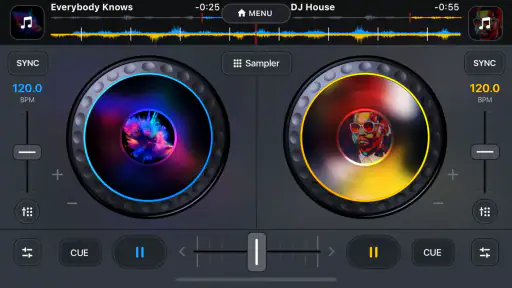
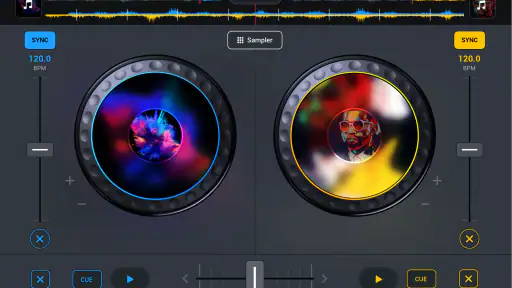
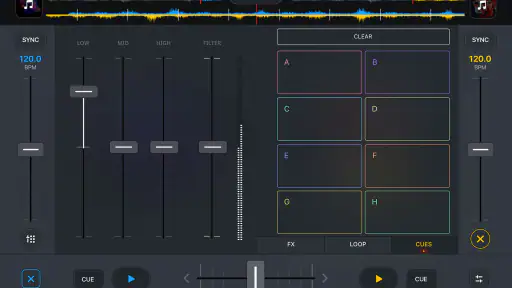
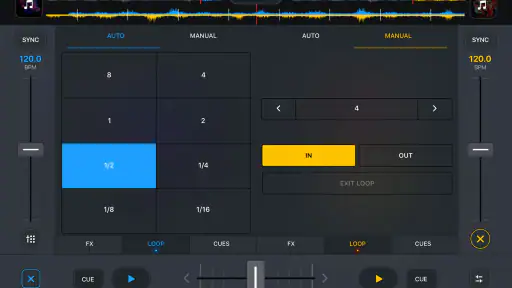
The app's interface is super user-friendly. Even if you're a total newbie to the DJ scene, you won't feel lost here. The developers have done an awesome job at making sure everything is intuitive. From loading tracks to mixing them seamlessly, it’s smooth sailing. I remember my first time using it, I was mixing tracks like a pro in no time!
More From Our News Desk

Weather by Xiaomi Review: Clear at a Glance, Less Clear Up Close

X Under Pressure: Can It Recover When Posting Goes Wrong?

Clash of Clans Is Won Between the Battles

Android Auto Makes the Case for Quieter Car Software

MobiOffice: Transforming Mobile Productivity with Seamless Integration

EA SPORTS FC™ Mobile Soccer: Redefining Mobile Sports Gaming
Features That Hit the Right Beat
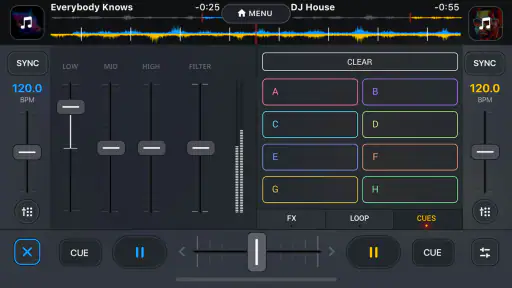
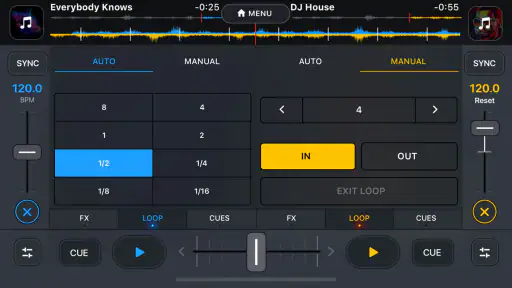
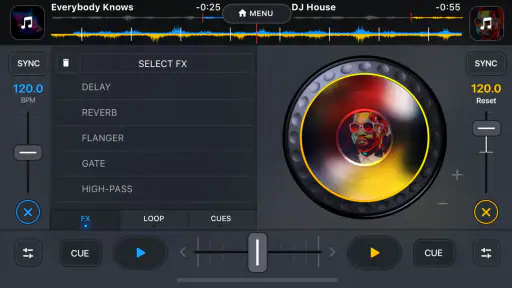
What really sets this app apart are the features. You get access to a wide array of effects that are just a tap away. Whether you're into echo, reverb, or something more experimental, there’s enough here to satisfy your creative cravings. Plus, the real-time mixing feature is a game-changer. I’ve been blown away by how responsive it is. There’s no lag, just pure musical harmony.
And let’s talk about the song library. With integration to major music platforms, you have a world of music at your fingertips. I love being able to pull tracks from my favorite playlists and give them my own spin. It’s like having a whole record store in your pocket!
Making a mix work in real life
For a low-pressure first session, I’d choose two familiar songs with noticeably different moods, then focus on one transition rather than trying every effect at once. A short sequence gives you a clearer sense of whether the timing and controls feel comfortable. It also helps you hear what each effect changes; piling on echo and reverb together can blur a transition instead of making it more expressive.
This kind of workflow is useful for a small gathering, a relaxed playlist experiment, or simply learning what makes one track flow into another. It is less suited to a planned set where precise cue points, detailed library management, or dependable output routing are essential. A phone touchscreen is convenient for quick gestures, but it is not the same as dedicated DJ hardware, and I would choose a more specialized setup for a performance where every transition has to be repeatable.
Jamming Anytime, Anywhere
One of the coolest things about Dj it! - Music Mixer is the portability. Whether you’re at home, on a beach, or at a friend’s house, you can DJ anywhere. All you need is your phone and maybe a speaker to amplify your beats. I’ve had my fair share of impromptu DJ sessions, and trust me, they’re a blast!
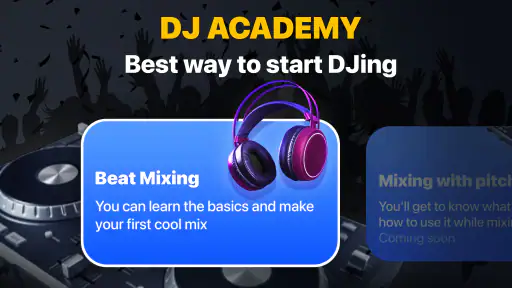
But it’s not just about having fun. The app also offers tutorials and tips for those who want to hone their skills. It’s like having a personal DJ coach with you 24/7. I’ve learned so much about beatmatching and transitioning between tracks, skills that I never thought I’d pick up!
What to expect from the learning curve
I’d approach the tutorials as a way to get comfortable experimenting, not as a substitute for learning every part of DJ technique. The practical value is that a beginner can try an idea, hear the result, and adjust without needing to understand a complex setup first. If a transition sounds rough, I can simplify it and try again rather than blaming myself for not knowing specialist terminology.
One useful habit is to change only one thing at a time. If I alter the transition and add several effects in the same attempt, it becomes difficult to tell which choice helped. Testing one adjustment, listening through the result, and then deciding whether to keep it makes the session more deliberate. This is a small workflow change, but it can prevent a playful app from becoming a string of random taps.
Choosing the right level of control
Compared with a basic music player, the draw here is the chance to intervene: you can shape a transition and play with effects instead of just letting a playlist run. Compared with a full desktop mixing setup, the phone-first approach is easier to pick up casually but offers a different level of control. I’d treat it as a playful introduction and a convenient way to explore ideas, not as a replacement for a more capable rig if you need detailed preparation or a professional performance workflow.
One practical trade-off is the difference between making a mix for yourself and expecting to share it as a finished recording. I’d check what the app lets me do within the session before planning a public set around it, and I’d be mindful of the music rights and platform rules that apply to any tracks I use. For a spontaneous listen with friends, experimenting directly is the point; for publishing or archiving a polished mix, I’d first make sure the workflow fits that goal.
Where this mixer fits—and where it doesn’t
For someone curious about mixing but not ready to learn desktop software or buy equipment, the appeal is the low-friction format: open a phone, try a transition, and decide whether the activity clicks. It can also suit a music fan who wants to add a little interaction to familiar listening. Someone who already knows exactly how they want to prepare a set may find the same simplicity limiting; careful track organization and repeatable performance controls matter more in that situation than quick access to effects.
A standard player remains the better choice when I simply want uninterrupted listening, battery-conscious background playback, or a familiar queue with no creative decisions. A dedicated DJ application or hardware setup makes more sense when I need a performance workflow I can rehearse and reproduce. The useful middle ground here is casual exploration: it gives a beginner a reason to listen actively without asking them to build a complete DJ workspace first.
Costs, choices, and a cautious verdict
The app is free to start, while optional in-app purchases range from $7.99 to $49.99 per item. I’d spend time with the basic experience before buying anything, then decide whether an upgrade addresses a limitation I have actually encountered. That is a better test than paying because a feature sounds appealing in the moment. The current version is 1.31 and it requires Android 10 or later, useful details to check before installing on an older device.
Gismart’s mixer has reached over 10 million installs, but scale alone doesn’t settle the question of trust. I look for clear choices in the app and make decisions one permission or connection at a time. If an access request seems unrelated to the way I want to use it, I pause rather than accepting by habit. That approach keeps the decision in my hands without assuming anything about practices I can’t personally verify.
Questions worth answering through your own first session
Will it suit a complete beginner? I think it can, especially if the goal is to explore effects and transitions rather than master a full DJ workflow. Is it a replacement for dedicated gear? Not for someone who needs detailed preparation or reliable, repeatable performance control. Can it add something to an ordinary playlist? Yes, if you enjoy actively shaping a few moments instead of letting songs play unchanged.
Before committing money or planning an event around it, I’d also ask myself whether I am comfortable with the permissions and connections presented during use, whether the available music options match what I want to mix, and whether I need to save or publish a finished recording. Those questions are more useful than assuming every mixer handles music and sharing in the same way. A short, personal test is the clearest way to see whether its actual workflow matches your expectations.
Wrapping It Up
In a nutshell, Dj it! - Music Mixer is a must-have for music lovers. Whether you're just looking to mess around and have some fun, or you're serious about learning the ropes of DJing, this app won’t disappoint. It’s packed with features, easy to use, and as flexible as you need it to be.
So next time you're thinking of how to spice up a party or just chill with some good tunes, give this app a try. You might just find your inner DJ coming to life!
My more measured recommendation is to try it if you want a friendly, portable way to explore mixing and learn by listening. If you need dependable advanced controls, want to avoid optional purchases entirely, or aren’t comfortable with the access choices presented during setup, a conventional player or a dedicated DJ tool may fit better. For a casual experiment between everyday listening and a more serious setup, though, it offers an approachable place to find out whether mixing is fun for you.
Dj it! - Music Mixer Frequently Asked Questions
Can Dj it! - Music Mixer help me make a track rather than just play songs?
Yes. Dj it! - Music Mixer is presented as an app for mixing music and creating tracks, so it is intended for hands-on experimentation rather than simply listening. You can explore its mixing tools and effects to shape a remix. It may suit users who want to try creative music-making on a mobile device, whether they are just curious or already enjoy DJing.
Can I use my own music with Dj it! - Music Mixer?
The app is described as letting users import their own tracks, which can be useful if you want to experiment with familiar music instead of relying only on material already available in the app. The original review also notes that locally stored tracks can be mixed offline. Keep your desired audio on your device if you plan to work without an internet connection.
Is Dj it! - Music Mixer a good choice for casual music fans, or is it aimed only at DJs?
Dj it! - Music Mixer is designed for both amateur and professional DJs, but its beginner-friendly approach means casual music fans can explore it too. Its focus on remixing and track creation makes it a way to experiment with music without needing to be an experienced DJ. The app includes tutorials to help newcomers get started, while more experienced users can try its mixing tools.
Will I need to pay to access Dj it! - Music Mixer?
The app is free to download, so you can try it without paying upfront. It also offers in-app purchases, with items priced from $7.99 to $49.99. If you prefer not to spend money, check the purchase options before using paid features and make sure any purchase settings on your device suit your needs.
Is Dj it! - Music Mixer free to download, and are there in-app purchases?
Dj it! - Music Mixer is free to download, so you can try the app without paying upfront. It also offers in-app purchases, with items priced from $7.99 to $49.99. If you prefer not to spend money, check the purchase options before using paid features and make sure any purchase settings on your device suit your needs.
Pros
- User-friendly interface for beginners
- Wide range of mixing tools available
- High-quality sound output
- Seamless music integration
- Supports multiple audio formats
Cons
- Limited free version features
- Occasional app crashes
- High battery consumption
- In-app purchases can be costly
- Requires stable internet connection
- Category
- Music & Audio
- Version
- 1.31













