Real Guitar - Music Band Game
- 13.99K
- 3.0
- Installs
- 100.00M
- Price
- Free

Screenshots



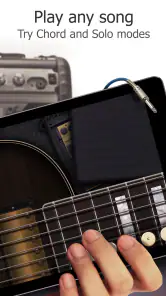
Analysis by Reviewed
I’d treat Real Guitar less as a substitute for a guitar and more as a shared music toy that can make a quiet stretch of the day more playful. On a phone passed around at home, one person can try a chord, another can pick a different guitar sound, and nobody needs to set up an instrument or worry about disturbing the room with an acoustic practice session. That casual, take-turns use is where Real Guitar - Music Band Game makes the most sense to me: it lowers the barrier to making a little music, even for someone who has never held a guitar.
A small instrument for shared moments
I can picture opening it while waiting for dinner, letting a child tap out a rhythm, then taking a turn to see whether a familiar chord sounds recognizable. It works best when the goal is curiosity rather than a polished performance. A phone screen is a cramped playing surface, so I wouldn’t expect a group to gather around it for a full jam; passing the device back and forth is more comfortable than trying to play together at once.
That distinction matters if you’re choosing between this and a real guitar. A physical instrument gives you string resistance, picking control and the feel of changing hand positions. This game gives you an immediate, low-commitment way to explore sounds and chords. For a household that wants a quick musical distraction, that trade-off can be useful; for anyone seriously building technique, it is a poor replacement.
Reads About Real Guitar - Music Band Game
Agree on how the shared device is used
Before handing over a phone, I’d make a simple plan: decide who is using it, keep the volume at a comfortable level, and check the device’s purchase settings if children may be tapping around. The game is free to download, but it includes optional in-app purchases ranging from $1.99 to $89.99 per item. That makes a quick look at the household’s usual purchase protections worthwhile, especially on a device used by more than one person.
I also wouldn’t assume that different people’s practice or recordings are neatly separated just because the phone is shared. If someone wants to keep a personal music experiment private or organized, they should use their own device where possible and check how the app handles saved work before relying on it. This is a practical boundary, not a reason to avoid the game: it simply keeps a casual shared session from turning into confusion about whose idea or recording is whose.
Taking turns without turning it into a lesson
For mixed ages and skill levels, I’d keep the activity short and give each person a clear little challenge: find a chord shape, try a different sound, or play along with a backing track. A beginner can enjoy experimenting without needing to know music theory, while someone with guitar experience can use the screen to test a progression or pass time. The best household use is cooperative and relaxed, not a contest over who plays “correctly.”
Real Guitar is made by Gismart and is a music game with an Everyone age rating. It has been around since May 17, 2013, and its current version is 3.41. The broad age label is helpful context, but I’d still make the decision based on the child, the shared device and the purchase settings rather than treating an age category as a complete guide. Its popularity—over 100 million installs—suggests that many people have tried it, though the average rating of 3.0 from around 683,000 ratings is a reminder that it won’t suit everyone.
More From Our News Desk

Android Auto Makes the Case for Quieter Car Software

MobiOffice: Transforming Mobile Productivity with Seamless Integration

EA SPORTS FC™ Mobile Soccer: Redefining Mobile Sports Gaming

How Microsoft OneDrive Became a Mobile Productivity Giant

How Google Translate Breaks Language Barriers Effortlessly

Why Google Sheets Is the Ultimate Mobile Productivity Tool
Getting Started with Real Guitar
So, first things first, let's talk about getting this app up and running. Downloading Real Guitar - Music Band Game is a breeze, available on both Android and iOS. Once it's on your device, you're greeted with a slick, user-friendly interface that doesn't overwhelm. It’s pretty intuitive, so you won’t need a PhD in music to figure it out.
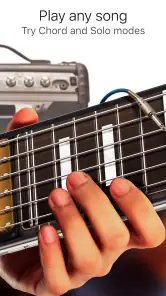
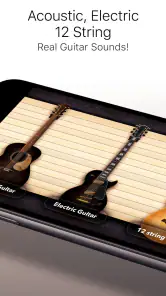
Now, the app offers a variety of guitars including acoustic, electric, and classic, catering to whatever mood you’re in. The sound quality is surprisingly authentic, which is a huge plus. It’s like carrying a mini recording studio in your pocket. You can select from different modes, whether it’s playing solo, jamming with friends, or even learning new chords and songs.
Features That Rock
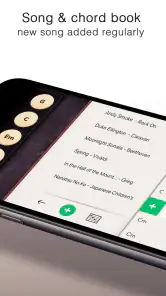
Let’s dive into some of the features that make this app stand out. One of the highlights is the extensive chord library. It's a treasure trove for both beginners and pros, offering everything from basic chords to complex ones. Plus, the app provides tutorials and lessons that are easy to follow, perfect for anyone looking to learn guitar from scratch.
Another cool feature is the backing tracks. You can jam along with different genres, which adds a whole new dimension to your practice sessions. Whether you're into rock, blues, or jazz, there's something here for everyone. The app also allows you to record your sessions, so you can listen back and see how far you’ve come.
Playing Experience
Playing on the app is a blast. The touch response is smooth, and it feels responsive enough to mimic actual guitar strings. You can adjust the settings to suit your playing style, whether you prefer fingerpicking or strumming. It’s pretty addictive once you get the hang of it. You might find yourself spending more time than you'd planned, just lost in the music.
What a phone guitar can—and can’t—teach
I find the chord library most useful as a visual prompt, not as a complete guitar course. If you are learning on a physical instrument, use the app to remind yourself of a chord shape, then practise the transition on real strings. That small switch catches a common trap: tapping the right chord on glass can feel like progress, but it does not train your fingertips or help build calluses. Use the virtual version to explore what to play; use an actual guitar to learn how it feels.
The backing tracks are better for trying ideas than for diagnosing mistakes. I’d start with a simple chord change and listen for whether I can land on the next shape in time, rather than trying to perform a complicated song straight away. Recording a short attempt can also make a useful check: listen once for timing, then again for whether the chord changes are clear. Keeping clips brief makes that review less discouraging and easier to compare with your next try.
If you mainly want to learn songs from tabs, a dedicated tab resource or structured lesson is usually more direct. If you want to practise picking dynamics, build finger strength or tune a physical instrument, this touchscreen game is not the right tool. Its strength is the quick loop between choosing a sound, trying a chord and hearing the result—not replacing the hands-on work that guitar playing requires.
Making a shared session work
One useful way to coordinate a household session is to let each person choose only one thing: a guitar sound, a chord to try, or a backing track. That keeps the activity moving and gives beginners a small decision they can make confidently. If someone is practising more seriously, I’d give them uninterrupted time rather than treating the device as a communal instrument; another person changing the setup mid-session can break concentration even when everyone means well.
For a quick everyday routine, I’d use it during a short wait or break: pick one chord progression, play it slowly, then try it with a backing track. Stop when the change becomes less awkward, rather than stretching a casual session into a long practice block. This is especially useful for a curious beginner who wants to explore music before deciding whether to invest time in lessons or a real guitar.
Choosing it over other music apps
Compared with rhythm games built around hitting prompts, this puts more emphasis on choosing and playing guitar-like chords, so it can feel closer to experimenting with an instrument. Compared with a metronome, tuner or lesson app, it is less focused and less suitable for measuring technique, but more immediately entertaining. I’d pick it for casual chord exploration and a bit of musical play; I’d choose a lesson app for a planned curriculum, a tuner for setting up a real instrument, and a physical guitar whenever touch and technique are the point.
Some readers will wonder whether they need musical experience before opening it. I don’t think so: the approachable layout and chord prompts make trying a few sounds accessible, though patience helps if the screen feels small or your taps are imprecise. Others may ask whether it is worth using without buying anything. Since it is free to download and purchases are optional, you can begin without paying, but I would review the available content and purchase controls before making it a regular shared-device activity.
Features That Rock
Let’s dive into some of the features that make this app stand out. One of the highlights is the extensive chord library. It's a treasure trove for both beginners and pros, offering everything from basic chords to complex ones. Plus, the app provides tutorials and lessons that are easy to follow, perfect for anyone looking to learn guitar from scratch.
Another cool feature is the backing tracks. You can jam along with different genres, which adds a whole new dimension to your practice sessions. Whether you're into rock, blues, or jazz, there's something here for everyone. The app also allows you to record your sessions, so you can listen back and see how far you’ve come.
Playing Experience
Playing on the app is a blast. The touch response is smooth, and it feels responsive enough to mimic actual guitar strings. You can adjust the settings to suit your playing style, whether you prefer fingerpicking or strumming. It’s pretty addictive once you get the hang of it. You might find yourself spending more time than you'd planned, just lost in the music.
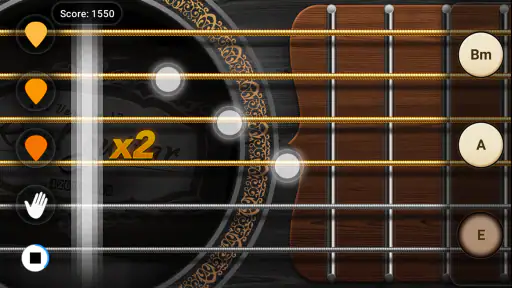
If you’re someone who loves a bit of a challenge, the app has you covered with its game mode. It’s like Guitar Hero meets a real guitar lesson. You can compete against friends or go solo, trying to hit the right chords and notes. It’s a fun way to improve your skills without it feeling like a chore.
Final Thoughts
In a nutshell, Real Guitar - Music Band Game is a fantastic app for anyone who loves music. It’s versatile, user-friendly, and genuinely fun to use. Whether you’re looking to learn guitar or just want to jam out on a virtual instrument, this app is worth checking out.
Sure, it doesn’t replace the feel of a real guitar, but it comes pretty close. It’s perfect for practice on the go, and the fact that you can carry it around in your pocket is a game changer. So, if you’ve got the music in you and you’re looking for a way to express it, give this app a try. You might just find yourself hooked!
My household verdict
I’d recommend it to families or friends who want an easy, low-pressure way to explore guitar sounds on a phone, especially when one person is curious but not ready to commit to an instrument. It is also a handy distraction for an experienced player who wants to sketch a chord idea away from their guitar. I’d skip it if the main goal is serious technique, dependable song instruction or a realistic group jam; those needs call for a real instrument or a more focused music-learning tool.
Overall, the appeal is its convenience and the short path from opening the app to making a sound. Treat it as a playful first step, agree on shared-device boundaries, and keep expectations grounded: it can make music feel approachable, but it cannot reproduce the physical work of playing guitar. For casual household use, that is a worthwhile niche.
Real Guitar - Music Band Game Frequently Asked Questions
Does Real Guitar - Music Band Game require real guitar equipment?
No guitar equipment is needed to try the core idea: Real Guitar - Music Band Game is a music game that lets you interact with a virtual guitar on your device. You can explore its guitar sounds and play using the screen, making it an option for casual practice or musical experimentation without bringing an instrument along. It is still a game, rather than a substitute for learning on a physical guitar.
What does Real Guitar - Music Band Game focus on?
The game centers on playing guitar-style sounds on a mobile device, with electric and acoustic sounds, chords, and tabs among its main attractions. Its short description is simply “Real Guitar,” while its store summary highlights “Electric & Acoustic Sounds, Ultimate Chords & Tabs.” If you are looking for an interactive music app built around virtual guitar playing, that gives you a good sense of its focus.
Who makes Real Guitar - Music Band Game, and what age group is it for?
Real Guitar - Music Band Game is a music game developed by Gismart, and its content rating is Everyone. That makes it suitable for a broad audience, including people exploring guitar sounds for the first time. The rating describes its general audience suitability; whether its playing style appeals to you will depend on whether you enjoy experimenting with music through a touchscreen.
Is Real Guitar - Music Band Game free to download?
Yes. Real Guitar - Music Band Game is free to download, so you can try its virtual guitar before deciding whether to spend money in the app. It also offers optional in-app purchases, with individual items priced from $1.99 to $89.99. Check the purchase details before confirming any transaction, especially if you share a device or payment method.
What devices can run Real Guitar - Music Band Game?
The game is available for Android and iOS devices, and the listed minimum operating system is version 9. Before downloading, check that your device meets this requirement and has enough available storage for the installation. Keeping your operating system compatible can help avoid installation problems and lets you get started with the virtual guitar.
Pros
- Realistic sound quality enhances the playing experience.
- Intuitive interface for beginners and pros alike.
- Wide variety of songs and genres to explore.
- Real-time feedback helps improve your skills.
- Customizable guitar types and effects.
Cons
- Ads can be intrusive during gameplay.
- Limited free content available initially.
- Requires internet for some features.
- In-app purchases can add up quickly.
- Occasional lag on older devices.
- Category
- Music
- Version
- 3.41