Drum Pads - Beat Maker Go
- 7.56K
- 3.1
- Installs
- 50.00M
- Price
- Free
Screenshots
Analysis by Reviewed
I usually turn to Drum Pads - Beat Maker Go when I want to sketch a rhythm quickly, rather than build a polished track from scratch. It turns a phone screen into a set of playable drum pads, so I can try out a pulse while waiting for a bus or use a few spare minutes to explore a musical idea. That immediacy is the appeal, though it also means this is best approached as a hands-on beat-making app, not a replacement for a full music workstation.
Where a quick session can get stuck
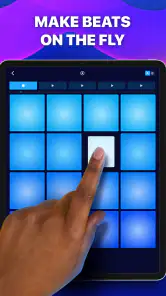
The first hurdle is often not musical knowledge but getting comfortable with tapping accurately on a touchscreen. It is easy to hit adjacent pads or lose a steady pattern when you are trying to trigger several sounds in quick succession. I recommend starting with a simple rhythm and using the metronome before layering more taps; it gives you a steadier reference and makes it easier to hear whether a change actually improves the beat.
There is also a difference between experimenting and arranging. A pad setup encourages live, immediate choices, which feels lively, but it can be less comfortable than a timeline when you want to make precise edits or organize a longer composition. If your goal is detailed production, I would use this as a sketchpad and move to a desktop or mobile audio workstation for the finishing work.
Setup checks that save time
Before judging a session, I check the basics: the phone is responsive, the app is current, and I have enough quiet to hear the sounds clearly. Drum Pads - Beat Maker Go is a free music and audio app from Gismart, rated for Everyone. It launched on March 2, 2018, and its current version is 2.41.2, which requires Android 5.0 or later. It has an average rating of 3.1 from around 227,000 ratings, with more than 50 million installs; that broad reach is useful context, but the middling score suggests experiences can vary.
The app is free to try, while in-app purchases range from $0.99 to $69.99 per item. I would explore the basic workflow before buying anything, especially if I am still deciding whether tapping pads suits me. Also, check that your device’s audio is behaving normally: a low volume setting or a noisy environment can make timing and sound selection seem worse than they are.
Making a beat, then recovering the groove
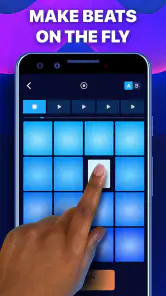
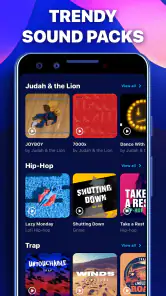
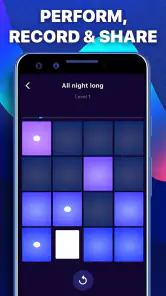
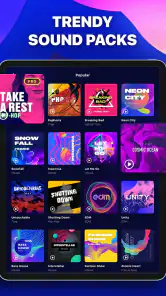
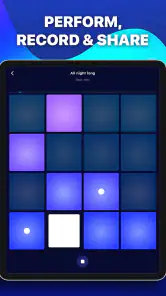
Once I fire up Drum Pads - Beat Maker Go, I’m greeted with an interface that feels inviting and easy to navigate. For someone like me who’s more of a wannabe DJ than an actual one, the layout was a lifesaver. There are sound packs spanning styles such as hip-hop and EDM, and I can start crafting a beat by tapping the pads. It’s intuitive and, honestly, kind of addictive.
Features That Hit the Right Note
One thing I absolutely loved was the real-time audio effects. I can add filters, delay, and other effects on the fly, which makes each session feel like a live performance. There’s also a metronome to help keep beats on point, which is handy if, like me, you have a tendency to drift off-tempo.
More From Our News Desk

Clash of Clans Is Won Between the Battles

Android Auto Makes the Case for Quieter Car Software

MobiOffice: Transforming Mobile Productivity with Seamless Integration

EA SPORTS FC™ Mobile Soccer: Redefining Mobile Sports Gaming

How Microsoft OneDrive Became a Mobile Productivity Giant

How Google Translate Breaks Language Barriers Effortlessly
When a pattern starts to wobble, I find it more useful to pause and rebuild the simplest version than to keep adding taps in the hope that it will fall into place. Try the metronome, settle on a basic pulse, then bring effects back in one at a time. That makes it easier to tell whether the timing, the selected sounds, or an effect is what changed the feel. For a casual session, this small reset is less frustrating than chasing every mistake while playing.
The app also comes loaded with a handy recording feature. I can save sessions and listen back, which is useful for spotting areas to improve. And for people who enjoy sharing their work, there’s an option to share tracks on social media or challenge friends.
Who will enjoy this style of beat making
I think this format works especially well for curious beginners, rhythm-game fans who want to make their own patterns, and anyone who enjoys spontaneous music play without setting up instruments. A realistic use for me would be tapping out a quick idea during a break, recording it, then listening back later to decide whether it has enough shape to develop. Listening away from the pads can reveal that a pattern sounded exciting while playing but feels crowded as a loop.
Compared with a conventional beat-making app built around sequencer lanes, this one favors performance and immediacy over detailed arrangement. That trade-off is a strength if you want to trigger sounds and experiment in the moment; it is a limitation if you need careful note placement, extensive editing, or a structured path from sketch to finished song. I would choose a sequencer-based tool for that kind of work, and keep this app for quick, tactile ideas.
Building a useful practice routine
One way I’d get more from the pads is to treat a short session as a focused experiment instead of trying to make a complete song. I might pick one pulse, record a take, then change only the sound or effect that seems least convincing. Keeping the number of changes small makes comparisons clearer: I can hear whether a different layer helps the rhythm, rather than confusing a new sound with a timing improvement.
This approach also helps when I have only a few minutes. A brief, repeatable routine—start with a simple beat, add one element, record, and listen back—gives the session a purpose without demanding a quiet room or a long stretch of free time. If the idea is worth pursuing, I can note what I liked and move to a sequencer later, where arranging and editing are easier.
Perfect for Beginners and Pros
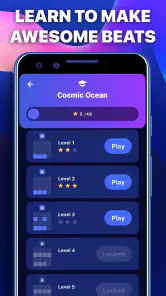
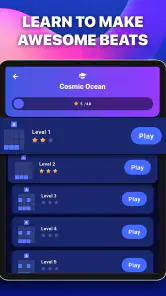
Whether you’re just starting or have more experience, the app is approachable enough to invite experimentation. The gentle learning curve is a plus if you’re dipping your toes into beat making, though I would not assume that an easy first session means it will cover every advanced production need. The strength here is getting sound under your fingers quickly, not replacing the depth of a dedicated workstation.
Some descriptions of the app point to advanced options such as MIDI support and importing your own sounds. I would check that the specific workflow you need is available in the version you install before building a project around it. For a casual beat sketch, the built-in pad approach is the more straightforward reason to try it; for a production setup that depends on external gear or a personal sample library, I would verify compatibility first.
When the app may not be the cause
If playback seems off, I would first separate a playing problem from a sound problem: try a simpler pattern, check the phone’s volume, and listen in a quieter setting. If taps feel delayed or inconsistent, close other demanding activity on the device and try again before changing how you play. A busy screen and rushed tapping can also make a beat feel less precise, so reducing the number of simultaneous actions is a useful test.
It is worth checking the same pattern more than once before deciding that a particular sound or effect is the problem. A quick tap can land differently from an intentional press, and listening while actively playing makes it harder to judge the result objectively. Recording a simple take and replaying it gives me a more reliable comparison than relying on the impression of a single live attempt.
I would skip this app if I need a dependable stage instrument, exact editing, or a complete production workspace on my phone. It is also not the best fit if I prefer composing by placing notes on a grid rather than performing them with my fingers. The pad approach asks for a little coordination, and that hands-on feel is central to the experience rather than something every user will enjoy.
Choosing it over other music tools
The main choice is between playing pads and arranging a beat on a sequencer grid. With pads, I can react to the sound as I trigger it, which suits loose experimentation and quick bursts of creativity. A grid-based tool is usually the more comfortable choice when I want to position hits carefully, repeat exact sections, or develop a longer arrangement. Neither approach is automatically better; the right one depends on whether I want to perform a rhythm or edit it into shape.
It also occupies a different space from a traditional instrument practice app. I would reach for it when I want to explore layered electronic-style rhythms and effects, not when I need lessons on a physical drum kit or detailed instrument technique. That distinction matters for beginners: it can make beat making approachable, but it is not a substitute for learning an instrument if that is the goal.
For someone deciding whether it is worth trying, the free starting point keeps the initial commitment low, while optional purchases make it sensible to explore the core experience before spending. The app is available on Android, with a minimum requirement of Android 5.0. Its Everyone age rating makes it broadly accessible, though younger users should still follow the usual household guidance around in-app purchases.
Final Beat
In conclusion, Drum Pads - Beat Maker Go is a useful tool for anyone looking to explore beat making in a direct, hands-on way. Its approachable interface, varied sound packs, and live effects give a quick session plenty to play with. Whether I’m filling a break or relaxing at home, it offers an easy way to try out a rhythm and share a recording. The experience is most rewarding when I treat it as a place to experiment rather than expect a finished studio workflow.
My practical verdict is more specific: I would recommend it as a casual, approachable way to test rhythm ideas, use effects while playing, and capture a quick session. I would not rely on it as my only tool for composing a finished track, and I would try the free experience before spending on optional items. If you enjoy making music by tapping rather than arranging every note, the quick feedback can be genuinely fun; if precision and long-form editing matter most, a sequencer is likely the better place to start.
Drum Pads - Beat Maker Go Frequently Asked Questions
Can I use Drum Pads - Beat Maker Go without musical experience?
Yes. Drum Pads - Beat Maker Go is aimed at people who want to make music with a virtual drum pad, including beginners. Its sound packs and pad-based approach give you a way to start experimenting with beats without needing to play a traditional instrument. You can try tapping out patterns and explore the app’s music-making tools at your own pace.
Who develops Drum Pads - Beat Maker Go?
Drum Pads - Beat Maker Go is developed by Gismart. The app is in the Music & Audio category and focuses on making beats with a drum pad, as its short description suggests. If you are comparing music-making apps before downloading, its main appeal is the chance to create music directly from a mobile device rather than needing a separate drum setup.
Does Drum Pads - Beat Maker Go need an internet connection?
The main idea of Drum Pads - Beat Maker Go is making beats with a drum pad, so it is suited to hands-on music creation on your device. Whether particular content or features require a connection can depend on how the app handles them. Before relying on it for offline use, check the features you plan to use after installing and opening the app.
Is Drum Pads - Beat Maker Go free to download?
Yes. Drum Pads - Beat Maker Go is free to download, so you can try its beat-making tools without paying upfront. The app also offers in-app purchases, with items priced from $0.99 to $69.99 each. Consider whether the free content meets your needs before purchasing extras, and review any purchase details shown in the app before confirming a transaction.
What devices can run Drum Pads - Beat Maker Go?
Drum Pads - Beat Maker Go is available for Android devices running Android 5.0 or later. Before downloading, check your device’s operating system version and make sure you have enough storage for the app. Compatibility can vary by device, so it is also sensible to check the relevant app store page on the phone or tablet you plan to use.
Pros
- User-friendly interface for beginners
- Wide variety of sounds and effects
- Customizable drum kits
- Real-time recording and playback
- Supports MIDI controllers
Cons
- In-app purchases can be pricey
- Limited free features
- Occasional latency issues
- Ads can be intrusive
- Requires internet for some features
- Category
- Music & Audio
- Version
- 2.41.2













