Piano - Music Keyboard & Tiles
- 18.41K
- 4.1
- Installs
- 100.00M
- Price
- Free

Screenshots
Analysis by Reviewed
I reach for a phone piano game for a very different reason than I would sit down at a real keyboard: sometimes I want a quick, guided music break, not a practice plan. Piano - Music Keyboard & Tiles is aimed at that lighter mood. Its tile-based play makes music feel approachable, and the included keyboard and lessons give curious beginners a place to start. I wouldn’t mistake it for a full piano course, but I can see why a simple tap-along session is appealing when a piano isn’t nearby.
Quick sessions, simple expectations
I’d treat this music game from Gismart as an easy way to spend a few spare minutes with melodies, not as a shortcut to becoming a pianist. It is free to start, rated for everyone, and has a 4.1 average from around 1.3 million ratings, so it has clearly reached a broad audience. Its large audience doesn’t mean it will suit every musical goal, though: the tile-style play is built around following prompts, while learning to perform independently takes a different kind of practice.
A realistic use is opening it during a quiet break, choosing a song, and playing a short section for fun before returning to the day. That low-commitment rhythm is where I see the strongest appeal. If you want to practise reading sheet music, build formal technique, or prepare a piece for a lesson, a structured piano-learning tool or a real keyboard will serve you better.
Turning Your Phone into a Piano
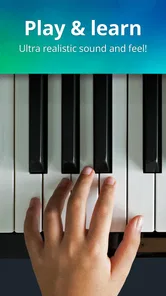
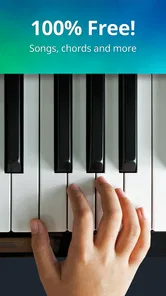
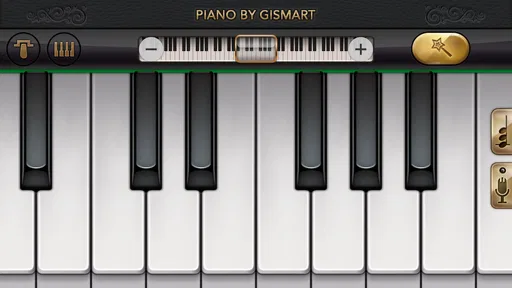
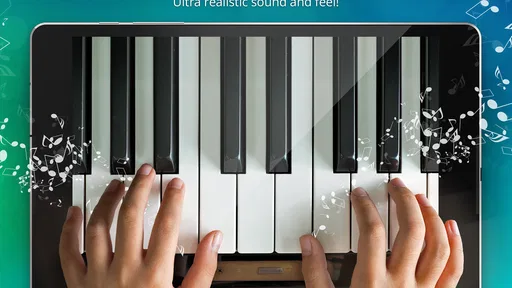
One of the standout features of Piano - Music Keyboard & Tiles is how it transforms your phone into a mini keyboard. The app’s interface is intuitive and user-friendly, making it easy for beginners to dive right in. Whether you want to play classic pieces or modern hits, the app offers a wide selection of songs that cater to all musical tastes.
Learning Made Fun
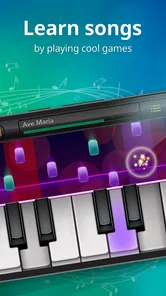
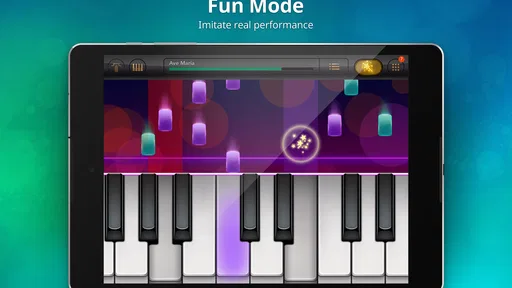
The app incorporates game-like elements to make learning the piano more engaging. It’s kind of like Guitar Hero but for piano enthusiasts. As you tap on the tiles in time with the music, you’re actually playing the piece. It’s an excellent way for newbies to get a feel for the rhythm and timing required to play real piano pieces.
One useful way to get more from that format is to focus on steady timing rather than chasing a flawless run. When a passage feels difficult, replaying it with attention on the beat can make the session more satisfying than rushing through just to finish. I’d also keep expectations clear: matching tiles can sharpen your sense of timing, but it doesn’t automatically teach hand position, posture, or how to read a score.
Lessons and practical limits
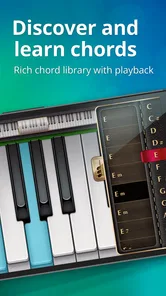
What’s cool is that the app doesn’t just stop at playing songs. It also offers lessons that guide you through the basics of piano playing, from identifying notes to mastering chords. It’s like having a personal piano tutor in your pocket!
More From Our News Desk

Weather by Xiaomi Review: Clear at a Glance, Less Clear Up Close

X Under Pressure: Can It Recover When Posting Goes Wrong?

Clash of Clans Is Won Between the Battles

Android Auto Makes the Case for Quieter Car Software

MobiOffice: Transforming Mobile Productivity with Seamless Integration

EA SPORTS FC™ Mobile Soccer: Redefining Mobile Sports Gaming
For a beginner, those lessons make the game more useful than a pure rhythm challenge, especially when you want a small prompt for what to practise next. Still, I would use them as an introduction rather than a complete curriculum. If your goal is to play without on-screen guidance, pair this with deliberate practice away from the app or choose lessons designed around technique and independent playing.
Creative play and everyday use
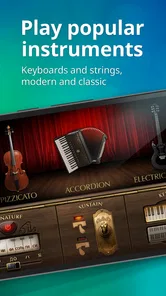
Besides the basic piano keyboard, the app also includes a variety of musical instruments sound effects like the guitar and violin, adding a layer of creativity to your practice sessions. You can record your sessions and share them with friends, which is a nifty feature for those who love to showcase their progress.
Recording is especially handy as a private checkpoint: I’d save a short attempt, then listen back to notice whether the rhythm stays even, rather than relying only on how a run felt while tapping. It can also make a casual music break more social if you want to share a take. The trade-off is that a phone screen is still a compact playing surface, so longer sessions may feel cramped compared with a keyboard or tablet.
Speed, stability, and device fit
The game’s simple tap-focused idea should feel approachable for quick play, but the experience depends on a responsive touchscreen and a device that can run it smoothly. I wouldn’t assume that every older phone will feel equally comfortable, particularly if the display is small or the device is already struggling with other tasks. The current version is 1.73 and it requires Android 5.0 or later; that gives Android users a clear compatibility baseline, while the practical comfort of playing still depends on screen size and touch response.
For less interruption, I’d close demanding apps before a longer session and keep the phone steady on a table. That is a simple workaround, not a promise of better performance on every device. If a run is interrupted, returning to a short section is a sensible way to regain the rhythm instead of expecting a casual phone game to behave like a dedicated instrument or lesson setup.
Costs and alternatives
The game is free to download, with optional in-app purchases ranging from $1.49 to $89.99 per item. I’d try the free experience first and decide whether the available play is enough before spending. For relaxed, guided tapping, it is more inviting than opening a blank keyboard app; for open-ended composing, a music-making app is usually a better fit, while a physical keyboard wins for developing touch and technique.
It has been available since June 5, 2014, and has passed 100 million installs, which makes it a familiar option in mobile music games. Those figures are useful context, but they don’t settle whether its style suits you: the best test is whether you enjoy following the tiles and want to return for another short session.
Features That Hit the Right Notes
The app’s design is sleek and modern. Navigation is a breeze, and the vibrant colors and animations make the experience visually pleasing. It’s clear that the developers put a lot of thought into making the app as engaging and enjoyable as possible.
Choosing it for the right kind of music break
I think this is best for someone who enjoys music but feels intimidated by a blank keyboard. The tiles provide an immediate task, so there’s less uncertainty about what to tap than with an open piano simulator. That difference matters when you have only a few minutes and want to get straight into a song rather than work out notes from scratch.
It can also suit a parent looking for a casual, music-themed activity to explore alongside a child, especially because the age rating is Everyone. I’d keep the goal modest: sharing the screen and trying a few notes can be enjoyable, but it isn’t the same as a carefully paced lesson. For a learner who wants routine, feedback on technique, and a clear sequence of study, a dedicated teaching app or in-person instructor is a more appropriate companion.
Making short sessions more useful
One small habit I’d use is setting a narrow aim before opening the game: follow one passage with an even pulse, explore a lesson topic, or record a brief take to listen back to. A specific aim helps prevent the session from becoming hurried tapping for a high score or completion. It also makes it easier to tell whether the game is giving you the kind of enjoyment you want.
When playing on a phone, I’d use both hands only if the screen and grip feel comfortable, and I’d avoid balancing the device on my lap while trying to keep time. A stable surface can make taps more deliberate and reduce accidental touches. If the display feels crowded, switching to a larger device, where available, is a practical improvement; if you want the feel of spaced piano keys, even a larger touchscreen remains a compromise rather than a substitute for a keyboard.
What to expect from recovery and reliability
For a casual game, the most useful measure of reliability is whether I can return to the activity without turning a brief interruption into a chore. If a notification or another task pulls me away, I’d simply restart with a manageable section and settle back into the timing. That approach is less frustrating than treating every run as a performance that must be preserved.
Touch response is central to this style of play: a missed or delayed tap can feel like a musical mistake even when the issue is the device, your finger placement, or a momentary distraction. I’d test a few taps before settling into a longer attempt, particularly on an older or smaller phone. If the controls feel inconsistent, there’s little value in pushing through; a simpler listening session or a real keyboard may be more satisfying at that moment.
Where it sits among piano apps
Compared with a plain virtual keyboard, this game gives you guidance and a more obvious path into a song, which makes it friendlier for someone who doesn’t know where to begin. Compared with a rhythm game, the piano framing and lessons can make the activity feel closer to musical exploration. But a keyboard app is better when you want to experiment freely, and a structured learning app is better when you want disciplined progress rather than prompted play.
That distinction is worth keeping in mind before paying for anything. Optional purchases range from $1.49 to $89.99 per item, so I would first spend time with the free starting experience and decide whether the way it teaches and entertains actually fits my routine. The right purchase depends on what you will use, not simply on how much content seems available.
Wrapping It Up
In conclusion, Piano - Music Keyboard & Tiles is a fantastic tool for anyone looking to dive into the world of piano playing without the need for a physical instrument. It combines fun and education in a seamless way, making it perfect for people of all ages.
Whether you’re a complete novice or someone looking to brush up on your skills, this app has something to offer. So, if you’ve ever wanted to learn piano or just love the idea of playing music on the go, give it a try. It might just be the musical adventure you’ve been looking for!
My performance verdict
For quick, guided sessions, I find the balance of accessibility and musical play appealing: you can get started without a piano and use the lessons, sound options, or recording tools to give a short visit a purpose. Its 4.1 average and around 18,000 written reviews suggest plenty of people have formed an opinion, while the 100 million-plus installs show how widely it has been tried. I see those as signs of reach, not a guarantee that every device or musical goal will be a fit.
My recommendation is simple: try it if you want a low-pressure way to follow melodies and are comfortable with a screen-based instrument. Skip it if your priority is independent piano technique, unrestricted composing, or a reliably roomy playing surface. As a free music game from Gismart, it has a clear role—an accessible musical diversion with beginner-friendly elements—so long as you treat it as a starting point for enjoyment rather than a replacement for practice at a real piano.
Piano - Music Keyboard & Tiles Frequently Asked Questions
Can I play Piano - Music Keyboard & Tiles with headphones?
Headphones can make the piano sounds easier to hear, especially if you are playing in a noisy place or want to keep the volume down for people nearby. The game centers on a virtual keyboard and tile-based play, so clear audio can help you enjoy the music as you tap. You can also play through your device’s speaker if that suits you better.
Is Piano - Music Keyboard & Tiles suitable for children?
Piano - Music Keyboard & Tiles is rated for Everyone, and its music-game format is approachable for a broad audience. Children may enjoy tapping along to the tiles and exploring the piano-style keyboard, while adults can play for a quick music-themed challenge. As with any game that offers optional purchases, it is sensible for parents to review device purchase settings before letting a child play.
Does Piano - Music Keyboard & Tiles help you learn to play a real piano?
The game offers a virtual piano-style keyboard and tile-based musical play, so it can be an enjoyable way to interact with notes and rhythm. However, it is best approached as a music game rather than a complete substitute for piano lessons or structured instrument practice. Players seeking formal instruction should look for a dedicated learning course alongside it.
Is Piano - Music Keyboard & Tiles suitable for short play sessions?
Yes. Its combination of a virtual keyboard and tile-based challenges makes it easy to pick up for a brief music break, without requiring a long session. You can focus on a song or a quick round when you have a little spare time. If you prefer deeper practice, the game also presents itself as a way to explore piano-style play beyond a single quick attempt.
Who develops Piano - Music Keyboard & Tiles, and how long has it been available?
Piano - Music Keyboard & Tiles is developed by Gismart. It first appeared on June 5, 2014, and its current version is 1.73. That long-running presence gives prospective players a sense of the game’s history, while the central appeal remains its accessible mix of music, a piano-style keyboard, and tile gameplay.
Pros
- Wide variety of songs and genres to play.
- Interactive tutorials for beginners.
- Customizable keyboard settings.
- Offline mode available.
- High-quality sound output.
Cons
- Contains in-app advertisements.
- Premium features require subscription.
- Occasional lag during gameplay.
- Limited free song selection.
- Requires a significant amount of storage.